Conversions report
Reporting → Conversions: leads, meetings booked, requests sent and conversion rate, the path to a booked meeting, cancellations, each outcome form, and time to convert.
- In Darwin: Reporting → ConversionsOpen in Darwin
- Updated
The Conversions report answers what turns into pipeline: the meetings booked and requests sent through your chat, how visitors got there, and what happened after.
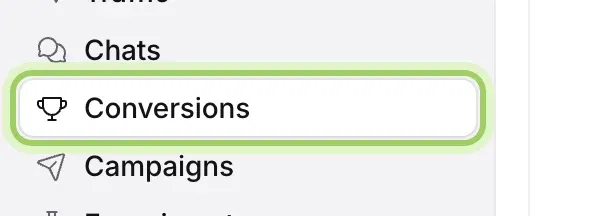
Open the report
Open Reporting in the sidebar and select Conversions. It opens on Last 30 days; change the range, filter or view at the top as on every report. See Understand your results in Reporting.
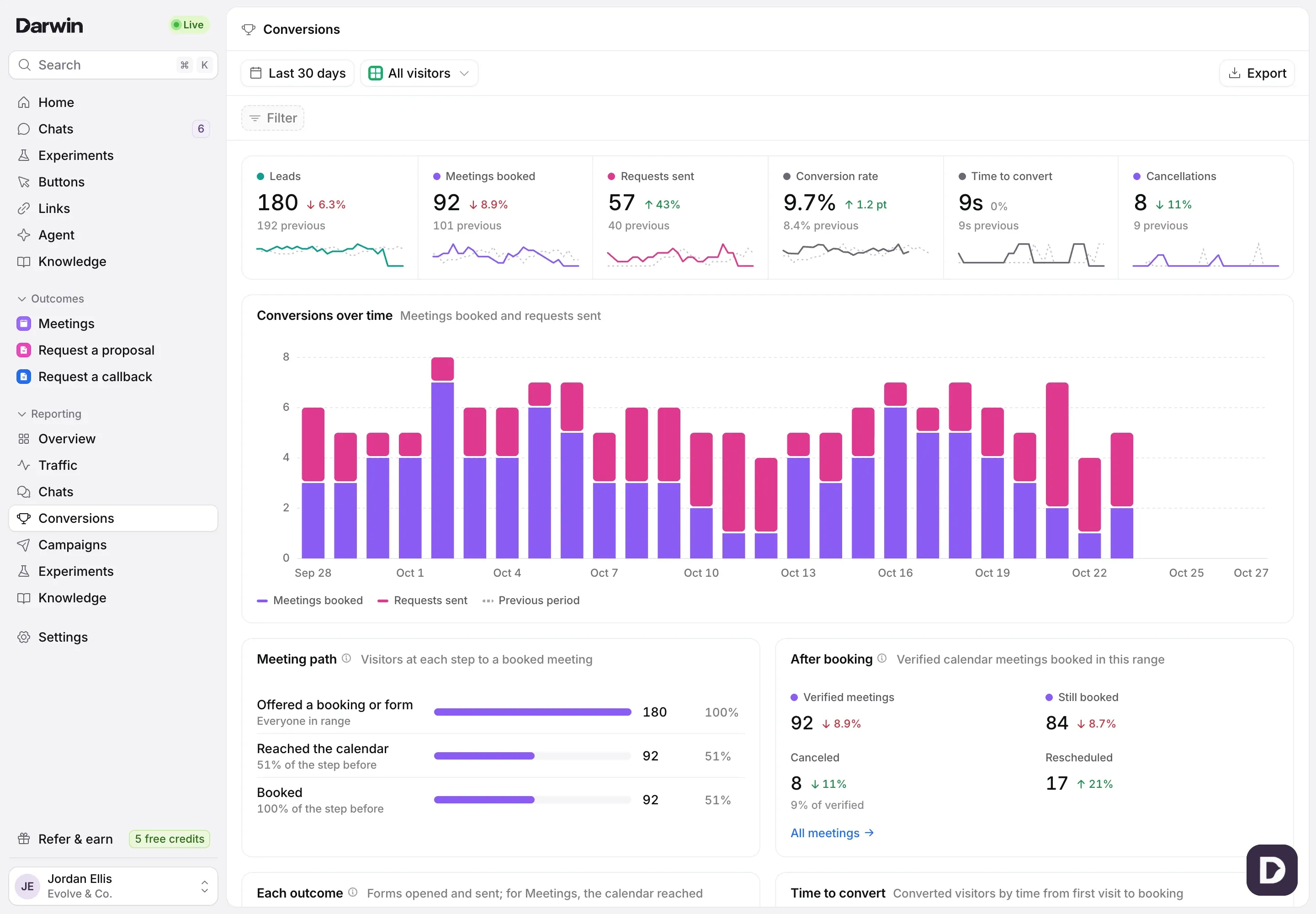
Read the numbers
Leads counts visitors who left contact details or booked. Meetings booked and Requests sent count bookings and the outcome forms visitors sent. Conversion rate is the share of visitors who did either. Time to convert is the middle time from a visitor’s first page view to their first booking or request, and Cancellations counts meetings from this range canceled since.

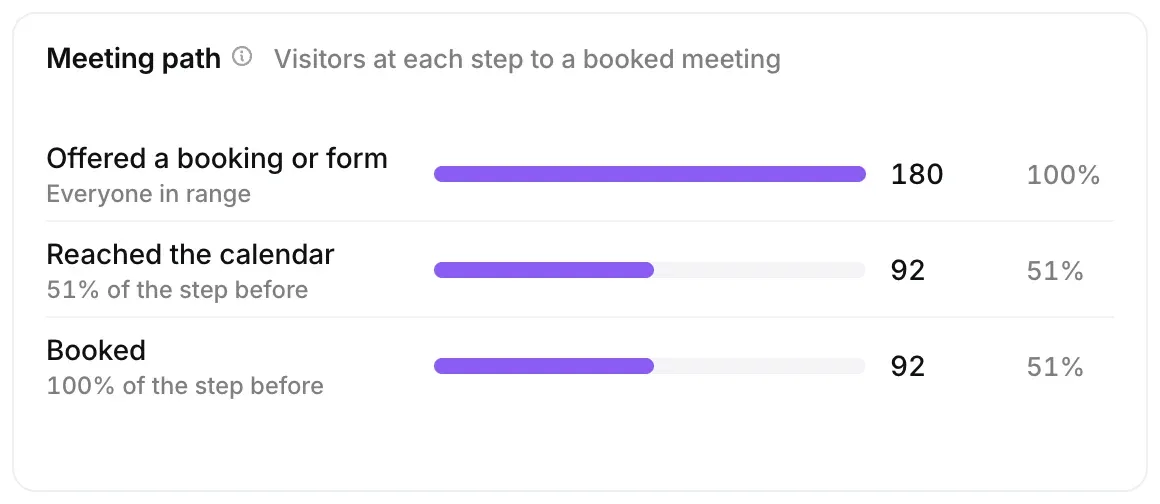
Follow the path to a meeting
Meeting path counts visitors who were offered a booking or form, reached the calendar, and booked. The biggest drop shows where visitors stop.
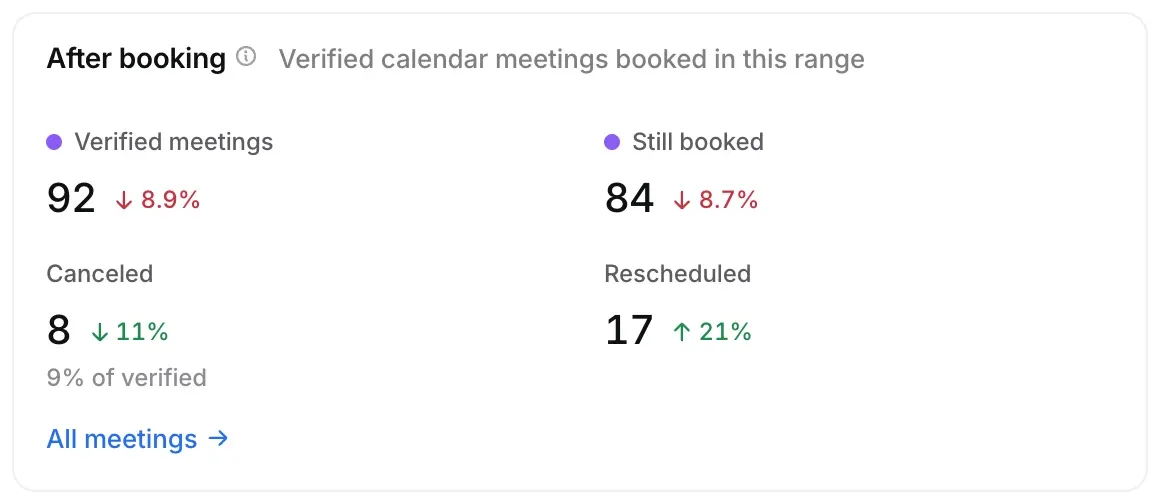
See what happened after booking
After booking counts the meetings your connected calendar confirmed: still booked, canceled and rescheduled.
Compare your outcomes
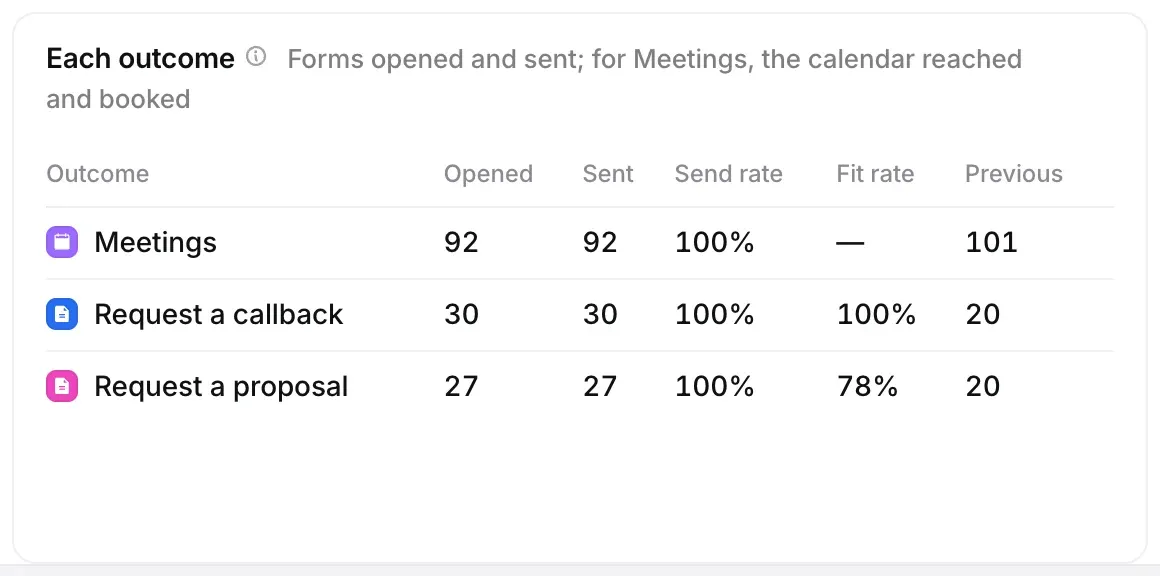
Each outcome lists Meetings and each of your forms: how many were opened and sent, the Send rate, and for forms with fit rules, the Fit rate. Select a row to open that outcome.
See how long visitors take
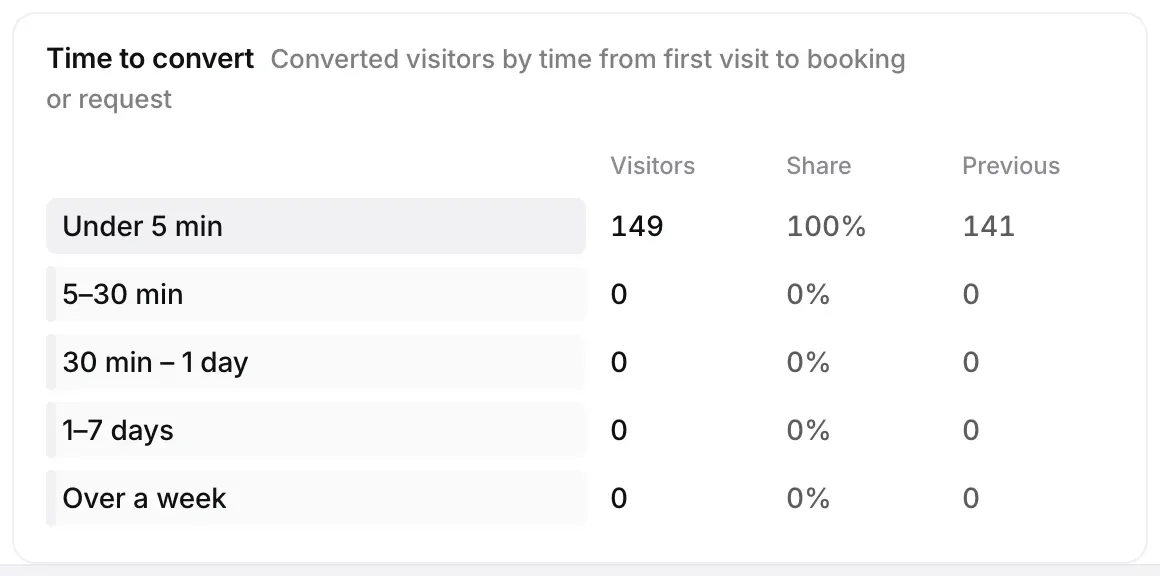
Time to convert groups converted visitors by the time from their first visit to booking or sending a request, from under 5 minutes to over a week. Conversions by source and Conversions by page show where they came from, and Recent conversions lists the latest meetings and requests.
Good to know
- After booking and Cancellations count only meetings your calendar confirmed. A booking Darwin saw in the chat that no calendar confirmed isn’t counted there.
- Meetings and requests both count toward the conversion rate.