Steer link visitors toward a meeting or form
Links → Greetings → Steers toward: give the people from a personal link a goal. Their chat shows Book a meeting or one of your forms at the top, and the agent leans toward it while still answering anything.
- In Darwin: Links → GreetingsOpen in Darwin
- Updated
A greeting can give the people from its links a goal, such as a proposal request for prospects who've already had a call. Their chat then shows that outcome's button at the top, and the agent leans toward it. They can still ask about anything, and the agent still answers.
Open the greeting
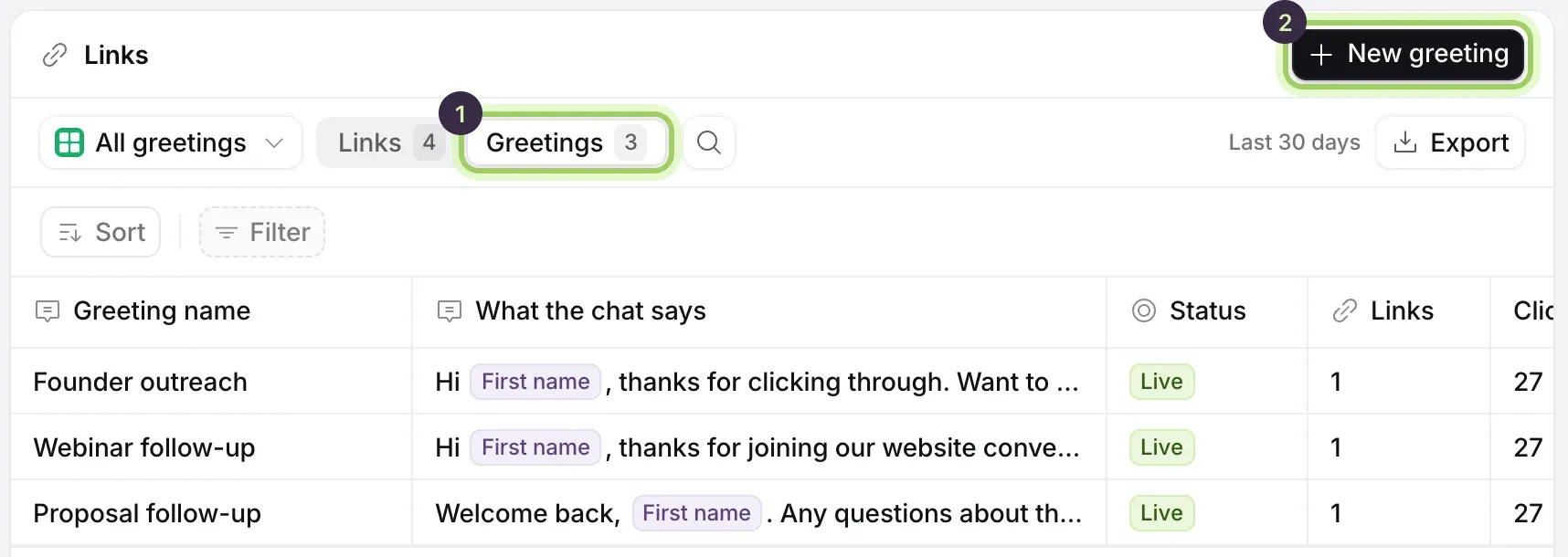
On Links, switch the table to Greetings and select the greeting your links open with. The Steers toward column shows what each greeting steers toward now.
Choose the outcome
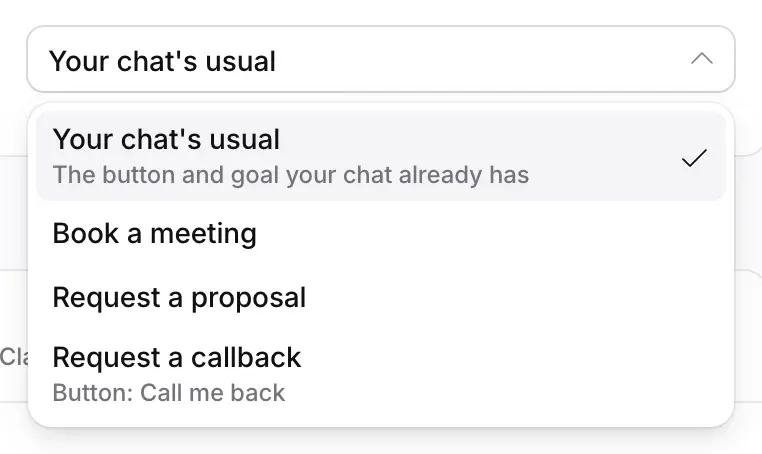
Under Greeting, open Steers toward and choose Book a meeting or one of your live forms. Your chat's usual keeps your chat's own button and goal.

Save the greeting
Select Save greeting. Every link that opens with this greeting steers toward it, including links in emails you've already sent.
Check it in the preview
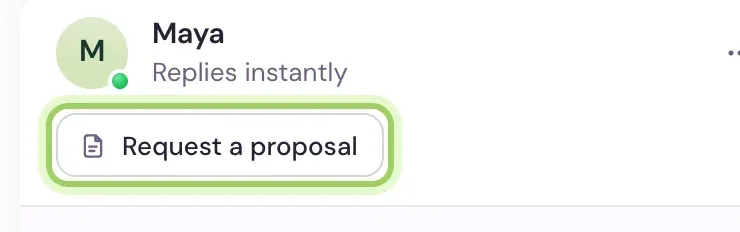
Open the chat in the preview beside the greeting. The outcome's button sits under your agent's name, in place of the one your chat usually shows.
Good to know
- Only live forms are listed.
- A link's page shows what its greeting steers toward under Greeting, and the Outcomes column counts the meetings booked and forms sent by its visitors.
- For everyone else, the button at the top of the chat is set on Agent under Top of the chat. See Outcomes in the chat.