A booking is missing
Fix a booking that didn't work or doesn't show in Darwin: check the calendar connection in Integrations → Scheduling, the meeting's status in Meetings, and the conversation it came from.
- In Darwin: Integrations → SchedulingOpen in Darwin
- Updated
A booking goes from the chat to your calendar, and your calendar confirms it back to Darwin. Find where it stopped.
Check the calendar connection
Open Integrations and look at Scheduling. The calendar visitors book into reads In use. Any other label means it needs you:
- Choose a meeting type: open it and pick the meeting type visitors book.
- Finish connection: Darwin can't receive confirmations yet. Open it and select Finish connection.
- Reconnect needed: Darwin lost access to the calendar. Open it and connect again.
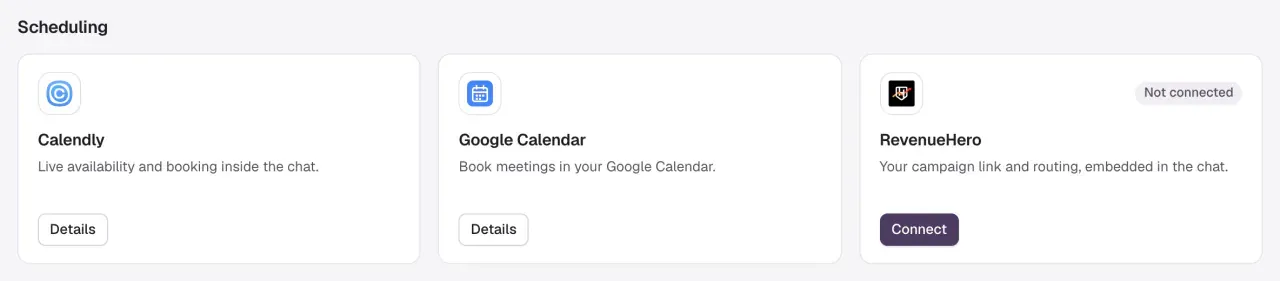
Darwin books into one calendar at a time. Opening another card shows its setup but doesn't switch to it until you finish that setup.
Find the meeting in Meetings
Open Meetings and select Refresh. Look under Upcoming, Past and Canceled, or search by name or email. A meeting's status is Confirmed, Pending while Darwin checks it with your calendar, Awaiting verification when the chat reported a booking the calendar hasn't confirmed, or Canceled.

Check the conversation it came from
In Conversations, open Meetings booked and find the visitor. If the meeting is on your calendar but not here, it was probably booked outside the chat, for example from a link shared by email. Darwin only records bookings made through its chat.

Common cases
| What you see | Why | Fix |
|---|---|---|
| Visitors see no times with Google Calendar | Your booking rules leave no free slot, or your calendar is busy. | Check weekly hours, minimum notice and buffer in Google Calendar's setup, then your calendar. See Google Calendar. |
| A Google Calendar change or cancellation isn't in Darwin yet | Darwin checks for changes about every ten minutes. | Wait ten minutes. Make the change on the event itself in Google Calendar. |
| A RevenueHero booking says Awaiting verification | RevenueHero hasn't sent its confirmation to Darwin. | Add the booking webhook from Confirm bookings in Darwin to your RevenueHero workflow. See RevenueHero. |
| A Calendly booking is missing | The connection can't receive confirmations. | Check the Calendly card for Finish connection. See Calendly. |
| A test in the Agent Studio preview made no calendar event | That's expected: the preview shows sample times and sends no invitations. | Test with a real booking on your website. |
Good to know
- Only confirmed bookings use a credit. A booking reported twice by your calendar is counted once. See What uses a credit.
- Don't book a second real meeting just to clear a pending one.
- Still missing? Contact support with the workspace, the visitor's email, the booking time and your calendar provider. Never send the private webhook address.