Read visitor conversations
Conversations: find a visitor's chat, read the transcript and their profile, filter to leads, meetings or requests for a person, and export or copy a follow-up list.
- In Darwin: ConversationsOpen in Darwin
- Updated
Every chat on your website lands here: the visitor's questions, your agent's answers, and what came of it.
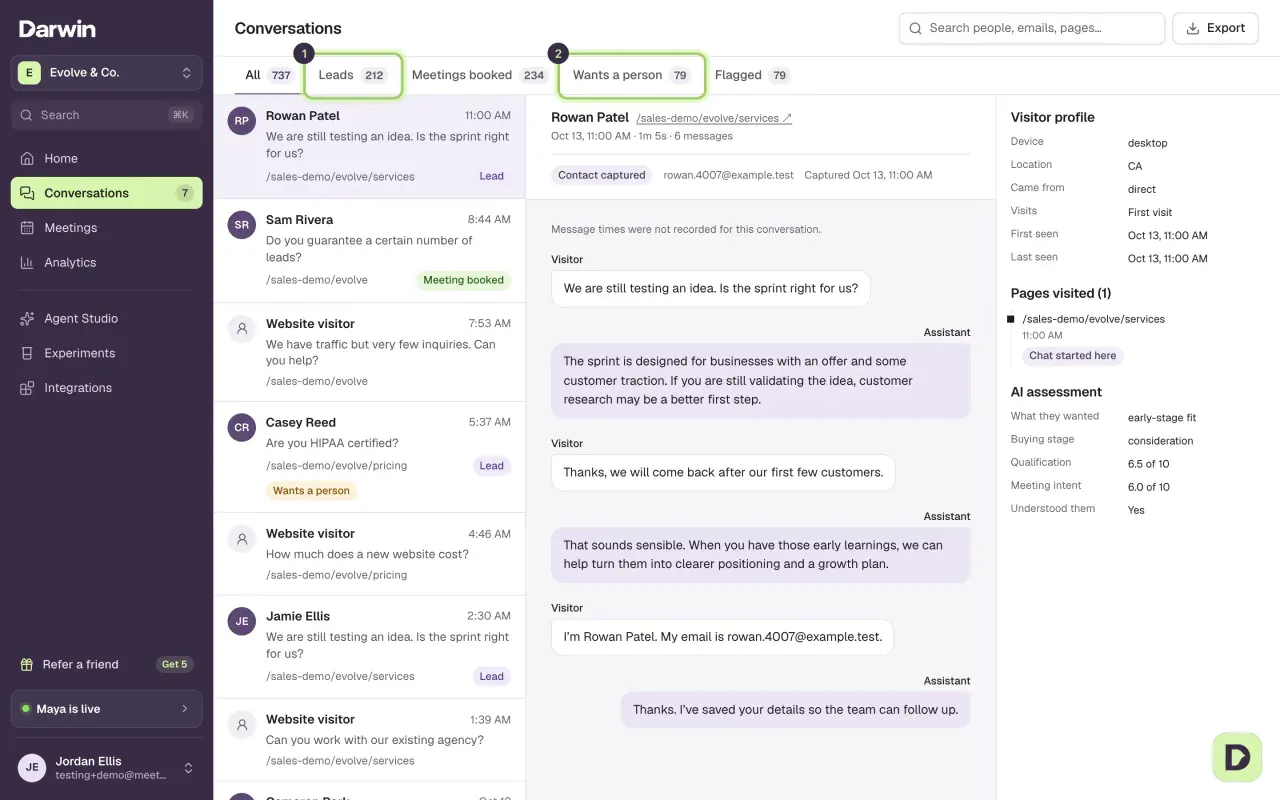
Pick a filter
Use the tabs above the list. Each shows how many conversations it holds.
- Leads: visitors who left their name or email.
- Meetings booked: conversations that ended in a meeting.
- Wants a person: visitors who asked to talk to someone.
- Flagged: conversations where Darwin found a problem or a question it couldn't answer.

Search for a person or page
Type in Search people, emails, pages… to find a conversation by name, email, page or the visitor's first question.

Read the transcript
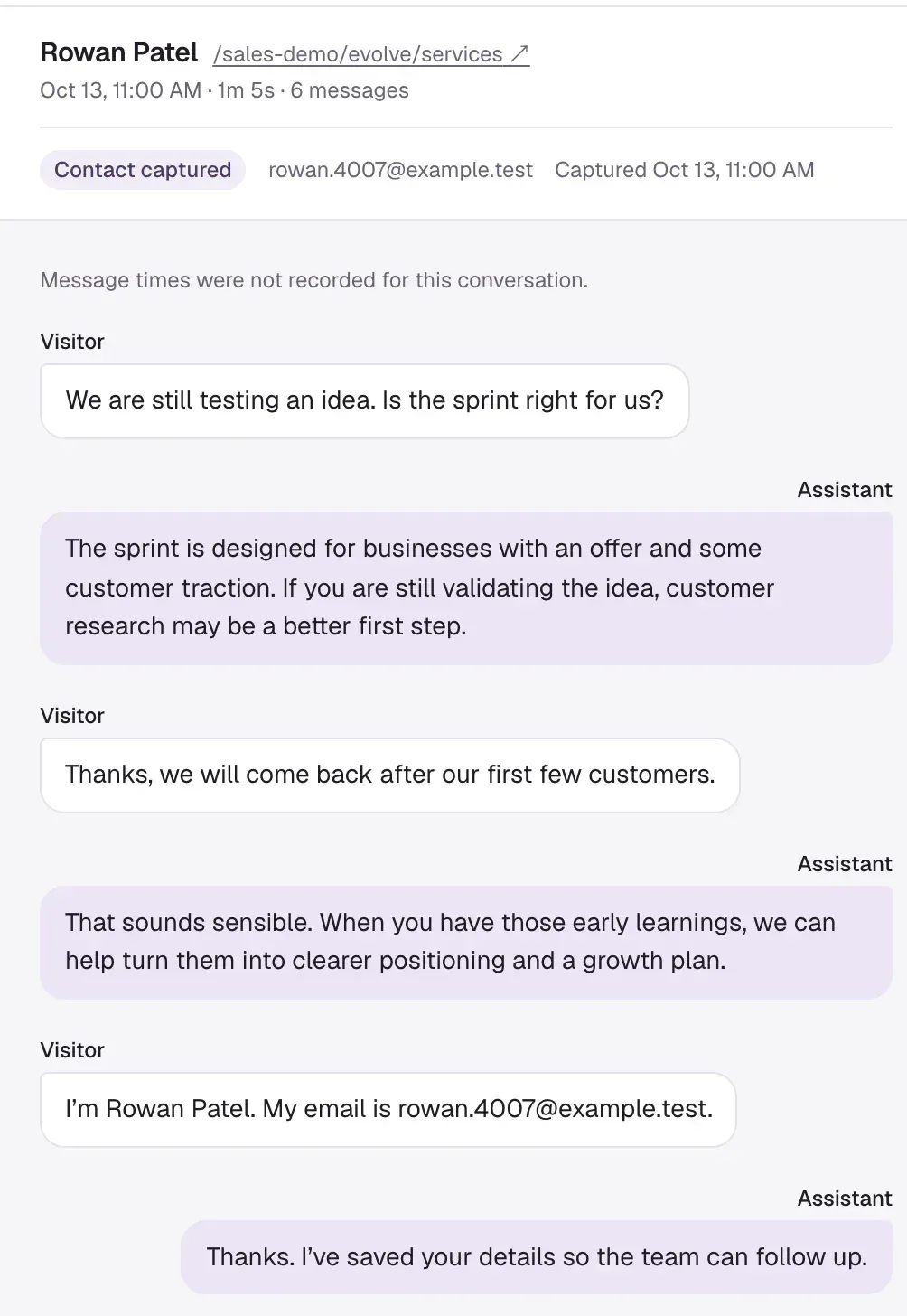
Select a conversation. The top shows who it was, the page they chatted on and, if they left details, Contact captured with their email.
Check the visitor's profile
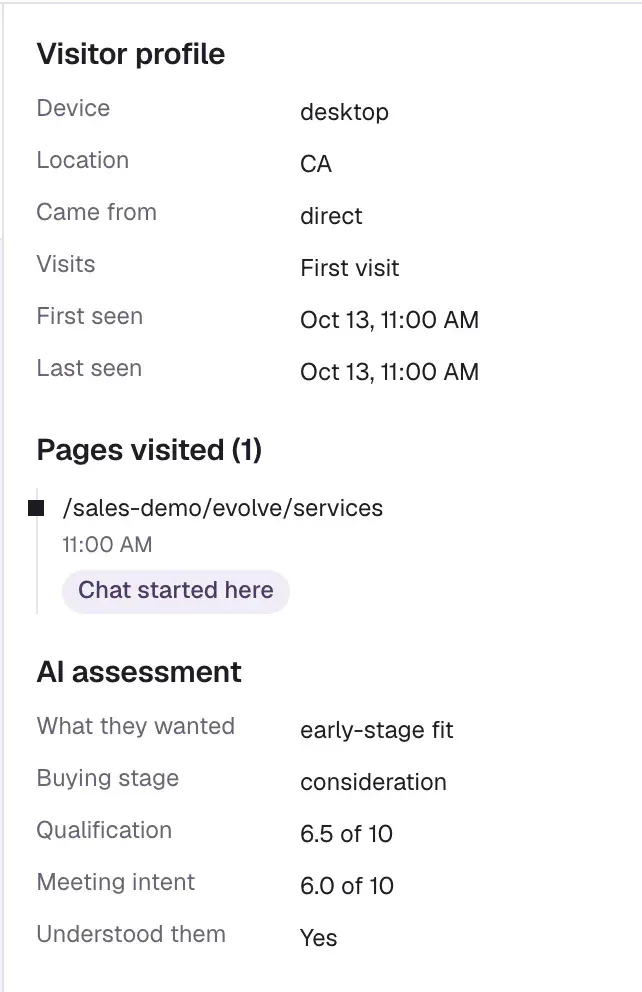
On the right, Visitor profile shows their device, location, where they came from and the pages they visited. AI assessment is Darwin's read of what they wanted, their buying stage and how qualified they are. It's a guide, so read the transcript before acting on it.
Follow up with leads who didn't book
Open the Leads tab and select Copy follow-up list. It copies the leads in the list who haven't booked, ready to paste into your CRM or email tool. Export downloads the conversations you're looking at as a CSV.

Good to know
- Reading a conversation doesn't change it. A flagged conversation stays flagged until the problem is fixed, for example by improving an answer.
- Opening a conversation doesn't join the visitor's chat, and Darwin doesn't email leads for you.
- A conversation that started from one of your personal links shows From personal link with the link's name, and This person on the right lists their details, link visits and other conversations.
- To see only one link's conversations, open the link in Conversion Studio and select See conversations. A Link: chip with the link's name shows above the list; select its × to see every conversation again.
- Before reaching out, check your calendar: a visitor may have booked even if Darwin didn't record it. See A booking is missing.