Fix an answer
Fix a wrong or incomplete answer from your agent: find the conversation, check the page it should answer from in Agent Studio → Knowledge, add the missing facts, and ask again in the preview.
- In Darwin: Agent Studio → KnowledgeOpen in Darwin
- Updated
Your agent answers from your website pages, your documents and your business context. When an answer is wrong or missing, the fix is almost always in one of those.
Find the conversation
In Conversations, open Flagged to see the chats where Darwin found a problem or a question it couldn't answer. Open one and note the visitor's exact question.

Check the page that should answer it
In Agent Studio → Knowledge, find the page with the answer. Needs attention lists pages Darwin hasn't read yet or couldn't read. If the page changed on your site, select its re-read button to read it again now.
A page behind a login, or one that shows its text only after a click, may not be readable.
Add what's missing
If the answer isn't on any page, select Business context above the page list and add it in plain sentences, or select Add pages → Documents → Upload to add a document. Remove anything out of date that contradicts it.
Check Darwin can find it
Select Answer check above the page list, type words from the question and select Search. The matching pages and the passages your agent would use appear below. It searches saved knowledge only.
Ask again in the preview, then save
Select Preview and ask the visitor's question, then the same question in other words. The preview already uses your unsaved changes. When the answer is right, select Save changes so your website gets them too.

If the facts are right but the tone isn't
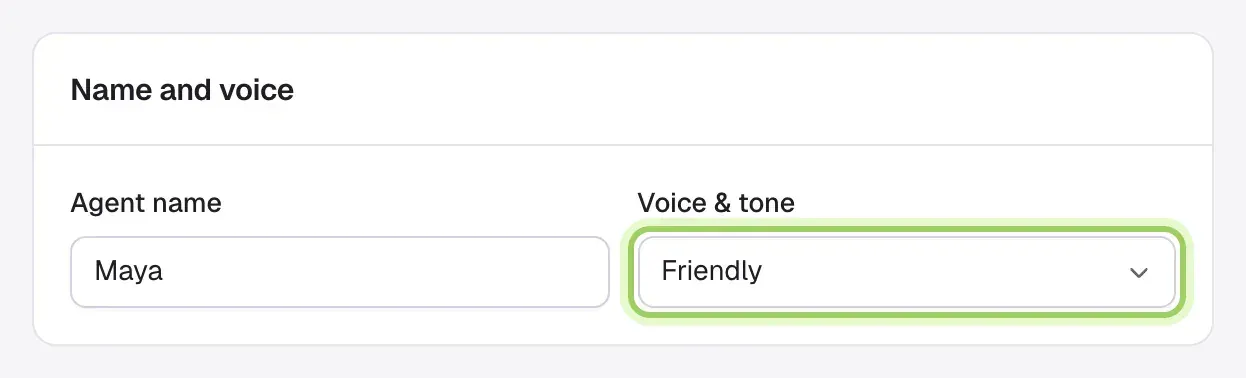
Open Agent Studio → Messages and change Voice & tone under Name and voice.
Good to know
- An old price or plan name usually means a page needs re-reading or the business context still has the old figure.
- To say what you don't offer, add it to the business context in one plain sentence, for example "We don't offer phone support."
- Opening experiments change how chats start, not what your agent knows.