Send leads to your CRM and tools
Integrations → Zapier: connect HubSpot, Salesforce, Pipedrive, Slack, Microsoft Teams, Mailchimp, ActiveCampaign or Klaviyo and send every lead from Darwin's chat with a ready-made Zap.
- In Darwin: Integrations → CRM & automation → ZapierOpen in Darwin
- Updated
These connections run through Zapier: Darwin's Zapier app starts the Zap and the other app's Zapier integration does the work. You choose which fields go where. A two-step Zap (Darwin plus one action) works on Zapier's free plan; extra steps need a paid plan.
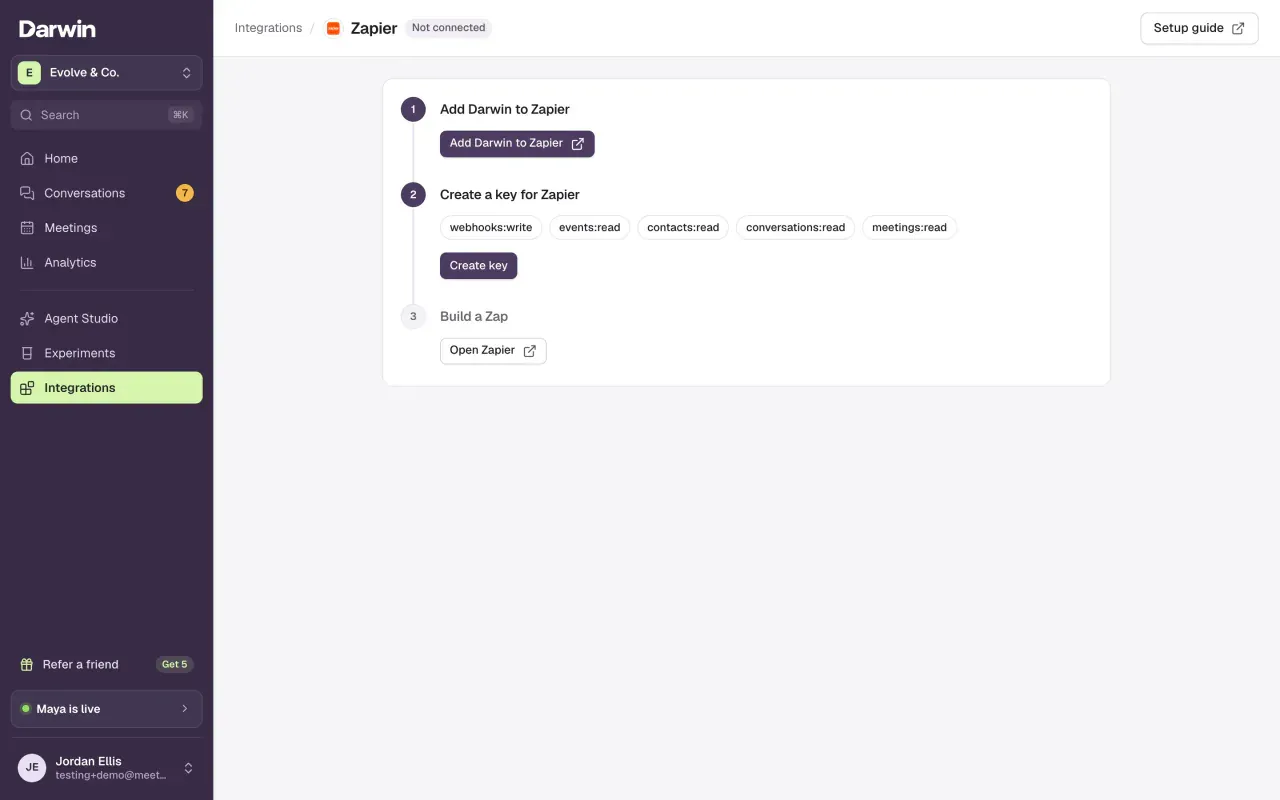
Set up once
Add Darwin to Zapier and create a key
Open Integrations → Zapier, select Add Darwin to Zapier and accept the invite, then create a key for Zapier. Connect Zapier walks through both.
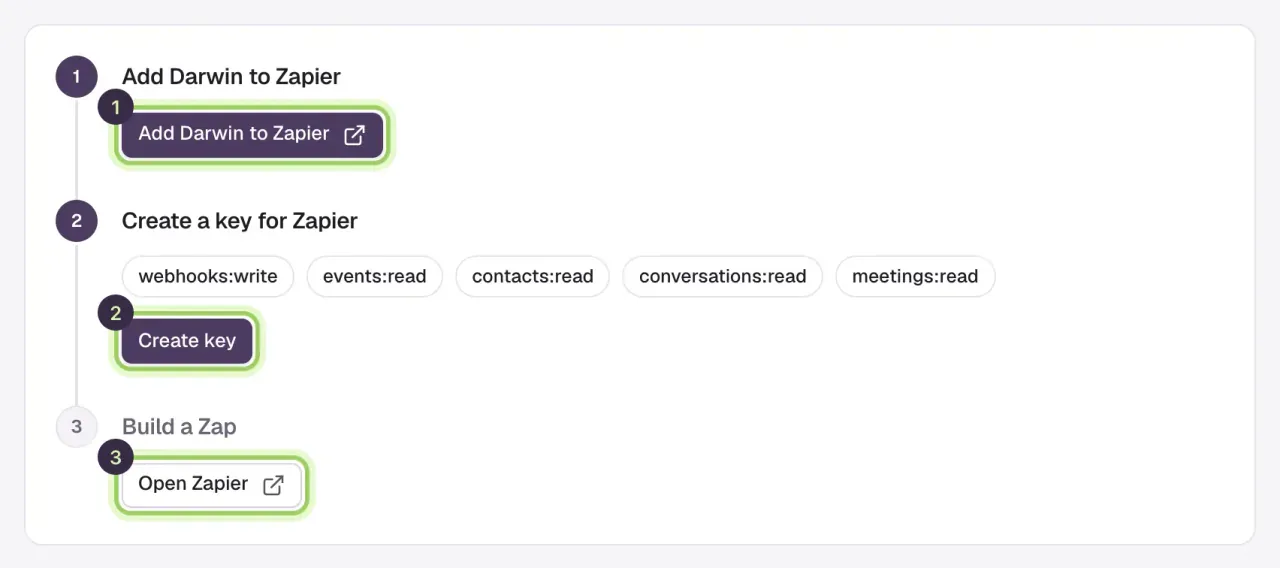
Start a Zap with a Darwin trigger
In Zapier, create a Zap, choose Darwin and the trigger named in the recipe below, usually New Lead. Connect your Darwin account with the key and select Test trigger to load a sample.
Add the action, map the fields, publish
Add the action from the recipe, map Darwin's fields, test it, and publish. A lead carries Email, First name, Last name, Company and Phone when the visitor gave them, plus Page URL, Traffic source, the UTM values, Darwin's grade and Darwin url, a link to the conversation.
Pick your app
Each app has its own guide with the Zap to build and the fields to map.
- HubSpotNew Lead → Create or Update Contact.
- SalesforceNew Lead → Create Lead.
- PipedriveNew Lead → Create Person.
- SlackVisitor Asked for a Person → Send Channel Message.
- Microsoft TeamsVisitor Asked for a Person → Send Channel Message.
- MailchimpNew Lead → Add/Update Subscriber.
- ActiveCampaignNew Lead → Create or Update Contact.
- KlaviyoNew Lead → Create Or Update Profile.
Using another app? Any app on Zapier works the same way: start with a Darwin trigger, add that app's action and map the fields.
Good to know
- Zaps act on leads from the moment you turn them on. Earlier leads are in Conversations, which you can export as a CSV.
- Preview conversations in Agent Studio never start a Zap. Test with a real chat on your website, or with the samples from Test trigger.
- Can't find Darwin in Zapier? Open the invite link from Connect Zapier while signed in to the Zapier account you build Zaps in.