See results and follow up on personal links
Conversion Studio results: each personal link's visits, chats and meetings for the last 30 days, the conversations it started in Conversations, the From personal link badge and This person panel, and the team email when someone opens their link.
- In Darwin: Conversion Studio → LinksOpen in Darwin
- Updated
Each link counts the people who opened it and what they did next. From there you can open their conversations and see who they are.
Read a link's results
The Links and Greetings tables show Visits, Chats and Meetings for each row.
Open a link to see Last 30 days:
- Visits: the people who opened the link, each counted once.
- Chats: of those, the ones who started a conversation afterwards.
- Meetings: the ones who booked.
The Greetings tab shows the same numbers for each greeting a link uses, counted from the visits where it was the greeting shown.
See the conversations a link started
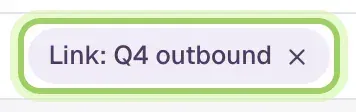
Once a link has visits, select See conversations next to Last 30 days. Conversations opens with only that link's visitors, under a Link: chip with the link's name. Select the chip's × to see everyone again.
Open a conversation
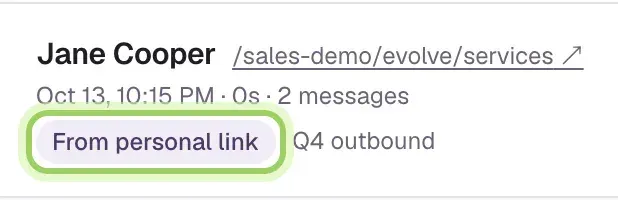
A conversation that started from a link shows From personal link and the link's name.
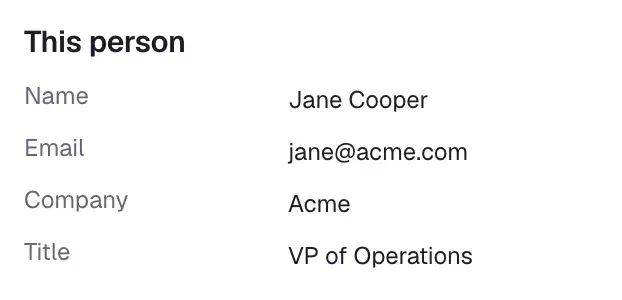
This person, beside the conversation, shows their details, their Personal link visits and their Other conversations, so you can follow up with the whole picture.
Get an email when someone opens their link
When someone opens their link, your team gets an email such as "Jane Cooper from Acme opened your link", with the link and the page they landed on. It goes out once per person per link each day, whether or not they chat.
For a Slack message or a CRM task instead, use Zapier's Personal Link Opened trigger or the
personal_link.openedwebhook; see Tell the rep in Slack.Each teammate can turn these off under Account menu → Notifications → Personal links. To stop them for everyone, turn off Email the team when someone opens their link in Conversion Studio's settings.
Good to know
- Results leave out visits from your team and from test browsers, so opening your own link to check it doesn't count.
- Results cover the last 30 days and update on their own while Conversion Studio is open.
- If the link carries an email address, the person is saved as a contact, or the contact you have is updated, like a form submission.
- When someone opens your link but doesn't chat, there's no conversation to show yet; the team email is how you know they came.