See your meetings
Meetings: where to find the meetings visitors booked in Darwin's chat, as upcoming, past or canceled, search them, check the credit each one used, and open the conversation each meeting came from.
- In Darwin: MeetingsOpen in Darwin
- Updated
Every meeting a visitor books in the chat lands here once your scheduling provider confirms it.

Pick a view
Choose Upcoming, Past or Canceled (1). Each shows how many meetings it holds. Upcoming lists the soonest first; Past and Canceled list the most recent first. Type in Search meetings (2) to find a meeting by name, email, meeting type or host.

Open the conversation
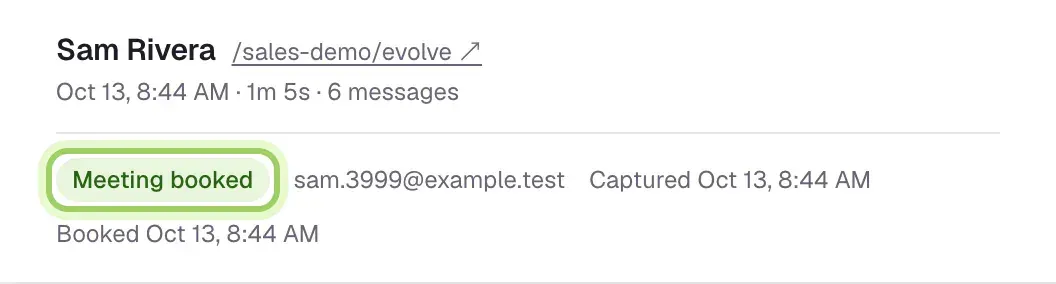
Select Conversation at the end of a row to read the chat the meeting came from. You can also open Conversations and choose the Meetings booked tab. A booked conversation shows Meeting booked at the top, with the visitor's email and when they booked.

Refresh or change your calendar
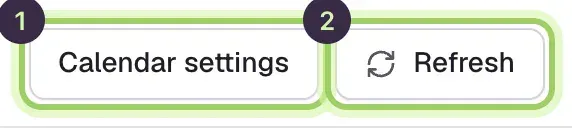
The list updates by itself every 30 seconds; select Refresh (2) to check now. Calendar settings (1) opens Integrations, where you choose how meetings get booked.
What each meeting shows
Meetings are grouped by day.
- Time: when the meeting starts, in your browser's time zone.
- Attendee: the visitor's name and email.
- Meeting: the meeting type.
- Booked via: the scheduling provider that took the booking.
- Host: the person on your team the meeting is with.
- Status: Confirmed, Pending or Canceled, and how many times it was rescheduled.
- Credits: what the meeting used. See Credits on a meeting.
- Conversation: a link to the chat the meeting came from.
Credits on a meeting
| In the Credits column | What it means |
|---|---|
| 1 · included | One credit from the credits you already have this month |
| 1 · pending | A credit beyond the ones you have, charged at your price and waiting to go to Stripe |
| 1 | A charged credit, sent to Stripe for your next invoice |
| 1 · under review | Darwin is checking the charge before it's billed |
| None · no card | Booked while the workspace had no working card, so it isn't counted |
| None | No credit, for example a repeat from the same email within 30 days |
| None · awaiting verification | A RevenueHero booking waiting for its webhook |
| Removed | The credit was taken off your bill |
Good to know
- A booking shows as pending while Darwin confirms it with your calendar. Pending bookings don't use a credit until they're confirmed.
- A canceled meeting or a no-show isn't given back automatically. See Plans and credits.
- With RevenueHero, bookings reported by the chat wait under Awaiting verification until RevenueHero's webhook confirms them. They aren't counted until then.
- Bookings made in the Agent Studio preview are tests and never appear here.
- Search looks through every meeting in the tab you're on, not just the page on screen.