How Darwin improves your openings
Experiments: how Darwin tests new chat openings against your current one, counts views, chats, visitors who reached booking and meetings, and keeps the opening that gets more visitors to book.
- In Darwin: ExperimentsOpen in Darwin
- Updated
The opening is the first message your chat shows on a page. Darwin writes new openings, shows them to part of your visitors, and keeps the one that gets more visitors to the booking step.
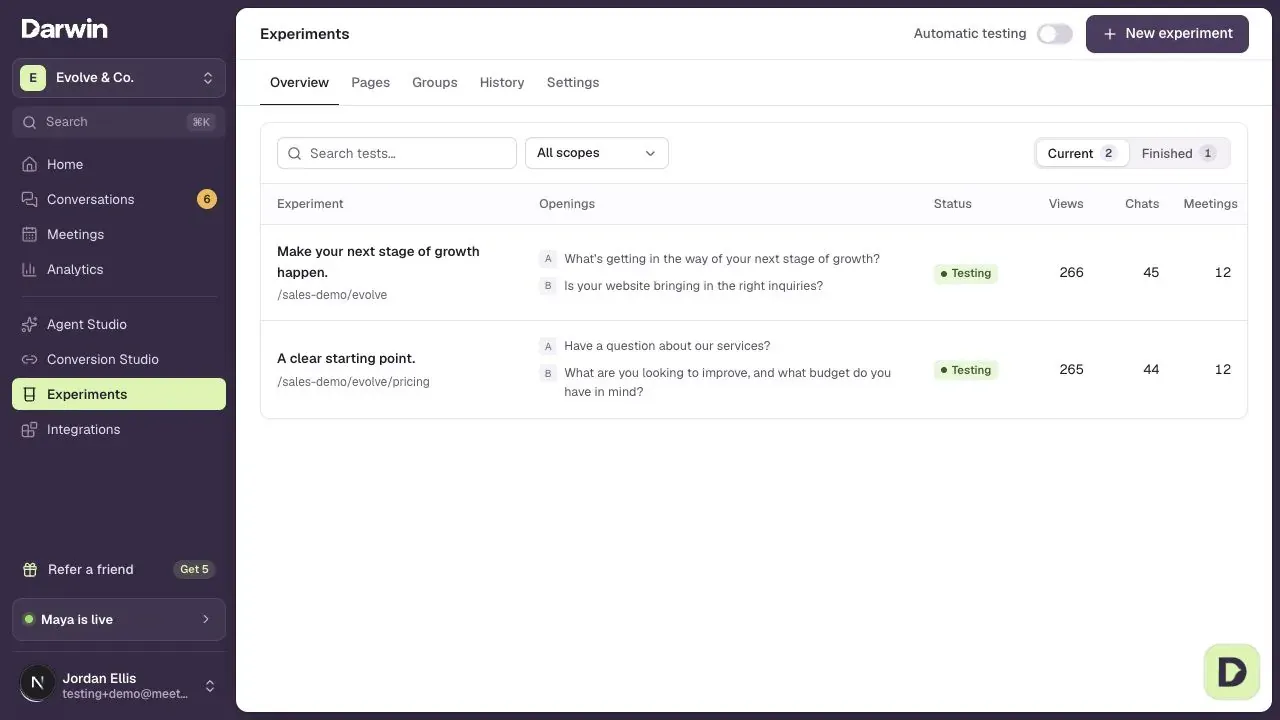
A test compares your current opening with a new one
Each test shows your Current opening (A) next to one or more New opening cards (B). Visitors on that page see one of them. Under each card, the percentage of traffic shows the share of visitors getting it. While a test runs, more visitors go to the opening that is doing better, and an opening that falls clearly behind is replaced with a new one.
What Darwin counts
Results follows each opening's visitors step by step: Views (saw the opening), Chats, Reached booking and Meetings. Each rate is a share of that opening's views. Reached booking means the visitor saw times to book, asked for a meeting, or booked. That is the number Darwin tries to raise.
When a new opening wins
Darwin doesn't call a winner on a lucky streak. A new opening wins only when:
- both openings have at least 200 views,
- the new one has at least 10 visitors who reached booking,
- its lead holds up as Darwin keeps checking, and
- it doesn't book fewer meetings than your current opening.
Until then the test keeps running. Tests have no deadline, so a quiet page takes longer. When a test ends, its result moves to History. The winning opening becomes what that page shows, and the next test starts from it.
Where tests run
A page with enough views gets a test of its own (Individual). Quieter pages share a test with similar pages (Grouped), or the Site-wide test, so their visitors count together. A page is in only one test at a time. You set the number of views a page needs in Experiments → Settings.
What Darwin changes, and what it doesn't
Darwin changes only the opening: its message and the buttons under it. It writes each one from the page itself and the questions visitors there asked first, using facts your website states. Your website, your knowledge, your agent's instructions and any buttons you locked stay as they are.
Learning from other Darwin sites
When Learn from other Darwin sites is on, new tests start from the kinds of openings that did best on similar pages across Darwin sites. Only counts are shared, by kind of page and kind of opening, never your copy, pages or visitors. You can turn it off in Experiments → Settings.
Good to know
- Visits from browsers and addresses you mark as yours are left out of tests. See Turn on automatic testing.
- Previewing your agent in Agent Studio never shows a test opening, so your previews don't count.
- Results depend on your traffic. Not every test finds a better opening.