Invite your team
Settings → Team: invite teammates, choose Owner, Admin or Member access, resend or revoke an invitation, change a role or remove someone from the workspace.
- In Darwin: Account menu → TeamOpen in Darwin
- Updated
Give each teammate their own login and the access they need. Everyone can see this screen; only the workspace owner can change it.
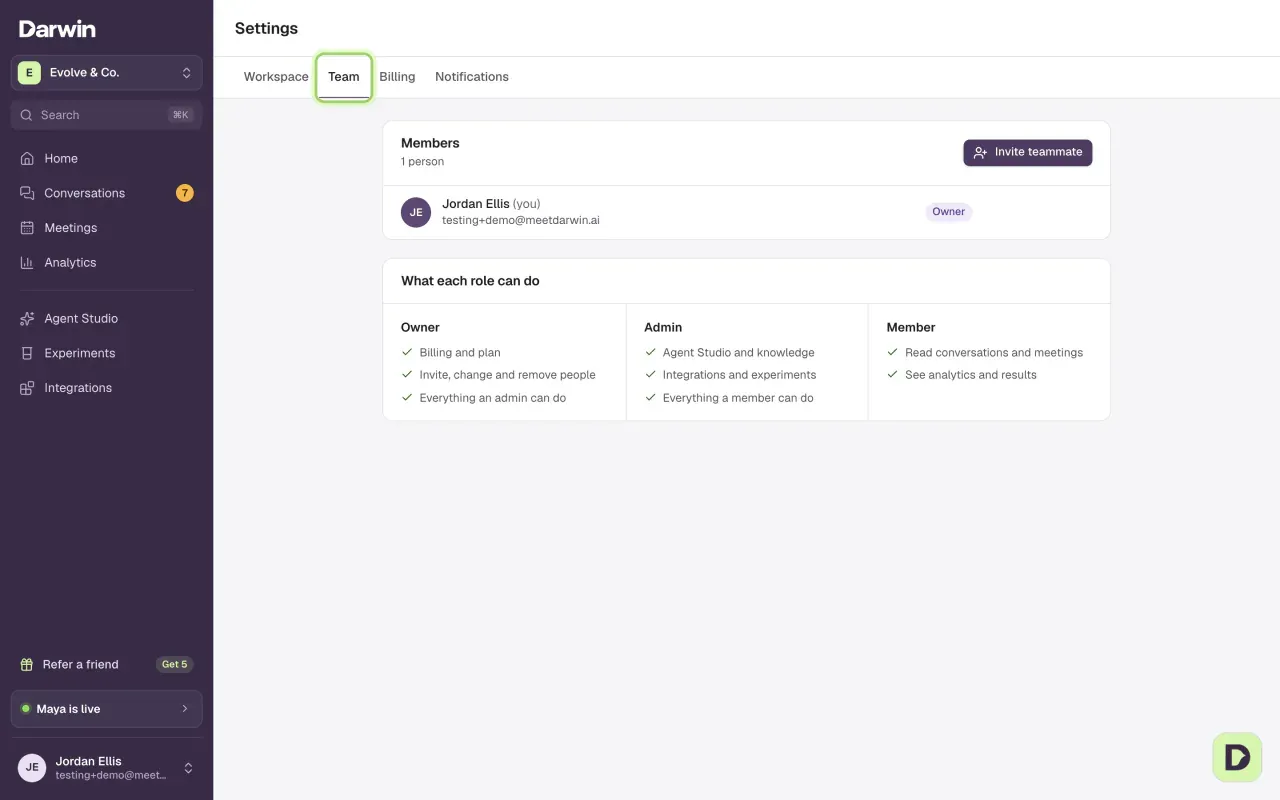
Select Invite teammate
In Members, select Invite teammate. Only the owner sees this button.

Enter their email and choose a role
Type their Email address and pick a Role: Admin manages the agent, knowledge and integrations; Member reviews conversations and results. Select Send invitation.
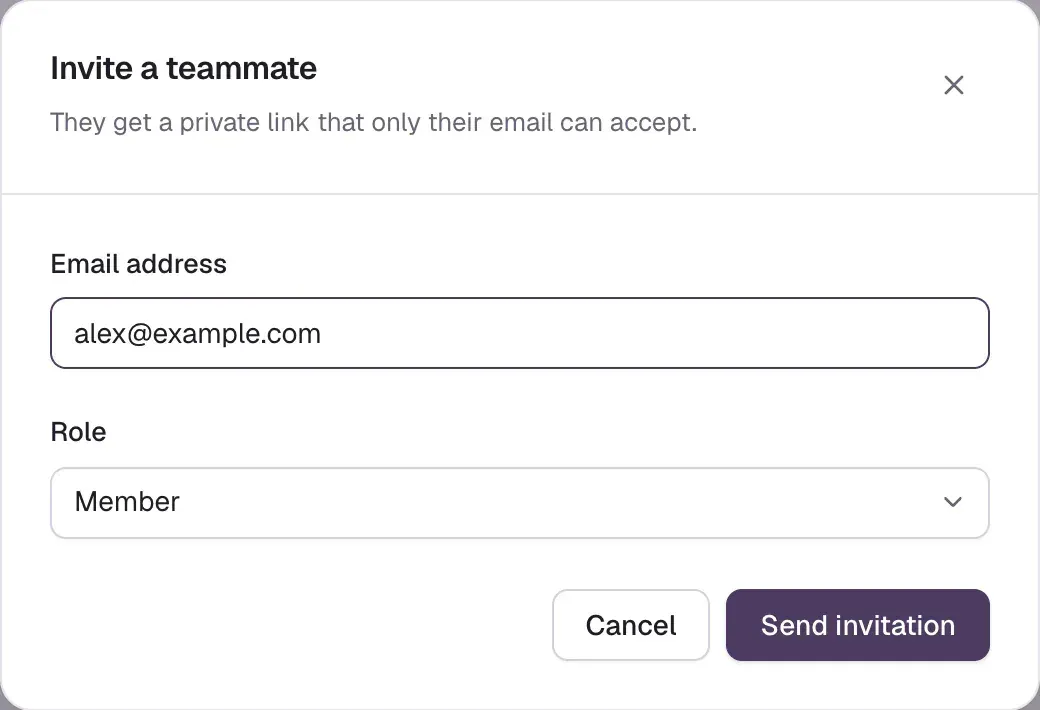
Darwin emails them a private link and also shows it to you, so you can send it yourself. Only that email address can accept it, and it expires after seven days.
Resend or revoke an invitation
Until it's accepted, the invitation waits under Pending invitations with its role and the days left. Send again (1) sends a fresh link for another seven days, and the old link stops working. Revoke (2) cancels it, for example if you typed the wrong address.

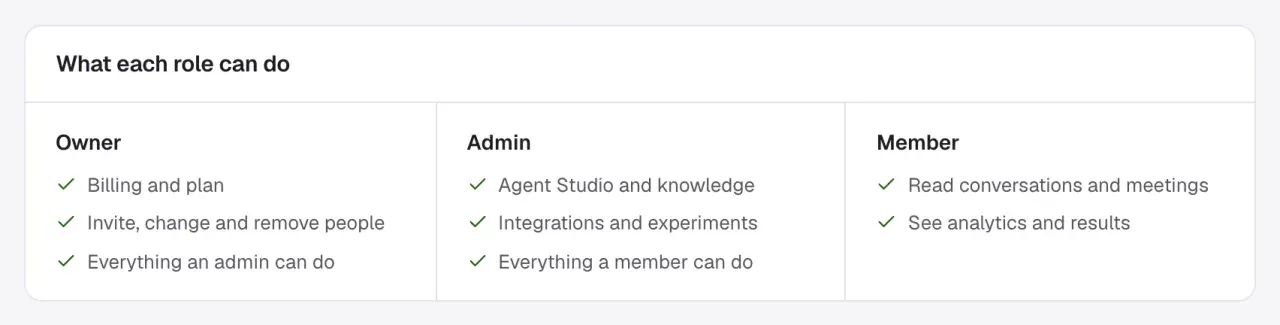
Check what each role can do
What each role can do sums it up. The person who created the workspace is its owner.
Change a role or remove someone
Once a teammate has joined, the owner sees a role menu next to their name. Choose Admin or Member and it applies straight away.
To remove someone, open the ⋯ menu next to their name, choose Remove from workspace, then Remove. They lose access to this workspace at once. Their Darwin login and any other workspaces they belong to aren't touched, and you can invite them again later.
Good to know
- Admins and members see a note instead of the invite and role controls: only the owner can invite people, change roles or remove access.
- The owner's role can't be changed here, and ownership can't be handed over from this screen. Contact support if you need to move it. Don't share the owner's password instead.
- An invitation that expires drops off the list. Invite the person again to send a new link.