Create your account
Sign up for Darwin: enter your name, workspace, website, work email and password, tell us how you found Darwin, and verify your email. Free needs no card for its first 5 credits.
- In Darwin: Sign upOpen in Darwin
- Updated
Signing up takes a minute. Your plan stays on the right of the page while you fill in your details.
Choose a plan
Start from meetdarwin.ai/pricing. Start for free puts you on Free, which needs no card: your first 5 credits are free, then each one is $30. A credit is one booked meeting or one request that passes your fit rules. On Growth and Agency, pick your credits each month in the menu under the card's price, such as 35 credits (10, 35, 60 or 110 on Growth; 25, 50, 75, 125, 275 or 525 on Agency). The price and the Extra credits $25 each line change with your choice. More credits? Talk to us, the last choice, turns the button into Book a demo, as on the Enterprise card. The plan's button carries the plan, monthly or annual billing (two months free) and your credits into sign-up. Your plan, beside the sign-up form, shows them and lets you change the credits again. Use Change plan to pick another plan. See Plans and credits.
Enter your details
Fill in Your name, Workspace name, Website, Work email and Password (at least 12 characters), then select Create account. Darwin starts reading the website you enter so your agent has something to work with.
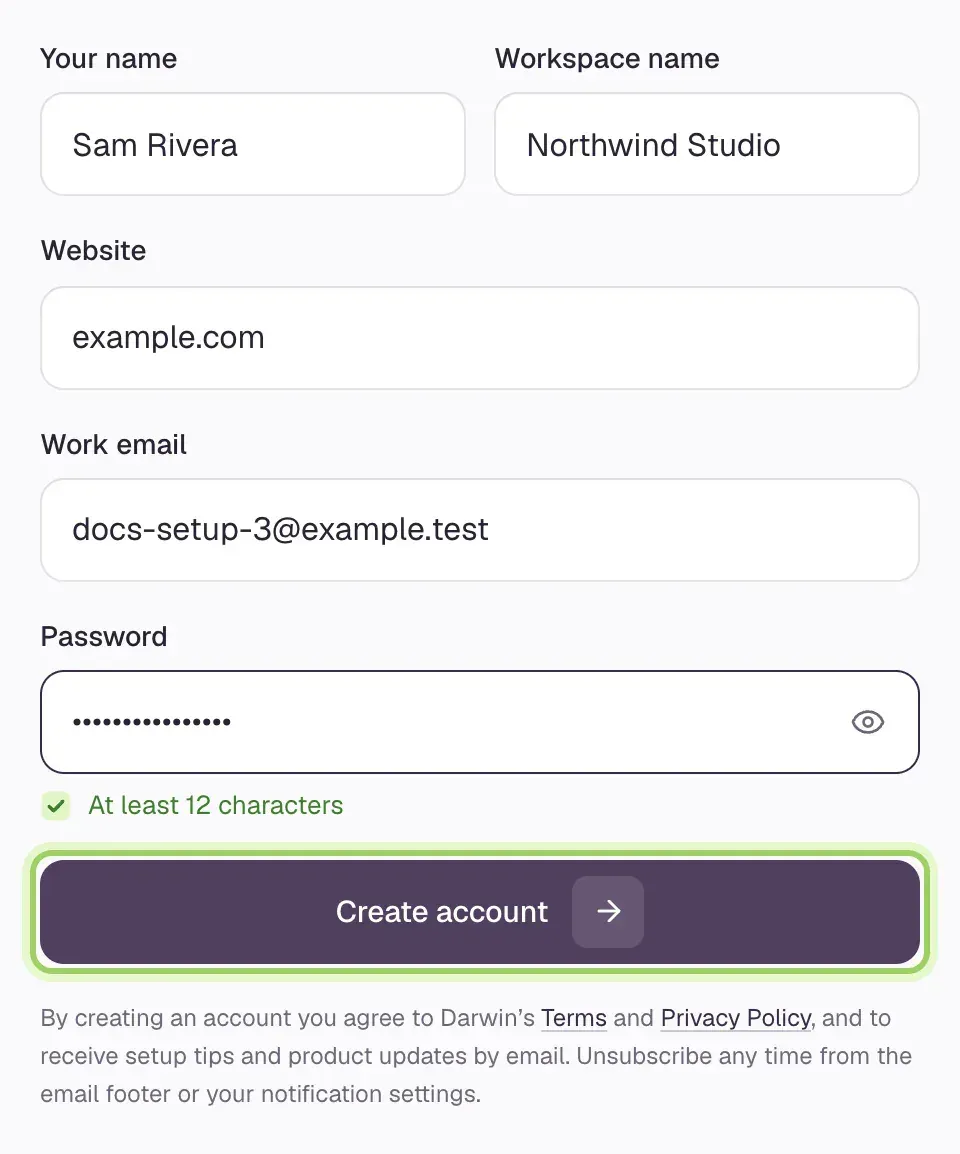
If Continue with Google appears on the page, you can use it instead of a password.
Growth and Agency: add your card
On Growth or Agency, Confirm your plan comes next. Check the plan, its credits each month and the billing schedule, then select Continue to payment to add your card in Stripe's secure checkout. Free skips this step.
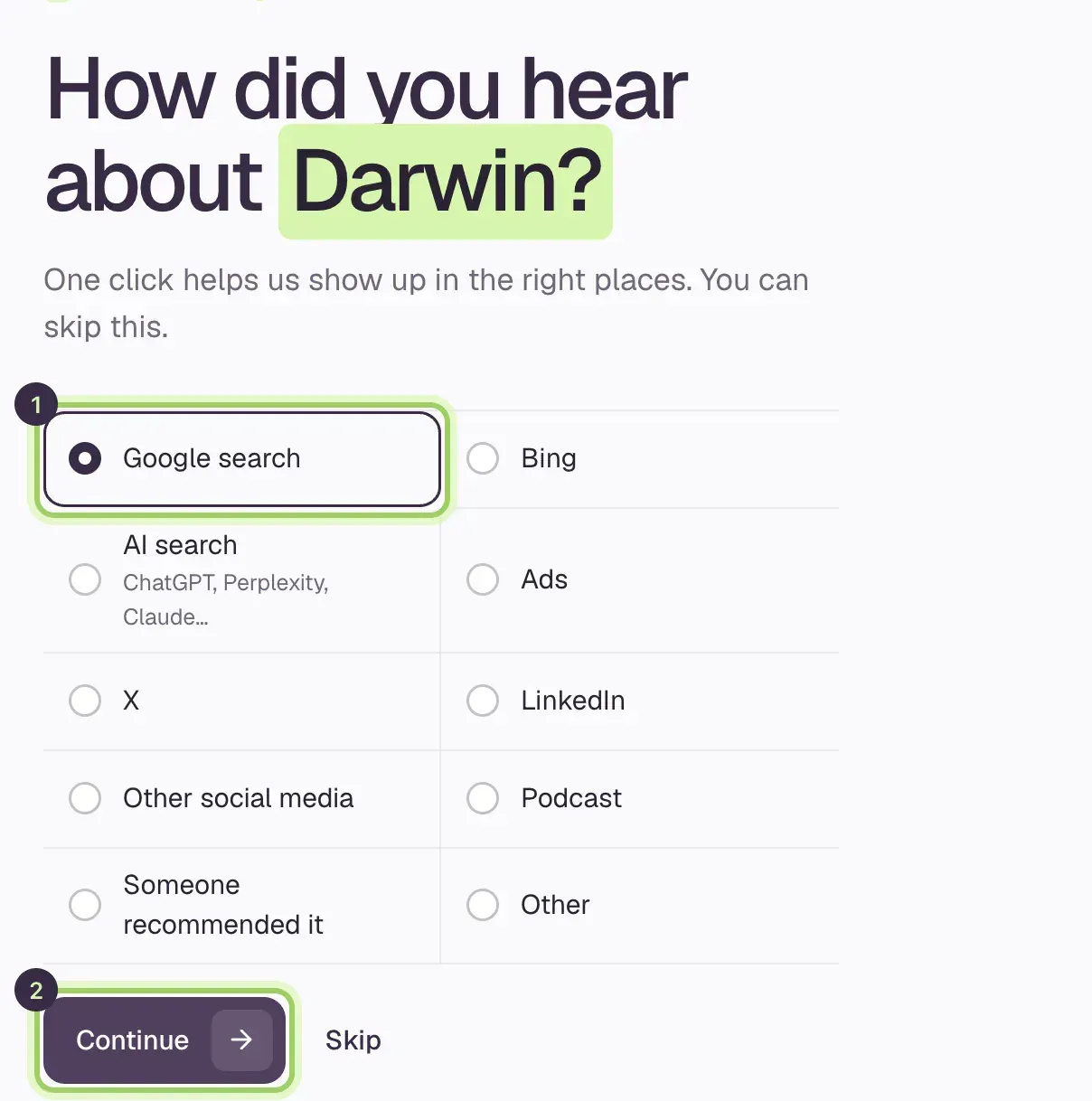
Tell us how you found Darwin
Pick one option (1) and select Continue (2), or select Skip.
Verify your email
Check your inbox shows the address Darwin wrote to. Open the link in the email and your workspace opens. Didn't get it? Check spam, or select send it again. If you signed up with Google, there is nothing to verify.
Start setting up
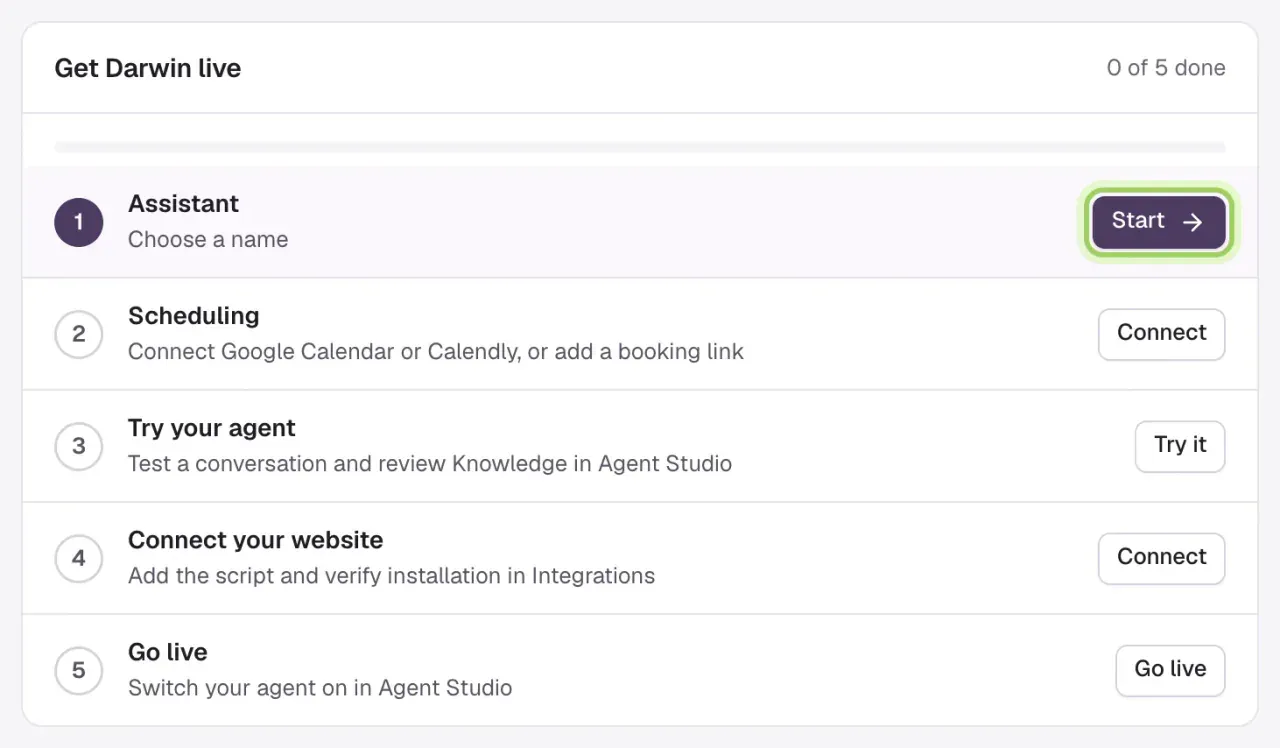
Your workspace opens on Home with Get Darwin live, the five setup steps. Follow Set up your agent in 5 minutes.
Good to know
- Already have an account? Use Sign in at the top of the page. To create a second account in the same browser, sign out first.
- If you opened the verification link on another device, sign in on this one to continue.
- A wrong email address can't be changed on the verify page. Write to support@meetdarwin.ai.
- Adding your website doesn't put the chat on it. That happens when you install the chat and go live.