Outcomes in the chat
How visitors open your outcome forms: the agent offers them, the form's button at the top of the chat replaces Book a meeting, a website chat button opens a form, and Book a meeting can ask qualifying questions before the calendar.
- In Darwin: Conversion Studio → OutcomesOpen in Darwin
- Updated
A live form reaches visitors in three ways: the agent offers it in the conversation, its button sits at the top of the chat, or a button on your own website opens it. Book a meeting can also ask its own questions before the calendar.
When the agent offers it
When a visitor asks for what a form is for, matching your Offer it when the visitor… sentence, the agent says a line and opens the form in the chat. Its button, such as Get a quote, shows above the message box too.
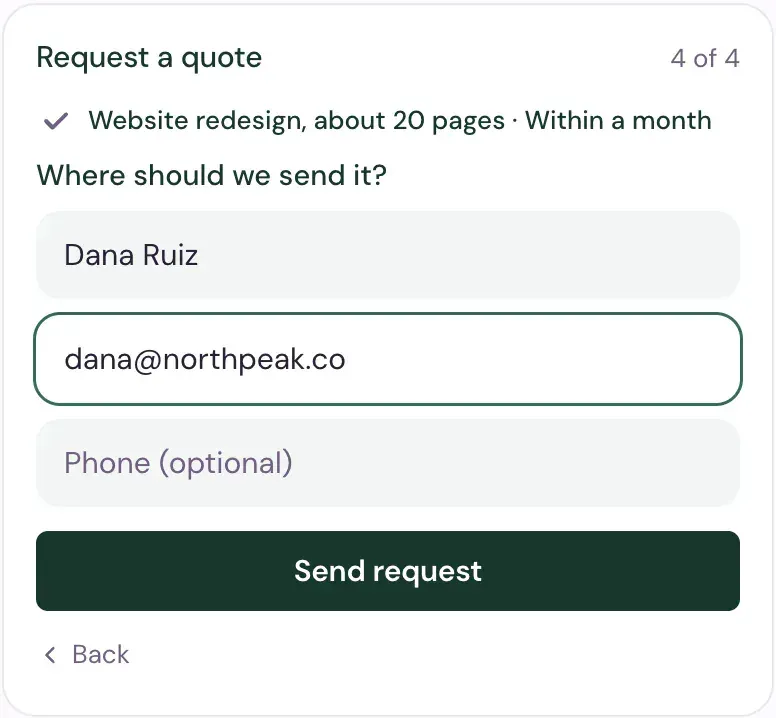
The form works like this for the visitor:
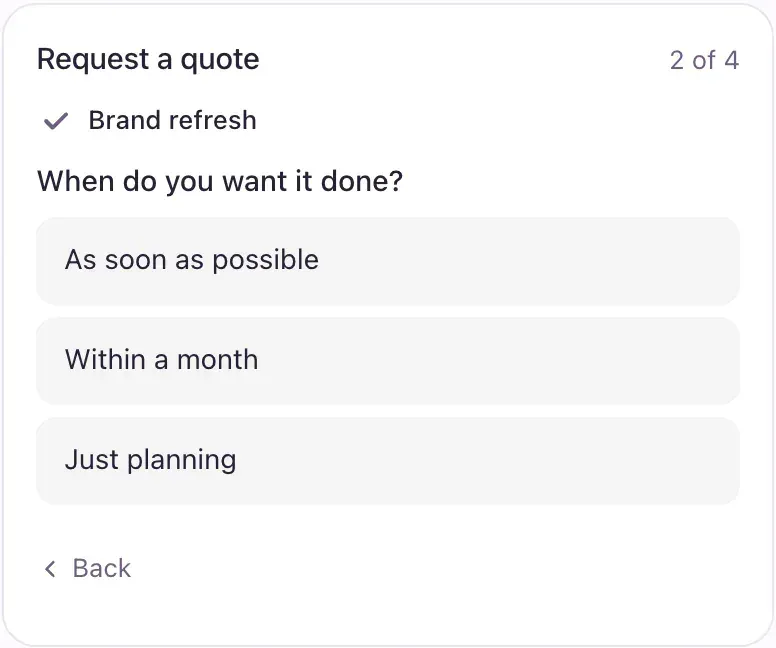
- One question shows at a time. Answered steps fold into a line at the top, and Back changes an answer.
- Questions the visitor already answered in the chat arrive filled in, when you let the agent fill them in.
- Name and email come last. Send request sends it.
After sending, the visitor sees your thank-you message, or, if the form ends in a meeting, the next step of booking.
Put the form at the top of the chat
Turn on Also at the top of the chat on a form, then Save changes. Its button takes the place of Book a meeting under your agent's name, so visitors can open the form without asking.
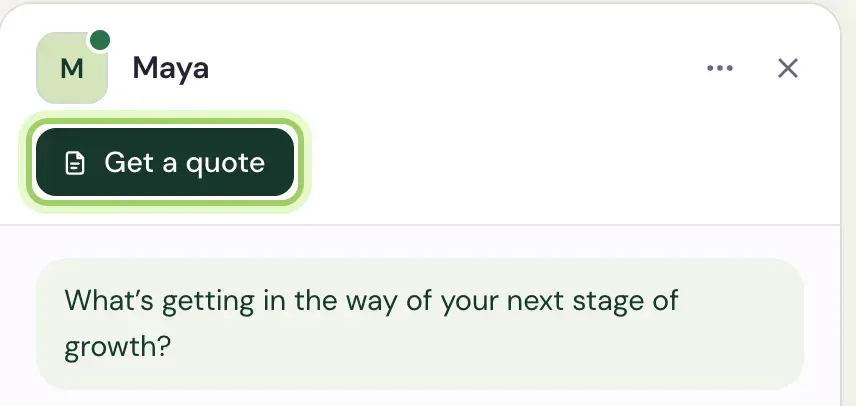
- Only one form can have this spot. Turning it on for another form and saving moves it there.
- Once the visitor has a form in the chat, the button gives way to Book a meeting again, if you take bookings.
Open a form from your website
Make a chat button for your own page, such as Get a quote next to your prices:
Add a button
Open Conversion Studio → Buttons and select New button. Type its Label.
Point it at the form
Under When clicked, select Open a form, then pick the form under Form. Only live forms are listed.
Save and paste it
Select Save button, copy the button's code and paste it on your page. See Add chat buttons to your website.
A click opens the chat on that page, straight into the form.
Ask questions before any meeting
Book a meeting is built in. Give it questions, and every meeting request opens them first, before the calendar.
Open Book a meeting
In Conversion Studio → Outcomes, select Book a meeting at the top of the list.
Add the questions
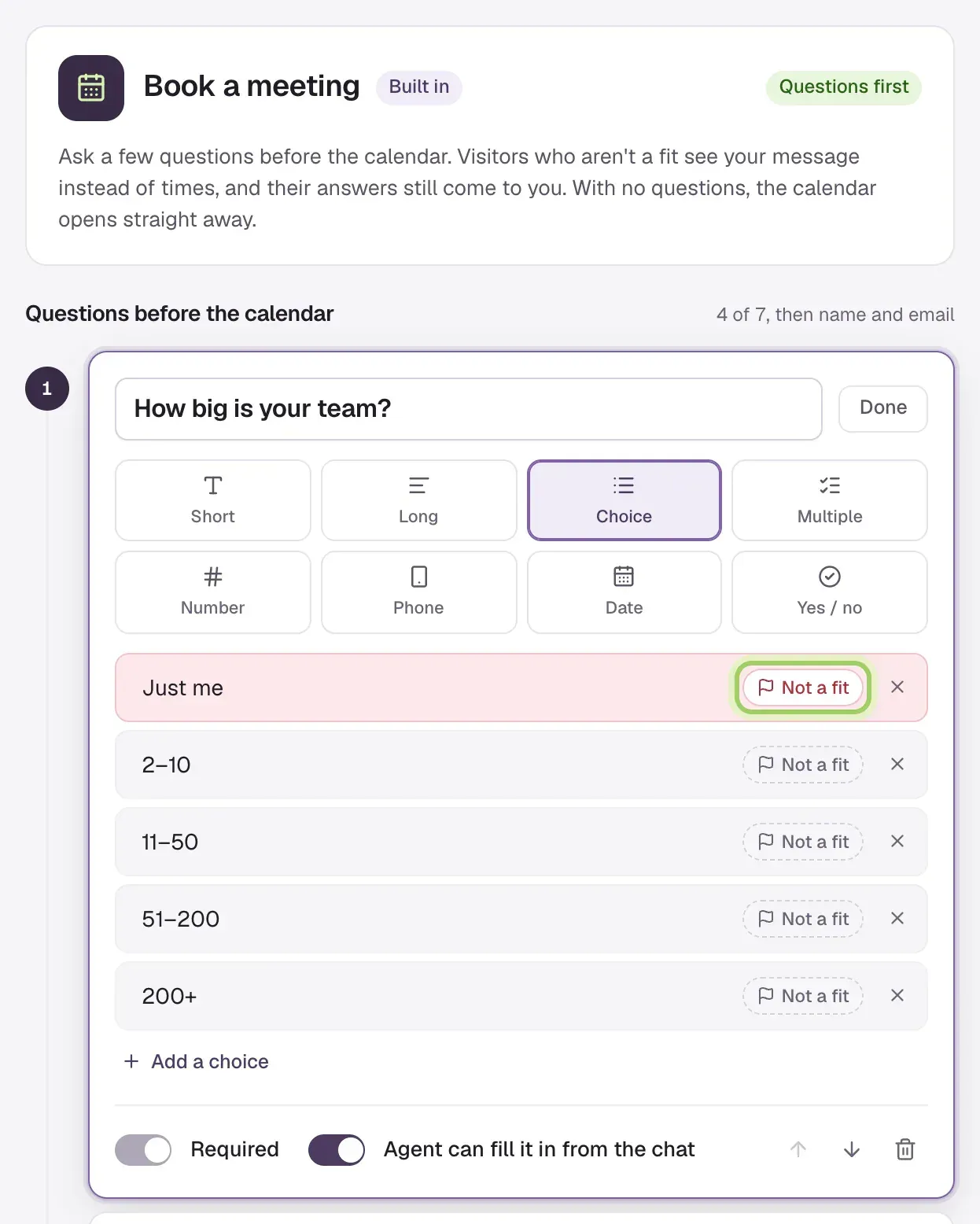
Under Questions before the calendar, tap a suggestion such as Team size, Budget, Timeline or What they want to solve to add a ready-made question, or add your own. Mark the answers that rule a visitor out with Not a fit (marked). On Free, one of these can be a qualifying question, with a fit rule. Adding a second shows Ask more than one qualifying question on Growth, with an Upgrade button.
Save
If you marked answers Not a fit, edit the message those visitors see under If they're not a fit. Then select Save changes. The card now says how many questions come first.
From then on, the questions open first however the visitor asks for a meeting: in the conversation, with Book a meeting at the top of the chat, from a chat button, or after a form that ends in a meeting. Name and email come last.
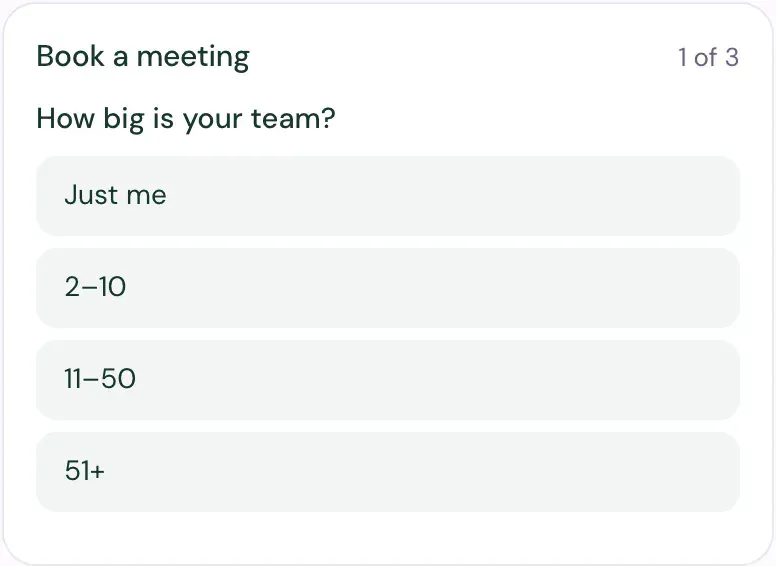
- Visitors who fit go on to the calendar.
- Visitors who don't fit see your message instead of times. Their answers still come to you, marked Not a fit, and the agent doesn't offer them a meeting again in that chat.
- A visitor who answers the questions but doesn't book uses no credit. Booking uses 1 credit. See How requests use credits.
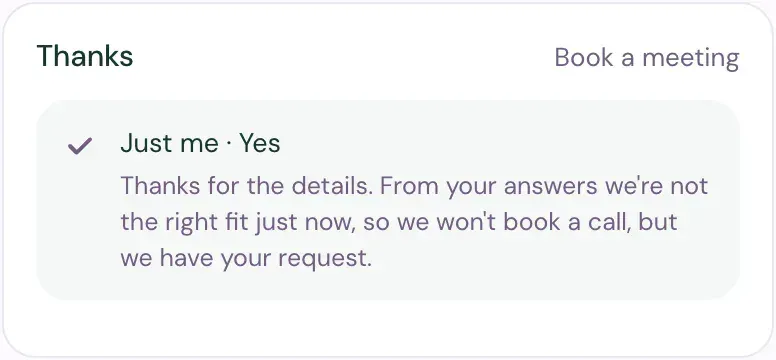
Remove every question to send visitors straight to the calendar again.
Good to know
- The agent opens one form at a time and never asks a form's questions in plain messages.
- In Experiments, a form opening counts as the booking step, the same as the calendar opening.
- Booking needs scheduling set up. See How meetings get booked. Without a calendar, Darwin can go live with a live form instead, and a visitor who asks for a meeting gets that form.