Understand your results in Analytics
Analytics: visitors, conversations, leads, meetings and chat rate over 7 to 90 days, the visitor funnel, the pages and sources that book meetings, and filters by page, source or device.
- In Darwin: AnalyticsOpen in Darwin
- Updated
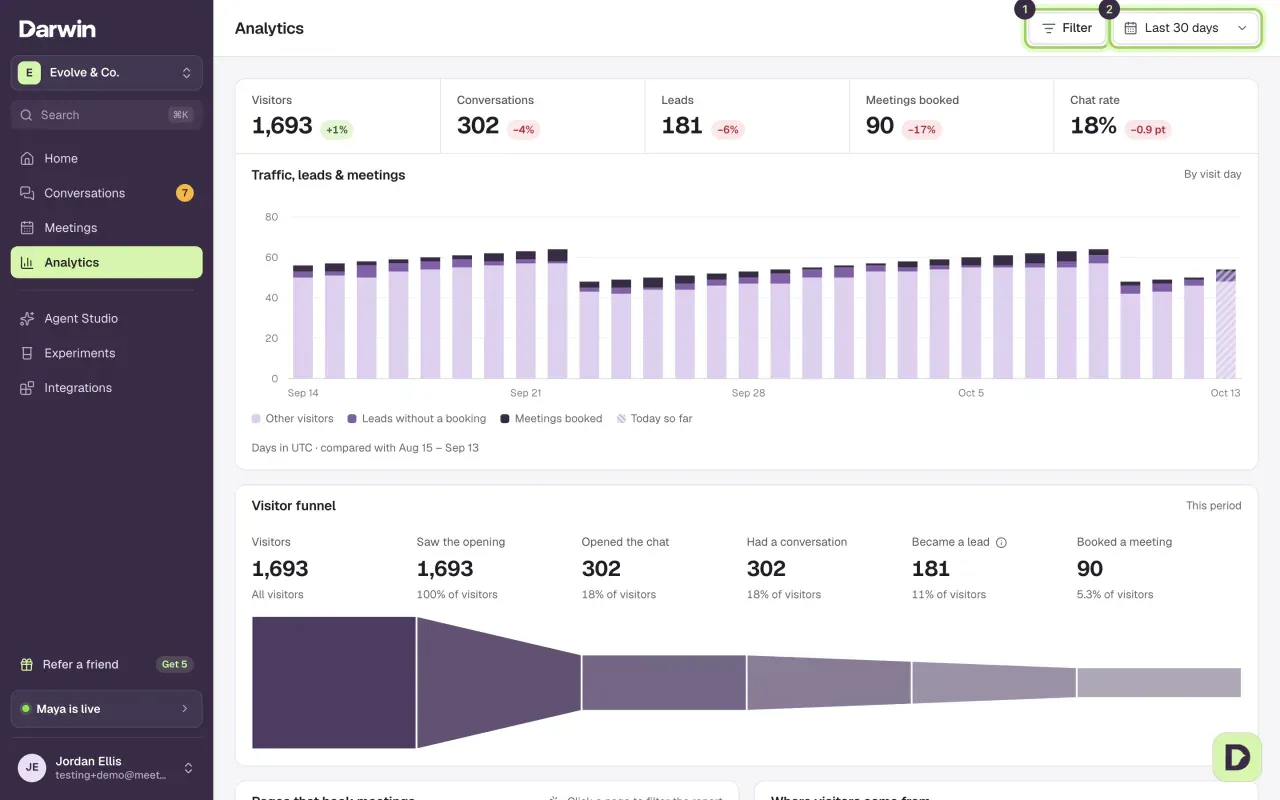
Analytics is one report you read from the top down: your totals, the visitor funnel, and which pages and sources book meetings.
Pick the date range
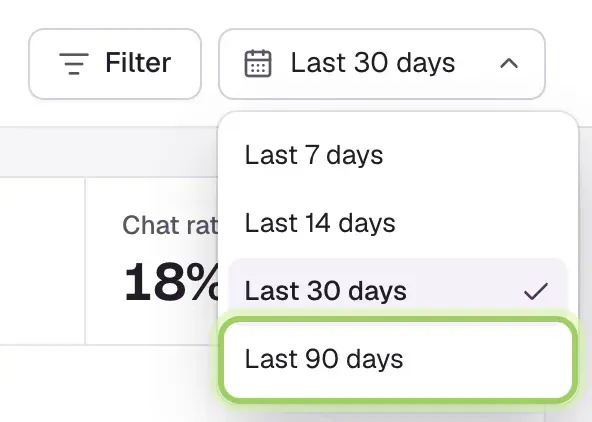
Open the date menu at the top right and choose Last 7 days, Last 14 days, Last 30 days or Last 90 days. Analytics opens on 30 days.
Read the totals and the daily chart
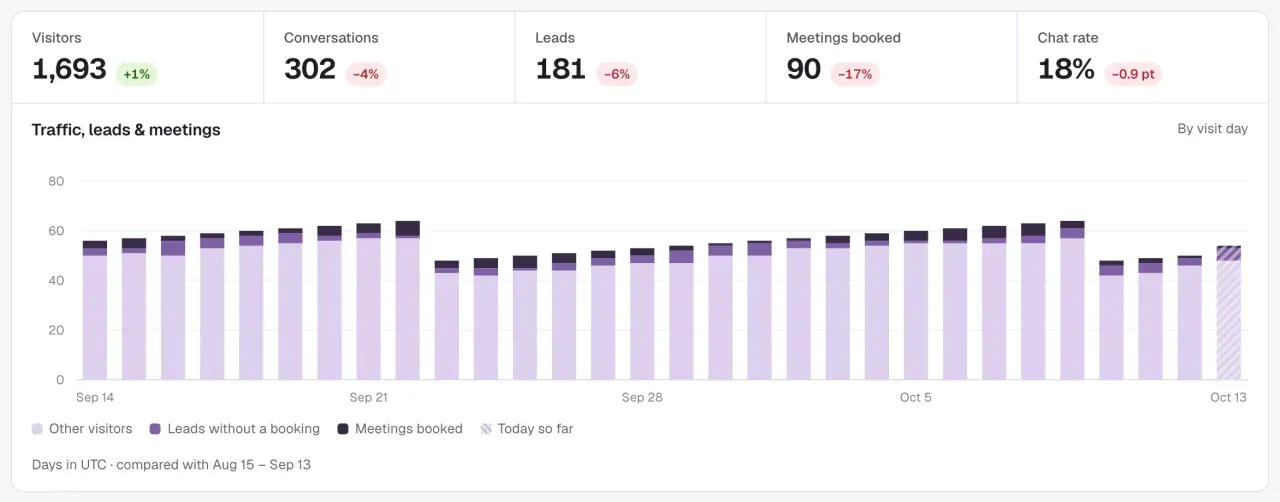
The top row shows Visitors, Conversations, Leads, Meetings booked and Chat rate, each against the previous period of the same length. Chat rate is visitors who had a conversation; its change is in percentage points (pt).
Below, Traffic, leads & meetings shows one bar per day, split into Other visitors, Leads without a booking and Meetings booked. Today's bar is striped because it can still change. Hover over or tap a bar to see that day.
Follow the visitor funnel
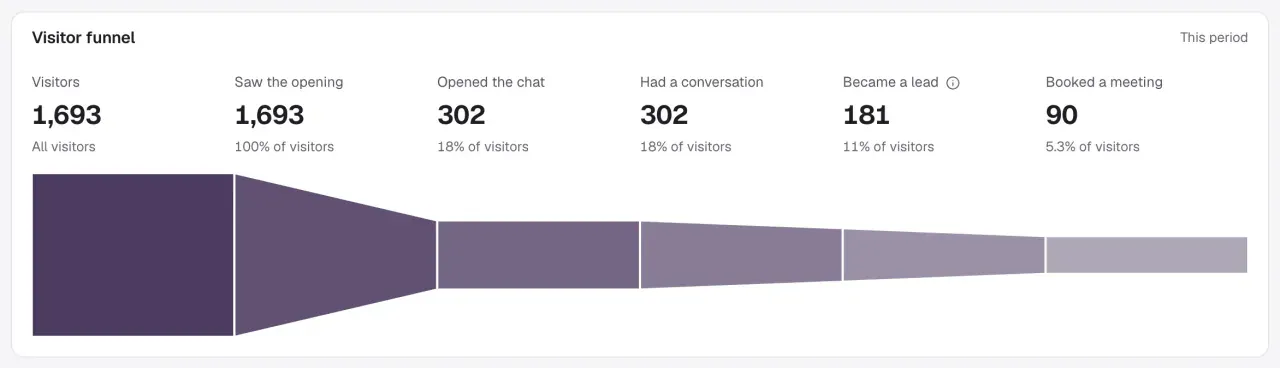
Visitor funnel counts visitors at each step: Visitors, Saw the opening, Opened the chat, Had a conversation, Became a lead and Booked a meeting. Each step shows its share of all visitors.
Filter by page, source or device
Select Filter, then Page, Source or Device, and pick one. The whole report narrows to it.
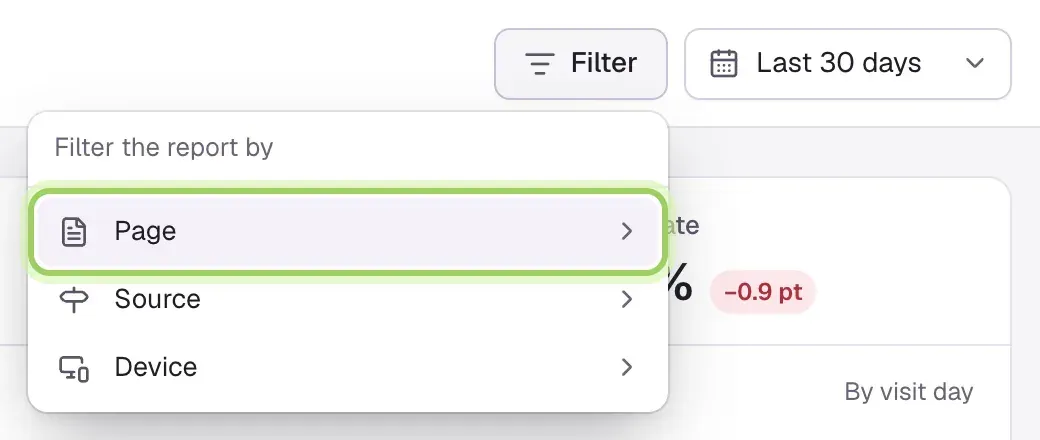
Each filter you add shows under the header. Select its × to remove it, or Clear all. Your date range and filters are in the page link, so you can share the exact view.

Find the pages and sources that book meetings
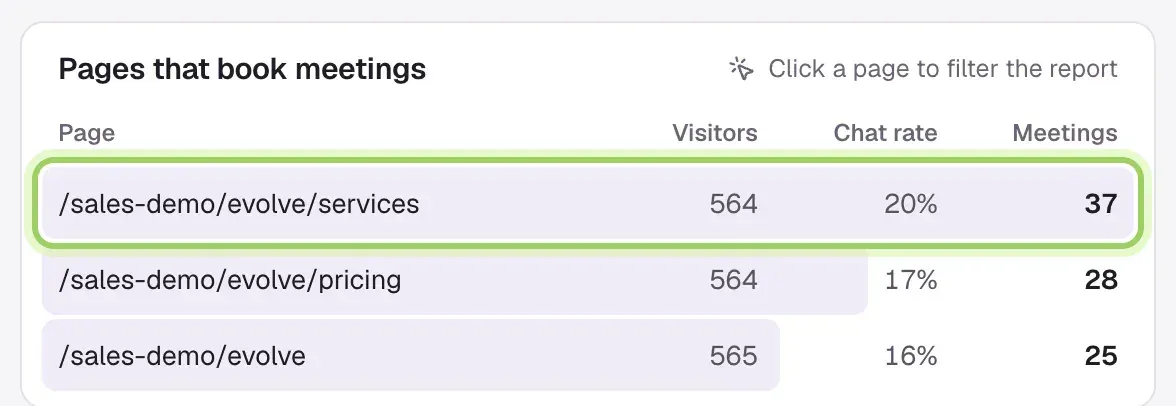
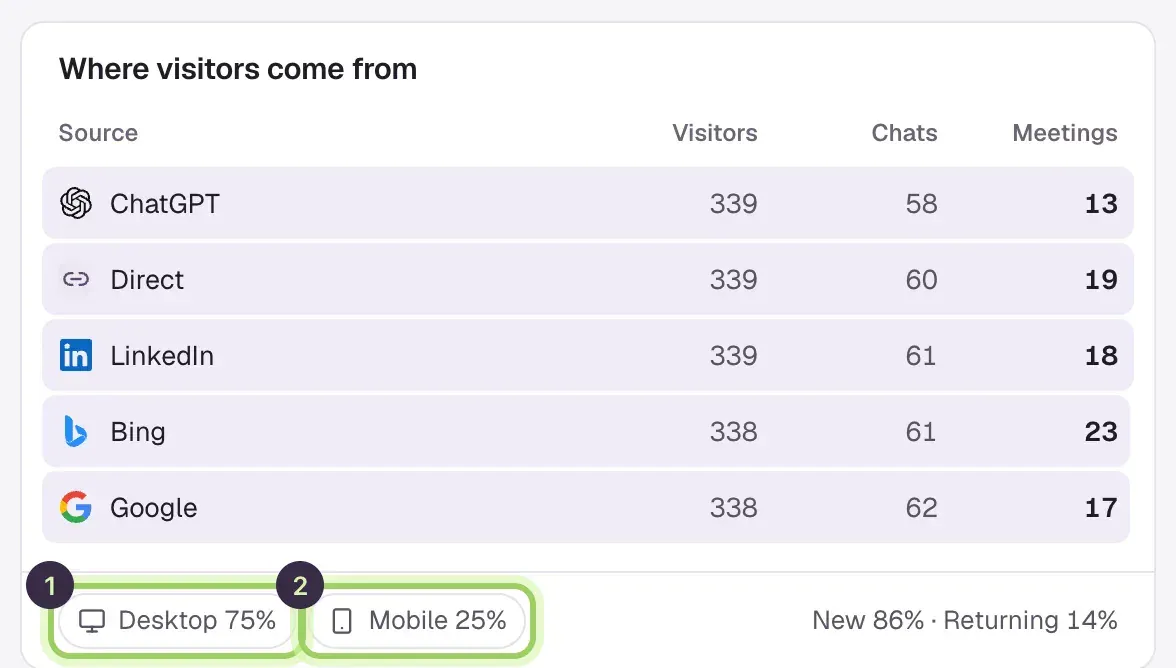
Pages that book meetings ranks your pages by meetings, with visitors and chat rate. Where visitors come from lists sources such as Google, ChatGPT and LinkedIn, with the chats and meetings each brought. Select a row to filter the report to it; select it again to show everything.
At the bottom of the sources, Desktop (1) and Mobile (2) filter by device, next to the share of new and returning visitors.
See what visitors ask and how conversations went
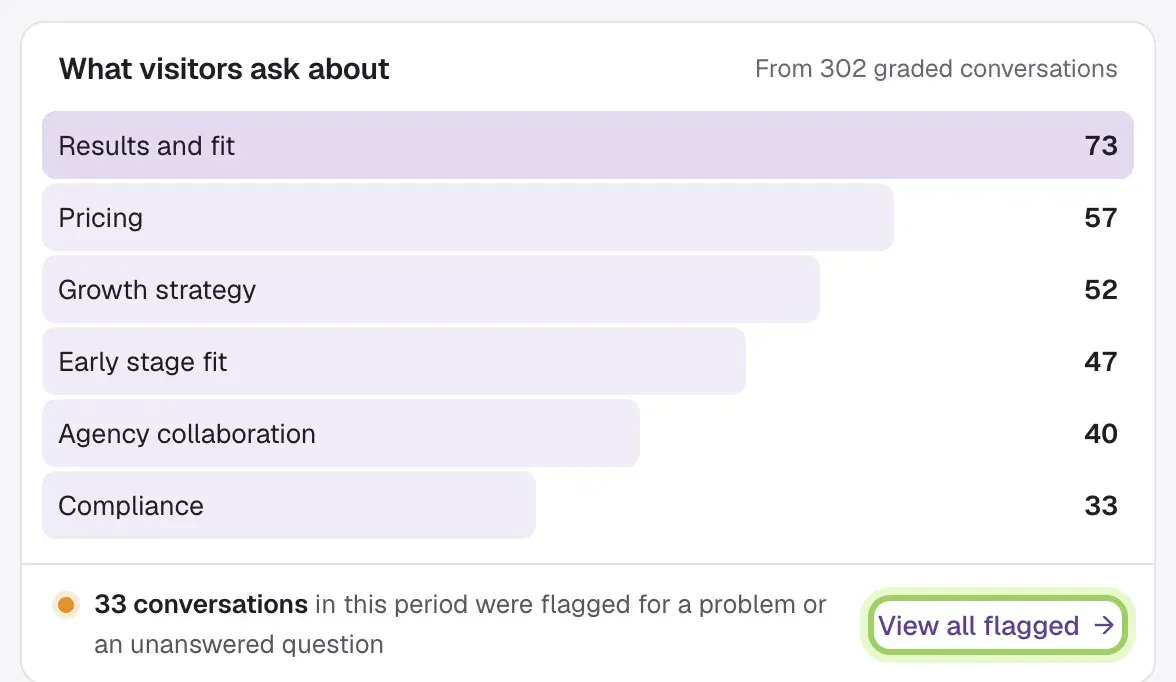
What visitors ask about lists the most common topics; select one to read those conversations. When Darwin has read visitors' buying stage, Buying stage shows how far along they were. The last line counts the flagged conversations in this period; View all flagged opens them in Conversations.
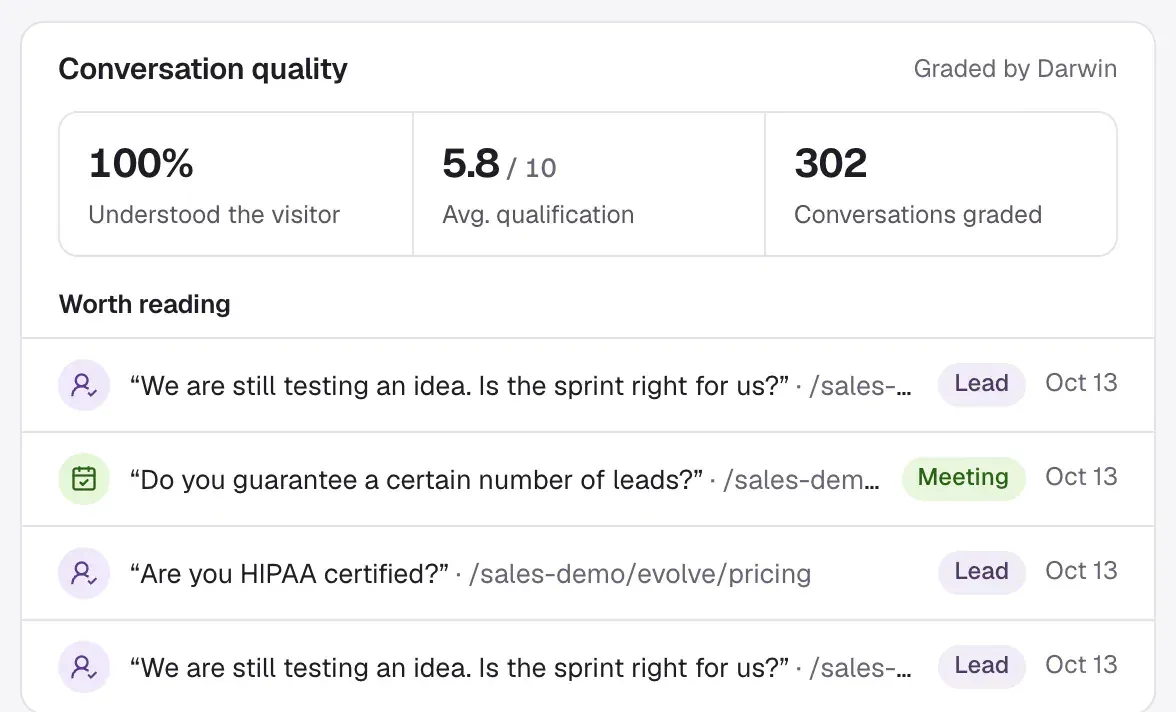
Conversation quality shows how often your agent Understood the visitor, the Avg. qualification out of 10, and how many conversations were graded. Worth reading picks a few to open.
Good to know
- Days are in UTC. A visitor who comes back on another day appears in both days' bars but is counted once in the totals.
- A rate based on fewer than 30 visitors, or fewer than 30 graded conversations, is greyed out because one visitor moves it a lot.
- View all flagged opens every flagged conversation, not only the ones in this period.
- Grades come from AI. Use them to find conversations worth reading, then read the transcript before acting.