Review chats that need a look
Chats → Needs review: the chats where Darwin found a problem or a question your agent couldn’t answer, what went wrong, and how to fix it with Knowledge.
- In Darwin: Chats → Needs reviewOpen in Darwin
- Updated
Darwin reads each chat after it ends. When something went wrong, or your agent couldn’t answer a question, the chat goes to Chats → Needs review so you can see what to fix.
Open the chats that need review
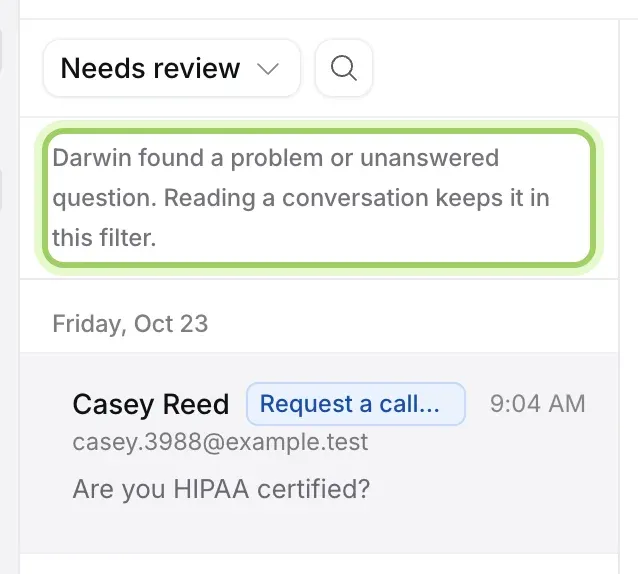
In Chats, switch the view to Needs review. A line under the view explains what is in it. Home’s Needs your attention shows how many chats were flagged in the last 7 days, with Read them.
See what went wrong
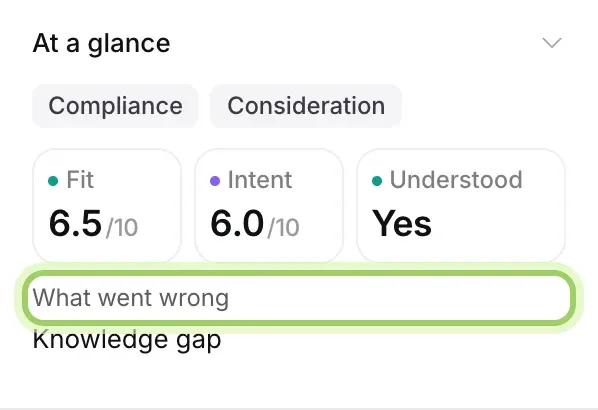
Select a chat. Under At a glance on the right, What went wrong names the problem, such as a knowledge gap. When Darwin has a suggestion, it shows under Worth trying. Read the conversation to see the question in the visitor’s own words.
Fix the answer
Most problems are a missing fact. Add a page or document that covers it in Knowledge, or follow Fix an answer. To see every question your agent couldn’t answer, grouped by topic, open the Knowledge report.
Good to know
- Reading a chat keeps it in Needs review. Once your agent can answer the question, new chats about it stop arriving there.
- The review comes from AI. Read the conversation before acting on it.