Chats report
Reporting → Chats: how many visitors saw the opening and chatted, how chats start, what visitors ask about, how far along they are, how your agent did, and chats worth reading.
- In Darwin: Reporting → ChatsOpen in Darwin
- Updated
The Chats report answers what visitors ask and whether your agent helps: from the opening to the chat, the topics, and how each chat went.
Open the report
Open Reporting in the sidebar and select Chats. It opens on Last 30 days; change the range, filter or view at the top as on every report. See Understand your results in Reporting.
Read the numbers
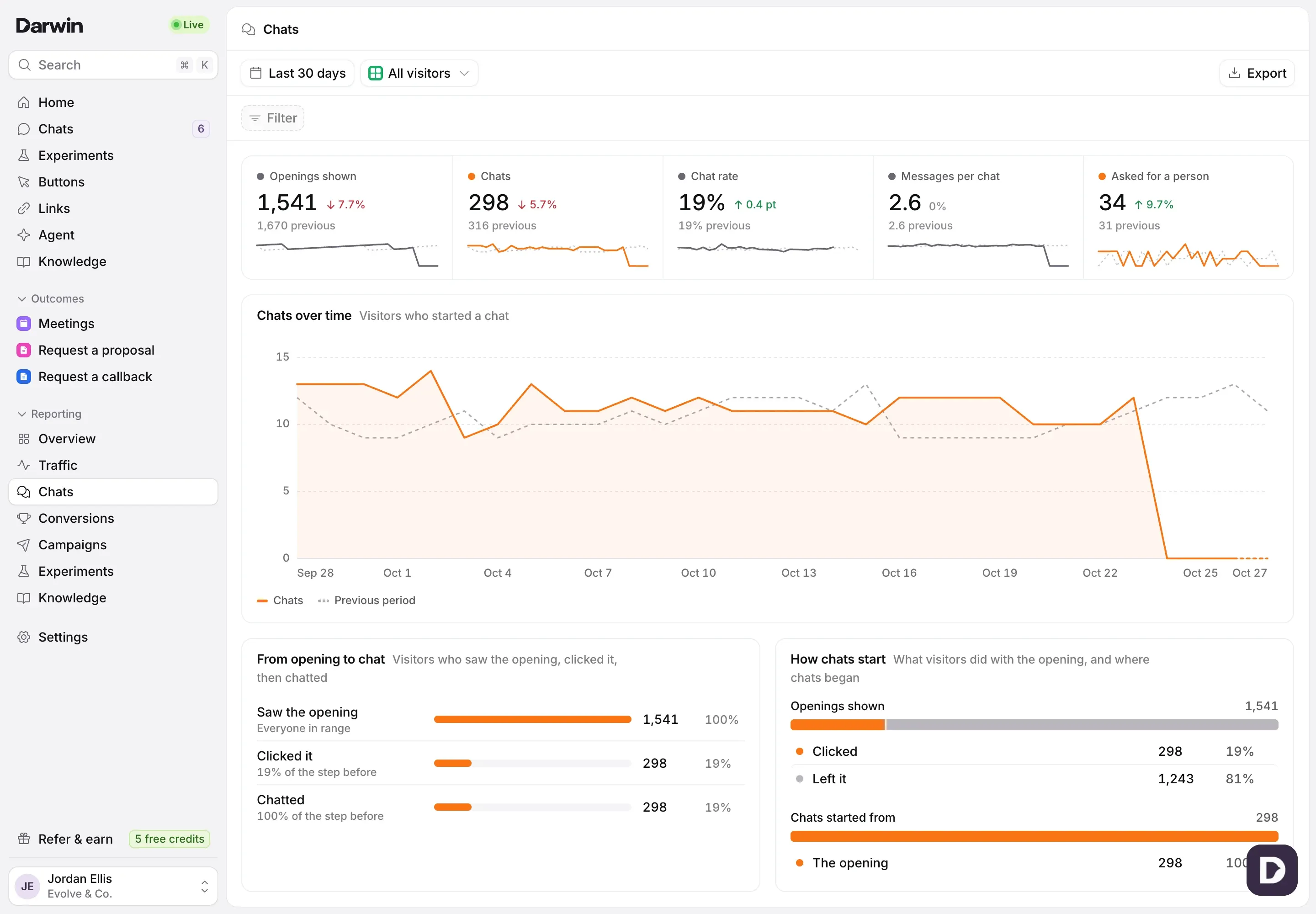
Openings shown counts visitors who saw the opening message. Chats and Chat rate count visitors who started a chat. Messages per chat is the average number of messages visitors sent, and Asked for a person counts chats where the visitor asked for your team.

Follow visitors from the opening to a chat
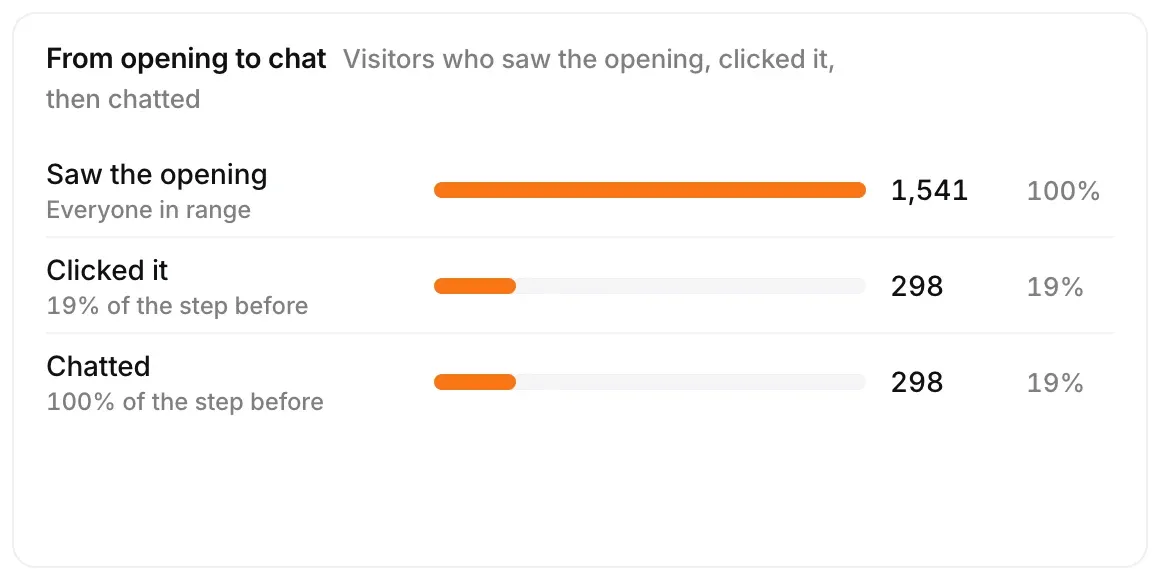
From opening to chat shows how many visitors saw the opening, clicked it, then chatted. How chats start splits what visitors did with the opening (clicked it, closed it or left it) and where chats began: the opening, a chat button or the chat launcher.
See what visitors ask about
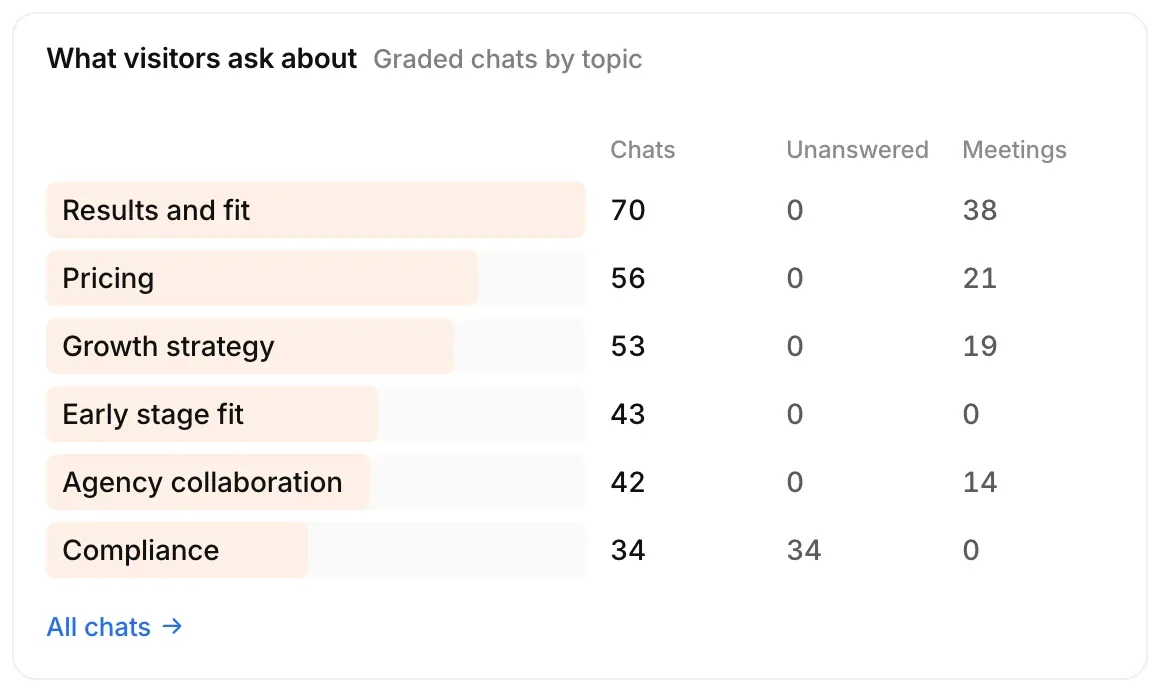
What visitors ask about groups chats by topic, with how many went unanswered and how many led to a meeting. All chats opens Chats.
See how far along visitors are
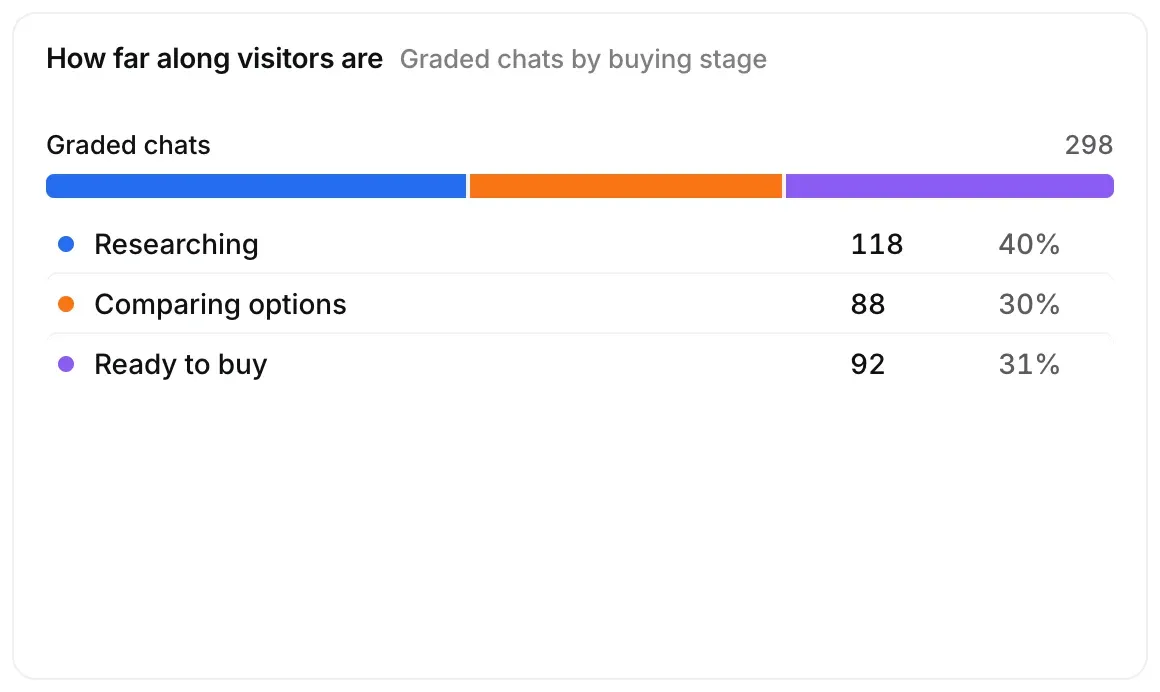
How far along visitors are splits chats by buying stage: Browsing, Researching, Comparing options, Ready to buy, Already a customer or Unclear.
Check how your agent did
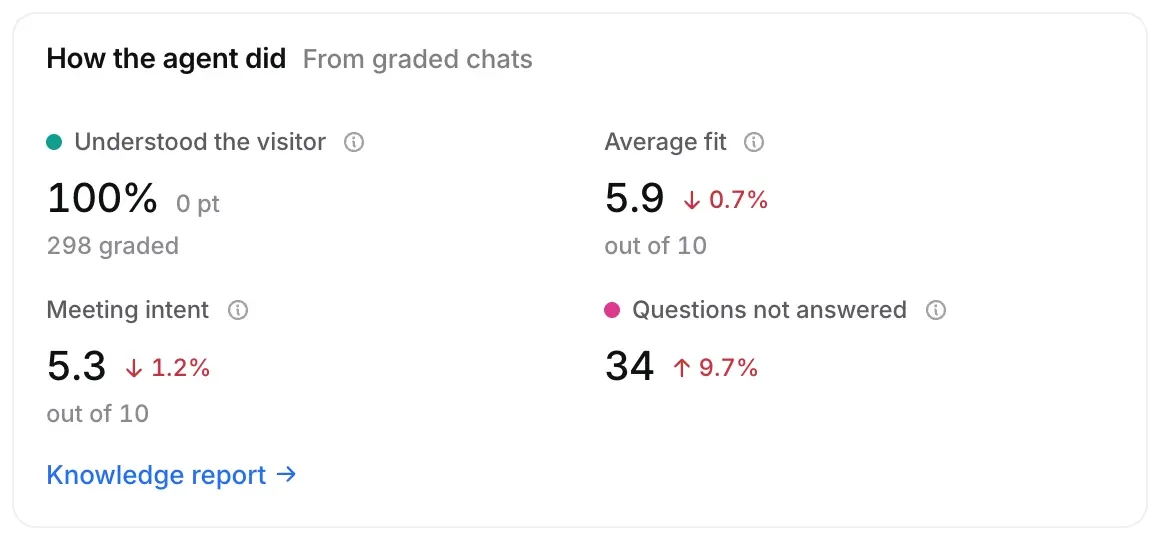
How the agent did shows how often it Understood the visitor, the Average fit and Meeting intent out of 10, and Questions not answered. Why chats fell short lists what got in the way of a meeting, with Chats to review.
Read the chats worth reading
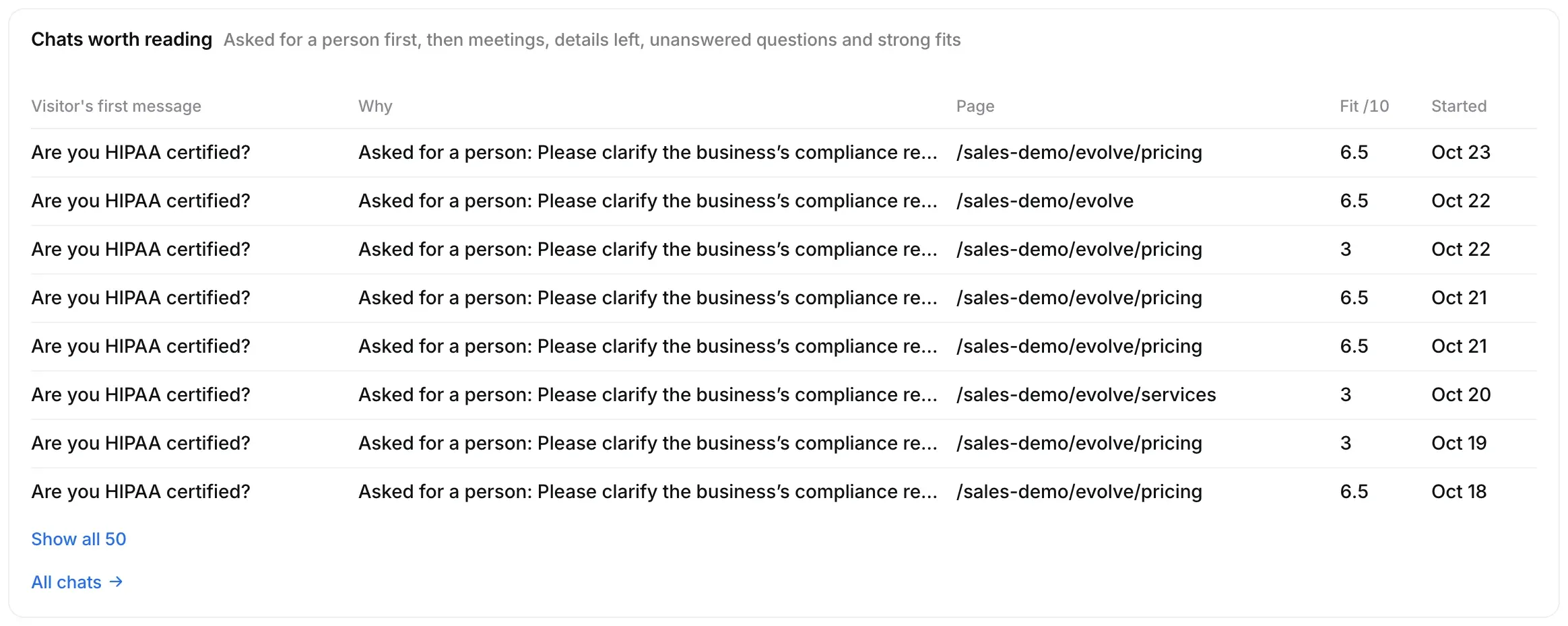
Chats worth reading picks the chats to open first: visitors who asked for a person, then meetings, details left, unanswered questions and strong fits. Select a row to open the chat.
Good to know
- Topics, buying stage, fit and intent come from AI grades of each chat. Use them to find chats worth reading, then read the conversation before acting.
- Meeting intent is how keen visitors were to meet, as graded. It isn’t a booking.