Campaigns report
Reporting → Campaigns: visits, chats, meetings and requests from your personal links, greetings compared, the companies that opened your links, chat button clicks and UTM campaigns.
- In Darwin: Reporting → CampaignsOpen in Darwin
- Updated
The Campaigns report answers which outreach and buttons pay off: what happened after people opened your personal links or clicked a chat button.
Open the report
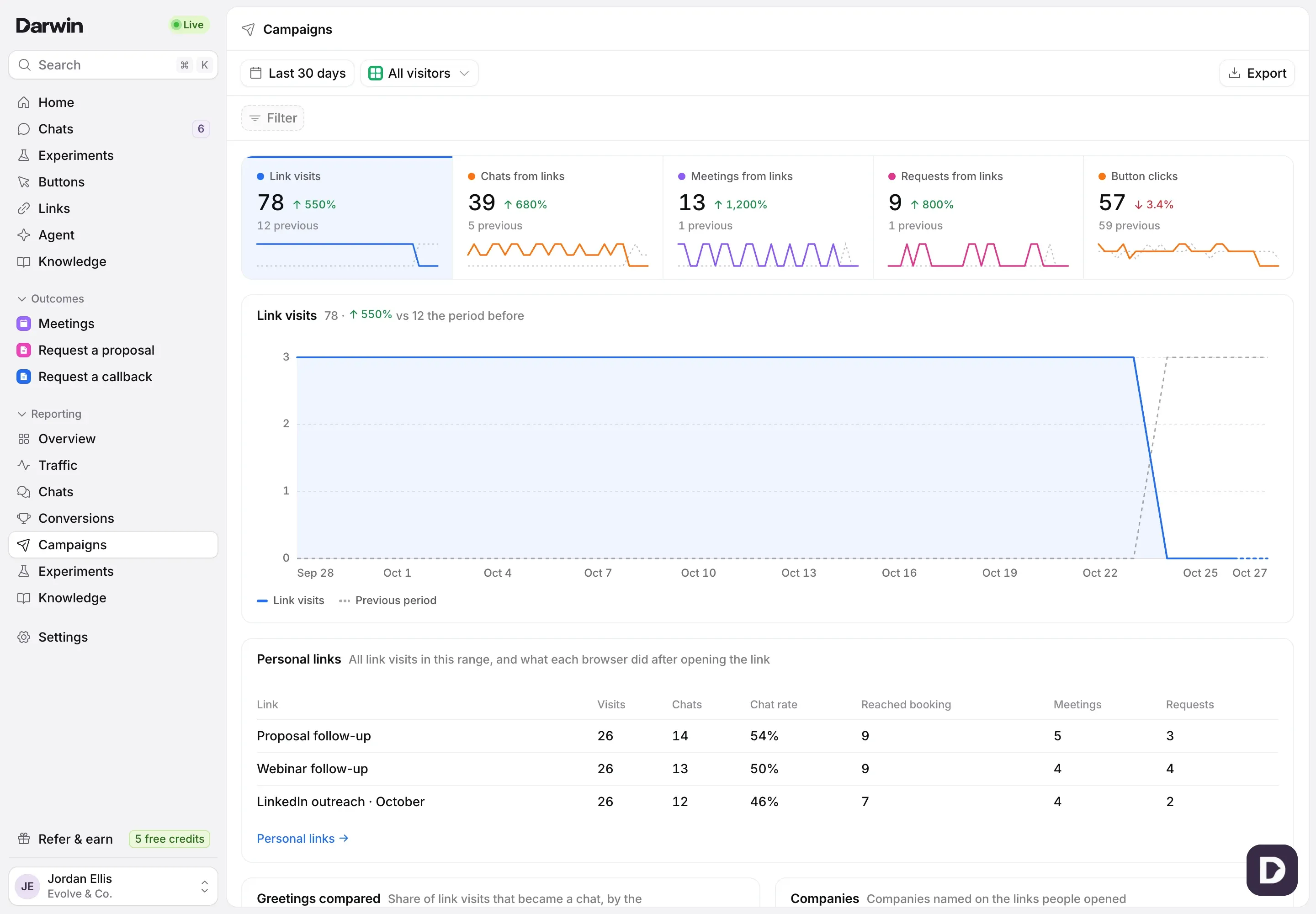
Open Reporting in the sidebar and select Campaigns. It opens on Last 30 days; change the range, filter or view at the top as on every report. See Understand your results in Reporting.
Read the numbers
Link visits counts browsers that opened a personal link, once per browser per link. Chats from links, Meetings from links and Requests from links count what those visitors did after opening it. Button clicks counts clicks on your chat buttons, once per button per page for each visitor.

Compare your personal links
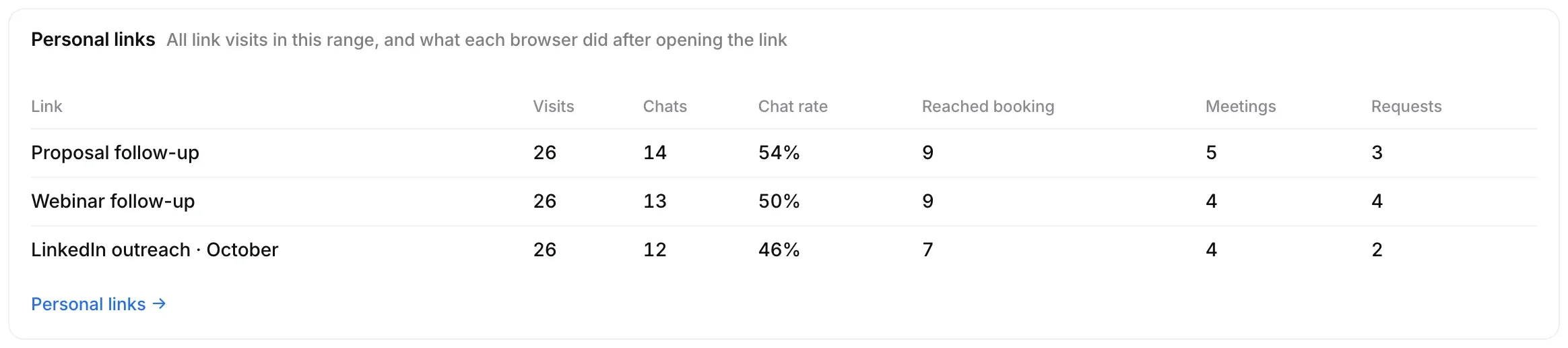
Personal links lists each link with its visits, chats, chat rate, visitors who reached booking, meetings and requests. Personal links at the bottom opens Links.
Compare greetings
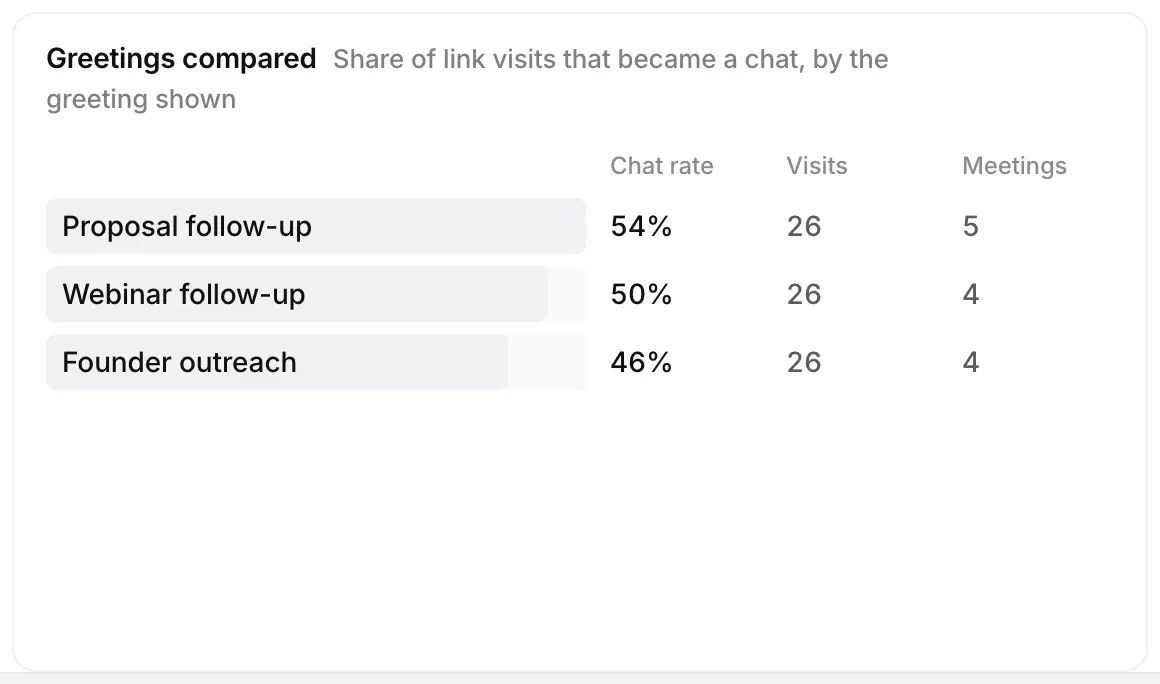
Greetings compared shows the share of link visits that became a chat, by the greeting the link opened, with visits and meetings.
See which buttons work
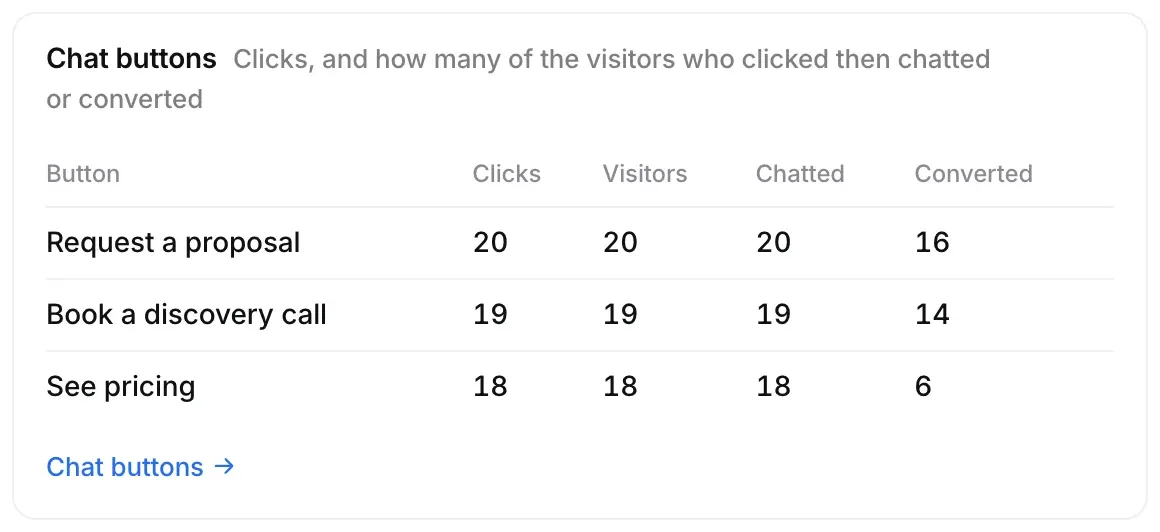
Chat buttons lists each button on your site with its clicks, the visitors who clicked, and how many of them chatted or converted. Companies lists the companies named on the links people opened.
Good to know
- UTM campaigns appears when visitors arrive with a UTM campaign in the address.
- A personal link visit is counted once per browser, however many times the same person opens it.