Follow up with leads
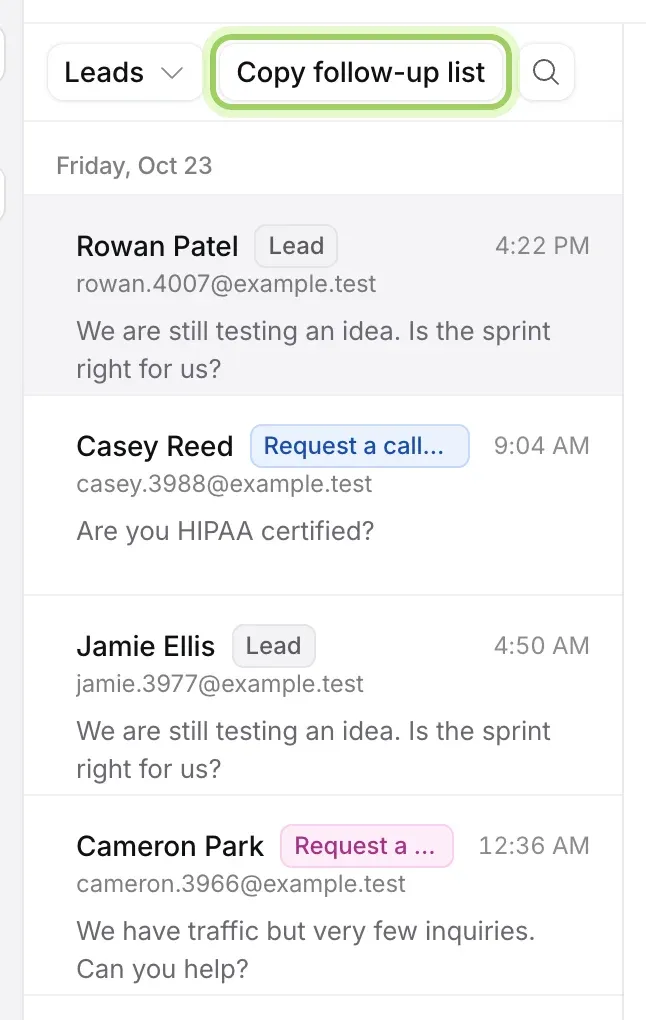
Chats → Leads: see the visitors who left their email but didn’t book, read what they asked, email them, and copy a follow-up list for your CRM or email tool.
- In Darwin: Chats → LeadsOpen in Darwin
- Updated
A lead is a visitor who left their email in the chat. The ones who didn’t go on to book are waiting for you: Chats → Leads lists them, newest first, with what they asked.
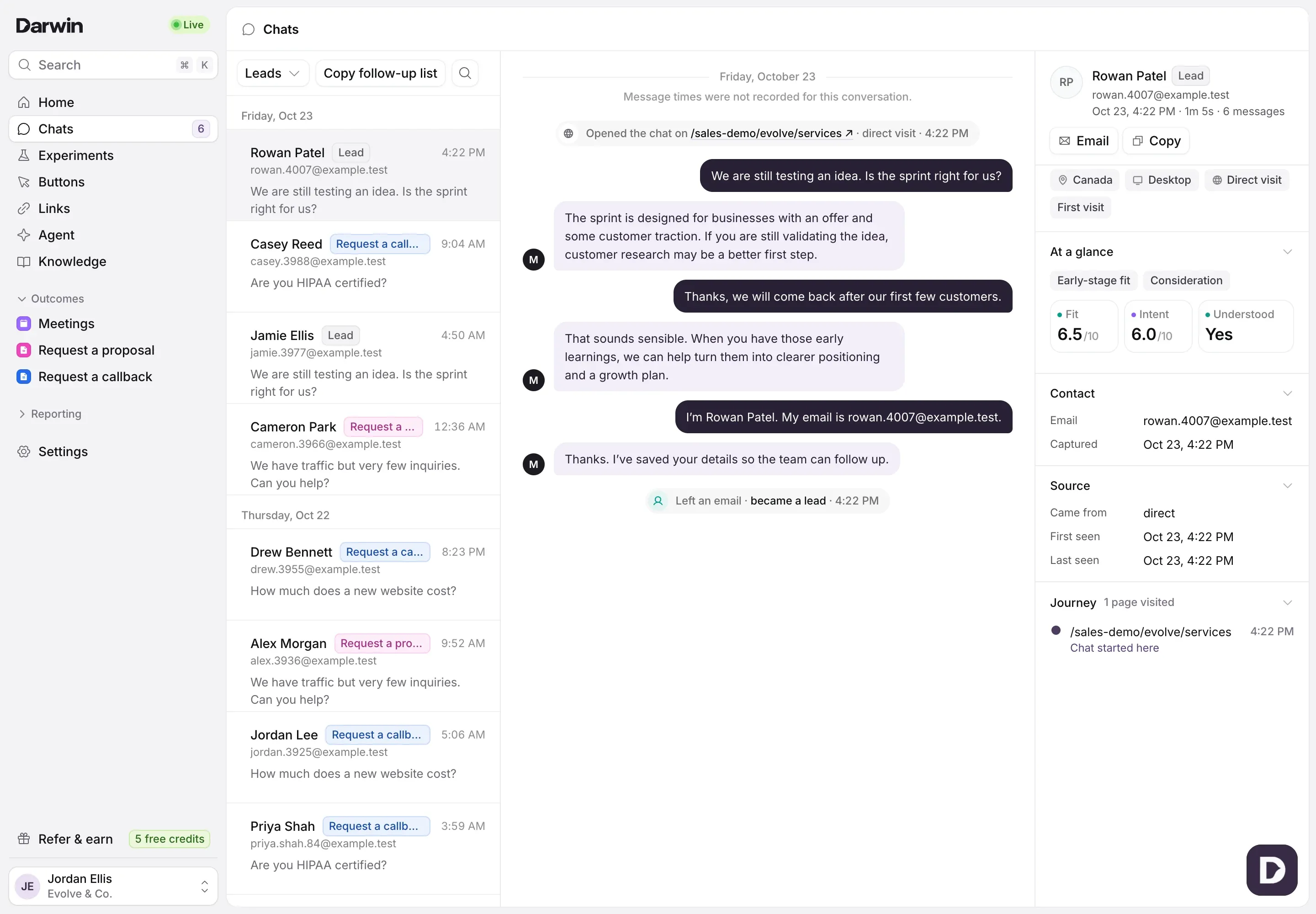
Open your leads
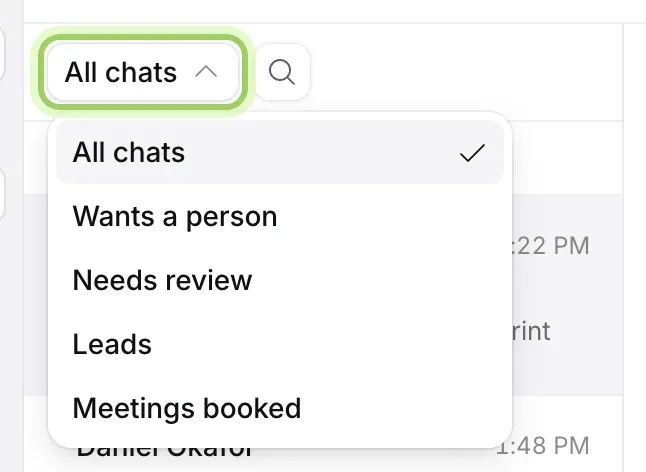
In Chats, switch the view at the top of the list to Leads. Home’s Needs your attention links here too, with Review leads, and Search offers Leads to follow up.
Read what they wanted
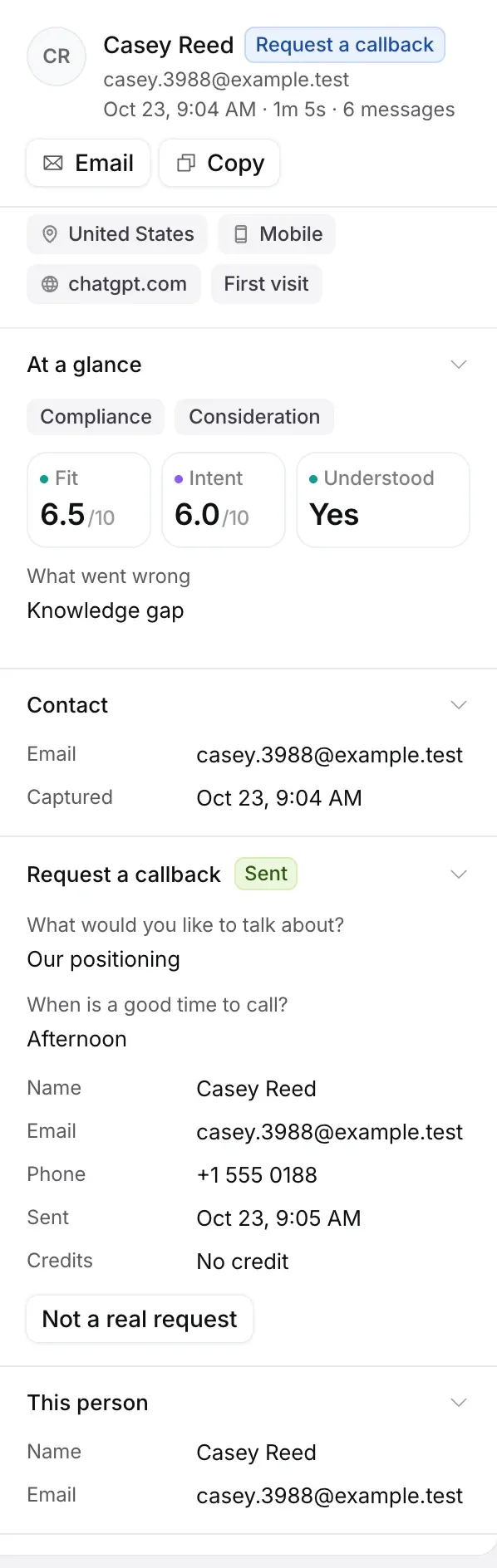
Select a lead to read the chat. At a glance on the right shows what they wanted, their buying stage, and Fit and Intent out of 10, which helps you decide who to call first. A form they sent shows with its answers.
Email them
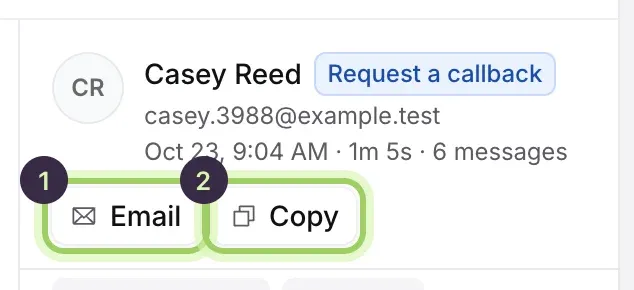
Select Email (1) to write to them from your own email app. Copy (2) copies the whole chat as text, to paste into your CRM or a note.
Copy the follow-up list
Select Copy follow-up list at the top of the list. It copies the email and name of every lead in the list who hasn’t booked, one per line, ready to paste into a spreadsheet, your CRM or your email tool.
Good to know
- Leads drop out of this view once they book a meeting.
- Darwin doesn’t email leads for you, and opening a chat doesn’t contact the visitor.
- The list holds your most recent chats. Search for an older lead by name or email.
- To send every new lead to your CRM as it arrives, use Zapier.
- Before reaching out, check your calendar: a lead may have booked even if Darwin didn’t record it. See A booking is missing.