Keep pages up to date
Knowledge: read a changed page again with Refresh, pick up new pages with Re-fetch, and re-read every page on a schedule with Auto-refresh: every 3 months, every month or every day.
- In Darwin: KnowledgeOpen in Darwin
- Updated
Darwin answers from its last read of each page. When your website changes, read the page again, or let Darwin re-read every page on a schedule.
Refresh a page you changed
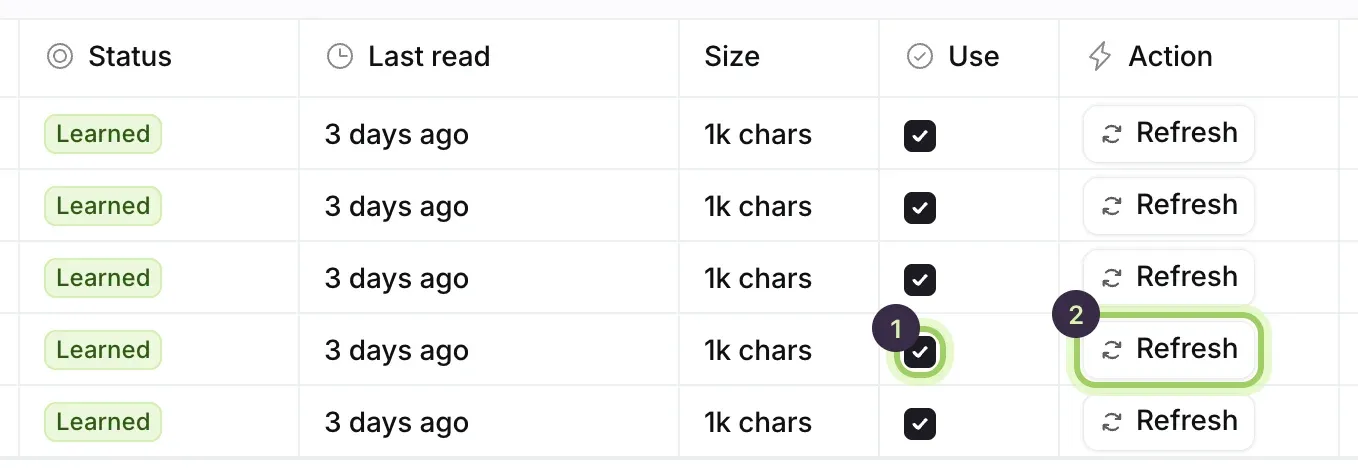
Select Knowledge in the sidebar and scroll the table to the right. Select Refresh (2) beside the page. Darwin reads it again straight away, and Last read updates. This doesn't wait for Save changes.
Pick up new pages on your site
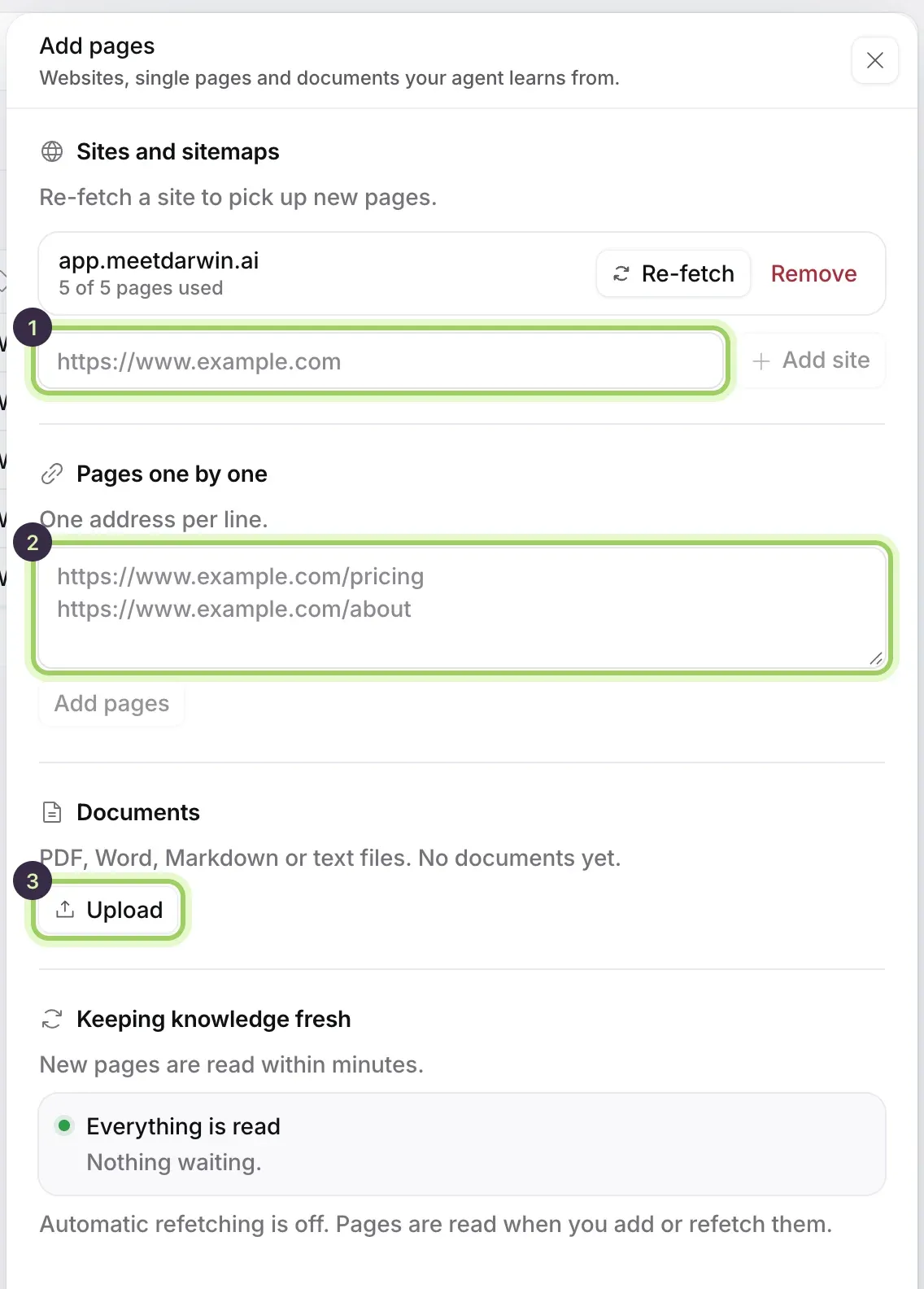
Select Add knowledge, then Re-fetch beside your site under Sites and sitemaps. Darwin checks the site for pages it hasn't seen and lists them in the table; tick Use on the ones your agent should answer from, then select Save changes.
Re-read every page on a schedule
Open Auto-refresh above the table. Under Read every page again, choose Every 3 months, Every month or Every day, then select Save changes. Choose Off to stop.
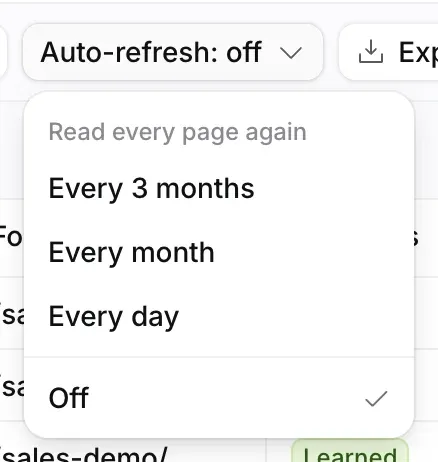
Every day is on Growth and Agency. On Free, choosing it offers the upgrade; a workspace on Every day that moves to Free is re-read every month instead.
Good to know
- Refresh and Re-fetch work on every plan, as often as you need.
- New pages are read within minutes. While pages are waiting, a line above the table says Reading and how many, with Read now to read them straight away.
- If a re-read fails, your agent keeps the copy it read before and the page shows Refresh failed. See Fix a page Darwin couldn't read.
- Reporting → Knowledge counts pages last read more than 30 days ago as stale. Documents you upload never go stale.