Check what your agent knows
Knowledge → Answer check: type a question and see which pages and passages your agent would use, read what it took from a page, and find the questions it couldn’t answer in Reporting → Knowledge.
- In Darwin: Knowledge → Answer checkOpen in Darwin
- Updated
Before you rely on an answer, check that your agent can find it. Answer check searches your knowledge the way your agent does and shows what it would use.
Ask a question in Answer check
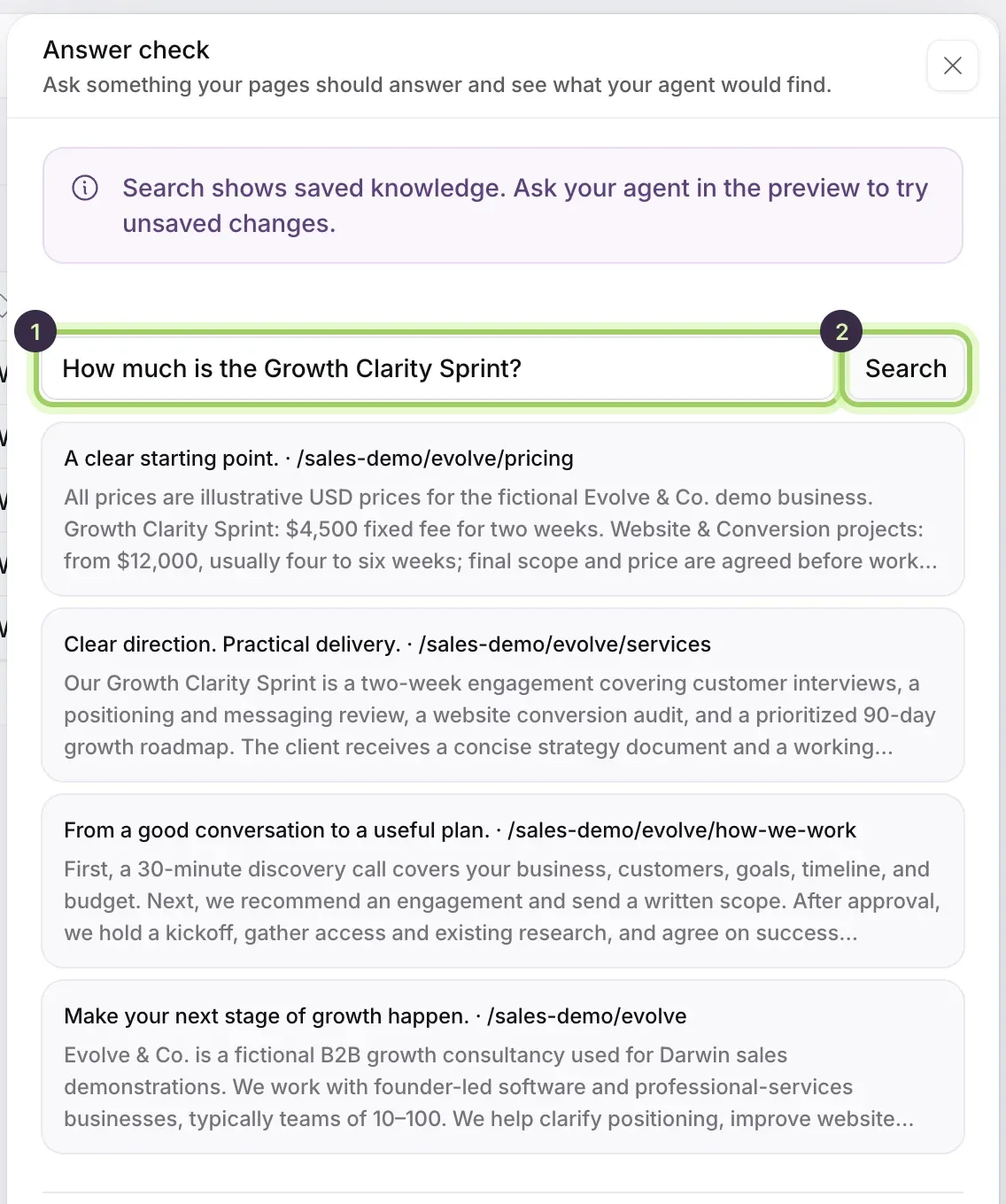
Select Knowledge in the sidebar, then Answer check above the table. Type a question your pages should answer (1), the way a visitor would ask it, and select Search (2) or press Enter.
Read the results
Each result names a page or document and shows the passage your agent would read, best match first. If the right page isn't there, or the passage says something out of date, fix the source: refresh the page, add the missing page, or add the fact to your business context.
Answer check searches your saved knowledge, so save your changes first.
See everything Darwin read from a page
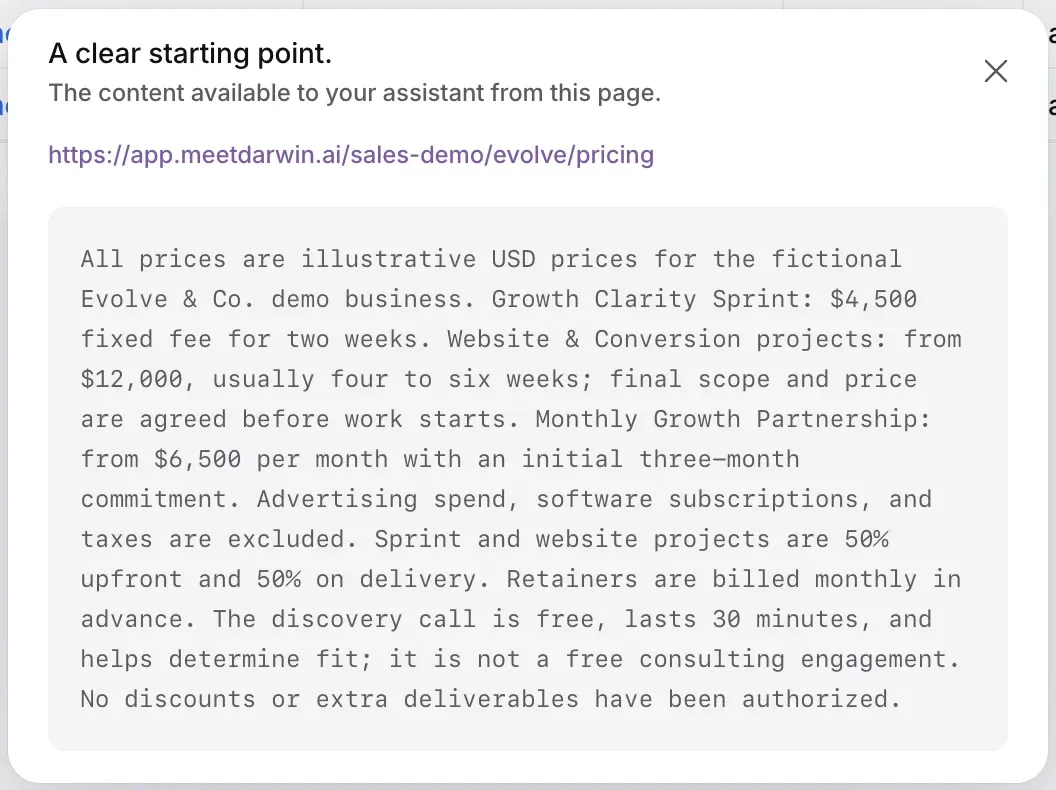
Close the panel with Done and select the page's row in the table. The dialog shows all the text your agent has from that page.
Ask your agent
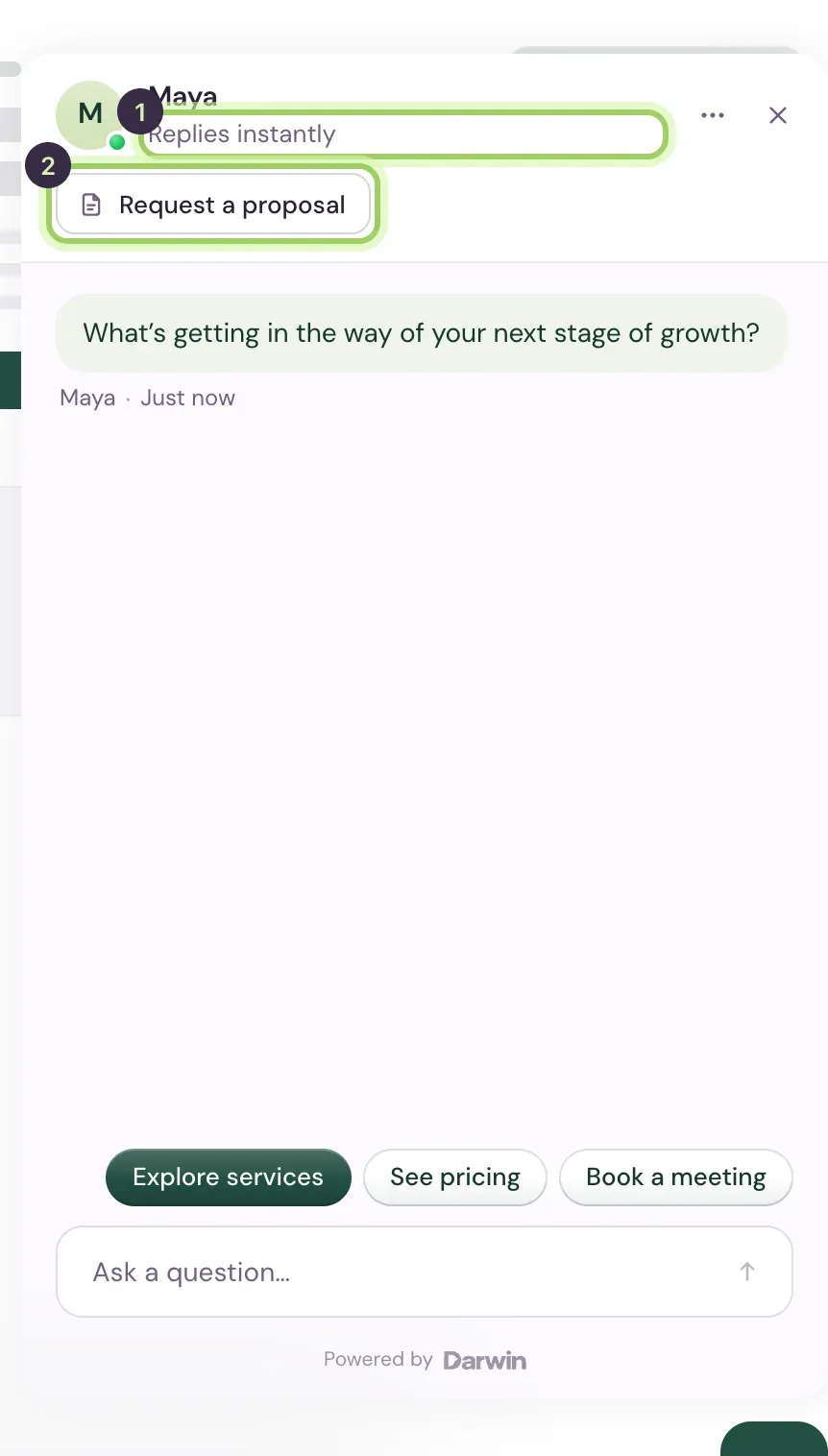
Select Agent in the sidebar and ask the same question in the preview, then again in other words. The preview uses unsaved changes, so you can try a fix before you save it.
Find the questions it couldn’t answer
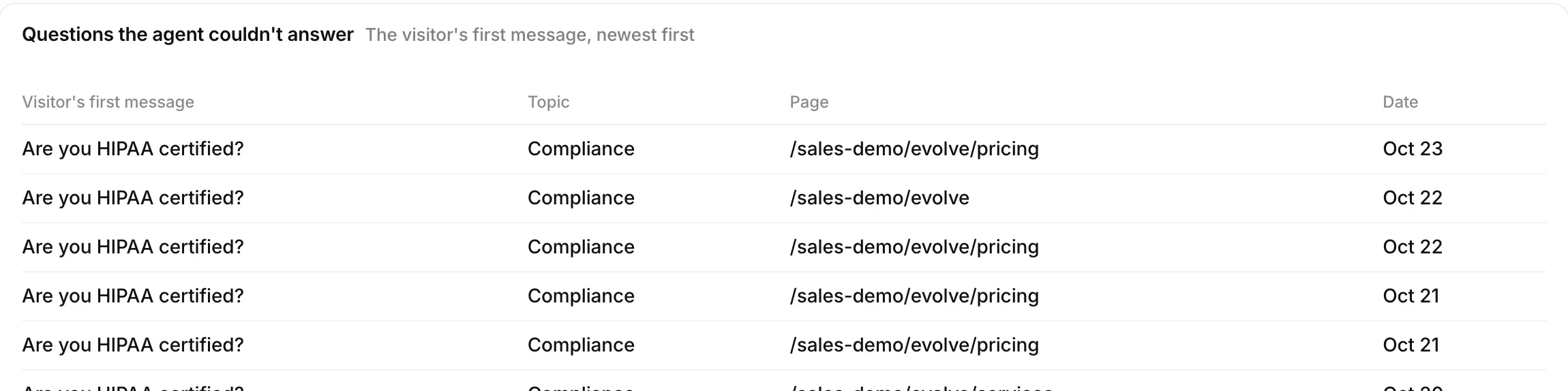
Open Reporting in the sidebar and select Knowledge. Questions the agent couldn't answer lists visitors' first messages it had no answer for, with the topic and the page they asked on, and Unanswered questions by topic groups them, so you know what to add next. In Chats, the Needs review view has the conversations themselves.
Good to know
- A search that finds nothing usually means no used page mentions it. Add a page or a sentence of business context.
- Opening experiments change how chats start, not what your agent knows.