Test a group of pages
Experiments → New experiment → A group of pages: name a group, choose its pages with URL rules, check which pages it covers, and start one test they share.
- In Darwin: Experiments → New experiment → A group of pagesOpen in Darwin
- Updated
Pages with too few visitors for a test of their own learn faster together. A group puts similar pages, such as your service or comparison pages, into one test they share.
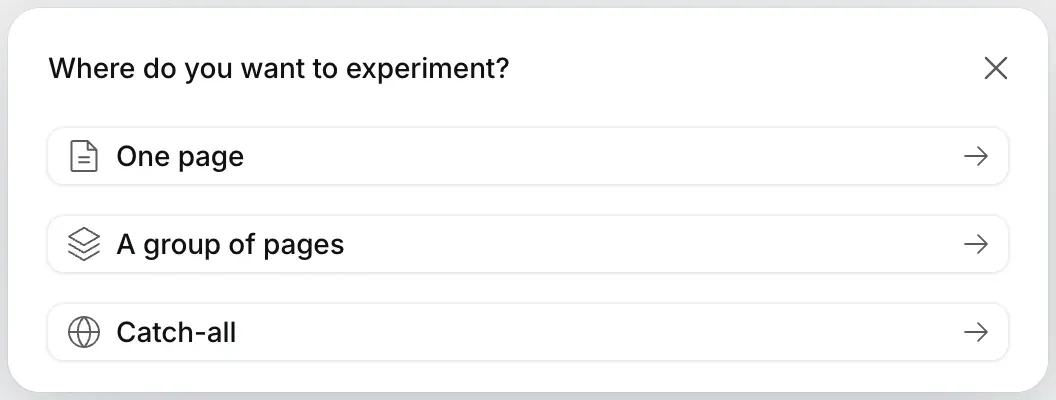
Start a group
In Experiments, select New experiment, then A group of pages.
Name it and choose its pages
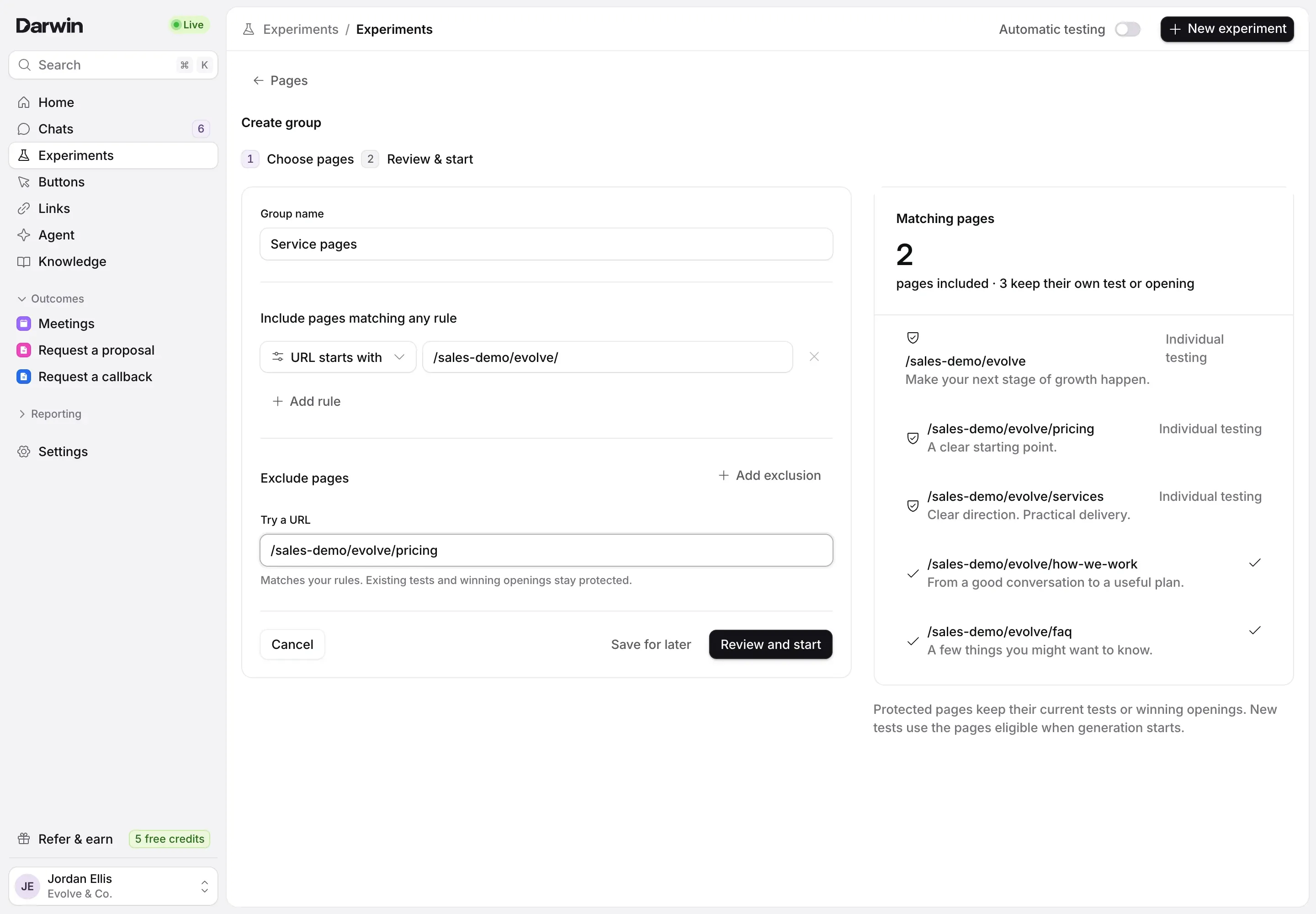
Type a Group name (1). Under Include pages matching any rule, pick URL is, URL starts with or URL contains (2) and type the address (3), such as
/services/. Add rule adds another; a page that matches any rule is in. Under Exclude pages, Add exclusion leaves pages out. Type an address in Try a URL (4) to check whether a page matches.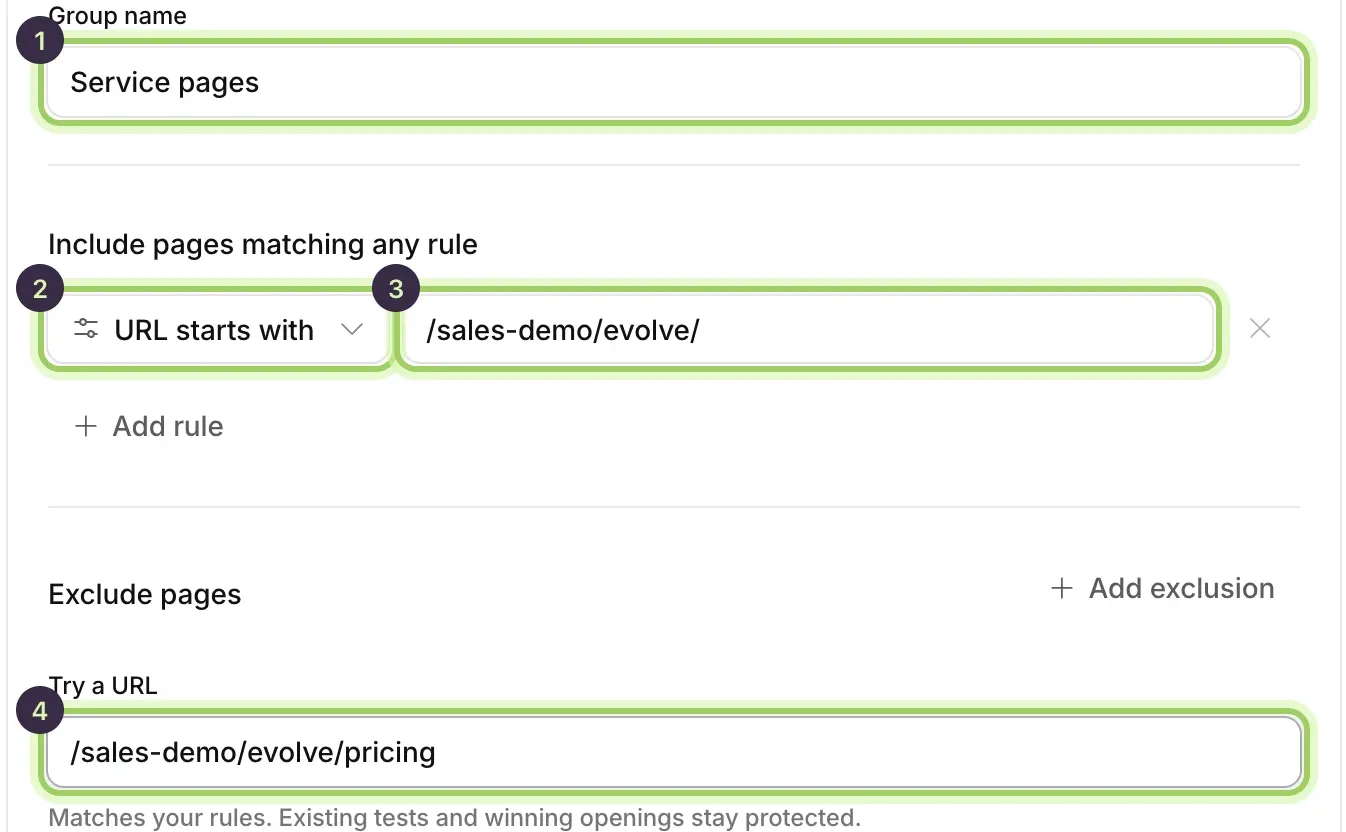
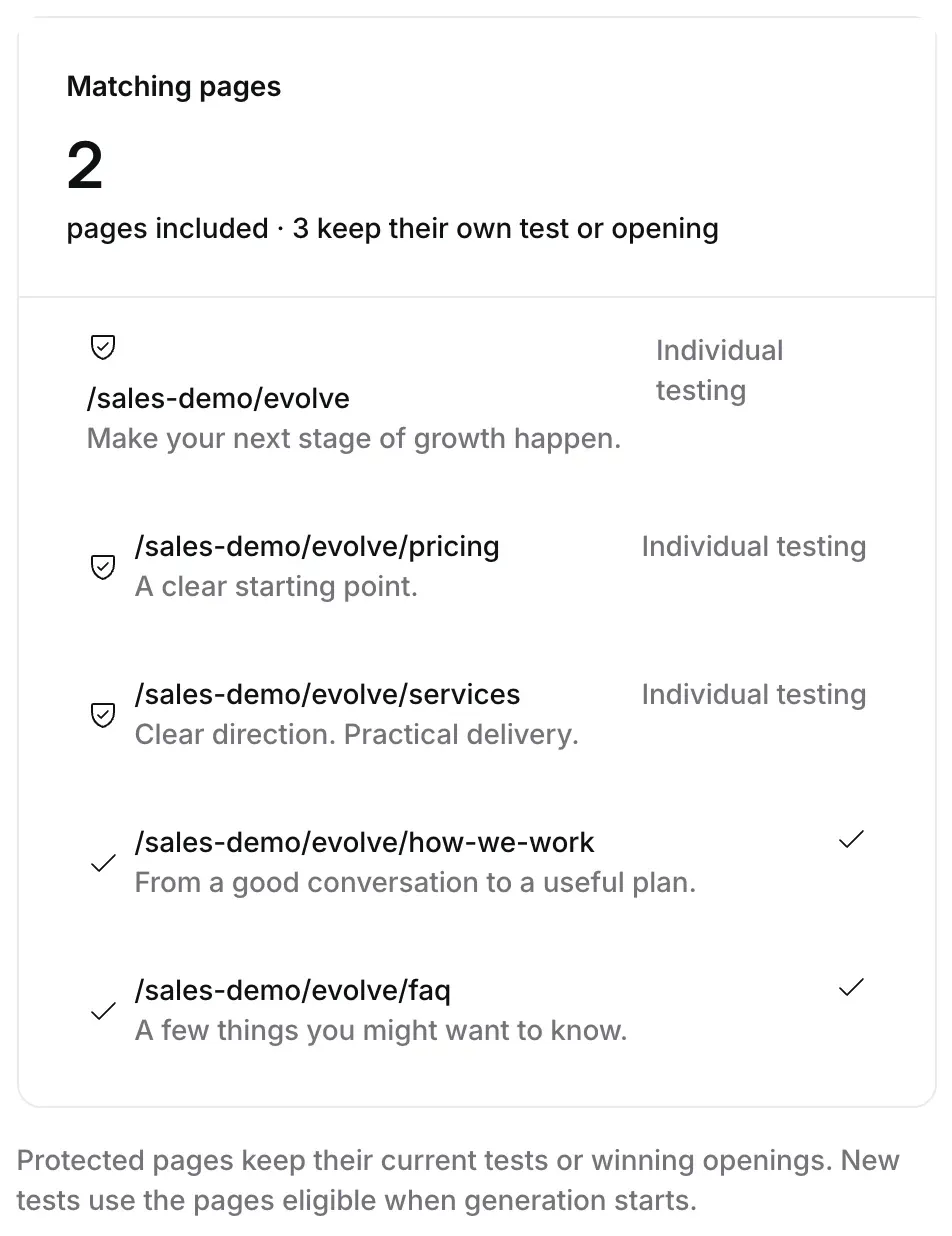
Check the matching pages
Matching pages on the right counts the pages the group will test and lists each one. Pages with a test or winning opening of their own keep it, marked with a shield, and don’t join the group.
Start the test
Select Review and start (2) to check the group, then Generate and start test. Darwin writes a new opening for the group and tests it against the opening those pages show today. Save for later (1) keeps the group without starting a test.

Good to know
- A page is in only one test at a time. A page tested on its own, or one with a winning opening of its own, stays out of the group.
- Rules can’t change while the group’s test runs or while openings are being written.
- The Catch-all test covers every page that isn’t tested on its own or in a group.