Knowledge: what your agent answers from
Knowledge: the website pages, documents and business context your agent answers from, in one table. Choose the pages it uses, see what it read from each, find pages with views and filters, and save.
- In Darwin: KnowledgeOpen in Darwin
- Updated
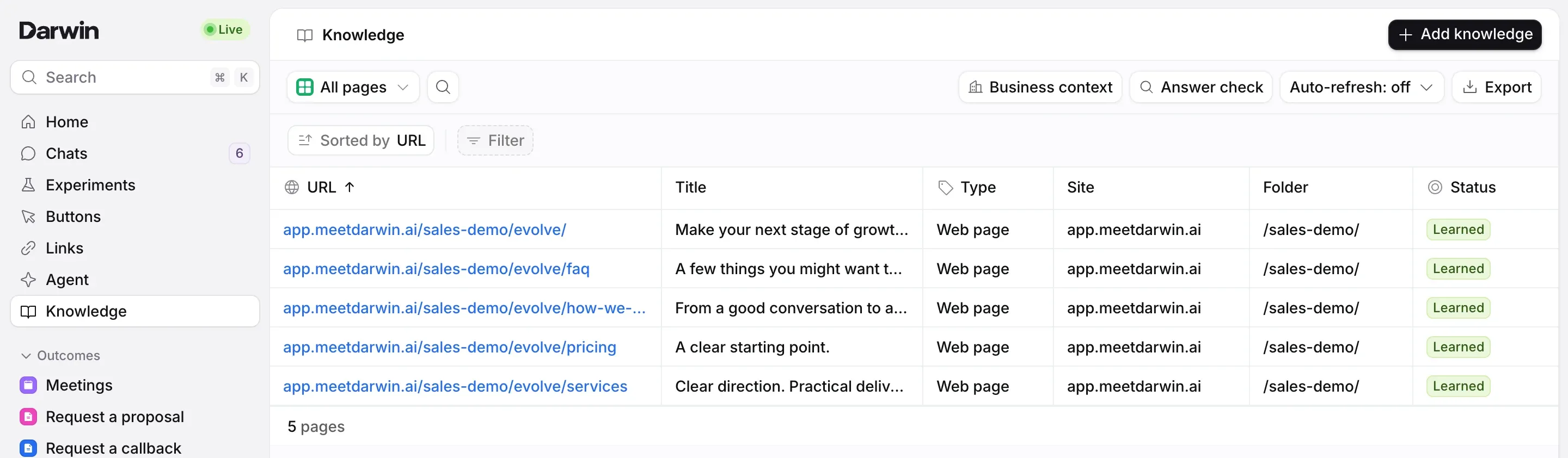
Your agent answers from three things: the website pages you use, the documents you upload and your business context. Select Knowledge in the sidebar to see your pages and documents in one table, with Business context, Answer check and Auto-refresh above it and Add knowledge at the top right.
Changes on this screen are a draft until you select Save changes. Your website keeps the saved knowledge until then, while the preview on the Agent page already uses your changes.
Read the table
Each row is a web page or a document. Status says what your agent can do with it:
- Learned: your agent answers from it.
- Reading: Darwin is reading it now.
- Refresh failed: the last read didn't work, so your agent answers from the copy it read before.
- Couldn’t read: Darwin has never read it. See Fix a page Darwin couldn't read.
- Not used: Darwin found the page, but your agent doesn't use it.
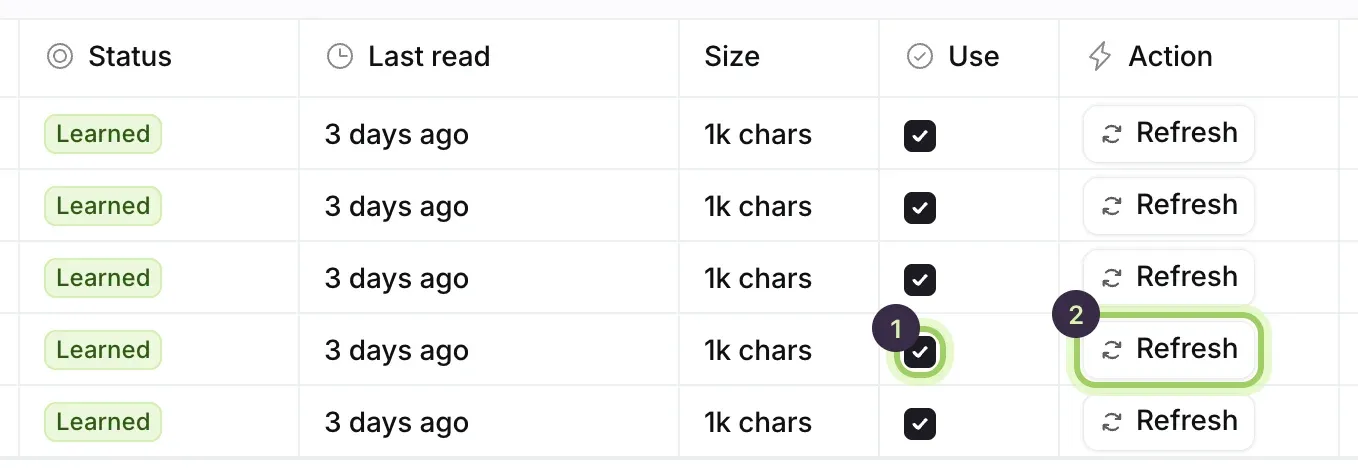
Last read shows when Darwin last read the page, and Size how much text it found.
Choose the pages your agent uses
Scroll the table to the right. Tick a page's Use box (1) to use it, or untick it to stop. Refresh (2) reads that page again now; see Keep pages up to date.
See what your agent read from a page
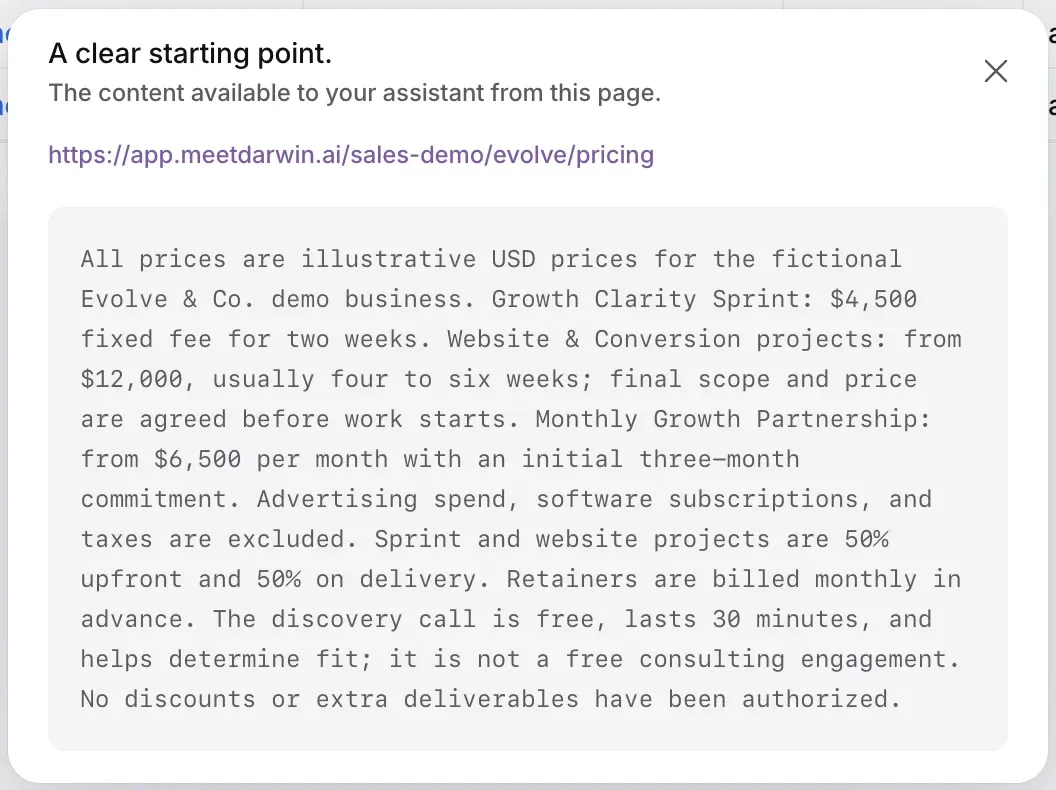
Select a page's row to see exactly what your agent has from it. The address itself opens the page on your website instead.
Find a page or document
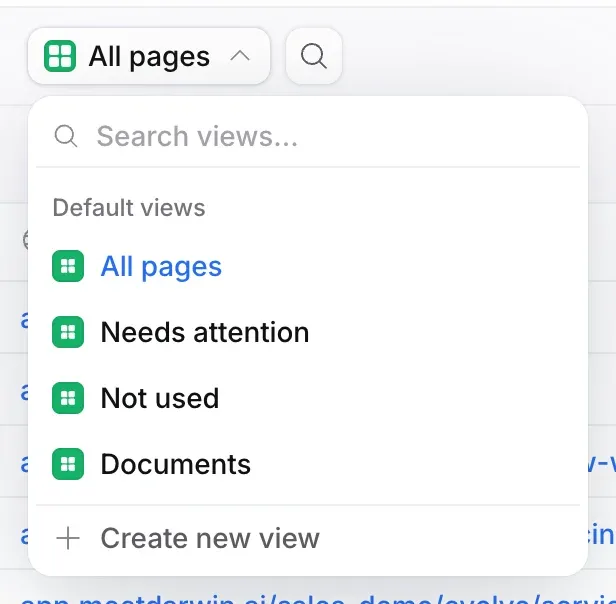
Open the view menu at the top left, All pages, to switch to Needs attention, Not used or Documents. The magnifier beside it searches by title or address, Filter narrows the table by any column, and Export downloads the table. Owners and admins can keep a filtered table as a view of its own with Create new view.
Save
Select Save changes in the bar at the bottom. Discard goes back to the saved version.

Good to know
- Darwin reads public pages. Pages behind a login won't help; put those facts in your business context instead.
- Refresh reads a page straight away; it doesn't wait for Save changes.
- Unsaved changes are kept in this browser tab for up to 24 hours, even if you visit another screen.
- Members see Knowledge but can't change it. Owners and admins can.