
TL;DR
- Crisp charges one flat price per workspace, so most Crisp alternatives cost more once you pass a handful of agents. Price them for your real team size, not their starting price.
- For a small team that wants the same mix of chat, inbox and AI, look at Tidio and HelpCrunch first. tawk.to is the zero-budget option, Help Scout suits email-first support, and Gorgias suits online stores.
- Intercom and Zendesk are the step up for larger support teams; LiveChat suits teams with people on the chat all day, and HubSpot suits companies already on its CRM.
- If your website chat is meant to book sales meetings, Darwin does that inside the chat and tests its own opening lines to book more. It is not a support inbox.
How we researched this
- 10 products reviewed. Each one says how and when, under its heading.
- 164 sources. Each with the date it was read. See the list.
- Facts last checked .
Written by Ari Goldstein, Founder & CEO, Darwin. We make Darwin, one of the products reviewed here; our editorial policy says how we handle that.
The best Crisp alternatives depend on what you use Crisp for. For a small team that wants the same mix of live chat, a shared inbox and an AI agent, Tidio and HelpCrunch are the closest matches. tawk.to is the pick on a zero budget, because its live chat is free with unlimited agents. Help Scout suits teams whose support starts in email, and Gorgias suits online stores, especially on Shopify. Larger support teams usually move up to Intercom or Zendesk, LiveChat fits teams with people answering the chat all day, and HubSpot makes sense if you already run its CRM. If your website chat exists to book sales meetings rather than to answer tickets, Darwin is the best fit for that job: it offers a time inside the chat and keeps testing its own opening lines to book more.
Crisp itself is a good product. Teams who look for Crisp chat alternatives have usually hit one of four walls. The team outgrows the seats in its plan. They want the AI chatbot and knowledge base, which start on Essentials, or the ticketing system, which only comes with Plus. They run a store and need a help desk built around orders. Or the chat on their marketing site is meant to turn visitors into sales calls, and Crisp does not document booking a meeting from the chat.
A disclosure first. We make Darwin, an AI website chat that answers visitors and books sales meetings, so we are not neutral. Darwin is not a support inbox, and for most of the jobs on this page another tool is the better choice; we say so in each section. We read the pricing and help pages of Crisp, tawk.to, Help Scout, Gorgias, HelpCrunch and Zendesk on 5 November 2026, switching the monthly and annual toggles where a page has them; the other tools come from our October checks. Every price below links to its source with the date we last checked it.
Crisp alternatives at a glance
Crisp comes first for reference. The rest run from the closest like-for-like swaps to the tools built for bigger support teams, then HubSpot and Darwin. Hover over a cell for the full finding, its source and the date we checked it.
| Tool | Built for | Starting price | Free plan or trial | How it charges | Learns from your site | Native booking | Improves on its own |
|---|---|---|---|---|---|---|---|
 Crisp | Inbox + chat widget | $0/mo | Free plan | Flat per workspace | Website crawl + help articles | Not documented | Not documented |
 Tidio | SMB chat + AI | $0/mo | 7 day trial | Conversation-based | URL scraper | Shares a Calendly link | Manual message splits |
| HelpCrunch | Chat + email for small teams | $15/seat/mo | 14-day trial, no card | Per seat, or flat Unlimited | Help center + custom answers | Not documented | Not documented |
 tawk.to | Free live chat | $0/mo | Free forever | Free + add-ons | Website + docs + FAQs | Not documented | Not documented |
 Help Scout | Support inbox | $0/mo | Free plan | Seats + per resolution | Website + sources | Not documented | Not documented |
| Gorgias | E-commerce help desk | $10/mo | 7-day trial, no card | Ticket volume + AI per resolution | Store site + single URLs | Not documented | Manual campaign A/B tests |
 Intercom | Support + AI sales | $39/seat/mo | 14 day trial | Seats + Fin outcomes | Content import | Via integration | Not documented |
 Zendesk | Support platform | $69/agent/mo | 14 day trial | Seats + resolutions | Crawler import | Not documented | Manual A/B tests |
 LiveChat | Human live chat | $25/agent/mo | 14 day trial | Per agent | Agent-assist only | Link to scheduler | Manual tests |
 HubSpot | CRM with chat | $0/mo | Free tools; 14-day agent offer | Seats + credits | URL import | Meetings link | Not documented |
 Darwin | Inbound AI SDR, chat | $0/mo | 5 free credits | Plan fee + credits | Yes | In chat: Calendly, Google, RevenueHero | Yes |
Values come from shared product facts, checked Oct 13, 2026 to Nov 6, 2026. Sources
Why teams look for Crisp alternatives
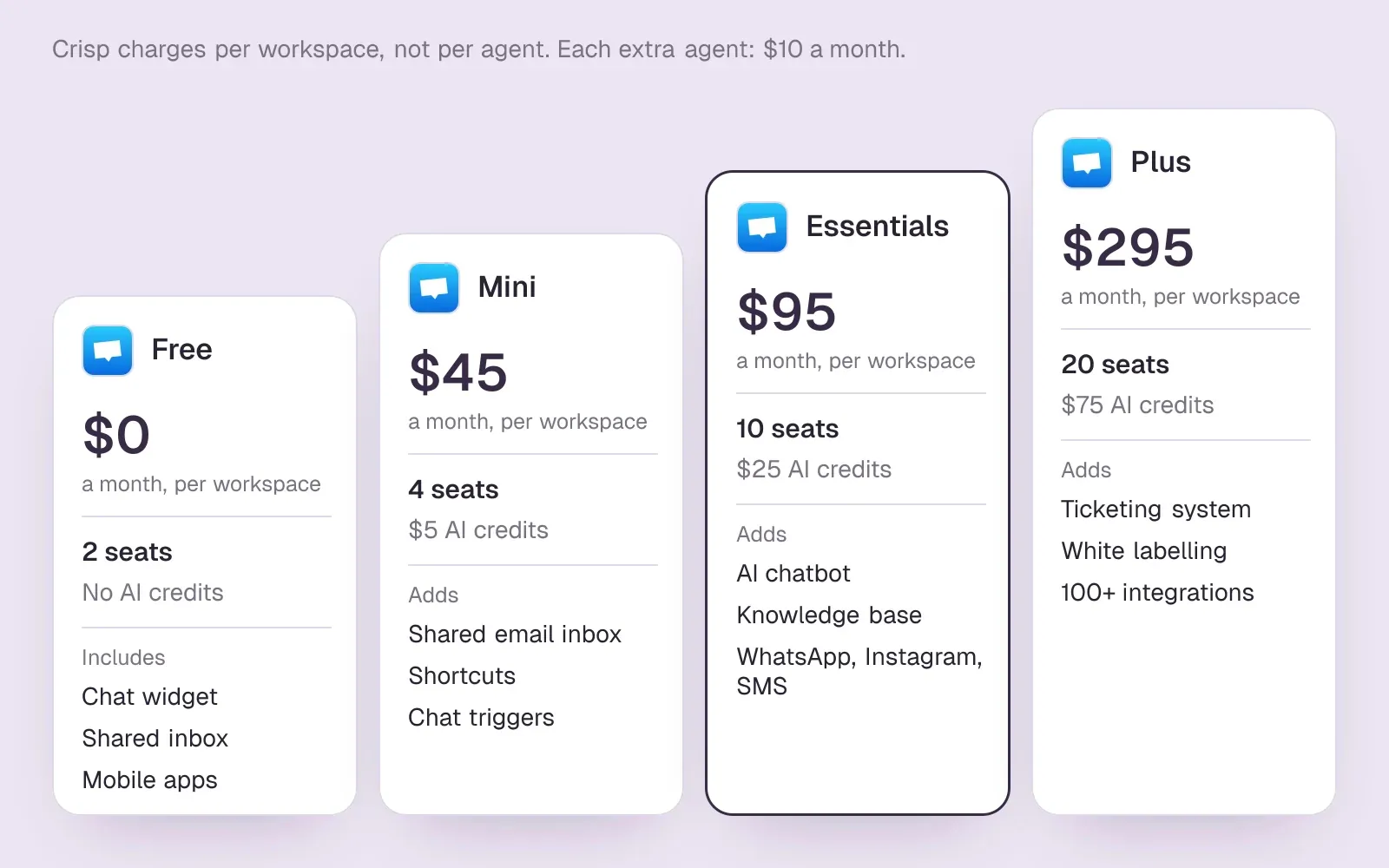
Crisp's pricing is the reason most teams pick it, and also the reason some leave. Crisp charges a flat rate per workspace, regardless of conversation volume. After the Free plan, Mini is $45/mo, Essentials is $95/workspace/mo and Plus is $295/workspace/mo. That flat price is generous for a team of three and still fair for ten. The catch sits in what each step unlocks.SourcesCrisp
- Seats. Crisp includes 2 seats on Free, 4 on Mini, 10 on Essentials and 20 on Plus; each extra agent costs $10 a month. A team of 12 on Essentials pays for two extra seats on top of the plan.SourcesCrisp
- AI and the knowledge base. Crisp's AI chatbot, knowledge base, workflow builder and omnichannel inbox start on Essentials; ticketing, white labelling and 100+ integrations need Plus. So a team that only wanted an AI agent answering common questions often lands on Essentials, not Mini.SourcesCrisp
- The jump to Plus. Going from Essentials to Plus triples the bill, and Plus is where the ticketing system, white labelling and the 100+ integrations live. Teams that need one of those but not the rest start shopping around at this point.
- AI usage. AI credits are included per plan: $5 on Mini, $25 on Essentials, $75 on Plus. Busy sites use up those included credits and buy more.SourcesCrisp
- Meetings. Meeting booking is not documented on the pricing page. If the chat on your marketing site is supposed to turn visitors into sales calls, that gap matters more than any price.SourcesCrisp
None of that makes Crisp a bad choice. It means the right alternative depends on which wall you hit, so the sections below say which one each tool solves.
What Crisp does well, and what to keep
Before you swap tools, write down what Crisp does well for your team, because some alternatives lose it. These are the five things we checked all ten Crisp alternatives against.
- One inbox for every channel. Crisp's shared inbox pulls website chat, email and, from Essentials, WhatsApp, Instagram and SMS into one place. A good replacement keeps chat and email in the same queue.
- A predictable bill. Flat pricing means a busy month costs the same as a quiet one. Per-seat, per-ticket and per-resolution pricing all move with your team or your traffic; know which one you are signing up for.
- An AI agent that learns from your own pages. Crisp's AI can learn from your website, help articles and past conversations. The alternatives differ a lot here: some crawl your site, some only read their own help center.
- Canned responses, a knowledge base and a mobile app. These are table stakes now, and every tool on this list has them in some form.
- A built-in CRM. Crisp keeps a customer profile for everyone who chats. If you lean on that, the closest Crisp CRM competitor is HubSpot, which is a CRM first and puts chat on top.
Then add the thing Crisp does not do for you, if there is one, because that is what separates the Crisp alternatives below. For most teams it is a help desk with real ticketing, or a cheaper path to AI answers. For sales teams it is a meeting on the calendar.
Tidio: the closest of the Crisp alternatives for small teams
Small businesses and online stores that want an affordable widget with an AI agent.
B2B sales teams that need the meeting booked inside the chat, not a link.
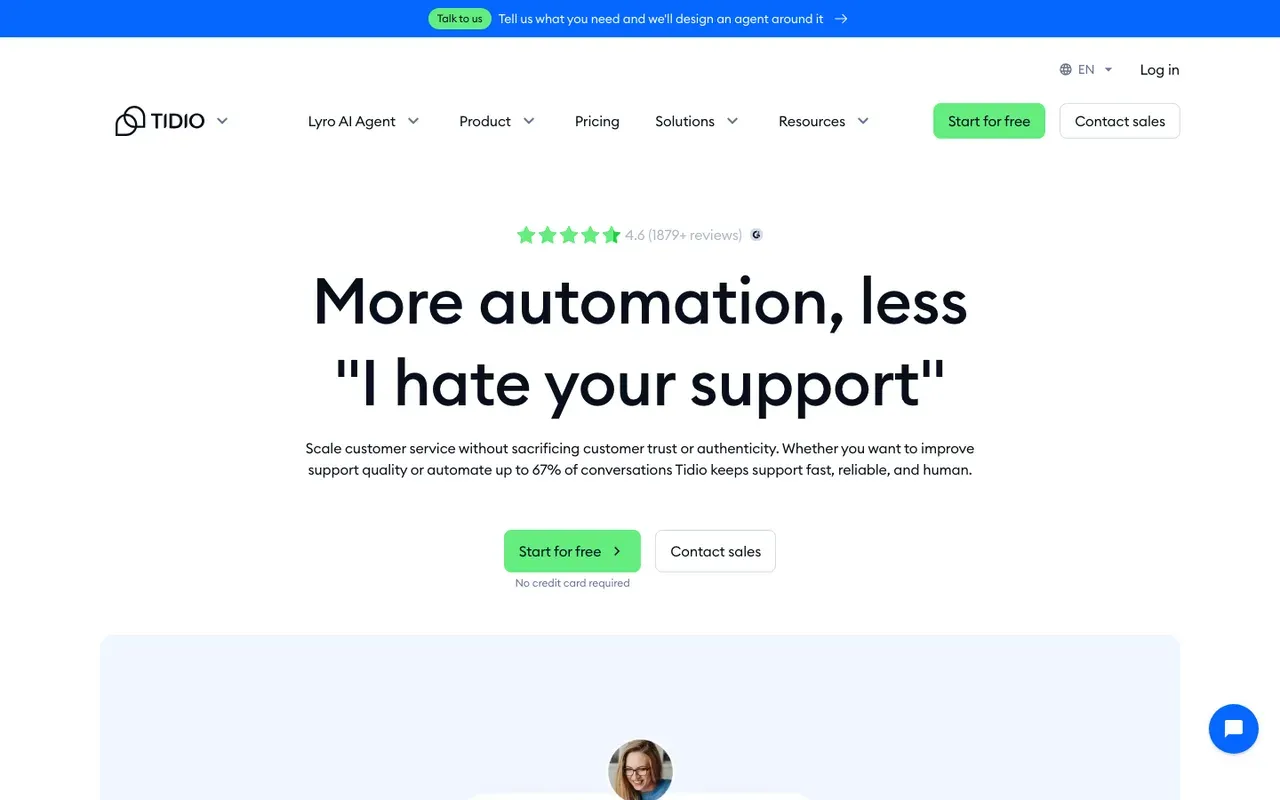
Tidio covers the same ground as Crisp for a small business or online store: a chat widget, a shared inbox, automation flows and an AI agent called Lyro. It is priced differently, though. Instead of a flat workspace fee, Tidio charges by the conversations your team handles. Tidio counts a billable conversation only when a person on your team replies to it or starts it; replies from Lyro or Flows do not count. Tidio's Free, Starter and Growth plans each include 10 seats; Plus sets a custom number with no per-seat charge.SourcesTidio +2
Paid plans start with Starter at $29/mo, and Lyro is sold as a separate quota. Lyro's quota starts at $39 per month for 50 conversations on monthly billing. That split suits a team whose AI does most of the answering and whose people handle the rest. It is worth reading how Tidio prices its plans and Lyro before you commit, because both meters climb with traffic.SourcesTidio
Side-by-side: Darwin vs Tidio.
Crisp vs Tidio
| Tool | Starting price | How it charges | Learns from your site |
|---|---|---|---|
| Crisp | $0/mo | Flat per workspace | Website crawl + help articles |
| Tidio | $0/mo | Conversation-based | URL scraper |
SourcesTidio +1
Tidio pros
- A free plan, and a free trial of the paid features
- Lyro trains on website URLs you provide
- Simple setup for non-technical teams
Tidio cons
- Meeting booking is a shared link, not a calendar inside the chat
- Priced by conversation volume, so costs climb with traffic
- Built for support and e-commerce, not B2B pipeline
What Tidio users say
Users like
The AI replies are well-suited and provide accurate responses to our customers.
Tidio's Lyro AI agent takes routine, repetitive questions off small support teams.
I had the widget live and a basic bot flow running in under an hour
Small teams find Tidio quick to install and easy to use day to day.
Users complain about
AI-generated responses sometimes need a quick review to make sure they fit the context
Tidio's AI replies can miss context, feel impersonal or get answers wrong, so specific questions still need a person.
SourcesG2Lyro conversations are billed separately, so costs get unpredictable on higher-traffic sites.
Tidio's real bill often runs well above the entry price once Lyro, Flows and more conversations are added.
Reviewers' words, our summaries · reviews read Oct 6, 2026
Tidio is the like-for-like Crisp swap for small teams that would rather pay for conversations than for a flat plan. Check both meters against last month's volume first.
How we reviewed Tidio: Read its pricing, product and help pages on 11 September 2026 and again on 5 October and 5 November 2026. No trial.
Reviewed Nov 6, 2026
HelpCrunch: chat, inbox and email marketing for small teams
Small and mid-sized teams that want live chat, a help center and email campaigns from one vendor at a per-person price.
Teams that want the AI to learn from their website, or chat that books sales meetings.
HelpCrunch combines live chat, a chatbot, AI agents, a shared inbox, a knowledge base, pop-ups and email marketing for small and mid-sized teams. That makes it the broadest of the small-team options here, and the only one with email campaigns built in.SourcesHelpCrunch
It charges per team member, so it is cheaper than Crisp for one or two people and dearer for a team of ten. HelpCrunch's Basic plan is $15 per team member per month on monthly billing, or $12 billed annually. Pro is $25/seat/mo, and Pro is where the AI and branding removal come in. HelpCrunch's AI Agents come with Pro and Unlimited: Pro includes 50 AI conversations a month, Unlimited 100, and 100 more cost $29 a month. There is also a flat plan for bigger teams. HelpCrunch's Unlimited plan is a flat $620 per month on monthly billing, or $495 billed annually, for unlimited team members.SourcesHelpCrunch
Check one thing before you pick it for AI answers. HelpCrunch's AI Agents learn from its own knowledge base articles and custom answers you write; learning from your website is not documented. If your help content lives on your website rather than in a help center, you will be moving it.SourcesHelpCrunch
Crisp vs HelpCrunch
| Tool | Starting price | How it charges | Learns from your site |
|---|---|---|---|
| Crisp | $0/mo | Flat per workspace | Website crawl + help articles |
| HelpCrunch | $15/seat/mo | Per seat, or flat Unlimited | Help center + custom answers |
HelpCrunch pros
- Chat, chatbot, shared inbox, knowledge base, pop-ups and email marketing in one product
- A low per-person price on Basic, and a flat Unlimited plan for large teams
- AI Agents included from Pro, with a monthly allowance of AI conversations
- A 14-day trial without a card
HelpCrunch cons
- No free plan, and the AI and branding removal need Pro
- Its AI learns only from HelpCrunch's own knowledge base and answers you write
- Meeting booking from the chat is not documented
HelpCrunch suits a small team that wants chat, a help center and email campaigns from one vendor. Price it per person, and on Pro if you want the AI.
How we reviewed HelpCrunch: Read HelpCrunch's pricing page, its public price list, and its help articles on AI Agent data sources and limits on 5 November 2026. No trial.
Reviewed Nov 6, 2026
tawk.to: the free Crisp alternative, with unlimited agents
Small businesses on a tight budget whose own staff answer the chats.
Teams that want AI to handle real chat volume without a paid add-on, or a meeting booked inside the chat.
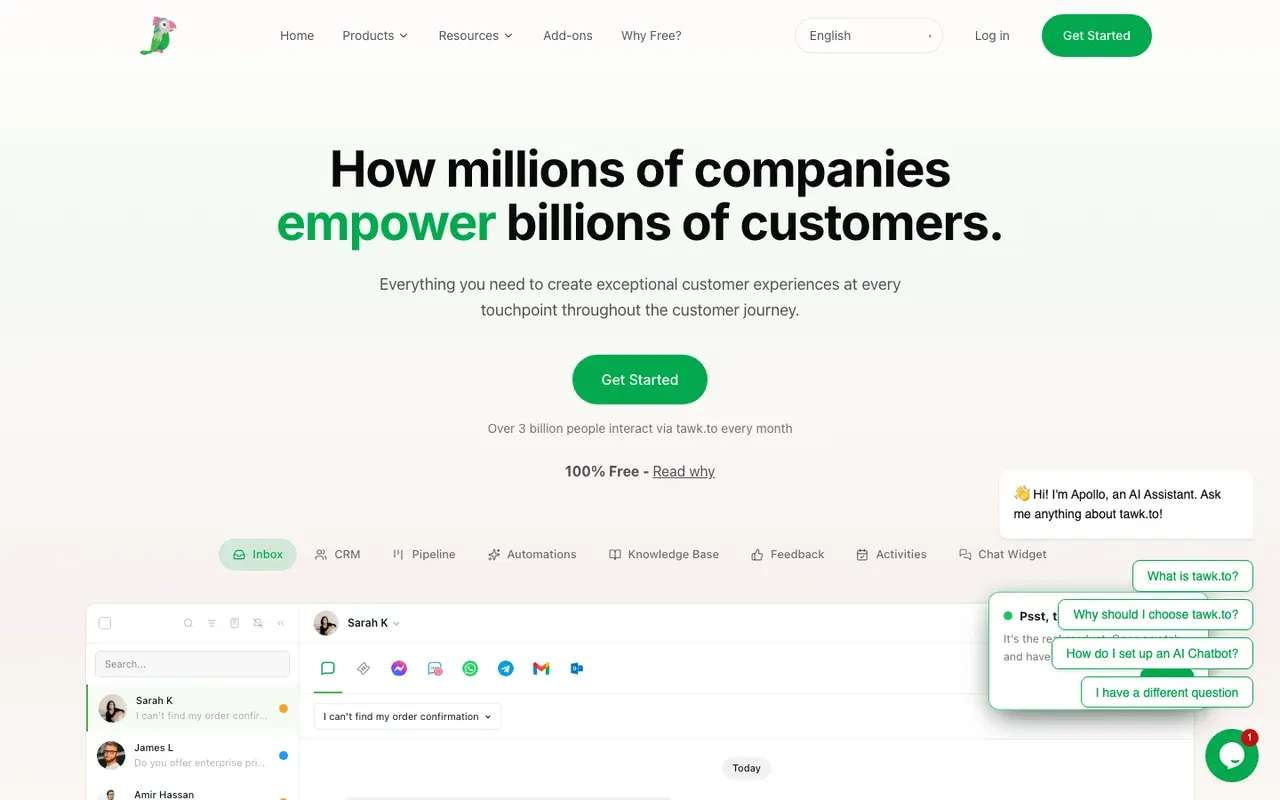
tawk.to is the answer when the budget is zero. tawk.to's live chat is free, with unlimited agents. You get the chat widget, a ticketing inbox, a knowledge base and mobile apps without paying, and the company makes its money from add-ons. AI Assist, which answers chats from your website, documents and FAQs, starts at $29 per month; removing the Powered by tawk.to branding is $29 per month.Sourcestawk.to +3
tawk.to's AI Assist is newer than Crisp's AI agent but learns from similar material. AI Assist agents train on your public website (crawled, with re-crawl), uploaded documents, FAQs and shortcuts. If nobody on your team has time to answer chats, there is a second option. tawk.to will staff your chat with trained human agents for $1 an hour.Sourcestawk.to +2
The trade-off is polish. tawk.to is built around people answering, the AI is an extra, and the free widget carries tawk.to's branding unless you pay to remove it. If those trade-offs matter, compare the tawk.to alternatives.
Crisp vs tawk.to
| Tool | Starting price | How it charges | Learns from your site |
|---|---|---|---|
| Crisp | $0/mo | Flat per workspace | Website crawl + help articles |
| tawk.to | $0/mo | Free + add-ons | Website + docs + FAQs |
tawk.to pros
- Live chat is free, with unlimited agents
- No per-seat charges as the team grows
- AI Assist can train on your public website, documents and FAQs
tawk.to cons
- AI Assist past a small free tier, and branding removal, are each a paid monthly add-on
- Built around people answering; the AI is an extra, not the core
- Meeting booking is not documented
What tawk.to users say
Users like
the mobile app for iOS and Android makes it super convenient to use
tawk.to users like answering chats from its phone and desktop apps instead of staying at a browser.
We just added the chat widget code to the website, and it started working.
Reviewers find tawk.to quick to install on a website, with a snippet or the WordPress and Shopify plugins.
Users complain about
29$ a month to remove one line of text with no exceptions
tawk.to is free, but removing its branding and adding extras costs more than some users think fair.
BUT the widget on the bottom right of my website would not go away.
Some users say tawk.to broke their site, or that its chat widget stayed visible after they uninstalled it.
Reviewers' words, our summaries · reviews read Oct 6, 2026
tawk.to is the cheapest way off Crisp for a team whose own people answer the chat. Add AI Assist later if volume grows.
How we reviewed tawk.to: Read its pricing, product and help pages in September 2026 and again on 5 October and 5 November 2026. No trial.
Reviewed Nov 6, 2026
Help Scout: for support that starts in email
Small and mid-sized support teams that want a shared inbox, a help center and chat in one calm tool.
Sales teams, or anyone who needs the chat widget to book meetings.
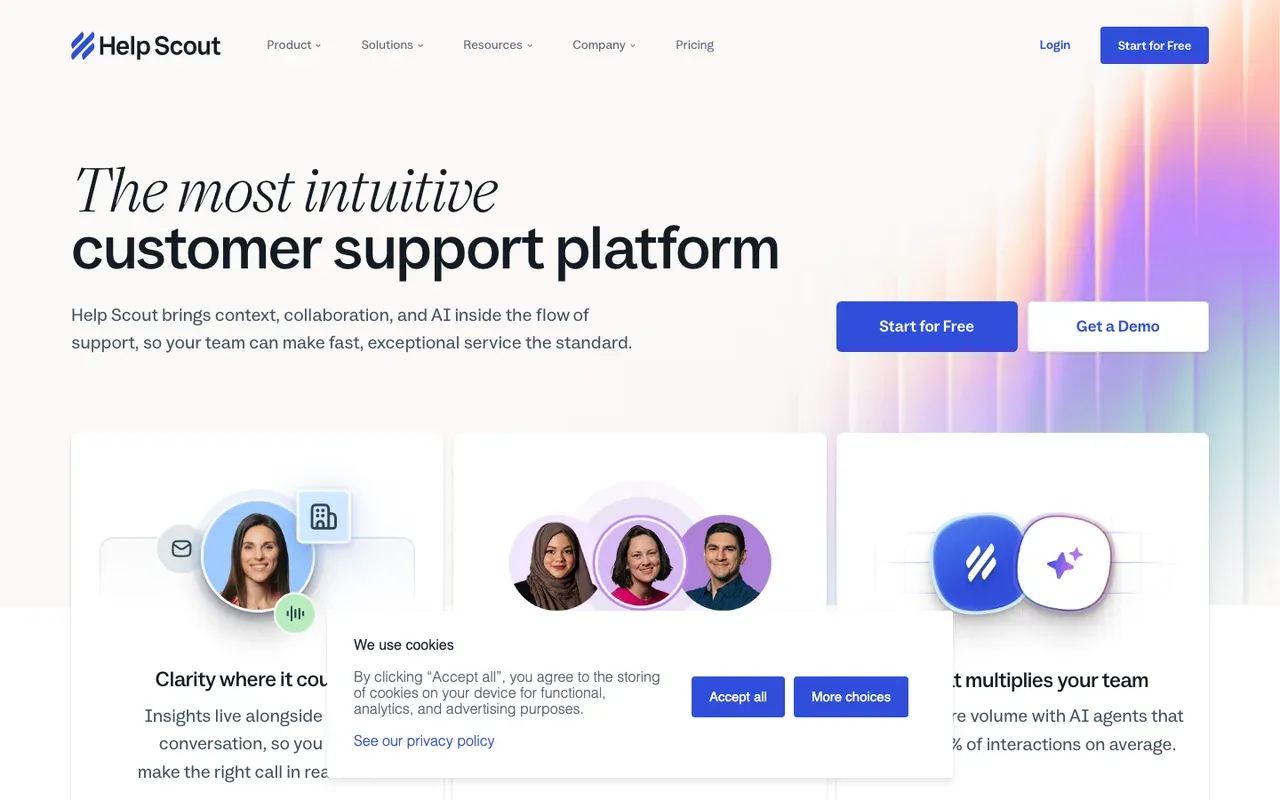
Help Scout is an email-first help desk with live chat attached. Its Beacon widget sits on your site, and chats, emails and messages land in one shared inbox alongside a Docs help center. For teams where most support arrives by email, that is closer to how they work than Crisp's chat-first inbox.
Help Scout's Free plan covers 5 users, 1 Inbox and 1 Docs site. On paid plans Help Scout charges per user, and its Standard plan is $30/user/mo. The AI agent is metered separately. Help Scout's Envoy AI add-on costs $0.75 per resolution. Help Scout now markets that agent as Envoy and offers a free trial of it before you pay per resolution.SourcesHelp Scout
Crisp vs Help Scout
| Tool | Starting price | How it charges | Learns from your site |
|---|---|---|---|
| Crisp | $0/mo | Flat per workspace | Website crawl + help articles |
| Help Scout | $0/mo | Seats + per resolution | Website + sources |
Help Scout pros
- A free plan with an inbox and a Docs help center
- Email and the Beacon chat widget feed one shared inbox
- Its AI agent can be set up from your website, with a three-month free trial
Help Scout cons
- Two meters: per-user seats plus a fee per AI resolution
- Meeting booking is not documented
- Live chat is one channel of an email-first inbox
What Help Scout users say
Users like
Help Scout has clean interface that make it easy to manage customer conversations.
Reviewers find Help Scout's interface clean and simple, so new agents get going quickly.
The customer support is over-the-top, amazing, above-and-beyond helpful.
Help Scout's own support team gets warm praise for fast, helpful answers.
Users complain about
For fast-growing teams, costs can also increase as you add more users.
Help Scout's cost grows with each user, and some features need higher plans.
The native reporting and operational analytics are a bit too basic for my needs.
Help Scout's built-in reporting is too basic for growing teams, who export data to build their own.
Reviewers' words, our summaries · reviews read Oct 6, 2026
Help Scout is the calmer, email-first choice for support teams. It will cost more than Crisp once you pass a few users.
How we reviewed Help Scout: Read its pricing, product and help pages in September 2026 and again on 5 October and 5 November 2026. No trial.
Reviewed Nov 6, 2026
Gorgias: the help desk for online stores
E-commerce brands, especially on Shopify, whose chats are mostly about orders, returns and shipping.
Businesses that do not sell online, or teams that need the chat to book sales meetings.
Gorgias is the Crisp alternative for e-commerce brands, especially on Shopify. Its agents see orders next to each conversation and can refund or edit them without leaving the help desk, and its AI Agent handles order questions on its own.SourcesGorgias
Gorgias charges a monthly plan fee sized by tickets, not per agent, plus a fee for each conversation its AI Agent resolves. Gorgias's Starter plan is $10 per month for 50 tickets. Gorgias's Basic plan is $60 per month on monthly billing, or $50 billed annually, for 300 tickets a month. Gorgias's AI Agent costs $0.90 per resolved interaction on annual plans or $1.00 on monthly plans, and each one also counts as a helpdesk ticket. Ticket overage is the number to watch in a busy season. Gorgias charges $0.40 per ticket over the allowance on Starter and Basic, and $0.36 on Pro and Advanced.SourcesGorgias
Gorgias's AI Agent learns from your help center, your store website, single web pages you sync by URL and uploaded files. Syncing a URL adds only that one page, so a large help site outside Gorgias takes some setup.SourcesGorgias
Crisp vs Gorgias
| Tool | Starting price | How it charges | Learns from your site |
|---|---|---|---|
| Crisp | $0/mo | Flat per workspace | Website crawl + help articles |
| Gorgias | $10/mo | Ticket volume + AI per resolution | Store site + single URLs |
Gorgias pros
- Orders sit next to each conversation, and agents can act on them without leaving the help desk
- Priced by ticket volume, not per agent, so adding people does not raise the bill
- The AI Agent is available on every plan and is charged only when it resolves a conversation
- A trial that needs no payment details
Gorgias cons
- No free plan, and every AI resolution also uses up a ticket
- Its AI reads web pages one URL at a time rather than crawling your site
- Meeting booking from the chat is not documented
Gorgias is the pick for a store whose chats are mostly about orders. A business that does not sell online is paying for features it will not use.
How we reviewed Gorgias: Read Gorgias's pricing page, plan data and help center articles on AI Agent knowledge and campaign A/B tests on 5 November 2026. No trial.
Reviewed Nov 6, 2026
Intercom: the step up for growing support teams
Support-led companies that want one messenger for service, with a sales assist on the side.
Sales teams that do not need a helpdesk and would rather not pay per seat and per answer.
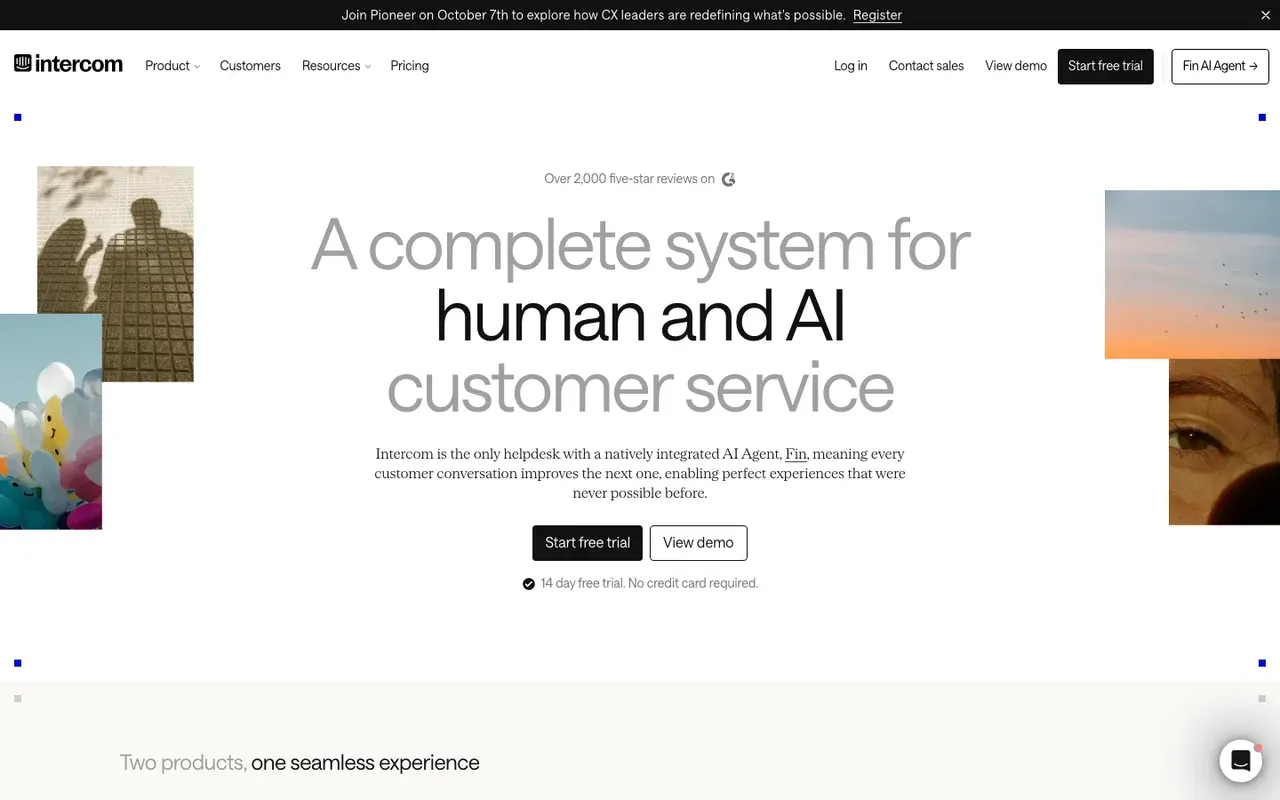
Intercom is where many Crisp users go when support becomes a department. Its Fin AI agent answers from your help content across chat, email and the help center, and the inbox, workflows and reporting are built for teams with dozens of agents. The company itself has changed hands. On 10 September 2026 Salesforce completed its acquisition of Fin, formerly Intercom, for about $3.6 billion. Intercom remains the name of the support platform.SourcesSalesforce +2
You pay twice: seats start at $39/seat/mo, and the Fin AI agent is charged per outcome on top. Fin pricing starts at $0.99 per outcome. You get a 14 day trial first. Our breakdown of Intercom's seat and Fin prices works through what a team actually pays.SourcesIntercom +2
Side-by-side: Darwin vs Intercom.
Crisp vs Intercom
| Tool | Starting price | How it charges | Learns from your site |
|---|---|---|---|
| Crisp | $0/mo | Flat per workspace | Website crawl + help articles |
| Intercom | $39/seat/mo | Seats + Fin outcomes | Content import |
SourcesIntercom +1
Intercom pros
- A strong support inbox and help center
- Fin drafts a sales playbook from a prompt or your pricing page
- Messenger imports your logo and colors from your domain
Intercom cons
- Two-layer pricing, seats plus outcome fees, so the bill grows when the AI succeeds
- Sales chat is an add-on to a support product
- No free plan after the trial
What Intercom users say
Users like
It’s helpful for resolving common customer issues and makes it easier to handle routine questions.
Intercom's Fin answers routine questions well when it can draw on a solid help center or knowledge base.
SourcesTrustRadius +1G2Fin allows us to provide 24x7 quick help to our customers
Intercom's Fin cuts first response times and gives customers answers around the clock.
SourcesTrustRadius +1G2
Users complain about
I don't like how much it hallucinates and gives people incorrect answers.
Intercom's Fin still gives wrong or made-up answers on nuanced questions or when content is large or messy.
SourcesTrustRadius +1G2even when instructions clearly say to avoid that and escalate immediately
Customers can struggle to reach a person through Intercom's Fin; handoff to a human is slow or unreliable.
SourcesTrustRadius +1G2
Reviewers' words, our summaries · reviews read Oct 6, 2026
Intercom is the right move when support has outgrown a small-team tool. For a team of three, it is a lot of product and two bills.
How we reviewed Intercom: Read its pricing, product and help pages on 11 September 2026 and again on 5 October and 5 November 2026. No trial.
Reviewed Nov 6, 2026
Zendesk: for support organisations with many channels
Support organisations with several channels, routing rules and reporting needs.
Small teams, sales chat, or anyone who needs the chat to book meetings.
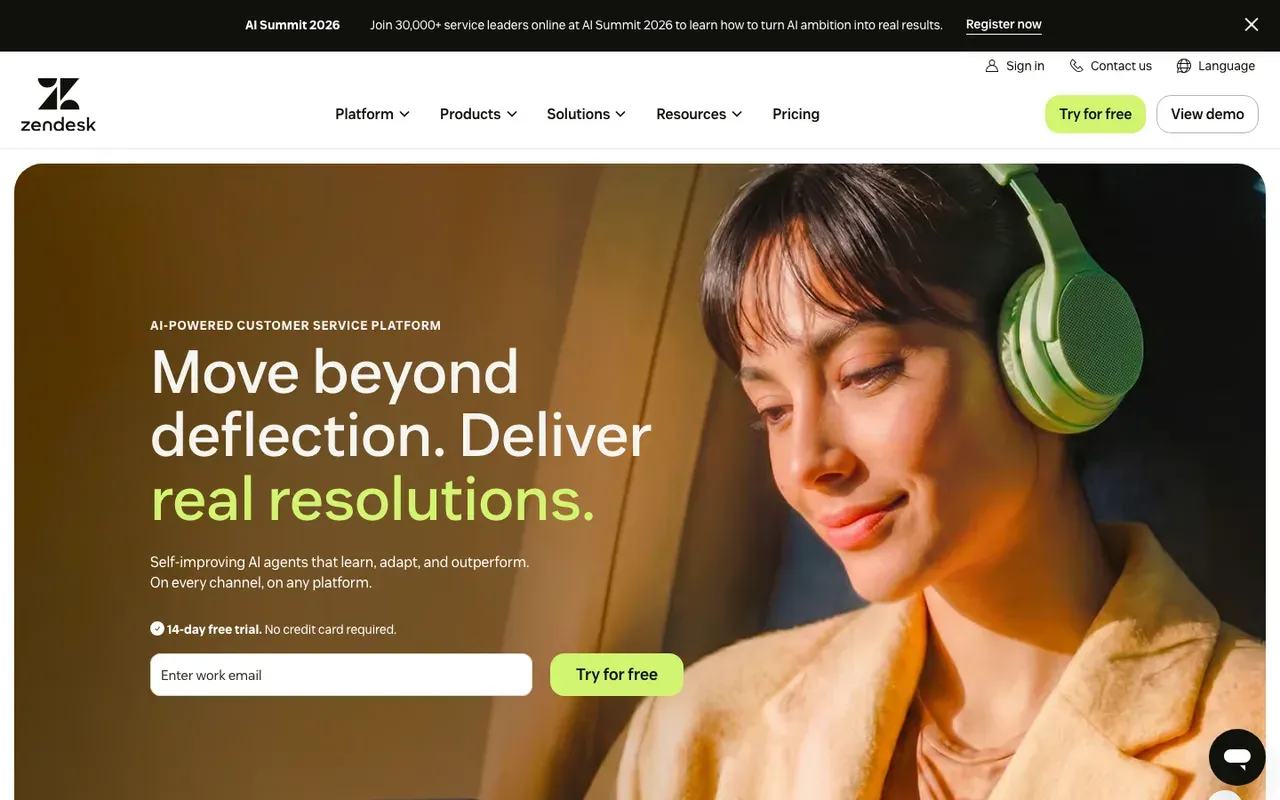
Zendesk is the heavyweight here: ticketing, messaging, a help center, routing rules, reporting and AI agents in one suite. Teams move to it from Crisp when they need service-level targets, many channels and managers who live in dashboards.
Zendesk is priced per agent, and its Suite Team plan is $69/agent/mo. Plans include 5 automated resolutions per agent per month (10 on Suite Professional), up to 10,000 a year. AI agents are billed per automated resolution beyond the plan allowance: $1.50 committed or $2.00 pay-as-you-go. There is a 14 day trial but no free plan.SourcesZendesk
Crisp vs Zendesk
| Tool | Starting price | How it charges | Learns from your site |
|---|---|---|---|
| Crisp | $0/mo | Flat per workspace | Website crawl + help articles |
| Zendesk | $69/agent/mo | Seats + resolutions | Crawler import |
SourcesZendesk +1
Zendesk pros
- Ticketing, messaging, a help center and AI agents in one suite
- AI agents learn from your help center and pages a web crawler brings in
- A test version of the AI agent before you publish it
- A free trial before you commit
Zendesk cons
- Per-agent Suite pricing, with no free plan
- AI agents add a charge per resolution beyond a small monthly allowance
- Meeting booking is not documented for its AI agents
What Zendesk users say
Users like
I also really like using macros and copilot to shorten our response times
Reviewers say Zendesk's AI agents and Copilot help them answer faster, from drafting replies to deflecting tickets through the help center.
It's easy to use and pretty intuitive, so new agents get up to speed fast.
Agents find Zendesk's day-to-day ticket workspace easy to learn and use.
Users complain about
Advanced AI is difficult to configure and impossible to do self-service.
Zendesk's AI agents take real work to set up and sometimes fall short of the demos or give off-target answers.
every useful advanced feature or AI tool is locked behind an additional, expensive paywall
Zendesk gets expensive fast: useful features sit in higher tiers or add-ons, and AI is billed on top.
Reviewers' words, our summaries · reviews read Oct 6, 2026
Zendesk is for support teams that need its structure. Small teams will find it heavier and dearer than Crisp.
How we reviewed Zendesk: Read its pricing, product and help pages in September 2026 and again on 5 October and 5 November 2026. No trial.
Reviewed Nov 6, 2026
LiveChat: when people answer the chat all day
Teams with people staffing the chat all day who want mature queues and reports around them.
Teams that need a free plan, or AI that answers most chats without buying extra resolution packs.
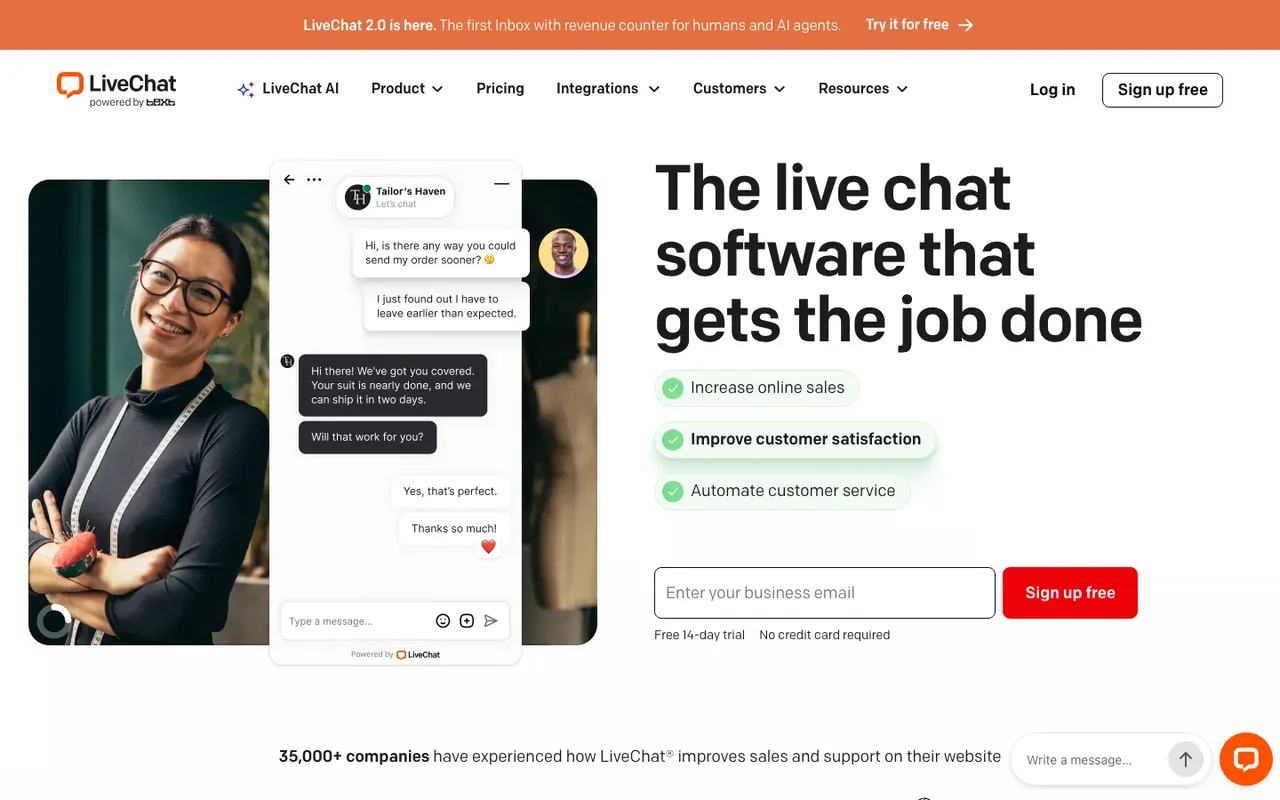
LiveChat is built for teams with agents on the chat for most of the day: queues, chat routing, canned responses and agent reports around a fast widget. Its AI mostly helps your agents reply. The AI agent that answers visitors on its own is a separate product. The customer-facing AI Agent is a separate Text product from $19 per user per month, billed annually.SourcesLiveChat +1
LiveChat's Starter plan is $25 per person per month on monthly billing. A 14-day free trial without a card. There is no free plan.SourcesLiveChat
Side-by-side: Darwin vs LiveChat.
Crisp vs LiveChat
| Tool | Starting price | How it charges | Learns from your site |
|---|---|---|---|
| Crisp | $0/mo | Flat per workspace | Website crawl + help articles |
| LiveChat | $25/agent/mo | Per agent | Agent-assist only |
SourcesLiveChat
LiveChat pros
- Mature live chat with queues and agent reports
- Copilot learns from your website and PDFs to help agents reply
- Greetings and campaigns can be targeted to pages by rules
- A free trial without a card
LiveChat cons
- Every agent is a paid seat, and there is no free plan
- Each plan includes only a set number of AI resolutions; more are sold in packs
- Booking is a link to an outside scheduling page
What LiveChat users say
Users like
I like that the initial setup was very easy and straightforward.
Reviewers find LiveChat easy to install on a site and easy for agents to use from day one.
The support is always excellent
LiveChat's own support team wins steady praise for fast, patient help, often by name.
Users complain about
Automation features, while helpful, can feel generic if overused
Some reviewers want more from LiveChat's AI: more customization and less robotic bot replies.
SourcesSoftware AdviceG2the cost seems to be raising all the time
LiveChat is called pricey, with prices rising, per-seat plans and paid add-ons for extra features.
Reviewers' words, our summaries · reviews read Oct 6, 2026
LiveChat is a mature choice for staffed chat. If you want the AI to do most of the answering, the tools above get you there with one bill.
How we reviewed LiveChat: Read its pricing, product and help pages in September 2026 and again on 5 October and 5 November 2026, including the Copilot and welcome-screen help pages. No trial.
Reviewed Nov 6, 2026
HubSpot: chat inside the CRM you already use
Companies already on HubSpot CRM who want chat without another vendor.
Companies on another CRM, or teams that want chat to improve without hand-editing flows.
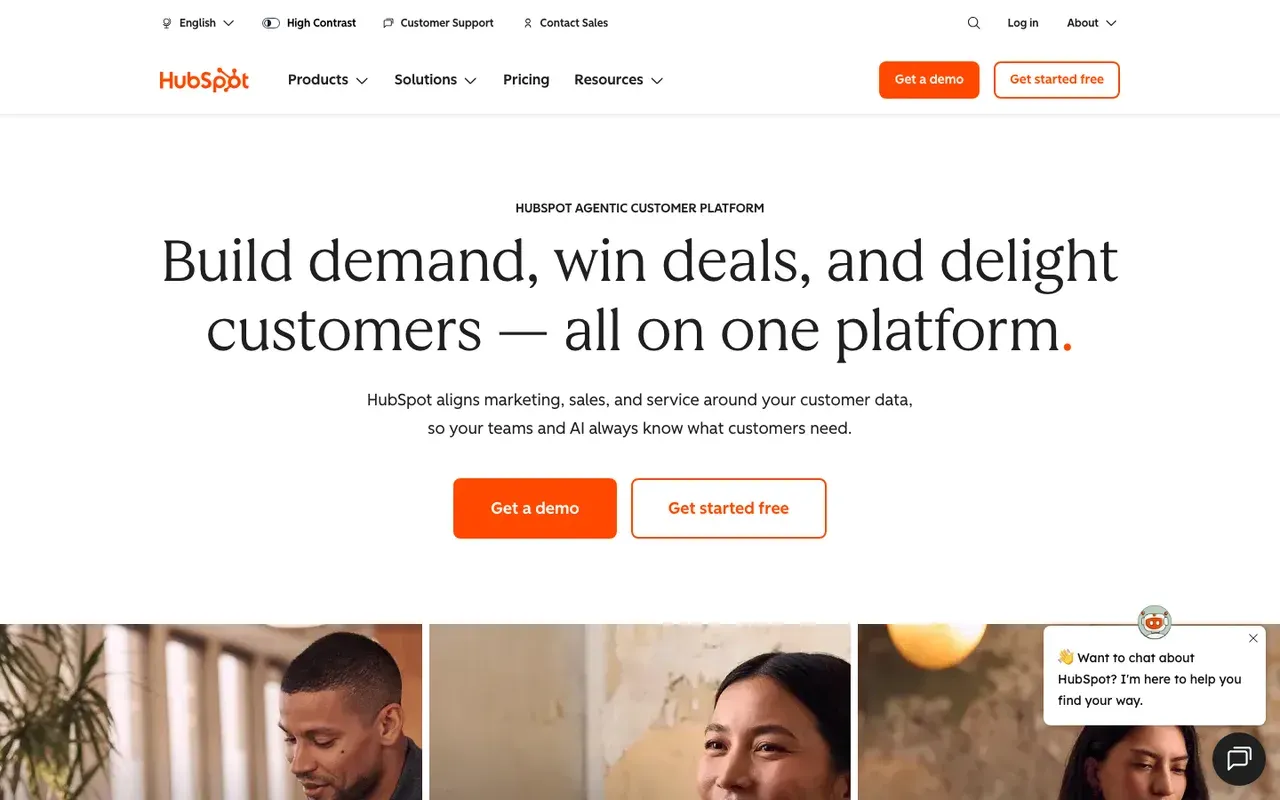
If your company runs on HubSpot, you already have live chat. HubSpot's free tools include live chat and a limited chatbot with HubSpot branding. Every chat lands on a contact record in the CRM, which makes HubSpot the strongest Crisp CRM competitor for teams that care more about the customer record than the inbox.SourcesHubSpot
The AI customer agent is a different matter. HubSpot's customer agent needs a Professional or Enterprise subscription to a HubSpot hub and runs on HubSpot Credits. HubSpot's customer agent costs $0.50 for each conversation it resolves without a person, paid in HubSpot Credits. We cover what each tier includes in our HubSpot chatbot review.SourcesHubSpot +2
Side-by-side: Darwin vs HubSpot.
Crisp vs HubSpot
| Tool | Starting price | How it charges | Learns from your site |
|---|---|---|---|
| Crisp | $0/mo | Flat per workspace | Website crawl + help articles |
| HubSpot | $0/mo | Seats + credits | URL import |
SourcesHubSpot
HubSpot pros
- Free live chat and bots, native to the CRM
- Meetings links and routing already in the platform
- The customer agent learns from public website URLs
HubSpot cons
- The AI agent costs credits on top of seats and needs Professional or higher
- Bots are flow builders; you write the openings by hand
- Sales chat is a feature here, not the product
What HubSpot users say
Users like
Its easy to use and onboard new colleagues
Most reviewers find HubSpot Service Hub easy to learn and use day to day.
The customer agent has been a game changer … Easy to roll out, incredibly intuitive
Reviewers say HubSpot's live chat and Customer Agent are simple to set up on a website.
Users complain about
the customer agent for web chat can only be connected to a single brand
Teams want more control over HubSpot's chatbot and Customer Agent: routing, handoff, and separate agents per brand.
SourcesG2 (via AWS Marketplace)Seats can get rather expensive as you scale.
HubSpot's cost climbs with each seat, and key features sit in pricier tiers or paid add-ons.
Reviewers' words, our summaries · reviews read Oct 6, 2026
On HubSpot already? Turn on the free chat before buying anything. Off HubSpot, it is a lot of CRM to adopt for a chat widget.
How we reviewed HubSpot: Read its pricing, product and help pages on 11 September 2026 and again on 5 October and 5 November 2026. Did not set up a HubSpot account for this review.
Reviewed Nov 6, 2026
Darwin: for website chat that books sales meetings
Teams that want website chat to book sales meetings, set up themselves and priced per meeting or qualified request.
Teams that need a support inbox, outbound email, or company-level visitor identification.
Darwin is not a Crisp replacement for support. It is the alternative for the other job Crisp's widget often ends up doing on a marketing site: talking to potential buyers and getting them onto a sales call. Paste your URL and Darwin reads your site, drafts the assistant and writes its first opening line. A visitor gets an answer from your own pages, and when they are a fit, a time on your calendar inside the chat, through Calendly, Google Calendar or RevenueHero.
Darwin's pricing follows that job, and you can start on its Free plan. Free has no monthly subscription fee. The first five credits are free, once. Free charges $30 per credit after the first five. Chats are free, and so are leads that do not pass your fit rules. When volume grows, Growth is $299/mo. Growth includes 10 credits a month; Agency includes 25, pooled across up to 200 client workspaces.SourcesDarwin
See the whole flow in how Darwin works, or the plans on the pricing page.
Crisp vs Darwin
| Tool | Starting price | How it charges | Learns from your site |
|---|---|---|---|
| Crisp | $0/mo | Flat per workspace | Website crawl + help articles |
| Darwin | $0/mo | Plan fee + credits | Yes |
SourcesDarwin +3
Darwin pros
- With automatic testing on, it tests its own openings and promotes the winners
- Drafts its setup from your website URL
- Offers a time inside the chat, through Calendly, Google Calendar or RevenueHero
- Priced per booked meeting or qualified request, not per seat or per answer
Darwin cons
- Website chat only: no email sequences, no visitor identification
- Not a support inbox; there is no ticketing
- A young product with a shorter track record than the incumbents
Keep a support tool for support. If your website chat is meant to book meetings, Darwin is built for that job, and it keeps improving at it.
How we reviewed Darwin: Our own product. Facts come from Darwin's public docs and pricing page, checked on the same schedule as every other tool; cons written by the team that builds it. Rechecked on 5 November 2026.
Reviewed Nov 6, 2026
Crisp pricing vs the alternatives
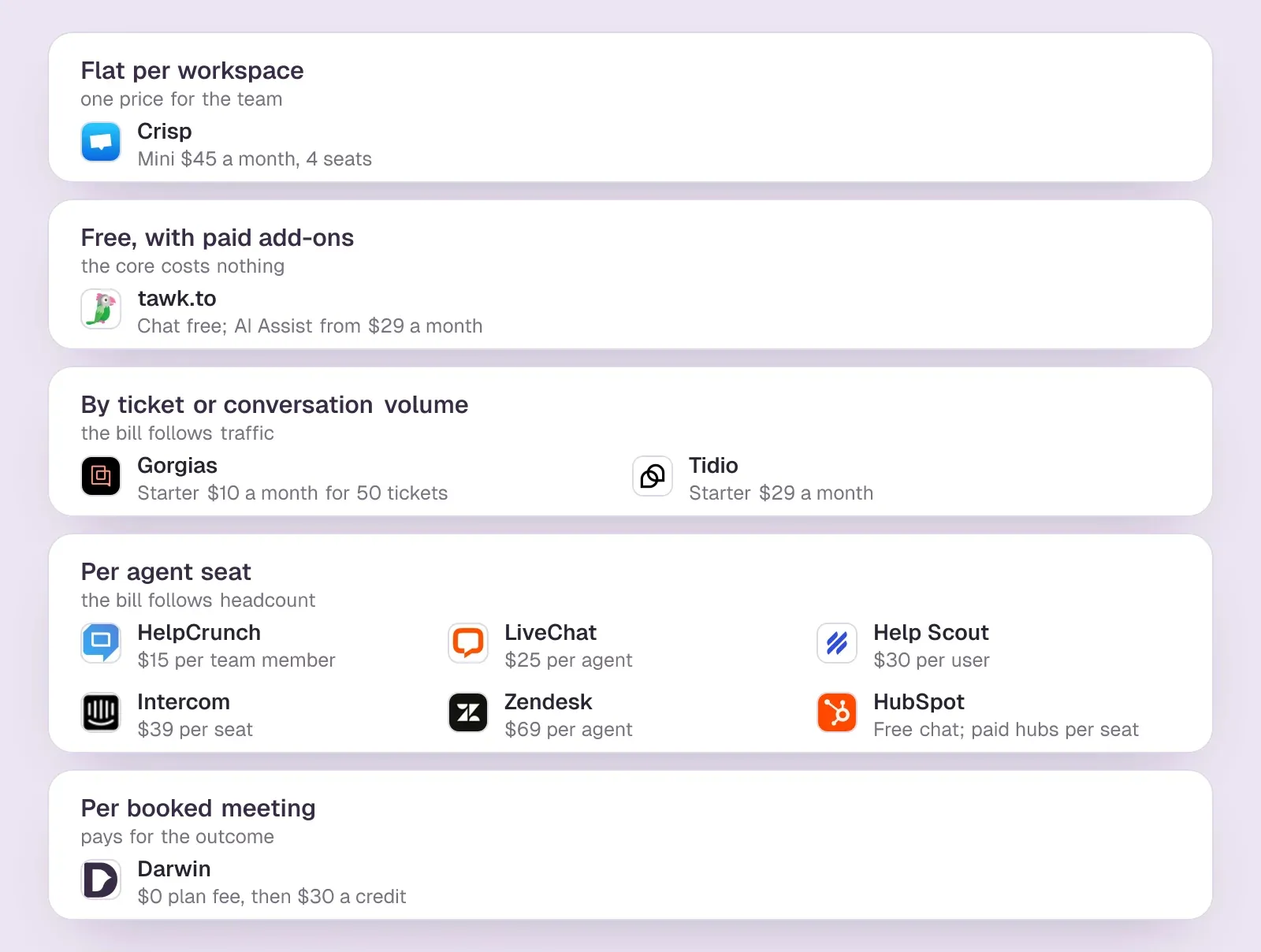
Starting prices make Crisp alternatives look closer than they are, because they charge for different things. Crisp charges for the workspace. Help Scout, HelpCrunch, LiveChat, Intercom and Zendesk charge per agent. Gorgias charges for ticket volume, Tidio for conversations, and tawk.to for add-ons on a free core. Darwin charges for booked meetings and qualified requests. The AI layer adds a second meter almost everywhere: per resolution at Help Scout, Intercom and Zendesk, per interaction at Gorgias, per conversation quota at Tidio and HelpCrunch, and per credit at Crisp itself.
Which model is cheapest depends on your team, not on the list. Flat and free pricing wins when you have many agents and steady traffic. Per-seat pricing wins for one or two people. Per-resolution AI pricing is fair when the AI is good, and expensive for the same reason. If you want the wider picture, our guide to chatbot pricing covers how vendors charge across the market.
What five agents pay a month on each Crisp alternative
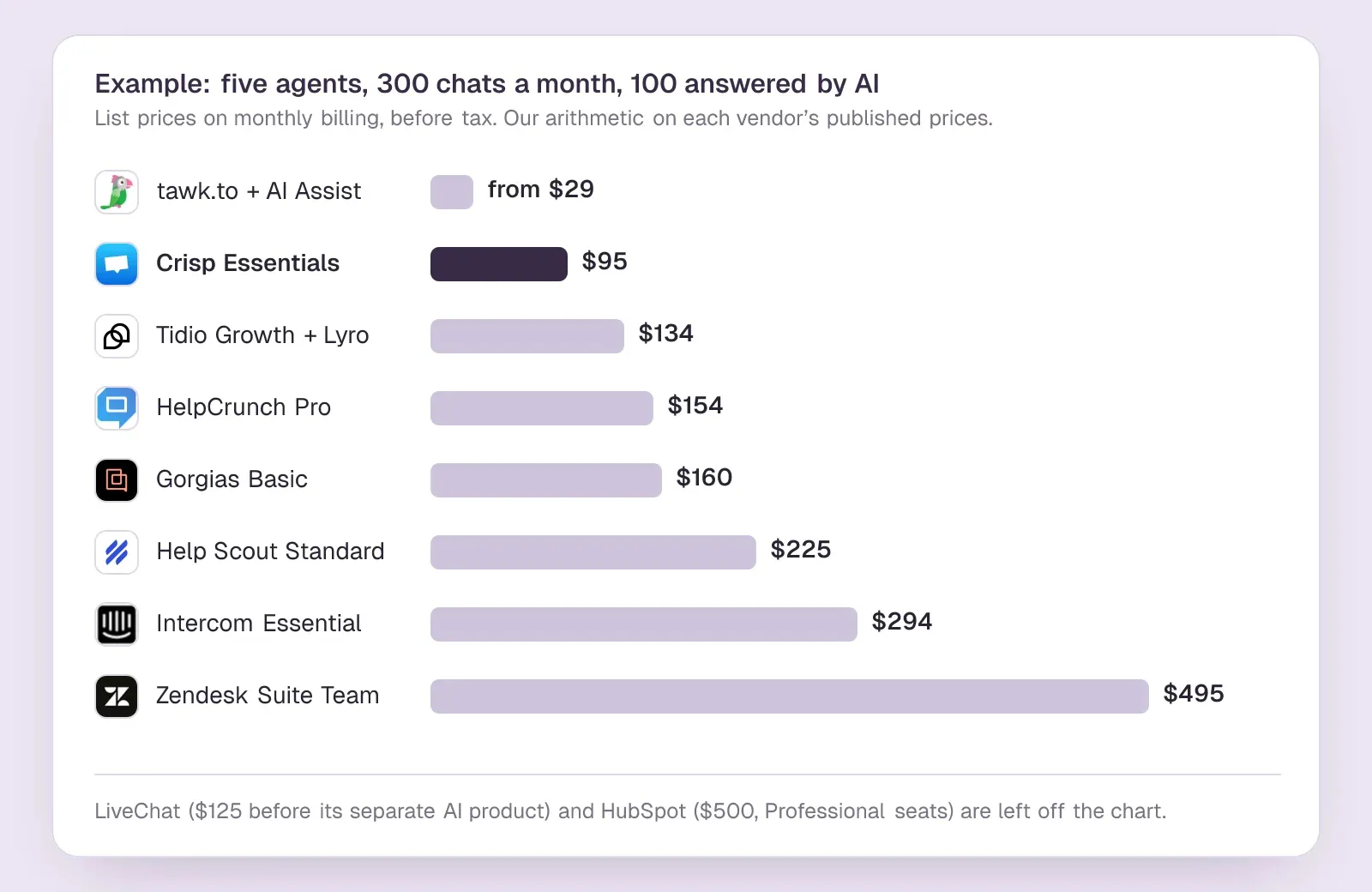
Here is one team worked through. Five people answer about 300 website conversations a month, and they want an AI agent to fully answer about 100 of them. We took each vendor's lowest plan that gives five people chat, a shared inbox and an AI agent, at list price on monthly billing, before tax and discounts.
Example: five agents, 300 chats, 100 answered by AI
| Tool and plan | How we got there | Per month |
|---|---|---|
| tawk.to, free chat plus AI Assist | Free live chat for all five, AI Assist from its starting price; branding removal would add another $29/mo | from $29 |
| Crisp Essentials | One flat workspace price for all five; the AI credits included with the plan cover the 100 AI answers | $95 |
| Tidio Growth plus Lyro | About 200 conversations answered by people fits Growth's 250 tier; 100 Lyro conversations bought as a quota | $134 |
| HelpCrunch Pro | Five team members on Pro, which includes 50 AI conversations; 100 more as an extension | $154 |
| Gorgias Basic | 300 tickets included; 100 AI Agent interactions at the monthly rate, which also count as tickets | $160 |
| Help Scout Standard | Five users, plus 100 AI resolutions | $225 |
| Intercom Essential | Five seats, plus 100 Fin outcomes | $294 |
| Zendesk Suite Team | Five agents; 25 resolutions included, 75 more at the pay-as-you-go rate | $495 |
| LiveChat Starter | Five agents; the AI agent that answers visitors is a separate product, not included | $125 plus the AI product |
| HubSpot Service Hub Professional | Five seats, the level its AI customer agent needs, plus a one-time onboarding fee in the first month | $500 |
| Darwin Free | A different job: no plan fee and chats are free; you pay per booked meeting or qualified request after five free ones | $0 plus $30 a credit |
Two things stand out from this test of Crisp alternatives. For a team of five, Crisp's flat price is hard to beat once you want AI included, and only the free and conversation-priced tools come close. And the tools built for big support teams cost roughly three to five times what Crisp does for the same small team, which is fine if you need their routing, reporting and channels, and a waste if you do not. Change the team size and the order changes: at two agents, the per-seat tools get much cheaper; at fifteen, Crisp Plus and tawk.to pull further ahead.
Crisp alternatives for booking sales meetings: where Darwin fits
Most Crisp alternatives are built for support. Plenty of teams put Crisp on their marketing site as well as in their product, and the website chat ends up doing two jobs. It answers customers who need help, and it talks to people who are deciding whether to buy. The first job is support, and every tool above does it well. The second is sales. Of the support tools, only Intercom documents booking inside the chat, through its Fin for Sales add-on, priced per qualified lead on top of seats; the rest share a scheduling link at best. Fin for Sales can qualify leads and book in Messenger.SourcesIntercom +1
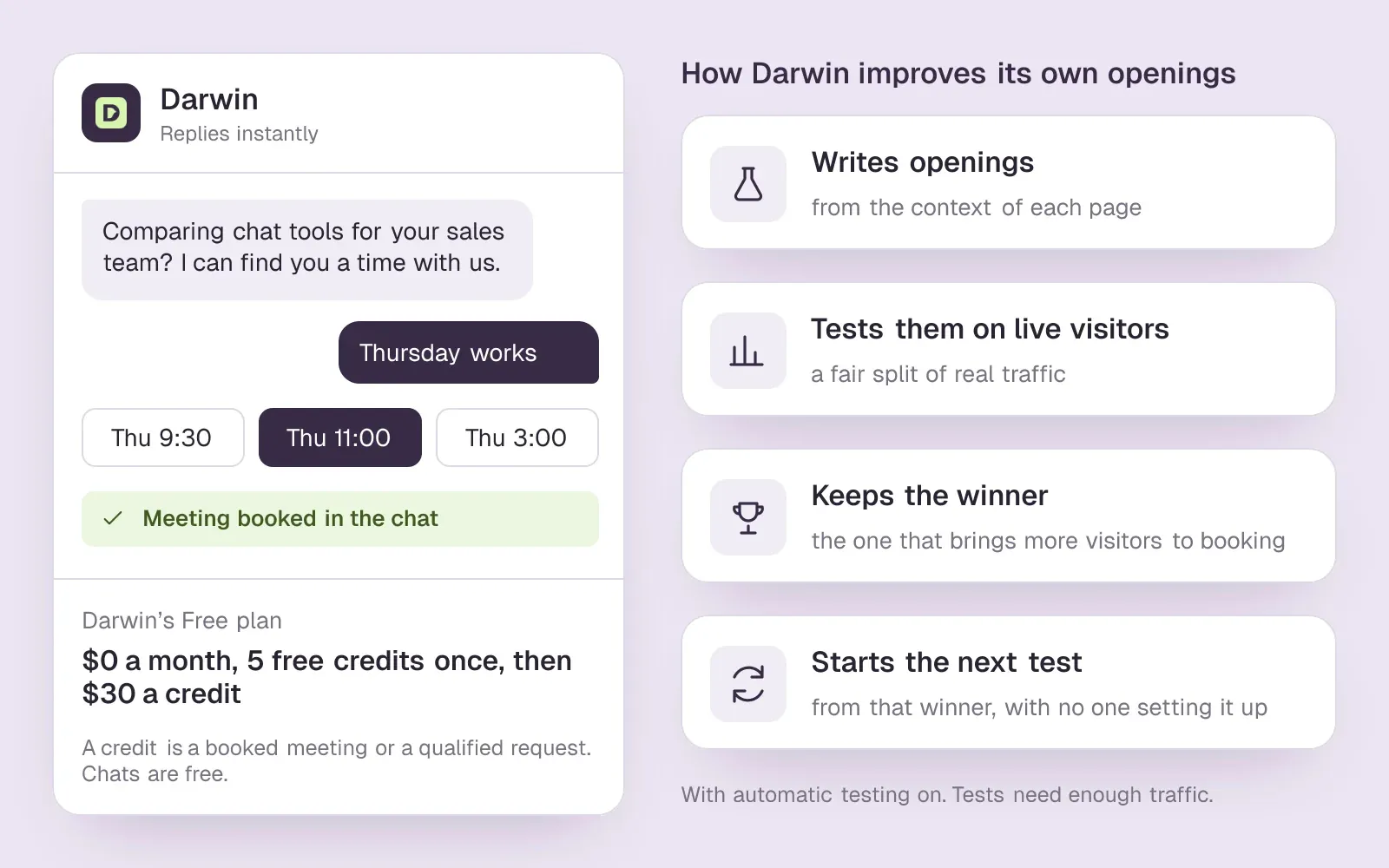
Darwin does the second job. It answers a visitor's questions from your own pages, and when they are a fit it offers times on your team's calendar inside the conversation, through Calendly, Google Calendar or RevenueHero. It only charges when that works: a booked meeting or a request that passes your fit rules uses a credit, and chats cost nothing.
What makes it different from everything else on this page is that it gets better on its own. Of the 59 website chat, chatbot and AI SDR tools we have checked, Darwin is the only one whose documentation describes testing its own chat openings on live traffic, keeping whichever brings more visitors to the booking step, and starting the next test from that winner, with no one setting the tests up. In practice it works like natural selection, or the scientific method: Darwin writes a few versions of the first message for each page, shows them to real visitors in a fair split, keeps the one that brings more people to the booking step, and starts the next test from that winner. With every other tool here, the greeting you wrote at setup stays until someone changes it.SourcesDarwin +1
Darwin is not the pick if you need ticketing, a help center or an inbox for email. Most teams that use it keep a support tool for customers and put Darwin on the pages where buyers arrive: pricing, product and demo pages. Our guide to sales chatbots walks through that setup, and chatbot vs live chat covers when people still beat a bot.
How to switch from Crisp
Most teams can move in a week. These steps keep customers from noticing.
- Export what you have: contacts, conversation history and help center articles. Check what Crisp's export covers on your plan, and do it before you cancel, while the workspace is still active.
- Measure the old setup. Note last month's conversations, first-response time and how many chats the AI answered on its own. That is the baseline the new tool has to match.
- Move your knowledge first. Import help articles into the new knowledge base, or point the new AI agent at your website, then ask it the twenty questions customers ask most.
- Rebuild shortcuts, triggers and routing. Recreate canned responses, chat triggers and assignment rules in the new tool; most do not import them.
- Swap the widget. Remove the Crisp script from your site and add the new one, then click through your main pages on desktop and phone to check it appears where you expect.
- Run both for a few days if you can. Keep Crisp's inbox open for replies to old conversations while new ones arrive in the new tool.
- Cancel at the end of the billing period, after the export is safe.
Adding a chat widget works the same way on most platforms; our walk-through on how to add a chatbot to your website covers WordPress, Webflow, Shopify and plain HTML.
How to choose between Crisp alternatives
Start from the wall you hit, then shortlist two tools and trial them on your real traffic.
- Need the same tool with a different price model? Try Tidio, or HelpCrunch if you also send email campaigns.
- Need it free? tawk.to keeps live chat free for unlimited agents, and its AI Assist can come later.
- Most support arrives by email? Help Scout fits that better than a chat-first inbox.
- Running an online store? Gorgias puts orders next to every conversation.
- Support is becoming a department? Intercom or Zendesk, depending on whether you want the stronger AI agent or the stronger ticketing.
- People answer the chat all day? LiveChat is built for that.
- Already on HubSpot CRM? Turn on its free chat first.
- Want the website chat to book sales meetings? Darwin, alongside whichever support tool you keep.
Whatever you choose, test your two favourite Crisp alternatives with your own questions before your Crisp renewal. If you are still weighing the wider market, our list of the best AI chatbots for websites covers tools beyond support.
Questions about Crisp alternatives.
What are the best Crisp alternatives?
For a small team that wants the same mix of chat, shared inbox and AI agent, Tidio and HelpCrunch are the closest Crisp alternatives. tawk.to is free, Help Scout suits email-first support, Gorgias suits online stores, Intercom and Zendesk suit larger support teams, LiveChat suits staffed chat, and HubSpot suits companies on its CRM. If the website chat is meant to book sales meetings, Darwin is the best fit for that job.
Is there a free Crisp alternative?
Yes. tawk.to's live chat is free, with unlimited agents. Its AI Assist and branding removal are paid add-ons. Tidio, Help Scout and HubSpot also have free plans with tighter limits, and Darwin has no plan fee: you pay only for booked meetings or qualified requests after 5 free credits.
Is Tidio better than Crisp?
Neither is better across the board; they charge differently. Crisp charges a flat rate per workspace, regardless of conversation volume. Tidio charges by the conversations your team answers and sells its Lyro AI as a separate quota. A team with many agents and steady traffic usually pays less on Crisp; a small team with little traffic can pay less on Tidio.
Why is Crisp's Plus plan so much more than Essentials?
Plus adds the parts aimed at larger teams: the ticketing system with a customer portal, white labelling, unlimited task automations, 100+ integrations, advanced analytics, more seats and more AI credits. Crisp includes 2 seats on Free, 4 on Mini, 10 on Essentials and 20 on Plus; each extra agent costs $10 a month. If you need only one of those, it is worth pricing a Crisp alternative that includes it on a cheaper plan.
Which Crisp chat alternatives can book meetings?
Darwin books a time inside the chat through Calendly, Google Calendar or RevenueHero. Intercom's Fin for Sales add-on can qualify visitors and book in its Messenger. Tidio and LiveChat can share a scheduling link, and HubSpot's chatbots share a HubSpot meetings link. The support-first tools on this list, Help Scout, Gorgias, HelpCrunch, Zendesk and tawk.to, do not document meeting booking from the chat.
Sources & references (164)
Supporting material for the product details in this article. Each source keeps its own access date.
- Pricing and plans - Crisp Crisp · Accessed
- Crisp pricing Crisp · Accessed
- Tidio pricing Tidio · Accessed
- The monthly conversations limit Tidio · Accessed
- Which upgrades do I need? Tidio · Accessed
- Tidio: AI Chatbot & Live Chat reviews Shopify App Store · Accessed
- Tidio Reviews Software Advice · Accessed
- Tidio reviews G2 · Accessed
- Lyro Action templates Tidio · Accessed
- Lyro – a quick setup Tidio · Accessed
- Customer Communication Platform, Live Chat & More | HelpCrunch HelpCrunch · Accessed
- HelpCrunch pricing HelpCrunch · Accessed
- What Are AI Agent's Data Sources HelpCrunch · Accessed
- tawk.to Pricing tawk.to · Accessed
- tawk.to Live Chat tawk.to · Accessed
- Why is tawk.to free? tawk.to · Accessed
- tawk.to Add-ons tawk.to · Accessed
- tawk.to Automation: AI Agents + Workflows tawk.to · Accessed
- tawk.to Add-ons tawk.to · Accessed
- tawk.to Live Chat reviews Shopify App Store · Accessed
- Tawk.To Live Chat plugin reviews WordPress.org · Accessed
- tawk.to Reviews Software Advice · Accessed
- tawk.to reviews G2 · Accessed
- tawk.to Reviews from Real Users TrustRadius · Accessed
- Help Scout Pricing Help Scout · Accessed
- Help Scout reviews (G2 reviews syndicated on AWS Marketplace) G2 (via AWS Marketplace) · Accessed
- Help Scout Reviews from Real Users TrustRadius · Accessed
- Help Scout Reviews Software Advice · Accessed
- The Conversational AI platform for Ecommerce | Gorgias Gorgias · Accessed
- Gorgias Pricing - AI-Powered Ecommerce CX Platform Plans Gorgias · Accessed
- Add your brand's content for AI Agent Gorgias · Accessed
- Salesforce Completes Acquisition of Fin Salesforce · Accessed
- Salesforce Signs Definitive Agreement to Acquire Fin Salesforce · Accessed
- Salesforce Completes Acquisition of Fin Salesforce · Accessed
- Intercom standard pricing after Early Stage Intercom · Accessed
- Intercom pricing Intercom · Accessed
- Intercom pricing FAQs Intercom · Accessed
- Fin (Intercom) Reviews from Real Users TrustRadius · Accessed
- Fin Review Insights TrustRadius · Accessed
- Fin (Intercom) reviews G2 · Accessed
- How to train Fin for Sales Intercom · Accessed
- Sync and manage websites Intercom · Accessed
- Zendesk pricing Zendesk · Accessed
- Zendesk Suite reviews (G2 reviews syndicated on AWS Marketplace) G2 (via AWS Marketplace) · Accessed
- Zendesk Suite Reviews from Real Users TrustRadius · Accessed
- About connecting external content to Zendesk for use across knowledge experiences Zendesk · Accessed
- Connecting knowledge sources to power generative replies in AI agents Zendesk · Accessed
- Text live chat pricing LiveChat · Accessed
- LiveChat pricing (current LiveChat plans) LiveChat · Accessed
- LiveChat Reviews Software Advice · Accessed
- LiveChat: AI live chat by Text, Shopify App Store reviews Shopify App Store · Accessed
- LiveChat reviews G2 · Accessed
- LiveChat Reviews from Real Users TrustRadius · Accessed
- Text Copilot: AI-powered personal assistant LiveChat · Accessed
- HubSpot Sales Hub pricing HubSpot · Accessed
- AI Customer Agent for Customer Support HubSpot · Accessed
- Deploy the customer agent to channels HubSpot · Accessed
- HubSpot Credits HubSpot · Accessed
- Service Hub Enterprise reviews (G2 reviews syndicated on AWS Marketplace) G2 (via AWS Marketplace) · Accessed
- HubSpot Service Hub Reviews Software Advice · Accessed
- Manage the customer agent's content sources HubSpot · Accessed
- Darwin pricing: plans, credits and add-ons Darwin · Accessed
- Connect your scheduling page Darwin · Accessed
- Connect Google Calendar Darwin · Accessed
- Set up with Darwin Darwin · Accessed
- Add pages and documents Darwin · Accessed
- Book meetings with Calendly using Fin for Sales Intercom · Accessed
- Book meetings with HubSpot using Fin for Sales Intercom · Accessed
- How Darwin improves your openings Darwin · Accessed
- Turn on automatic testing Darwin · Accessed
- Crisp AI: train an AI on your data Crisp · Accessed
- Tidio pricing Tidio · Accessed
- Edit your initial message (first flow) Tidio · Accessed
- Lyro – a quick setup Tidio · Accessed
- Flow editor: Actions Tidio · Accessed
- My Flows section Tidio · Accessed
- HelpCrunch integrations HelpCrunch · Accessed
- tawk.to Add-ons tawk.to · Accessed
- tawk.to Live Chat tawk.to · Accessed
- Help Scout Pricing Help Scout · Accessed
- Use A/B split tests to create effective campaign messaging Gorgias · Accessed
- Intercom pricing Intercom · Accessed
- A/B test different message variations Intercom · Accessed
- Creating an AI agent for your web and mobile channels Zendesk · Accessed
- Configuring messaging responses for web and mobile channels Zendesk · Accessed
- Creating an AI agent to automatically resolve customer issues Zendesk help · Accessed
- Announcing expanded access to AI agent capabilities for all Zendesk customers Zendesk help · Accessed
- Performing A/B testing for AI agents Zendesk help · Accessed
- Text Live Chat Pricing Text (LiveChat) · Accessed
- Website Widget: Welcome Screen LiveChat · Accessed
- Engage visitors using Campaigns LiveChat · Accessed
- Create a rule-based chatbot HubSpot · Accessed
- Service Software Pricing HubSpot · Accessed
- HubSpot Credits HubSpot · Accessed
- Choose your rule-based chatbot actions HubSpot · Accessed
- Set up customer agent actions to qualify leads HubSpot · Accessed
- Create a rule-based chatbot HubSpot · Accessed
- Set guidelines for the customer agent HubSpot · Accessed
- How Darwin improves your openings Darwin · Accessed
- Outcomes: meetings and the forms your agent opens Darwin · Accessed
- Lyro Action templates Tidio · Accessed
- Lyro – a quick setup Tidio · Accessed
- Tidio pricing Tidio · Accessed
- Tidio pricing Tidio · Accessed
- Lyro Action templates Tidio · Accessed
- tawk.to Pricing tawk.to · Accessed
- Why is tawk.to free? tawk.to · Accessed
- Pricing - tawk.to tawk.to · Accessed
- tawk.to Pricing tawk.to · Accessed
- tawk.to Live Chat tawk.to · Accessed
- tawk.to Add-ons tawk.to · Accessed
- Why is tawk.to free? tawk.to · Accessed
- tawk.to Automation: AI Agents + Workflows tawk.to · Accessed
- tawk.to add-ons tawk.to · Accessed
- tawk.to AI Assist tawk.to · Accessed
- Help Scout Pricing Help Scout · Accessed
- Help Scout Pricing Help Scout · Accessed
- Help Scout homepage Help Scout · Accessed
- Salesforce Signs Definitive Agreement to Acquire Fin Salesforce · Accessed
- Book meetings with Calendly using Fin for Sales Intercom · Accessed
- Book meetings with HubSpot using Fin for Sales Intercom · Accessed
- Intercom pricing Intercom · Accessed
- Intercom standard pricing after Early Stage Intercom · Accessed
- Intercom pricing FAQs Intercom · Accessed
- How to train Fin for Sales Intercom · Accessed
- Intercom pricing Intercom · Accessed
- Pricing FAQs Intercom · Accessed
- How to train Fin for sales Intercom · Accessed
- Today Intercom becomes Fin Intercom · Accessed
- Today Intercom becomes Fin Fin (formerly Intercom) · Accessed
- Zendesk pricing Zendesk · Accessed
- About connecting external content to Zendesk for use across knowledge experiences Zendesk · Accessed
- Connecting knowledge sources to power generative replies in AI agents Zendesk · Accessed
- Creating an AI agent for your web and mobile channels Zendesk · Accessed
- Creating an AI agent for your web and mobile channels Zendesk · Accessed
- Configuring messaging responses for web and mobile channels Zendesk · Accessed
- Zendesk pricing Zendesk · Accessed
- Creating an AI agent for your web and mobile channels Zendesk · Accessed
- Creating an AI agent to automatically resolve customer issues Zendesk help · Accessed
- LiveChat pricing LiveChat · Accessed
- Text Copilot: AI-powered personal assistant LiveChat · Accessed
- Website Widget: Welcome Screen LiveChat · Accessed
- Engage visitors using Campaigns LiveChat · Accessed
- LiveChat pricing LiveChat (Text) · Accessed
- LiveChat homepage LiveChat (Text) · Accessed
- Copilot help LiveChat · Accessed
- Choose your rule-based chatbot actions HubSpot · Accessed
- Set up customer agent actions to qualify leads HubSpot · Accessed
- HubSpot Sales Hub pricing HubSpot · Accessed
- Manage customer agent knowledge sources HubSpot · Accessed
- Create a rule-based chatbot HubSpot · Accessed
- Set guidelines for the customer agent HubSpot · Accessed
- HubSpot Sales Hub pricing HubSpot · Accessed
- Manage the customer agent's content sources HubSpot · Accessed
- HubSpot Product and Services Catalog: HubSpot Credits Rate Sheet HubSpot · Accessed
- How Darwin improves your openings Darwin · Accessed
- Connect your scheduling page Darwin · Accessed
- Set up with Darwin Darwin · Accessed
- Darwin plans and booking prices Darwin · Accessed
- Plans and included meetings Darwin · Accessed
- Darwin pricing Darwin · Accessed
- How Darwin improves your openings Darwin · Accessed
- How meetings get booked Darwin · Accessed
- Set up with Darwin's help Darwin · Accessed