
TL;DR
- An AI appointment setter is software that talks to a lead and books the meeting without a person. Pick one by where your buyers are when they decide: on your website, after a form, on the phone or in a cold inbox.
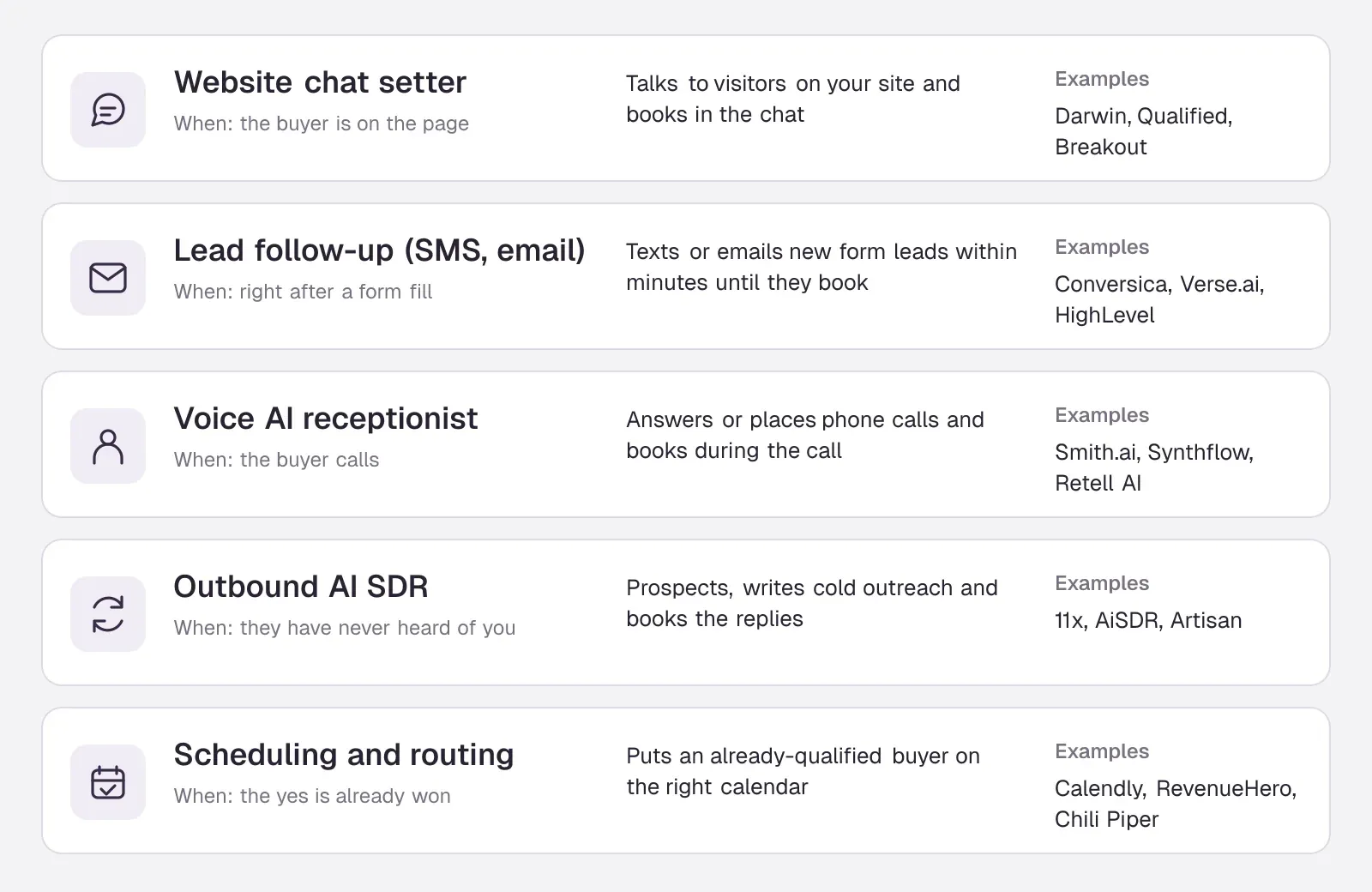
- Website chat: Darwin, Qualified, Breakout, Chili Piper. Form follow-up: Conversica, Verse.ai, HighLevel. Phone: Smith.ai, Synthflow, Retell AI. Outbound: 11x, AiSDR, Artisan. Scheduling: Calendly, RevenueHero.
- Prices run from free plans and a few cents a minute to annual contracts. Five of the fifteen publish no price; two of those would not give one in their own chat, and one asked for a phone number before chatting.
- For B2B sales meetings booked from your website, Darwin is the best AI appointment setter: it books in the chat, charges per booked meeting and tests its own opening lines. We make Darwin, so weigh that.
How we researched this
- 15 products reviewed. Each one says how and when, under its heading.
- 143 sources. Each with the date it was read. See the list.
- Facts last checked .
Written by Ari Goldstein, Founder & CEO, Darwin. We make Darwin, one of the products reviewed here; our editorial policy says how we handle that.
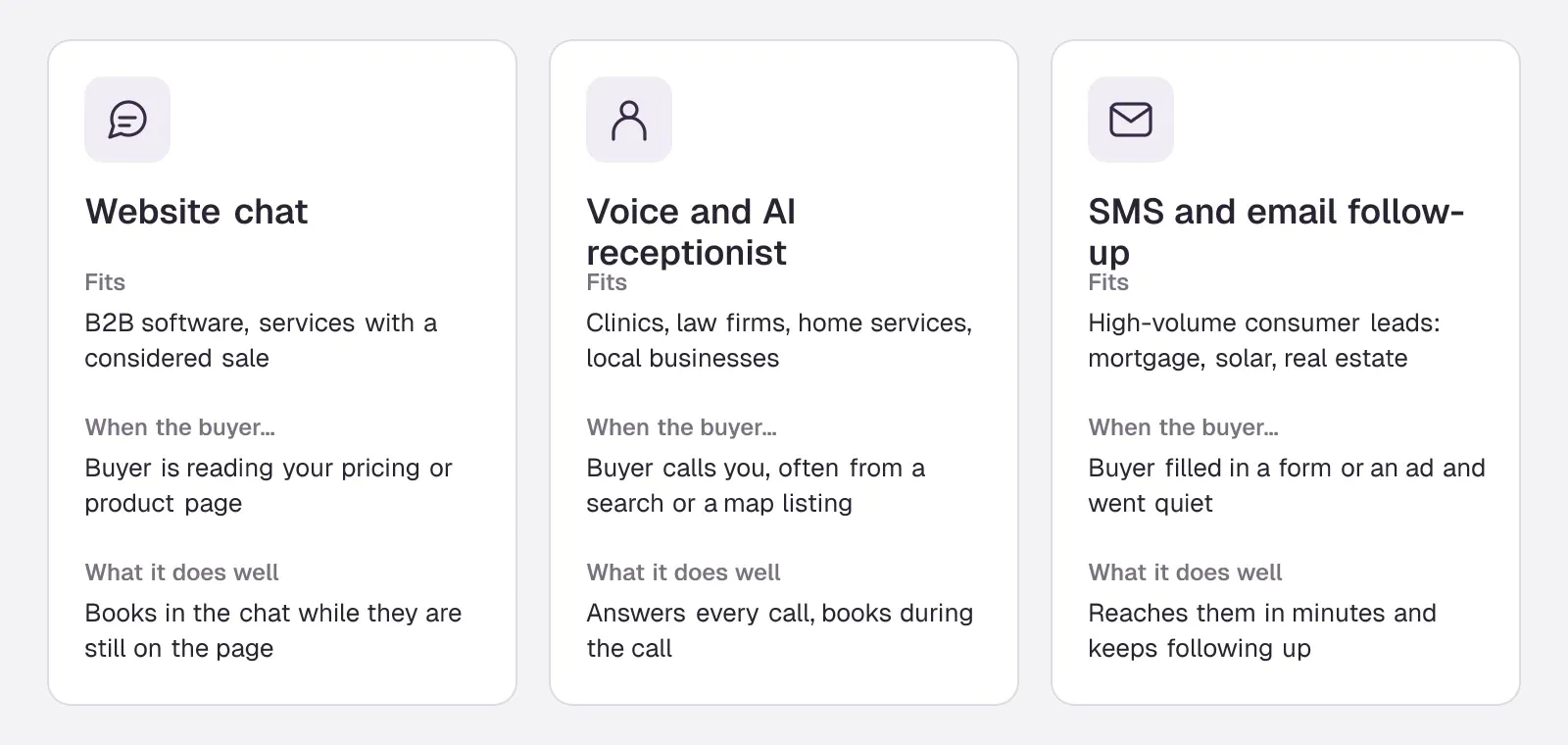
An AI appointment setter is software that talks to a lead, works out whether they are worth a meeting and books it on your calendar, with no person in the loop. The best one for you depends on where your buyers are when they decide to talk. If they are on your website, you want a chat that books inside the conversation: Darwin for B2B teams that want it self-serve and priced per meeting, Qualified for Salesforce enterprises, Breakout for mid-market teams, or Chili Piper's chat if you already route with Chili Piper. If they filled in a form and went quiet, an SMS and email follow-up tool fits: Conversica for B2B marketing teams, Verse.ai for high-volume consumer leads, HighLevel for agencies.
If they call you, an AI receptionist or voice agent is the right AI appointment setter: Smith.ai for small businesses that want humans as backup, Synthflow for contact centres, Retell AI for teams that build their own. If they have never heard of you, you need an outbound AI SDR such as 11x, AiSDR or Artisan. And if the meeting is already agreed, scheduling tools such as Calendly and RevenueHero handle the calendar.
A disclosure before the list. We make Darwin, an AI website chat that books sales meetings, so we are not neutral. It is listed with the website chat setters, which is the one job it does; for phone calls, text follow-up or cold outreach, the other tools here are better. How we chose: we read each vendor's pricing, product and help pages on 5 and 6 November 2026, asked the chats of vendors that publish no price what they cost, and reused our October 2026 test chats on vendors' own sites. We did not trial every tool, and every price below is a fact token with the date we checked it.
What an AI appointment setter does
A human appointment setter does four things: reaches the lead fast, qualifies them with a few questions, handles the first objections, and puts a meeting on the right person's calendar. An AI appointment setter does the same four, in seconds and at any hour. The software differs in which of the four it does well and on which channel.
- Reach. It starts the conversation: a chat on your site, a text to a new lead, an answered phone call or a cold email.
- Qualify. It asks what a setter would: team size, timeline, budget, location, the service needed. Good tools ask one question at a time and skip what they already know.
- Handle. It answers questions about price, fit and process from your own content, and knows when to hand the conversation to a person.
- Book. It checks live availability and creates the appointment, ideally inside the same conversation, then confirms and handles reschedules.
What is a sales appointment setter? It is the person, or now the software, whose job ends when a qualified meeting is on a closer's calendar. They do not run the demo or negotiate; they make sure the right buyers reach the people who do. That is the job description every tool on this list is competing for.
The word "setter" comes from sales teams, where appointment setters book discovery calls for closers. Service businesses use the same tools to book consultations, estimates and visits; an appointment setter AI for a dentist is mostly an AI receptionist that books cleanings. This list covers both, sorted by the channel the setter works on.
AI appointment scheduling, AI appointment booking and AI booking systems
Vendors use three overlapping terms, and the difference matters when you read their pages.
- AI appointment scheduling usually means software that finds a time: it reads calendars, applies rules such as buffers and round robin, and offers slots. Calendly and RevenueHero add AI here. It assumes the buyer already wants the meeting.
- AI appointment booking means the AI also has the conversation that leads to the meeting: it answers, qualifies and then books. Every chat, SMS and voice setter on this list does AI appointment booking.
- An AI booking system is the whole stack: the conversation, the scheduling engine, reminders and the CRM record. HighLevel sells one for agencies; most B2B teams assemble one from a setter and the calendar they already use.
In practice, an AI appointment setter is an AI booking tool plus judgement: it decides whether this lead deserves a meeting before it offers one. If you only need the calendar part, a scheduling tool is cheaper. If you need the conversation, keep reading.
AI appointment setters at a glance
Grouped by channel: website chat, then SMS and email follow-up, voice, outbound AI SDRs and scheduling. Hover over a cell to see the full finding and the date we checked it.
| Tool | Built for | How it books | Starting price | Free plan or trial | How it charges | Improves on its own |
|---|---|---|---|---|---|---|
 Darwin | Inbound AI SDR, chat | In chat: Calendly, Google, RevenueHero | $0/mo | 5 free credits | Plan fee + credits | Yes |
 Qualified | Enterprise AI SDR | Yes | Quote only; its chat gives no range | Not documented | Quote-based | Feedback + manual A/B |
 Breakout | Inbound AI SDR | Yes | $500/mo | 30 day trial (Signals) | Tiered monthly | Segment opener tests |
 Chili Piper | Yes | Yes | $1,250/mo | Not documented | Platform tier + seats | Not documented |
 Conversica | Lead follow-up for GTM teams | Sends scheduling links | Quote only; its chat gives no range | No | Sales quote | Not documented |
 Verse.ai | High-volume consumer leads | Books via Calendly etc. | Quote only; chat needs contact details | No | Quoted tiers | Not documented |
 HighLevel | Agencies + local SMBs | Books in HighLevel calendar | $97/mo | 14-day free trial | Platform fee + usage | Not documented |
 Smith.ai | SMB phone answering | Books via Calendly etc. | $150/mo | Free: 25 calls/mo | Per call | Not documented |
 Synthflow | Enterprise voice agents | Books in Cal.com / Google | Quote only | No | Annual contract | Not documented |
 Retell AI | Build-your-own phone agents | Books in Cal.com | $0.07/minute | $10 free credits | Per minute | Not documented |
 11x | Outbound + inbound phone and chat | Email, phone and chat | Not documented | Not documented | By quote | Limited |
 AiSDR | Outbound + inbound follow-up | From outreach replies | $250/mo | Free setup, pay to launch | Per person prospected | Limited |
 Artisan | Outbound AI BDR | From email replies | Free; Intern from $250/mo | Free trial + free plan | Credits; startup list prices | Yes |
 Calendly | Scheduling software | Not documented | $10/seat/mo | Free plan | Per seat | Not documented |
 RevenueHero | Routing + scheduling | Inside Intercom chats | $25/user/mo | No | Platform fee + per user | Not documented |
Values come from shared product facts, checked Oct 13, 2026 to Nov 6, 2026. Sources
Website chat appointment setters
An AI chatbot appointment setter works on your website while the buyer is still reading. It has the most context of any setter, the page and the question, and the shortest path to a meeting: no callback, no inbox. It suits B2B companies and any business whose buyers research before they talk. These four book inside the conversation. For setup steps that apply to any of them, our guide to the appointment booking chatbot walks through the whole flow.
Darwin: best for B2B meetings booked from website chat
Teams that want website chat to book sales meetings, set up themselves and priced per meeting or qualified request.
Teams that need a support inbox, outbound email, or company-level visitor identification.
- How it books
- In chat: Calendly, Google, RevenueHero
- Starting price
- $0/mo
- How it charges
- Plan fee + credits
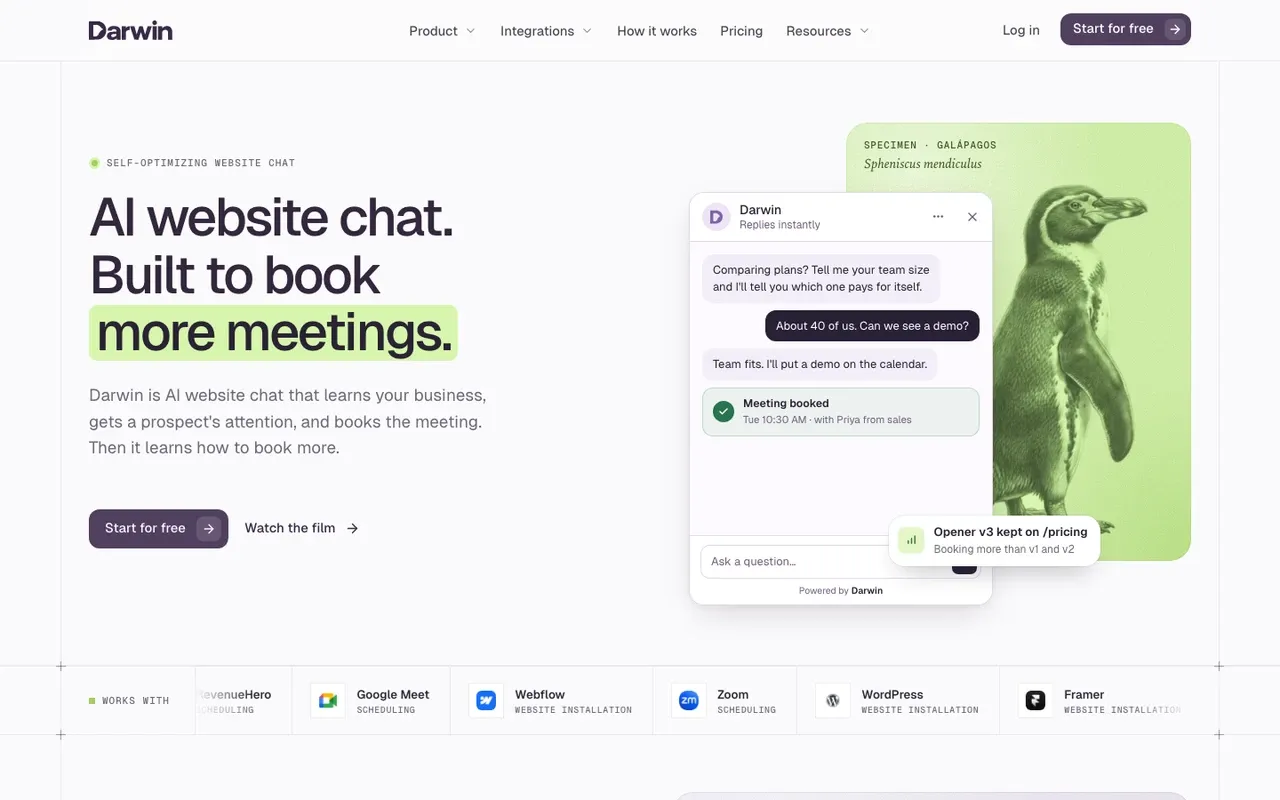
Darwin is an AI website chat built for one outcome: a qualified sales meeting, booked in the conversation. It reads your website to draft its knowledge and opening lines, answers the visitor's question first, asks your qualifying questions, and shows open times inside the chat through Calendly, Google Calendar or RevenueHero.SourcesDarwin
Two things set it apart from the other setters here. It charges per booked meeting or qualified request rather than per seat or minute, and it tests its own opening lines on live traffic, keeping the ones that bring more visitors to booking. Both are covered in the Darwin section further down.
SourcesDarwin +1
Darwin pros
- With automatic testing on, it tests its own openings and promotes the winners
- Drafts its setup from your website URL
- Offers a time inside the chat, through Calendly, Google Calendar or RevenueHero
- Priced per booked meeting or qualified request, not per seat or per answer
Darwin cons
- Website chat only: no email sequences, no visitor identification
- Not a support inbox; there is no ticketing
- A young product with a shorter track record than the incumbents
The website chat setter to pick if your buyers book sales meetings from your site and you want to set it up yourself and pay per meeting.
How we reviewed Darwin: Our own product. Facts come from Darwin's public docs and pricing page, checked on the same schedule as every other tool; cons written by the team that builds it. Rechecked on 5 November 2026.
Reviewed Nov 6, 2026
Qualified: best for Salesforce enterprise teams
Enterprise revenue teams that run on Salesforce and want an AI SDR with a services team behind it.
Small teams without Salesforce, or anyone who wants a price before a sales call.
- How it books
- Yes
- Starting price
- Quote only; its chat gives no range
- How it charges
- Quote-based
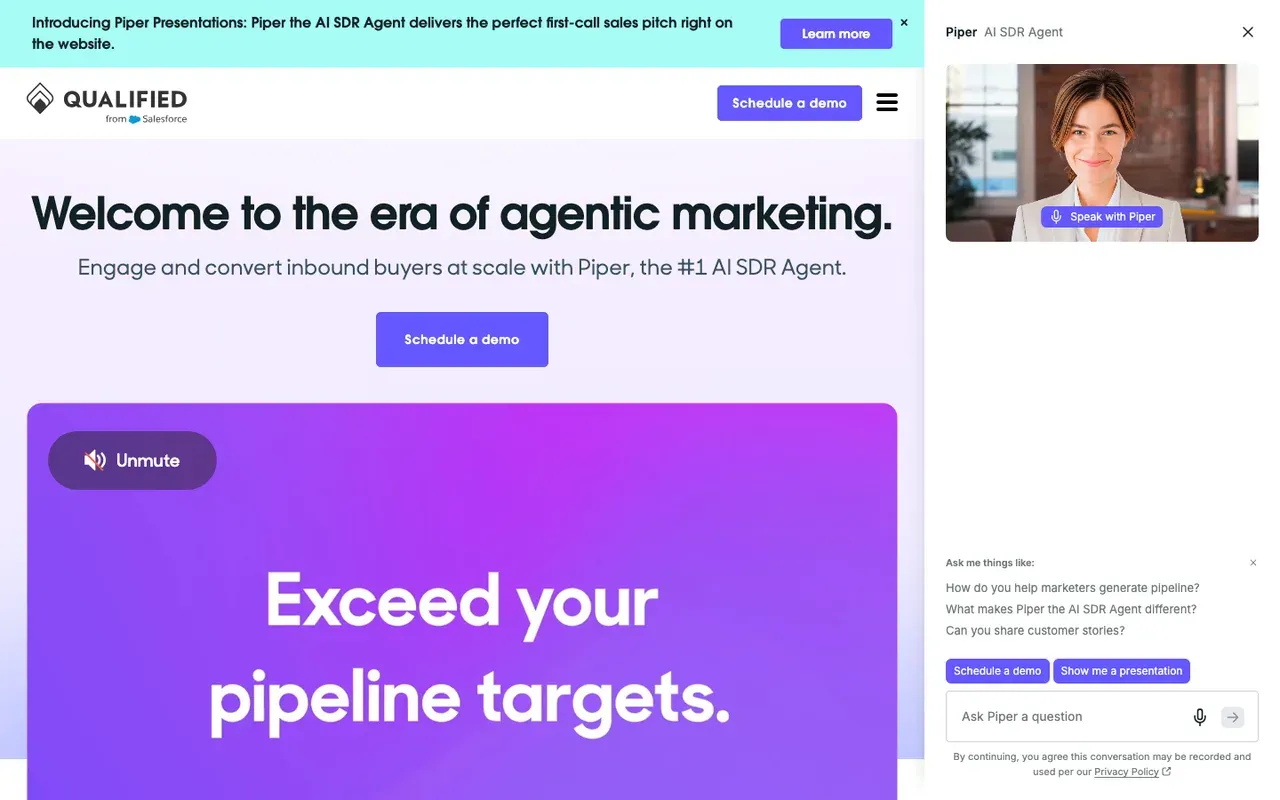
Qualified's Piper is the AI SDR most Salesforce enterprises shortlist first, because it knows which account is browsing before anyone types. Qualified's Piper uses Salesforce to identify the right rep for a visitor and show that rep's live calendar. Salesforce completed its acquisition of Qualified, the maker of Piper, on 1 April 2026.SourcesQualified +1Salesforce
Expect an enterprise purchase sized by traffic. Qualified's Premier plan includes one SDR agent profile, 250,000 monthly web sessions and 2,500 monthly active email contacts. We asked its own chat for a price in October. Qualified's own website chat would not share a starting price or a typical range. Our Qualified pricing breakdown covers what drives the quote.SourcesQualified +1
SourcesQualified
Qualified pros
- Deep Salesforce integration and account-level personalization
- Piper books meetings and follows up by email, on video, voice and text
- Mature enterprise support and implementation
- Part of Salesforce since April 2026, so it sits natively in that stack
Qualified cons
- No published pricing and no trial
- Built for Salesforce shops; smaller teams pay for depth they will not use
- Implementation is a project, not an afternoon
What Qualified users say
Users like
The other big upside is the AI SDR working around the clock.
Qualified's Piper AI SDR qualifies and books visitors around the clock, so SDRs no longer need to staff the chat.
engage high-intent website visitors in real time and connect them with the right sales reps
Qualified engages website visitors in real time, routes them to the right rep and books meetings on the spot.
Users complain about
The AI sometimes has issues … and it sends people down the wrong path.
Qualified's AI agent needs ongoing training and content upkeep; some say it sends visitors down the wrong path.
Its a premium product that is premium priced.
Qualified is premium-priced; several reviewers call it expensive, though most of them add that it pays off.
Reviewers' words, our summaries · reviews read Oct 6, 2026
The website appointment setter for enterprises that run on Salesforce and have budget for an implementation; too much for a small team.
How we reviewed Qualified: Read its pricing, product and help pages on 11 September 2026 and again on 5 October and 5 November 2026; asked Piper, the chat on Qualified's own website, for a price on 2 October 2026. No trial.
Reviewed Nov 6, 2026
Breakout: best for mid-market inbound teams
B2B revenue teams that want an inbound AI SDR covering forms and chat together.
Teams that want to start free, or that only need chat and not forms.
- How it books
- Yes
- Starting price
- $500/mo
- How it charges
- Tiered monthly
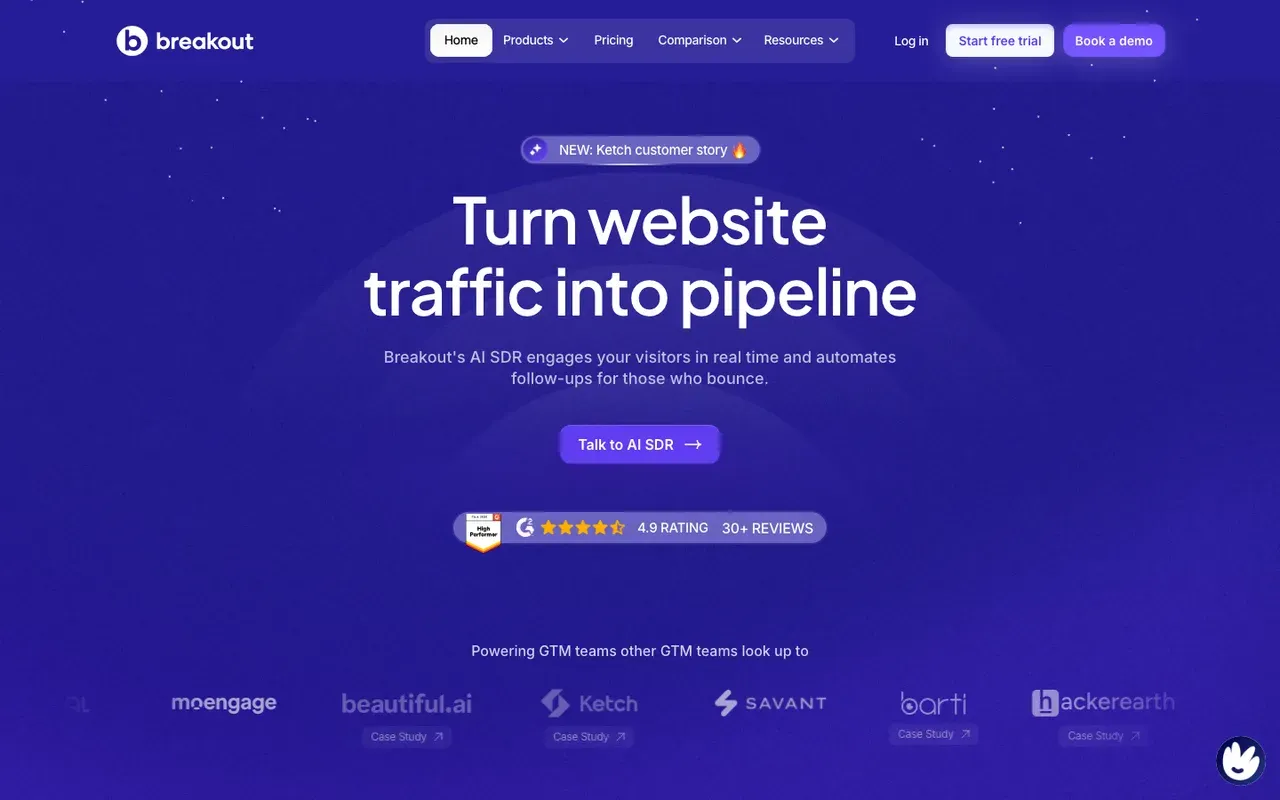
Breakout is an inbound AI SDR that also identifies who is on your site, which helps when your buyers arrive through both chat and demo forms. Breakout books meetings in the chat and from its Smart Forms, with pre-filled one-click calendar booking.SourcesBreakout +1
It publishes its plan prices, which is rare among inbound AI SDRs. Breakout says AI qualification and meeting booking are unlimited, with no usage-based charges. Its Signals plan starts at $500/mo, with a free trial.SourcesBreakout +1
SourcesBreakout +1
Breakout pros
- Books meetings from the website chat with pre-filled, one-click booking
- A free trial without a card on the Signals plan
- Published monthly pricing
Breakout cons
- Growth, the tier with the AI SDR, starts at four figures a month
- Whether it learns from your website on its own is not specified
- Plans run on annual contracts priced by tier and seats
A strong website setter for mid-market B2B teams that want visitor identification and published pricing.
How we reviewed Breakout: Read its pricing, product and help pages on 11 September 2026 and again on 5 October and 5 November 2026. No trial.
Reviewed Nov 6, 2026
Chili Piper: best if you already route with it
B2B revenue teams that want forms, chat and CRM routing to put qualified buyers on the right rep's calendar, on an annual contract.
Small teams that only need a booking link, or anyone who wants to try the product before signing.
- How it books
- Yes
- Starting price
- $1,250/mo
- How it charges
- Platform tier + seats
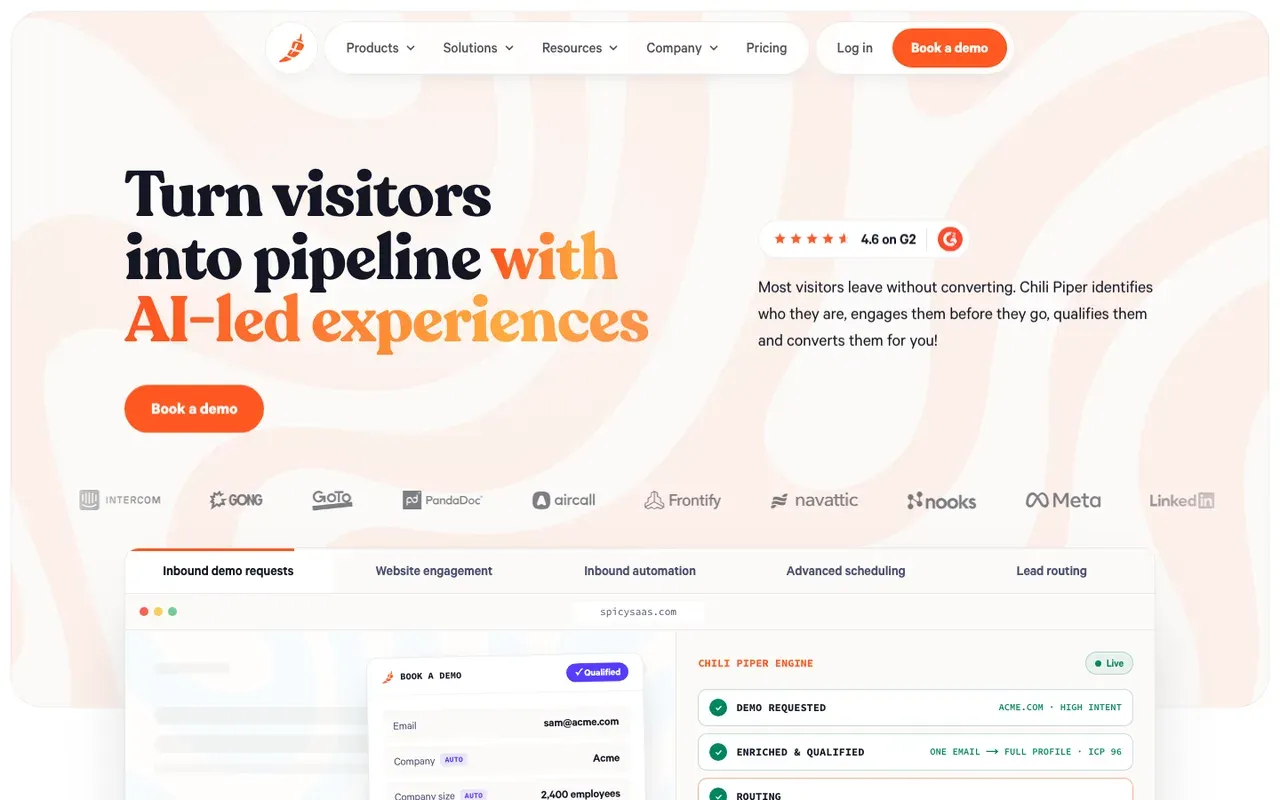
Chili Piper started as the scheduling layer behind demo forms and now adds a chat. Chili Piper's chat books meetings on rep calendars, with round-robin routing, inside the conversation. Its real strength is everything after the yes. Chili Piper routes inbound leads by round robin with weighting and meeting limits, matches leads to accounts, and can route any standard or custom Salesforce object.SourcesChili Piper +3
It is priced as a platform on an annual contract, with seats and AI credits bundled into each tier. Chili Piper's Growth plan starts at $1,250 per month. If you are weighing it against others, our list of Chili Piper alternatives compares the routing side in depth.SourcesChili Piper
Chili Piper pros
- Schedules from any web form, with qualification and round robin built in
- Routes any Salesforce object, with lead-to-account matching
- Chat journeys and Chat AI can show a rep's calendar inside the conversation
- Publishes its tier prices, with seats included
Chili Piper cons
- Starts with an annual platform fee; no free plan or trial is listed
- Chat openings are written and refined by your team; automatic testing is not described
- AI credits are capped per year, and overage pricing is not shown
What Chili Piper users say
Users like
Chili Piper helps us to route demos to the right team easily.
Chili Piper's round robin and lead routing get inbound leads booked with the right rep quickly.
SourcesTrustRadiusSoftware AdviceG2It lowers scheduling barriers, reduces back and forth communication
Chili Piper makes booking simple for prospects and reps, with no email back-and-forth.
SourcesTrustRadiusSoftware AdviceG2
Users complain about
The routing can get complex if you have lots of rules
Chili Piper is complex to set up, and admins find its interface and terms confusing.
SourcesSoftware AdviceTrustRadiusG2We’ve had on-and-off technical challenges maintaining the tool’s form and CRM integrations
Some Chili Piper users report sync glitches, missing Zoom links or slow-loading embedded calendars.
SourcesSoftware AdviceTrustRadiusG2
Reviewers' words, our summaries · reviews read Oct 6, 2026
The natural choice if Chili Piper already routes your forms; heavy for a team that only needs a chat that books.
How we reviewed Chili Piper: Read its pricing page on 11 September 2026 and again on 5 October and 5 November 2026, and its help-center guides to Chat AI, chat journeys and bot settings on 11 September 2026. No trial.
Reviewed Nov 6, 2026
SMS and email follow-up appointment setters
These setters start when a lead fills in a form, downloads something or answers an ad, and then goes quiet. They text or email within minutes and keep following up until the lead books, says no or stops replying. They suit businesses with lots of inbound leads and a slow follow-up habit: real estate, mortgage, home services, education, automotive and B2B marketing teams with event and webinar lists.
Conversica: best for B2B marketing follow-up
Marketing and sales teams that want automated email and SMS follow-up on event, ad and inbound leads.
Teams that want published pricing or an agent that books straight into a calendar inside a website chat.
- How it books
- Sends scheduling links
- Starting price
- Quote only; its chat gives no range
- How it charges
- Sales quote
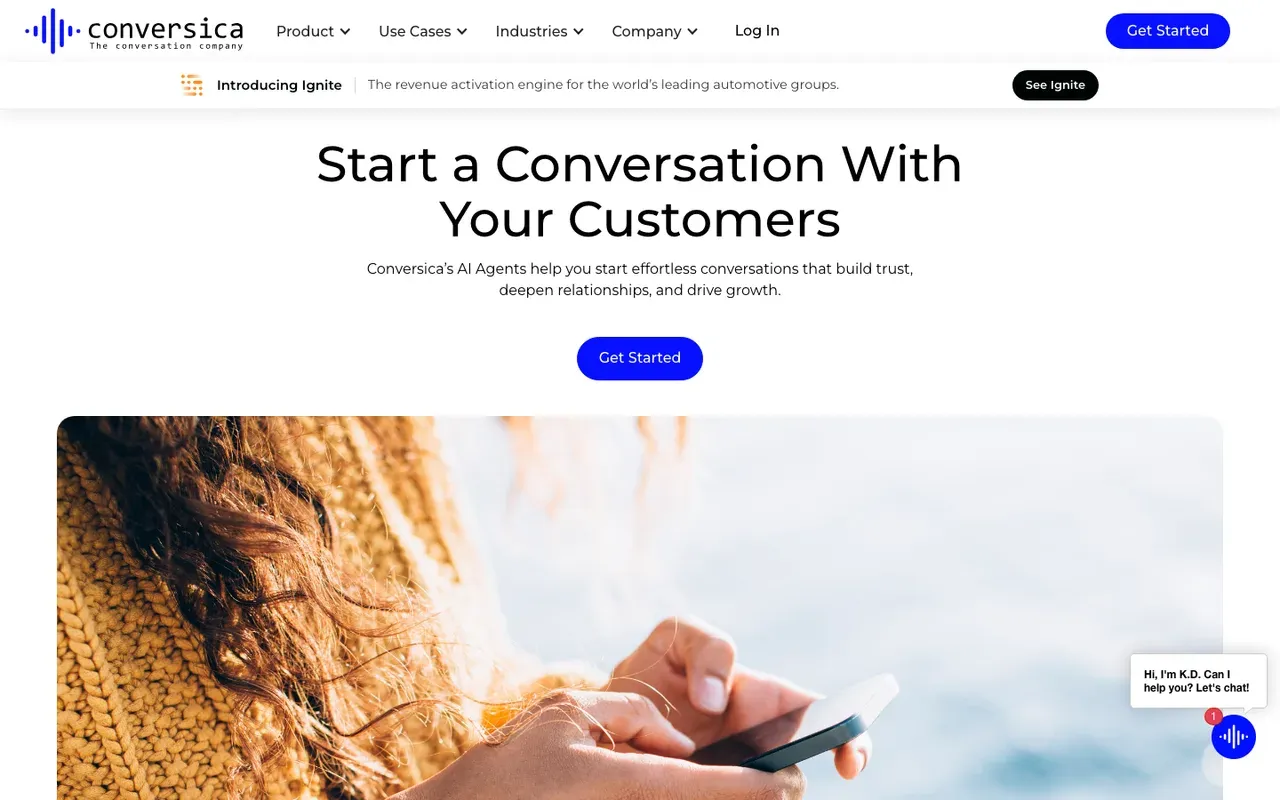
Conversica is the long-standing name in AI lead follow-up: it works the event, ad and inbound leads your team never got round to, and plugs into the forms and chatbots you already have. Conversica runs conversations over email, SMS, chat and messaging apps. Conversica is built for go-to-market teams that need follow-up on events, ads, inbound inquiries and upsell.SourcesConversica +1
The booking step is a link, not a calendar connection. Conversica's AI agent offers meetings by sending each lead the assigned rep's personal scheduling link. It publishes no price, so we asked its own website chat on 6 November 2026, twice. Conversica's own website chat would not share a starting price or a typical range; it said pricing is value-based.SourcesConversica +1
Conversica pros
- Follows up leads over email, SMS, chat and messaging apps
- Plugs into existing website forms, chatbots and webhooks
- Qualifies leads and routes them to the right team
- Sends each assigned rep's own scheduling link
Conversica cons
- No published prices; plans are quoted
- Meeting booking works by sending a scheduling link, not a native calendar booking
- Voice is not listed among its channels
A good follow-up setter for marketing teams with big lead lists; expect a sales process and a scheduling link rather than in-chat booking.
How we reviewed Conversica: Read its homepage, inbound-inquiries page and help center on 5 November 2026, and asked its website chat for a price on 6 November 2026 (UTC) without giving contact details. No trial.
Reviewed Nov 6, 2026
Verse.ai: best for high-volume consumer leads
High-volume consumer lead businesses (mortgage, home services, real estate, insurance) that work leads by text.
B2B teams that want self-serve pricing or a website chat agent they can set up themselves.
- How it books
- Books via Calendly etc.
- Starting price
- Quote only; chat needs contact details
- How it charges
- Quoted tiers
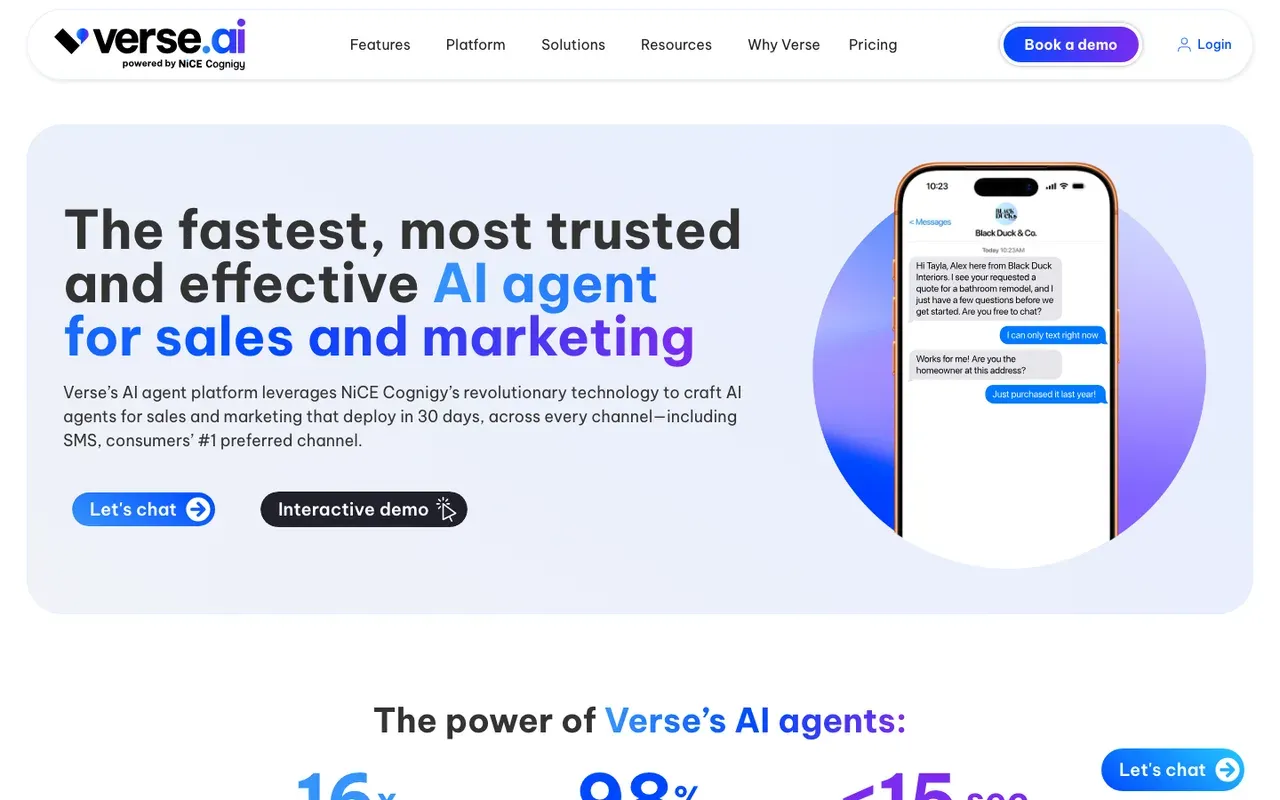
Verse.ai is built for speed on large volumes of consumer leads, and it is part of NiCE. Verse.ai is built for businesses that buy or generate large volumes of consumer leads, such as mortgage, home services and real estate. Verse.ai engages leads by SMS text, voice AI, voicemail drops and web chat. Verse.ai's AI schedules, reschedules, confirms and cancels appointments through calendar tools such as Calendly.SourcesVerse.ai +1
Verse.ai publishes no prices, and its website chat asks for a name, mobile number and company email before any conversation. We stopped at that form on 6 November 2026 rather than give contact details, so we have no price to report.SourcesVerse.ai +1
Verse.ai pros
- Texts every new lead within 15 seconds, 24/7
- Schedules, reschedules, confirms and cancels appointments
- Live call transfer to your team with CallConnect
- TCPA and A2P 10DLC compliance built in
- Dedicated account manager on every plan
Verse.ai cons
- No published prices; all three plans say Contact us for pricing
- Its website chat asks for a mobile number and work email before any conversation
- Text-first: built around consumer leads, not B2B website visitors
The setter for mortgage, home services and real estate teams working many leads by text; not built for B2B website visitors.
How we reviewed Verse.ai: Read its pricing and appointment-setting pages on 5 November 2026 and opened its Let's chat button on 6 November 2026 (UTC), which asks for contact details first; we gave none. No trial.
Reviewed Nov 6, 2026
HighLevel: best for agencies and local businesses
Agencies and small businesses that want CRM, funnels, SMS and AI booking agents in one white-label platform.
B2B teams that only need a website chat agent and don't want to adopt a whole CRM.
- How it books
- Books in HighLevel calendar
- Starting price
- $97/mo
- How it charges
- Platform fee + usage
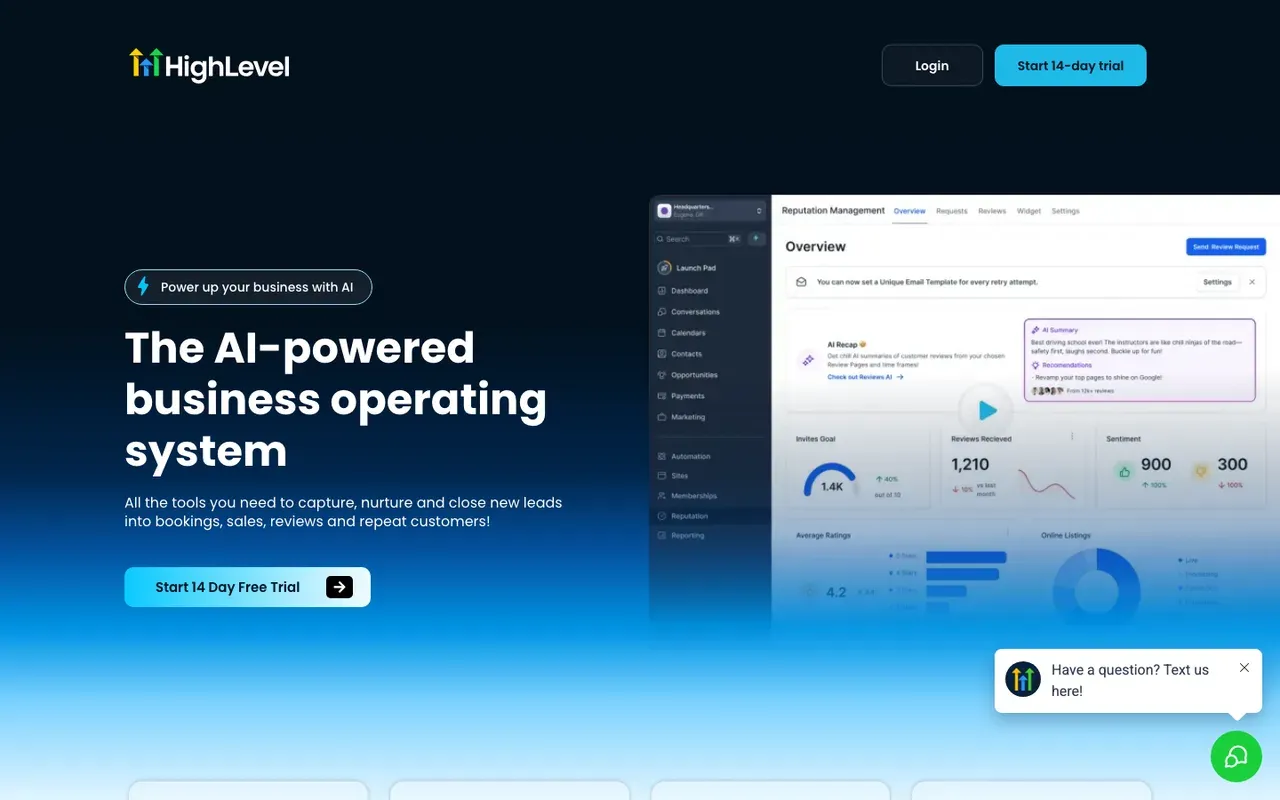
HighLevel is the all-in-one CRM and marketing platform many agencies run for their clients, and its AI agents set appointments across text, social and phone. HighLevel's Conversation AI checks the connected calendar, offers open times and books the appointment inside the conversation. HighLevel's Conversation AI works over SMS, WhatsApp, Facebook Messenger and Instagram DMs, and its Voice AI answers phone calls.SourcesHighLevel
The platform price is published, and AI costs extra. HighLevel's Starter plan costs $97 per month. HighLevel charges a monthly platform fee plus usage for AI, SMS, email and calls. HighLevel offers a 14-day free trial on any plan, with no free plan.SourcesHighLevel +1
HighLevel pros
- 14-day free trial on every plan
- Conversation AI books into the connected HighLevel calendar
- Voice AI answers calls and books appointments
- Unlimited contacts and users
- White-label and SaaS resale on higher plans
HighLevel cons
- AI agents carry usage charges or a $50–$97/month per sub-account AI Employee plan
- AI is not included on Starter beyond pay-per-use
- Telephony and LLM costs are billed separately
The obvious AI booking system for agencies already on HighLevel; more platform than a B2B team that only needs a setter will use.
How we reviewed HighLevel: Read its pricing page, AI pricing help article and Conversation AI and Voice AI pages on 5 November 2026. No trial.
Reviewed Nov 6, 2026
Voice agents and AI receptionists
An AI voice appointment setter answers or places phone calls, holds a spoken conversation and books during the call. When the calls are inbound, it is usually sold as an AI receptionist. This is the right kind of setter when buyers phone rather than type: clinics and dentists, law firms, home services, and any business whose leads come from maps and local search. For most B2B software buyers, voice comes later in the process; they type first.
How much does an AI receptionist cost? The answer depends on how it charges, and the three below charge three different ways: per call, per minute and by annual contract.
Smith.ai: best AI receptionist with human backup
Small service businesses and law firms that want calls answered 24/7 with a human backup.
High-volume B2B sales teams that want an AI chat agent on their website at a flat price.
- How it books
- Books via Calendly etc.
- Starting price
- $150/mo
- How it charges
- Per call
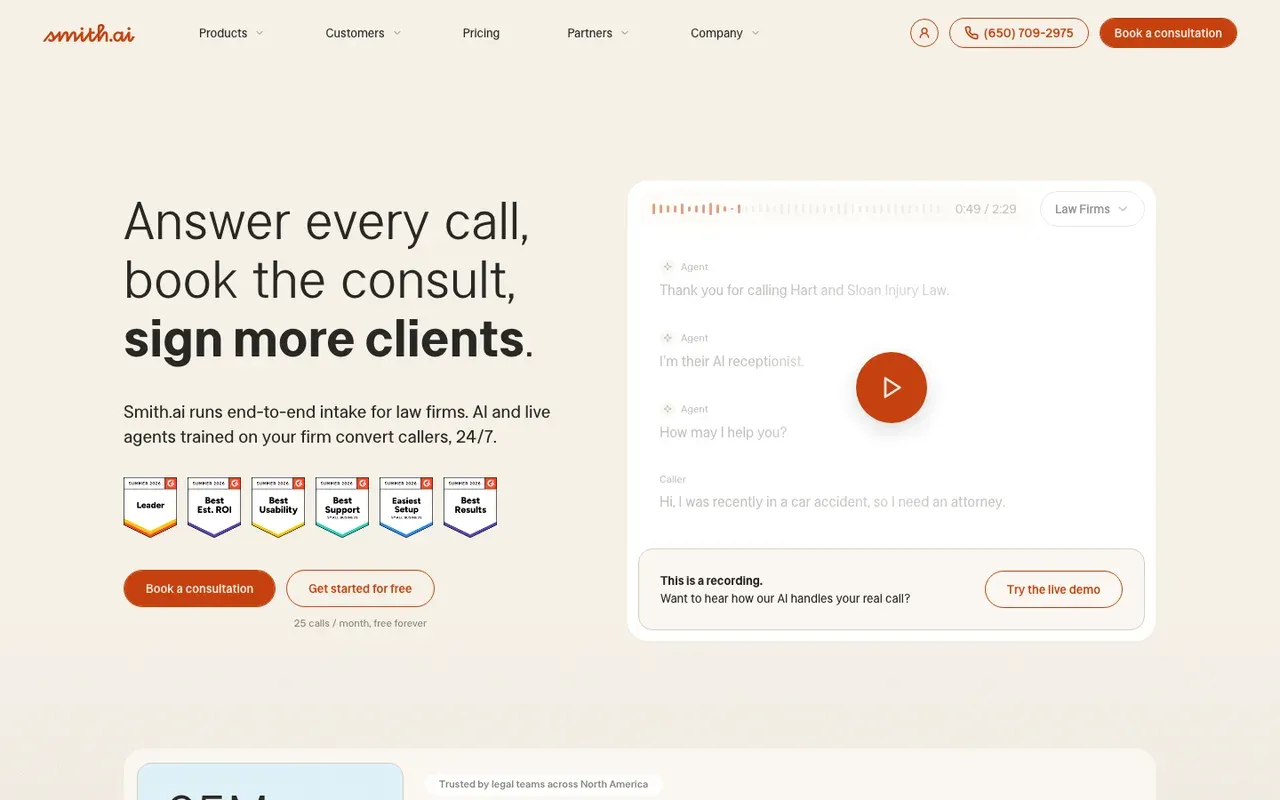
Smith.ai pairs an AI receptionist with live North America-based receptionists who can take a call the AI should not handle, which is the safest way to hand your phone line to software. Smith.ai is built for small businesses that need every call answered, such as law firms and home services. Smith.ai's receptionists schedule meetings directly on your calendar through Calendly, Acuity, Appointy, Harmonizely and others.SourcesSmith.ai +1
It starts free and bills by the call. Smith.ai's AI Receptionist has a free plan with 25 calls a month. Smith.ai's AI Receptionist Pro plan starts at $150 per month. Smith.ai bills per call (and per chat for web chat), not per minute.SourcesSmith.ai
Smith.ai pros
- Free AI Receptionist plan with 25 calls a month
- AI calls can transfer to live North America-based receptionists
- Books into Calendly, Acuity, Appointy and more
- Billed per call, not per minute
- Month-to-month, no long-term contract
Smith.ai cons
- Per-call costs add up: $2.00/call on AI Pro and $8.50–$11.50 overage on human plans
- Appointment booking is a paid add-on on human receptionist plans ($1.50/call)
- Website chat is a separate per-chat product
The easiest AI receptionist to start with for a small business, with humans behind it when a call needs one.
How we reviewed Smith.ai: Read its AI receptionist, human receptionist and chat pricing pages on 5 November 2026. No trial.
Reviewed Nov 6, 2026
Synthflow: best for contact centres
Mid-market and enterprise contact centers deploying AI voice agents on their phone lines.
Small teams wanting a self-serve plan, a free trial or a website chat.
- How it books
- Books in Cal.com / Google
- Starting price
- Quote only
- How it charges
- Annual contract
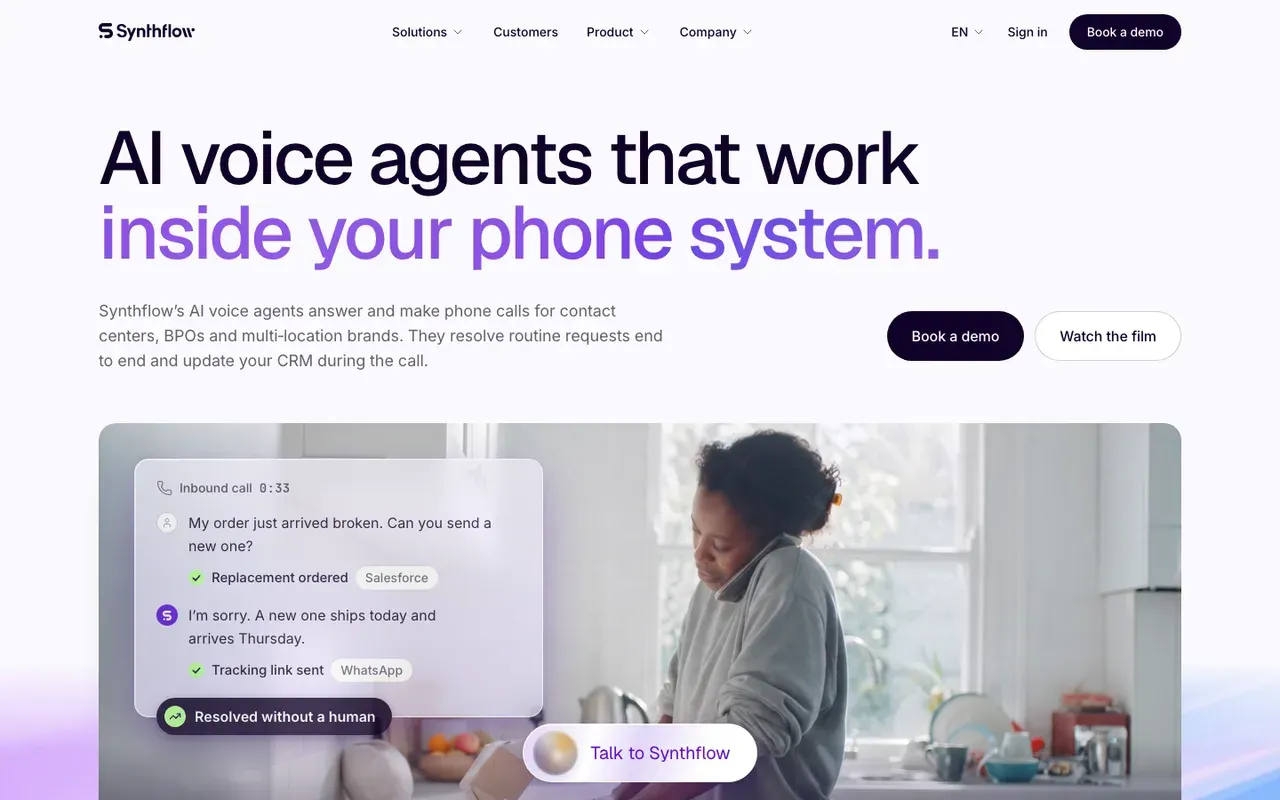
Synthflow is built for large call volumes on existing phone systems, where the work is fitting voice agents into a contact-centre stack. Synthflow is built for mid-market and enterprise teams running AI voice agents on customer calls. Synthflow's voice agents book, reschedule and cancel appointments in Cal.com or Google Calendar during the call.SourcesSynthflow +1
Its pricing page has moved to enterprise contracts only. Synthflow publishes no prices; its plans are quoted as an annual Enterprise agreement. Synthflow has no free plan or free trial. Its site showed no chat to ask for a range.SourcesSynthflow
Synthflow pros
- Books, reschedules and cancels into Cal.com or Google Calendar
- Updates the caller's record in HubSpot or Salesforce
- Native telephony, SIP trunking or existing contact-center stack
- Forward-deployed engineers can launch the agents with your team
- Trust Center lists SOC 2 Type 2, ISO 27001, GDPR and PCI DSS
Synthflow cons
- No published prices; every deployment starts on an annual Enterprise contract
- No free plan or trial
- Built for phone calls, not website chat
An AI voice agent appointment setter for contact centres and BPOs; not a self-serve option for a small team.
How we reviewed Synthflow: Read its pricing and appointment-booking pages on 5 November 2026. No trial; its site showed no chat to ask.
Reviewed Nov 6, 2026
Retell AI: best for teams that build their own
Technical teams that want to build their own AI phone agent and pay only for minutes used.
Teams that want a finished, flat-priced product without assembling voice, LLM and telephony costs.
- How it books
- Books in Cal.com
- Starting price
- $0.07/minute
- How it charges
- Per minute
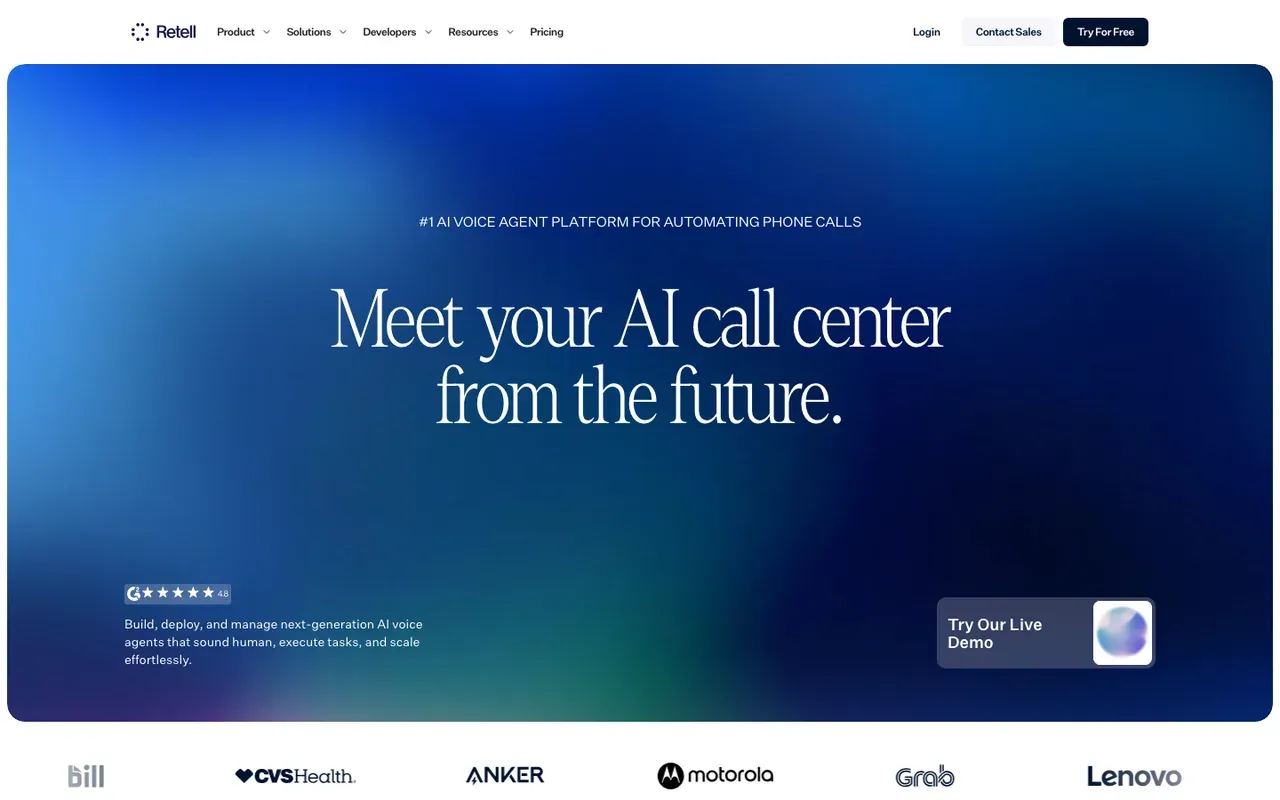
Retell AI is a toolkit rather than a finished receptionist: you assemble the agent, its voice and its prompts, and it ships a ready-made appointment setter use case to start from. Retell AI's agents check availability and book appointments in Cal.com during the conversation. Retell AI supports voice calls, chat widgets, SMS and web for bookings.SourcesRetell AI +1
It is pay as you go. Retell AI's pay-as-you-go plan costs $0.07 to $0.31 per minute for AI voice agents. The per-minute total depends on the voice, model and telephony you choose, so model a month of calls before committing. Retell AI gives new accounts $10 in free credits on its pay-as-you-go plan.SourcesRetell AI
Retell AI pros
- Pay-as-you-go with no minimums or contracts
- $10 in free credits to start
- Books into Cal.com during the call
- Voice and chat agents on one platform
- 20 concurrent calls included
Retell AI cons
- Per-minute cost stacks voice engine, LLM, TTS and telephony charges
- Extra concurrency costs $8 per call per month
- Enterprise pricing is quote-only
The AI call appointment setter for technical teams that want control and per-minute pricing; you assemble more of it yourself.
How we reviewed Retell AI: Read its pricing, appointment-setter and booking feature pages on 5 November 2026. No trial.
Reviewed Nov 6, 2026
Outbound AI SDRs that set appointments
Outbound AI SDRs are appointment setters for people who have not come to you yet. They find prospects, write and send outreach, handle replies and book the interested ones. They are a different purchase from the inbound setters above: you are buying pipeline creation, and the risks are deliverability and brand, not response time. Our list of AI SDR tools covers this category in depth, and our explainer on what an AI SDR is covers how they work.
11x: best for outbound plus inbound phone coverage
Larger teams buying AI agents for outbound and inbound, through a demo-led sale.
Teams that want a published price, a trial or a self-serve start.
- How it books
- Email, phone and chat
- Starting price
- Not documented
- How it charges
- By quote
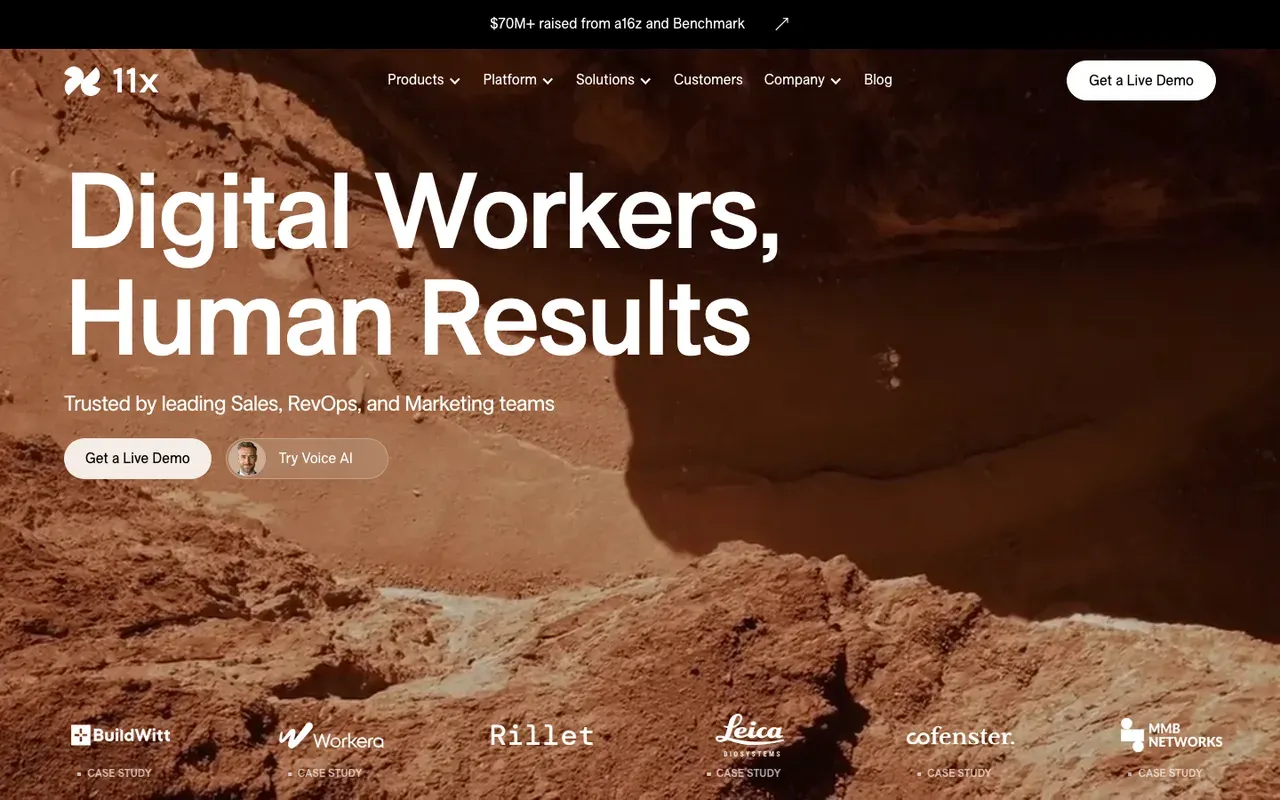
11x sells AI digital workers for both directions. Alice books meetings from outbound sequences; Julian qualifies inbound leads by phone and website chat and books them with your reps.Sources11x +2
The inbound worker is what overlaps with the setters above: it answers calls and website chats from people who came to you, which makes 11x one of the few vendors here that covers outbound and inbound. That breadth is the reason to choose it, and also why it is bought as a programme rather than switched on in an afternoon.
11x publishes no prices and sells through a live demo.Sources11x
11x pros
- Alice runs personalized outreach across email and social, with a dialer for your reps
- Julian answers inbound leads in website chat, by phone, SMS and WhatsApp
- Both workers book meetings with your reps
- Messages written for each prospect
11x cons
- No published pricing, plans or trial
- Every route runs through a demo and a quote
- A larger commitment than a self-serve tool
What 11x users say
Users like
Users complain about
Sometimes 11x misses the mark on an email or LinkedIn message sequence
11x's messages can miss the mark, sound robotic or overreach, and need prompt tuning to get right.
SourcesG2It doesn't always follow up appropriately, even when someone has already replied.
11x doesn't always handle replies: sequences can keep sending after a prospect has answered.
SourcesG2
Reviewers' words, our summaries · reviews read Oct 6, 2026
A larger-team purchase for outbound plus inbound phone coverage, bought through a demo.
How we reviewed 11x: Read its homepage on 16 September 2026, and its homepage and Julian page again on 5 October and 5 November 2026, when 11x.ai/pricing returned a 404. No trial is offered to test.
Reviewed Nov 6, 2026
AiSDR: best for outbound with published prices
Teams that want one AI agent to run outreach and follow-up across email and LinkedIn through to a booked meeting.
Teams that want a free trial that actually sends, or need an agent in their own website chat.
- How it books
- From outreach replies
- Starting price
- $250/mo
- How it charges
- Per person prospected
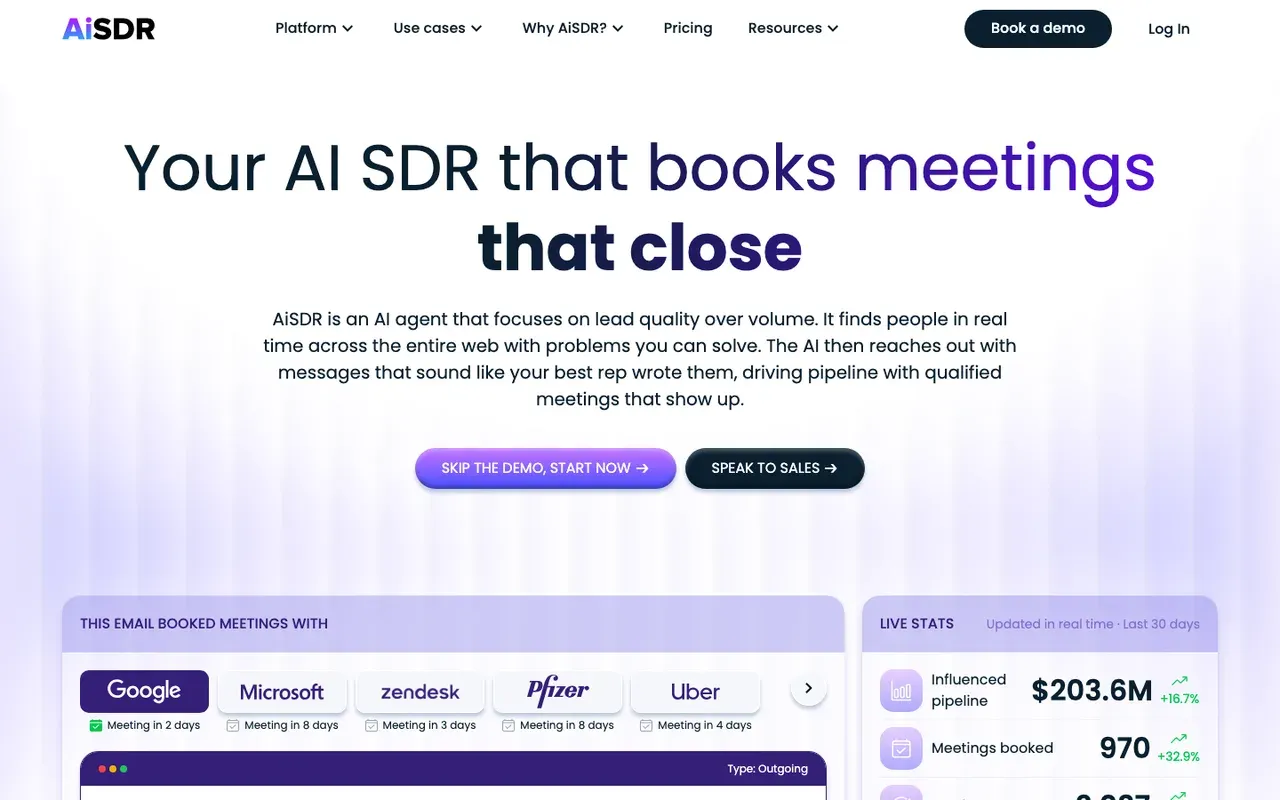
AiSDR runs outreach across email, phone and LinkedIn, and the same agent keeps going after a reply. AiSDR handles replies and objections, assesses interest and books a meeting once a prospect is qualified and ready to talk to sales.SourcesAiSDR
That means a positive reply does not wait in a rep's inbox. Check how many mailboxes and domains it needs for your volume before you start, because deliverability decides how many meetings any outbound setter can book.
It publishes its prices. AiSDR's self-serve pay-as-you-go plan costs $1.50 per person prospected, charged daily, with no monthly fee.SourcesAiSDR +1
AiSDR pros
- Researches, writes, sends and handles replies through to a booked meeting
- Email and LinkedIn in one sequence, with call steps for your team
- Follows up inbound leads as well as cold prospects
- A published pay-as-you-go price per person contacted, with no sales call
AiSDR cons
- No free sending trial; you pay before the first campaign goes out
- Team plans are quoted by sales and need a quarterly or annual contract
- Website chat is not among its documented channels
What AiSDR users say
Users like
The messaging feels natural, relevant and personalised.
AiSDR's AI writes context-rich, personalized outreach that reviewers say feels human.
SourcesG2Interface is user-friendly, we only needed one walkthrough session to understand the platform.
Reviewers find AiSDR easy to learn and onboard onto.
SourcesG2
Users complain about
Reviewers' words, our summaries · reviews read Oct 6, 2026
The outbound appointment setter to try first if you want a published monthly price.
How we reviewed AiSDR: Read its pricing and product pages on 16 September 2026 and again on 5 October and 5 November 2026. Did not trial it.
Reviewed Nov 6, 2026
Artisan: best for an outbound AI BDR with a database
Outbound teams that want an AI BDR with a built-in contact database and approval controls on what it sends.
Teams that want an agent for their own website chat, or a list price for a larger team without a sales call.
- How it books
- From email replies
- Starting price
- Free; Intern from $250/mo
- How it charges
- Credits; startup list prices
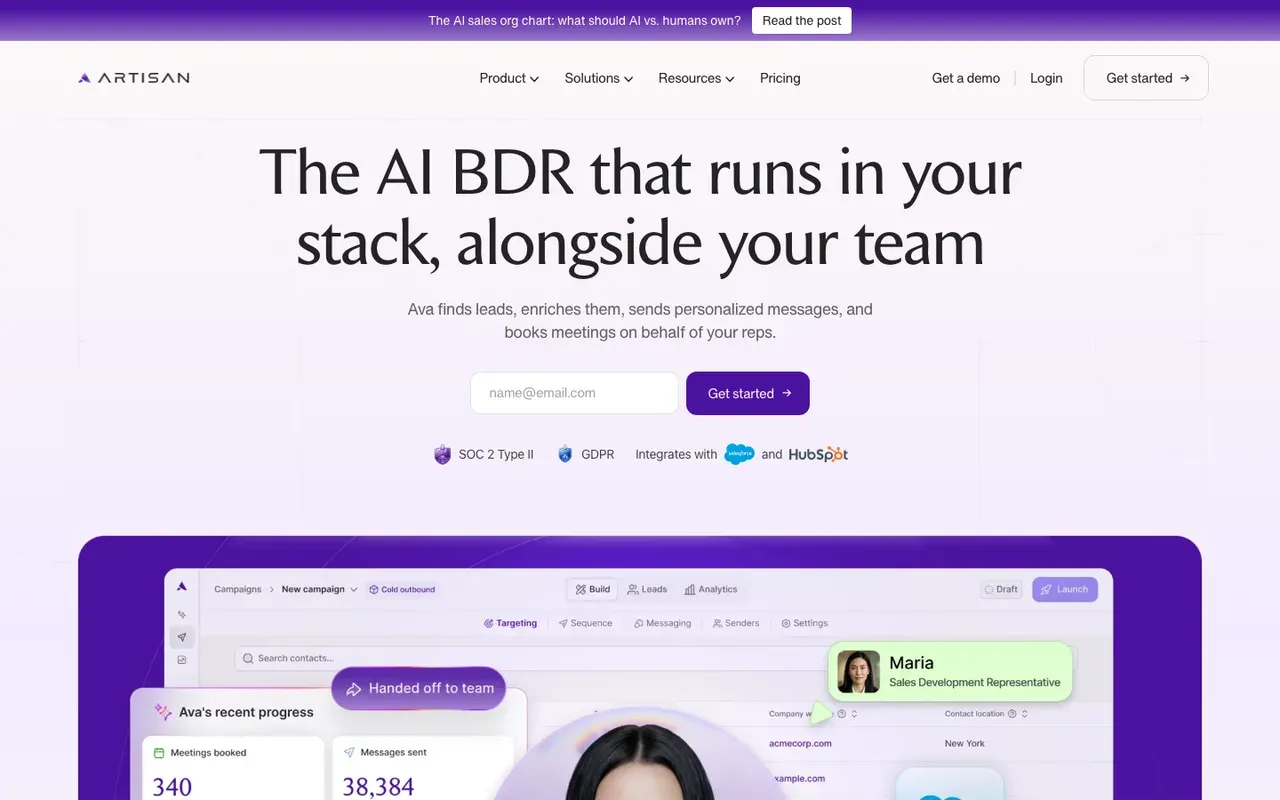
Artisan's Ava finds leads in Artisan's own contact database and writes and sends the outreach herself. Ava converts positive replies into booked meetings automatically.SourcesArtisan
Its approval controls let you review what Ava writes before it sends, which is worth using for the first weeks while you learn how it describes your product. Like every outbound setter, it books meetings with people who did not ask for one, so expect a lower show rate than an inbound setter and measure meetings held, not booked.
Artisan's Free plan is $0 with 300 credits a month; Intern, the first plan that runs campaigns, is $250 a month billed annually ($280 monthly).SourcesArtisan
Artisan pros
- Ava finds leads, writes and sends outreach, and handles replies
- Positive replies become booked meetings automatically
- Approvals, tone locks and escalation rules on what goes out
- Startup plans are listed, with a free plan and a free trial without a card
Artisan cons
- Business and enterprise plans are priced by quote
- Credits are scoped to leads, mailboxes and dialer seats, so the bill grows with volume
- Outbound only; no website chat agent
What Artisan users say
Users like
crafting personalized messages, which has led to way better response rates than previous tools
Artisan's personalized emails earn better reply rates than reviewers' previous tools.
SourcesG2The initial setup was extremely fast, just a few clicks.
Reviewers find Artisan quick to set up and intuitive to use.
SourcesG2
Users complain about
You have to be checking before allowing emails to be sent
Artisan's AI emails can sound AI-written, pull in irrelevant details or get facts wrong.
SourcesG2some minimal platform glitches when trying to create lists or delete contacts
Artisan's interface can be clunky, with lag, glitches and too many tabs.
SourcesG2
Reviewers' words, our summaries · reviews read Oct 6, 2026
An outbound AI BDR with its own contact data and approval controls; not an inbound setter.
How we reviewed Artisan: Read its pricing and product pages on 16 September 2026 and again on 5 October and 5 November 2026. Did not trial it.
Reviewed Nov 6, 2026
Scheduling tools for meetings you have already won
If the conversation already happened, by a person, a form or one of the setters above, you need the calendar part only: availability, routing to the right rep, reminders and reschedules. These are the cheapest pieces of an AI booking system, and the setters above often book through them.
Calendly: best for simple booking pages
Teams that want simple booking pages, adding round robin and routing forms on the Teams plan.
Teams that need deep CRM routing without paying for Enterprise, or a chat that answers visitors before they book.
- How it books
- Not documented
- Starting price
- $10/seat/mo
- How it charges
- Per seat
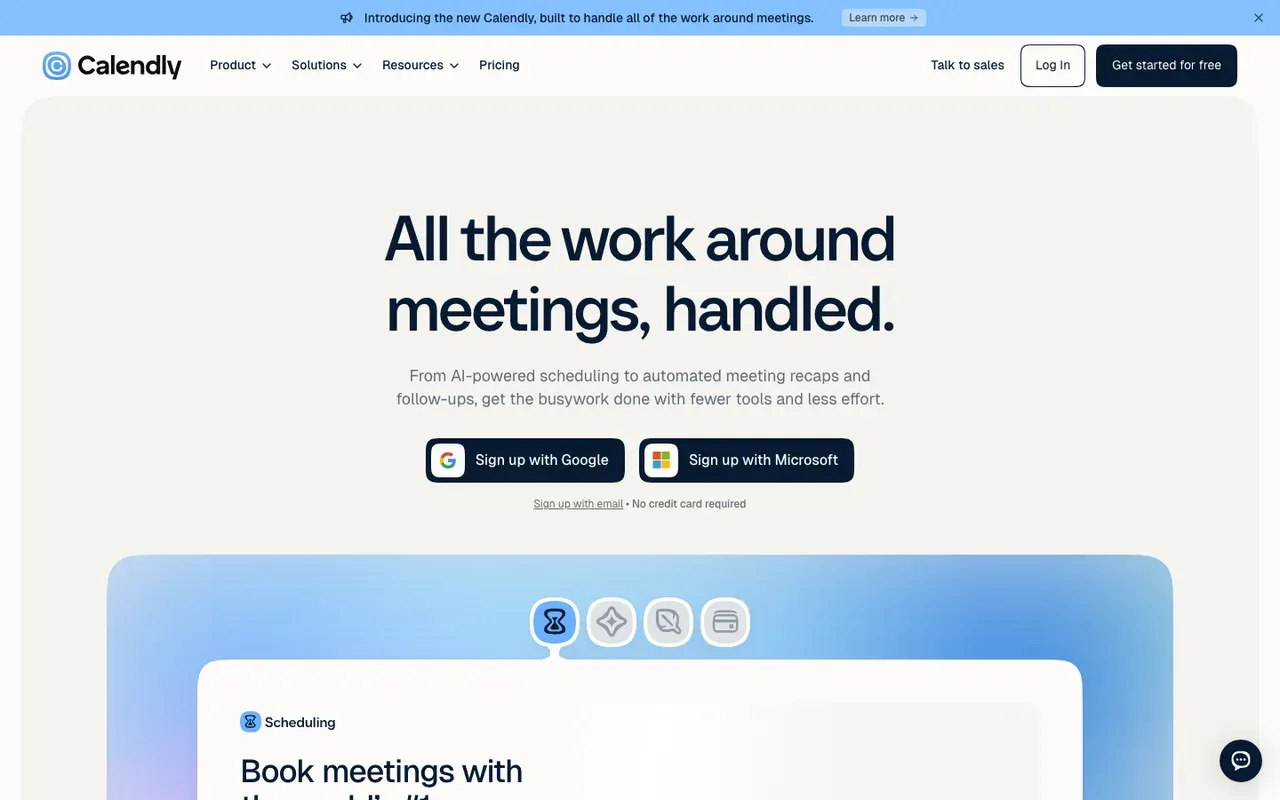
Calendly is the scheduling page most teams already have, and it is often what an AI setter books into. Calendly's Teams plan adds round robin and routing forms that qualify people before they book; routing by Salesforce lookup is an Enterprise feature. Calendly's pricing and routing pages describe booking pages, embeds and forms, not a website chat of its own.SourcesCalendly +1
It is priced per host seat, and invitees need none. Calendly's Standard plan is $10 per seat per month, billed yearly. Calendly's Free plan covers one event type, one calendar connection and one-on-one scheduling.SourcesCalendly
Calendly pros
- A free plan, and low per-seat prices on paid plans
- Teams adds round robin and routing forms
- Invitees need no seat or account
- Routes from HubSpot, Marketo and Pardot forms
Calendly cons
- Routing by Salesforce lookup is an Enterprise feature
- No lead-to-account matching engine
- A website chat of its own is not described
What Calendly users say
Users like
I like how it eliminates the back and forth to find a time for meeting.
Calendly ends the email back-and-forth: invitees pick a time from one link, and it is easy to set up.
SourcesSoftware AdviceTrustRadiusG2an interactive calendar link that integrates with any calendar (GMeet, Teams, or Apple)
Calendly syncs with Google Calendar and Outlook, avoiding double bookings and adding Zoom links.
SourcesSoftware AdviceTrustRadiusG2
Users complain about
it is a bit expensive and many features are locked in free plan
Calendly's free plan is limited to one event type, and reviewers find key features paywalled or paid tiers pricey.
SourcesSoftware AdviceTrustRadiusG2Calendly might show us as available when actually we are not.
Some Calendly users hit occasional sync delays, time zone bugs or broken invite links.
SourcesSoftware AdviceTrustRadiusG2
Reviewers' words, our summaries · reviews read Oct 6, 2026
The cheapest way to let qualified buyers pick a time; pair it with a setter that has the conversation.
How we reviewed Calendly: Read its pricing and routing pages on 5 October and 5 November 2026. No trial.
Reviewed Nov 6, 2026
RevenueHero: best for routing with published prices
B2B teams on HubSpot, Salesforce or Attio that want form scheduling and lead routing with published per-user prices.
Teams that want an AI chat that answers visitors; RevenueHero routes and schedules, and its native chat is still coming soon.
- How it books
- Inside Intercom chats
- Starting price
- $25/user/mo
- How it charges
- Platform fee + per user
RevenueHero is the routing layer for B2B teams that want form scheduling without an enterprise contract. RevenueHero routes leads by round robin, custom rules and domain matching, and adds matching on any CRM property, lookup fields and fuzzy matching on its Advanced plan. RevenueHero offers scheduling inside Intercom conversations; its pages do not describe a website chat of its own.SourcesRevenueHero
It publishes its prices. RevenueHero's Essentials plan is $25 per seat per month, plus a $79 monthly platform fee, billed yearly. RevenueHero offers no free trial; its pricing page suggests starting on the monthly plan instead. Darwin can book through RevenueHero, so its routing rules choose the rep for meetings booked in Darwin's chat.SourcesRevenueHeroDarwin
RevenueHero pros
- Published prices: a platform fee plus a price per user
- A monthly plan with no lock-in and no seat minimum
- Round robin and domain matching, with fuzzy matching on the Advanced plan
- Unlimited meetings and form submissions, no admin licence fee
- Can schedule inside Intercom conversations
RevenueHero cons
- No free trial; fuzzy matching and webhooks need the Advanced plan
- Enrichment and spam checks are paid add-ons
- A native chat is listed as coming soon, not available yet
What RevenueHero users say
Users like
RevenueHero has met all of my routing requirements for inbound demo requests with great flexibility
RevenueHero's flexible routing sends inbound demo requests to the right rep and books them from the form.
SourcesAWS Marketplace / G2they have a great support team that helps you always and super fast
RevenueHero's support team is fast and hands-on, often in a shared Slack channel, reviewers say.
SourcesAWS Marketplace / G2
Users complain about
There are limitations with it's reporting capabilities.
RevenueHero's reporting and analytics are limited, according to several reviewers.
SourcesAWS Marketplace / G2The platform can be a little tricky to get your head around.
RevenueHero's routing setup and admin interface can be confusing; reviewers describe a learning curve.
SourcesAWS Marketplace / G2
Reviewers' words, our summaries · reviews read Oct 6, 2026
The routing and scheduling layer to pick if you want published per-user prices and CRM matching.
How we reviewed RevenueHero: Read its pricing and integrations pages on 5 October and 5 November 2026. No trial.
Reviewed Nov 6, 2026
AI vs a human appointment setter
A human setter still beats software at a few things: reading a tricky prospect, bending the rules for a strategic account, and building a relationship over several calls. Software beats the human on the things that lose most meetings: answering in seconds instead of hours, at 11pm and on Sunday, never forgetting the fourth follow-up, and asking the same qualifying questions every time so the data in your CRM is consistent.
The cost comparison is rarely close. A full-time appointment setter or SDR costs a salary, management time and ramp-up, and covers one time zone during office hours. Most of the setters on this list cost less per month than a week of that salary, and they work every hour. The honest catch is quality: an AI appointment setter books whoever passes its rules, so loose rules fill calendars with meetings your closers do not want.
Most teams that get this right run a hybrid approach. The AI handles first response, qualification and booking for every lead; people take the meetings, handle the exceptions the AI flags, and review a sample of conversations every week to tighten the rules. Agencies that sell appointment setting as a service increasingly work the same way, with software doing the volume and people doing the judgement.
Three signs you should keep a person in the loop for now: your average deal is large enough that every meeting gets a custom invite, your buyers are a short named list rather than a stream, or your market is regulated enough that every first message needs review. Everywhere else, let the software set the appointment and let people run it.
Qualifying questions by business type
The setter's questions decide the quality of the meetings it books. Two to four questions is enough, each one changing who gets the meeting or whether there is one. These are starting points by business type:
- B2B software: team size, current tool, timeline. Route larger teams to an account executive and small ones to a self-serve plan.
- Agencies and consultancies: what the project is, budget range, start date. A budget question works here because buyers expect it.
- Dentists and clinics: new or existing patient, the reason for the visit, insurance. An appointment setter AI for a dentist mostly needs the right appointment type and length.
- Home services: postcode or service area, the job, how urgent it is. Out-of-area leads get a polite no instead of a site visit.
- Real estate and mortgage: buying or selling, timeframe, pre-approval. Speed matters more than depth here.
Write the rules as choices and numbers, and give non-fits a useful next step. Our guide to the sales chatbot has more on writing those questions for a website chat.
Chat vs voice vs SMS: which channel fits
The single best predictor of the right setter is where your buyer is at the moment they decide to talk.
- They are reading your website. Use a chat setter. An AI chatbot appointment setter has the page context and books before the tab closes. This is most B2B software and professional services.
- They call you. Use an AI receptionist or voice agent. If your phone rings with new customers, every missed call is a missed appointment. Clinics, law firms and home services sit here.
- They filled in a form and went quiet. Use SMS and email follow-up. The setter's job is speed and persistence. High-volume consumer leads sit here.
- They have never heard of you. Use an outbound AI SDR, and accept that you are buying list building and writing as much as setting.
Many businesses need two: a chat setter on the website and a voice or SMS setter for the leads who never chat. Pick the one closest to where most of your meetings already come from first, and add the second once the first is measured.
Pricing models compared
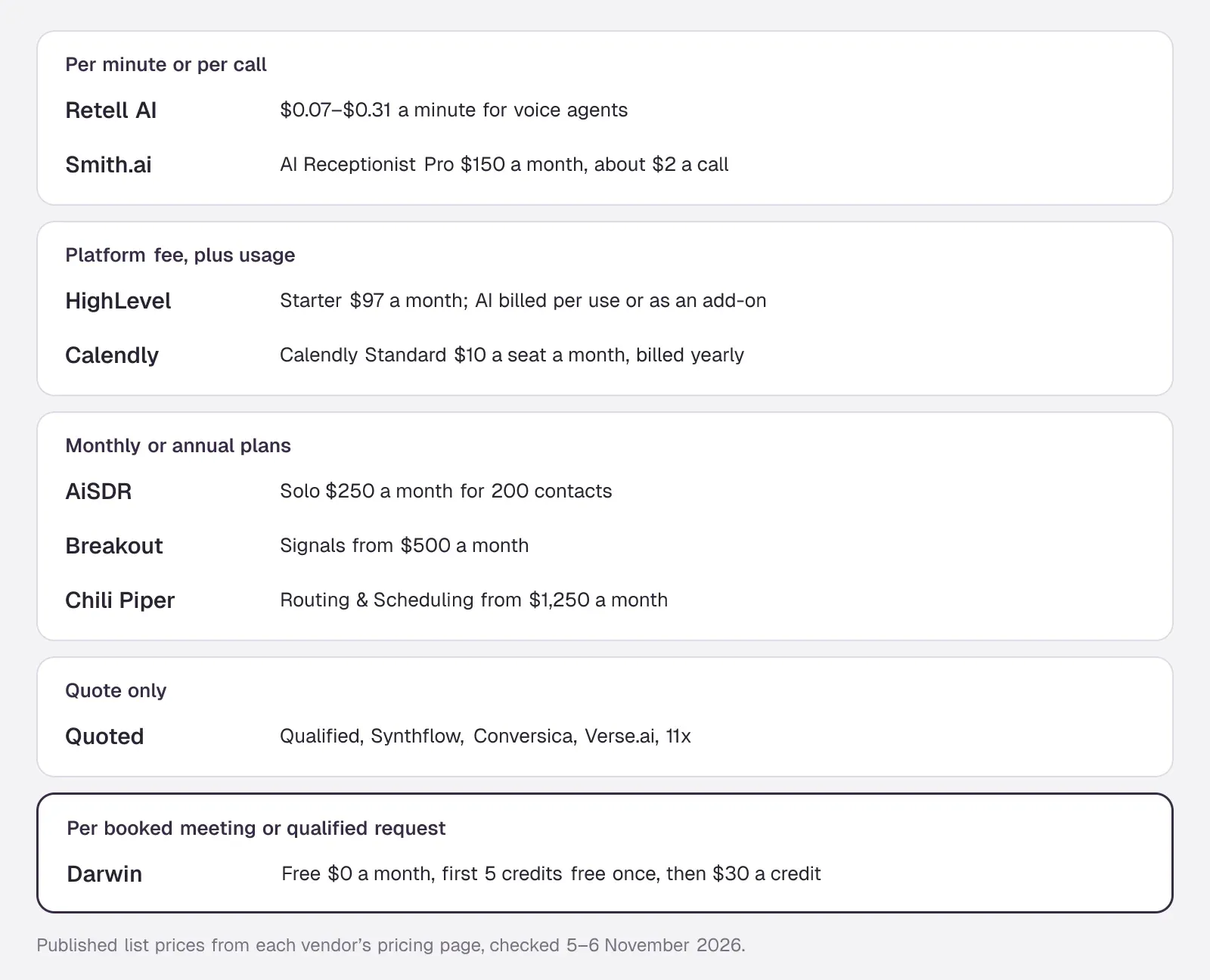
AI appointment setter software charges in five ways, and the model matters as much as the number, because it decides what a busy month costs.
- Per minute or per call. Voice tools such as Retell AI and Smith.ai. Cheap to start, and the bill follows call volume, including calls that never book.
- Platform fee plus usage. HighLevel and most scheduling tools: a monthly fee, plus AI or messaging usage on top.
- Monthly or annual plans. AiSDR, Breakout and Chili Piper publish tiers sized by seats, contacts or credits; contracts are often annual.
- Quote only. Qualified, Synthflow, Conversica, Verse.ai and 11x publish no price.
- Per booked meeting. Darwin charges for a booked meeting or a request that passes your fit rules, so the bill follows the result.
When a vendor publishes no price, we ask its own website chat, without giving contact details, and report the answer. Conversica's chat said pricing is value-based and declined to give a starting price or a range. Verse.ai's chat would not open without a name, mobile number and company email. In October, Qualified's Piper said its pricing is customized. Expect these to start with a sales call.
What vendors' own chats did when we asked for a price or a call
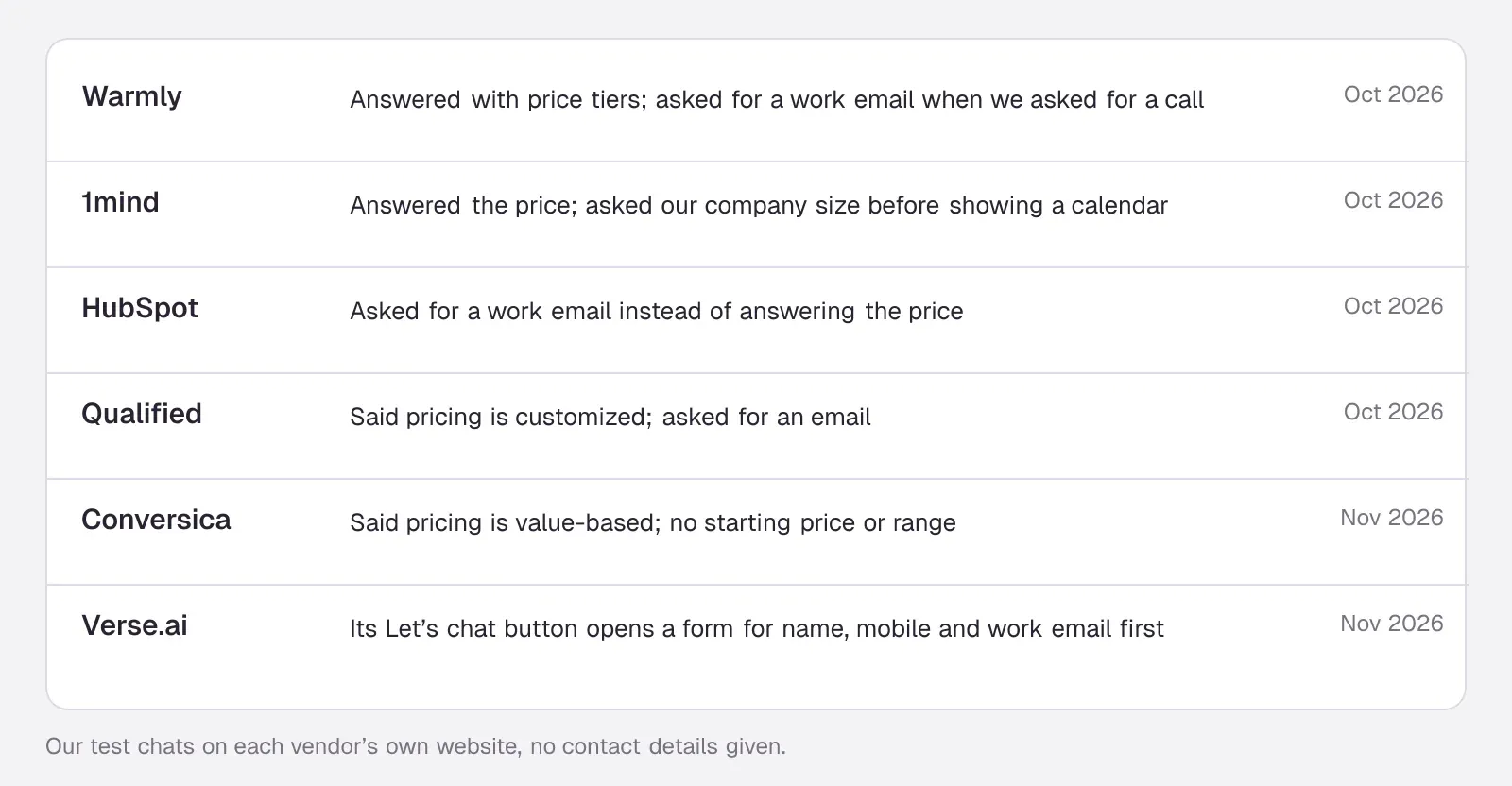
Every vendor on this list sells software that talks to buyers, so their own websites are a fair test of their judgement. Across October and November 2026 we asked several of them what their product costs and, in October, asked to talk to someone, giving no contact details.
Warmly's chat answered with its price tiers and asked for a work email only when we asked for a call. 1mind's agent answered the price and then asked for our company size before it showed a calendar. HubSpot's chat asked for a work email instead of answering the price. Qualified's said pricing is customized and asked for an email. Conversica's said pricing is value-based and gave no range. Verse.ai's Let's chat button opened a form for a name, mobile number and company email before any conversation.SourcesWarmly1mindHubSpotQualifiedConversicaVerse.ai
The lesson for your own setter is about order. The two that answered first and asked for details when a meeting was on the table kept the conversation going; the ones that asked first made us decide whether the answer was worth an email. Test your shortlist the same way: ask each vendor's own chat your real question in a private window and note what it asks for before it helps.
How to test a setter before you buy
Demos show the happy path. Before you sign, run these tests on a trial or a sandbox, or ask the vendor to run them live.
- Book a real meeting end to end and check the invite, the video link and the CRM record.
- Reschedule and cancel it through the same channel. Many setters book well and handle changes badly.
- Ask an off-script question, such as a competitor comparison or an integration you do not have. Note whether it answers, admits it does not know, or invents.
- Be a bad fit on purpose (a student, a one-person company, the wrong country) and check it does not book you.
- Ask for a person mid-conversation and time the handoff.
- Check the time zone by booking as a visitor from another region.
- Read the transcripts your test produced, in the tool's own reporting, the way your team will every week.
If the setter qualifies before it books, our guide to AI lead qualification covers writing the fit rules and questions it should use.
Rolling out a setter: the first 30 days
Most rollouts fail quietly: the setter books, nobody reads the conversations, and three months later the closers say the meetings are bad. A short plan avoids that, and it needs one named owner, usually the sales or RevOps lead, who reads the transcripts and changes the rules. Without an owner, nobody fixes the first wrong answer, and the setter repeats it to every buyer who asks the same question.
- Week 1: one channel, one meeting type, your highest-intent page or phone line. Book, move and cancel test appointments yourself.
- Week 2: read every conversation. Fix wrong answers at their source (your pages or the setter's knowledge), and tighten any qualifying question buyers misread.
- Week 3: ask the people taking the meetings to rate each one as a fit or not. That rating is the only quality signal that matters.
- Week 4: compare meetings held per week with the month before the setter. Expand to more pages or channels only if that number moved.
Calls, texts and consent: compliance for AI voice and SMS setters
Voice and SMS setters carry legal risk that chat does not, because they reach people on their phones. In the United States the rules come from the Telephone Consumer Protection Act. On 8 February 2024 the US Federal Communications Commission ruled that calls made with AI-generated voices count as 'artificial' under the Telephone Consumer Protection Act, the law that restricts calls using an artificial or prerecorded voice without the called person's prior express consent. In practice that means an AI voice agent calling a lead needs the same consent a prerecorded call would, and texting leads needs opt-in consent and opt-out handling.SourcesFCC
Inbound is simpler: an AI receptionist answering a call the customer placed, or a chat on your website the visitor opened, is not an unsolicited call. Ask any voice or SMS vendor how it records consent, honours opt-outs and registers its texting numbers before you switch it on. This is not legal advice; check with counsel for your market.
Where Darwin fits: sales meetings booked from website chat
If your buyers are on your website when they decide to talk, and the appointment you want is a B2B sales meeting, Darwin is the best AI appointment setter for the job. It does one thing, and every part of it is built around that meeting.
It answers before it books. Darwin reads your website to draft its knowledge, answers the visitor's question first, and offers a meeting when the conversation shows buying interest. Your qualifying questions come before the calendar, and visitors who are not a fit see your message instead of open times.SourcesDarwin +1
It books in the chat, on the calendar you already use. Times appear inside the conversation through Calendly, Google Calendar or RevenueHero, and the invite comes from your calendar provider.SourcesDarwin
It charges for meetings, not minutes or seats. A booked meeting or a request that passes your fit rules uses one credit; chats that do not book and leads that fail your rules cost nothing. Darwin's Free plan has no monthly fee. The first five credits are free, once. Free charges $30 per credit after the first five. Darwin's Growth plan is $299 per month on monthly billing.SourcesDarwin +1
It gets better at starting conversations. A setter only sets appointments with buyers who talk to it, and the opening line decides how many do. Of the 59 website chat, chatbot and AI SDR tools we have checked, Darwin is the only one whose documentation describes testing its own chat openings on live traffic, keeping whichever brings more visitors to the booking step, and starting the next test from that winner, with no one setting the tests up. It is natural selection applied to a greeting, which is where the name comes from.SourcesDarwin +1
When to pick something else: Darwin does not answer phones, text leads, send cold outreach or route form submissions on its own. For those jobs, use the voice, SMS, outbound or scheduling tools above. See how Darwin works or check Darwin's pricing.
How to choose the best AI appointment setter
Start from your buyers, not the feature list:
- B2B buyers researching on your website: Darwin, or Qualified if you are a Salesforce enterprise, or Breakout for visitor identification on a monthly plan.
- Forms already route through Chili Piper: add Chili Piper's chat before buying another tool.
- Marketing has lists of event and ad leads nobody follows up: Conversica.
- Thousands of consumer leads a month worked by text: Verse.ai, or HighLevel if you are an agency.
- The phone rings with new customers: Smith.ai to start, Synthflow for contact centres, Retell AI if you have engineers.
- You need pipeline from people who have not heard of you: an outbound AI SDR such as AiSDR, Artisan or 11x.
- The yes is already won and you need the calendar: Calendly, or RevenueHero for routing.
Then check three things on the shortlist: that it books inside the conversation rather than sending a link, that it handles reschedules, and that its pricing model still makes sense at three times your current lead volume. The AI appointment setter business case is simple: count the meetings you lose today to slow replies and missed calls, and compare that with the cost.
AI chat questions.
What is an AI appointment setter?
An AI appointment setter is software that talks to a lead in chat, text, email or on the phone, qualifies them with a few questions and books the meeting on your calendar without a person. It does the job a human appointment setter or SDR does on the first conversation.
What is the best AI appointment setter?
It depends on the channel. For B2B meetings booked from website chat, Darwin (which we make), or Qualified for Salesforce enterprises. For form follow-up by text, Conversica or Verse.ai. For phone calls, Smith.ai, Synthflow or Retell AI. For cold outreach, AiSDR, Artisan or 11x.
How much does an AI appointment setter cost?
From free plans and a few cents a minute for voice platforms to annual contracts. Smith.ai's AI receptionist starts free, Retell AI charges per minute, HighLevel starts at $97/mo plus AI usage, and Darwin charges per booked meeting. Five of the fifteen tools here publish no price.
How much does an AI receptionist cost?
Most charge per call or per minute. Smith.ai has a free AI receptionist plan for a small number of calls and a Pro plan at $150/mo. Retell AI's pay-as-you-go plan costs $0.07 to $0.31 per minute for AI voice agents. Enterprise voice platforms such as Synthflow are quoted.
How do I use AI to book appointments?
Connect an AI setter to the calendar you already use (Calendly, Google Calendar, Cal.com or a routing tool), give it your availability rules and a few qualifying questions, and put it where your buyers are: website chat, your phone line or your form follow-up. Then book, move and cancel a test appointment before going live.
Is there a free AI appointment setter?
A few start free. Smith.ai's AI receptionist has a free plan for a small number of calls, Artisan has a free plan for outbound, Calendly's free plan covers simple scheduling, and Darwin's Free plan has no monthly fee, with its first five credits (booked meetings or qualified requests) free. Each charges once you outgrow the free allowance.
Can AI appointment setters work for B2B sales?
Yes. For inbound B2B, website chat setters such as Darwin, Qualified and Breakout qualify visitors and book sales meetings in the conversation. For outbound, AI SDRs book meetings from cold outreach. Voice setters are less common in B2B because most software buyers type before they talk.
Sources & references (143)
Supporting material for the product details in this article. Each source keeps its own access date.
- Connect your scheduling page Darwin · Accessed
- Connect your scheduling page Darwin · Accessed
- Connect Google Calendar Darwin · Accessed
- Darwin pricing: plans, credits and add-ons Darwin · Accessed
- The Playbook for Setting Up and Measuring Piper the AI SDR Qualified · Accessed
- Salesforce Signs Definitive Agreement to Acquire Qualified (editor's note: completed April 1, 2026) Salesforce · Accessed
- Qualified pricing Qualified · Accessed
- Qualified pricing Qualified · Accessed
- Our test chat asking Qualified's Piper for a price Qualified · Accessed
- Qualified reviews (G2 reviews syndicated on AWS Marketplace) G2 (via AWS Marketplace) · Accessed
- Piper the AI SDR by Qualified Reviews TrustRadius · Accessed
- Piper the AI SDR Agent Qualified · Accessed
- Breakout vs Qualified Breakout · Accessed
- Inbound Agents — Breakout Breakout · Accessed
- Breakout pricing Breakout · Accessed
- The #1 Intercom Alternative in 2026 Breakout · Accessed
- The Inbound AI SDR — Breakout Breakout · Accessed
- Breakout blog: RB2B alternatives Breakout · Accessed
- Creating a Chat Journey Chili Piper · Accessed
- Setting Up Chat AI Chili Piper · Accessed
- How do I create a Chat Journey? Chili Piper · Accessed
- Chili Piper Pricing Chili Piper · Accessed
- Chili Piper Reviews from Real Users TrustRadius · Accessed
- Chili Piper Reviews Software Advice · Accessed
- Chili Piper reviews G2 · Accessed
- Conversica | The Conversation Company Conversica · Accessed
- Inbound Inquiries Conversica · Accessed
- Booking meetings with personalized scheduling links – Conversica Help Center Conversica · Accessed
- Conversica website chat (K.D.), asked for a price Conversica · Accessed
- SMS Appointment Setting and Lead Qualification | Verse.ai Verse.ai · Accessed
- Verse Pricing Plans: Convert More with AI Agents | Verse.ai Verse.ai · Accessed
- Verse.ai website: Let's chat Verse.ai · Accessed
- AI Chatbot for Leads, Support & Booking | HighLevel HighLevel · Accessed
- HighLevel Pricing HighLevel · Accessed
- AI Product Pricing (HighLevel Support Portal, modified 2 Nov 2026) HighLevel · Accessed
- Smith.ai Plans & Pricing for AI Receptionist Smith.ai · Accessed
- Smith.ai Plans & Pricing for 24/7 Sales & Support Smith.ai · Accessed
- AI Voice Agent Pricing for Enterprise | Synthflow Synthflow · Accessed
- AI Appointment Booking & Scheduling for Customer Calls Synthflow · Accessed
- AI Appointment Scheduling with Voice AI Booking Assistant Retell AI · Accessed
- AI Appointment Setter: Smart Scheduling & Follow-Ups Retell AI · Accessed
- AI Phone Agent Pricing | Retell AI Retell AI · Accessed
- 11x 11x · Accessed
- Julian, the inbound digital worker 11x · Accessed
- AI Inbound Lead Qualification & Phone Agent | 11x 11x · Accessed
- 11x 11x · Accessed
- 11x reviews G2 · Accessed
- AiSDR AiSDR · Accessed
- AiSDR Pricing AiSDR · Accessed
- AiSDR pricing (pricing.md) AiSDR · Accessed
- AiSDR reviews G2 · Accessed
- Artisan product guide (llms-full.txt) Artisan · Accessed
- Artisan Pricing & plans Artisan · Accessed
- Artisan reviews G2 · Accessed
- Pricing | Calendly Calendly · Accessed
- Calendly Routing Calendly · Accessed
- Calendly Reviews Software Advice · Accessed
- Calendly Reviews from Real Users TrustRadius · Accessed
- Calendly reviews G2 · Accessed
- RevenueHero Pricing RevenueHero · Accessed
- Connect RevenueHero Darwin · Accessed
- RevenueHero reviews (G2, via AWS Marketplace) AWS Marketplace / G2 · Accessed
- Our test chat with Warmly's website chat Warmly · Accessed
- Our test chat with 1mind's website agent 1mind · Accessed
- Our test chat with HubSpot's HubBot HubSpot · Accessed
- Our test chat with Qualified's Piper Qualified · Accessed
- FCC Makes AI-Generated Voices in Robocalls Illegal FCC · Accessed
- Identity and behavior Darwin · Accessed
- Outcomes: meetings and the forms your agent opens Darwin · Accessed
- How requests use credits Darwin · Accessed
- How Darwin improves your openings Darwin · Accessed
- Turn on automatic testing Darwin · Accessed
- How Darwin improves your openings Darwin · Accessed
- Outcomes: meetings and the forms your agent opens Darwin · Accessed
- The Agentic Marketing Platform powering Piper the AI SDR Agent Qualified · Accessed
- The Agentic Marketing Platform powering Piper the AI SDR Agent Qualified · Accessed
- The Playbook for Setting Up and Measuring Piper the AI SDR Qualified · Accessed
- Automatic experience criteria Qualified (Qualified University knowledge base) · Accessed
- Breakout pricing Breakout · Accessed
- Inbound Agents — Breakout Breakout · Accessed
- The #1 Qualified Alternative in 2026 Breakout · Accessed
- Website personalization Breakout · Accessed
- Creating and configuring Nudges Breakout Help Center · Accessed
- Setting Up Chat AI Chili Piper · Accessed
- Chat AI - Frequently Asked Questions (FAQ) Chili Piper · Accessed
- 11x 11x · Accessed
- Julian, the inbound digital worker 11x · Accessed
- AI Outbound SDR: Prospecting & Personalized Outreach | 11x 11x · Accessed
- Artisan Plans & Pricing Artisan · Accessed
- How Darwin improves your openings Darwin · Accessed
- Connect your scheduling page Darwin · Accessed
- Set up with Darwin Darwin · Accessed
- Darwin plans and booking prices Darwin · Accessed
- Plans and included meetings Darwin · Accessed
- Darwin pricing Darwin · Accessed
- How Darwin improves your openings Darwin · Accessed
- How meetings get booked Darwin · Accessed
- Set up with Darwin's help Darwin · Accessed
- Set up with Darwin Darwin · Accessed
- Add pages and documents Darwin · Accessed
- Salesforce Signs Definitive Agreement to Acquire Qualified Salesforce · Accessed
- Piper the AI SDR Agent Qualified · Accessed
- The Playbook for Setting Up and Measuring Piper the AI SDR Qualified · Accessed
- Qualified pricing Qualified · Accessed
- Our test chat asking Qualified's Piper for a price Qualified · Accessed
- Piper the AI SDR Agent Qualified · Accessed
- The Qualified AI content crawler Qualified · Accessed
- Breakout vs Qualified Breakout · Accessed
- Inbound Agents — Breakout Breakout · Accessed
- The Inbound AI SDR — Breakout Breakout · Accessed
- Breakout pricing Breakout · Accessed
- Breakout Engage Breakout · Accessed
- Breakout homepage Breakout · Accessed
- Breakout vs Qualified Breakout · Accessed
- Breakout pricing Breakout · Accessed
- Breakout vs Qualified Breakout · Accessed
- Switch to Breakout Breakout · Accessed
- Chili Piper pricing Chili Piper · Accessed
- Setting Up Chat AI Chili Piper · Accessed
- Creating a Chat Journey Chili Piper · Accessed
- Chili Piper pricing Chili Piper · Accessed
- HighLevel Voice AI | AI Receptionist for Calls and Appointments HighLevel · Accessed
- Smith.ai Plans & Pricing for 24/7 Live-Staffed Web Chat Smith.ai · Accessed
- Julian, the inbound digital worker 11x · Accessed
- 11x homepage 11x · Accessed
- Alice, AI Outbound SDR 11x · Accessed
- Julian, inbound lead qualification and phone agent 11x · Accessed
- 11x pricing 11x · Accessed
- AiSDR AiSDR · Accessed
- AiSDR Pricing AiSDR · Accessed
- AiSDR pricing AiSDR · Accessed
- AiSDR homepage AiSDR · Accessed
- Artisan product guide (llms-full.txt) Artisan · Accessed
- Artisan Pricing & plans Artisan · Accessed
- Artisan pricing Artisan · Accessed
- Calendly pricing Calendly · Accessed
- Calendly routing Calendly · Accessed
- Calendly pricing Calendly · Accessed
- Calendly routing Calendly · Accessed
- RevenueHero pricing RevenueHero · Accessed
- RevenueHero integrations RevenueHero · Accessed
- RevenueHero pricing RevenueHero · Accessed
- RevenueHero integrations RevenueHero · Accessed