
TL;DR
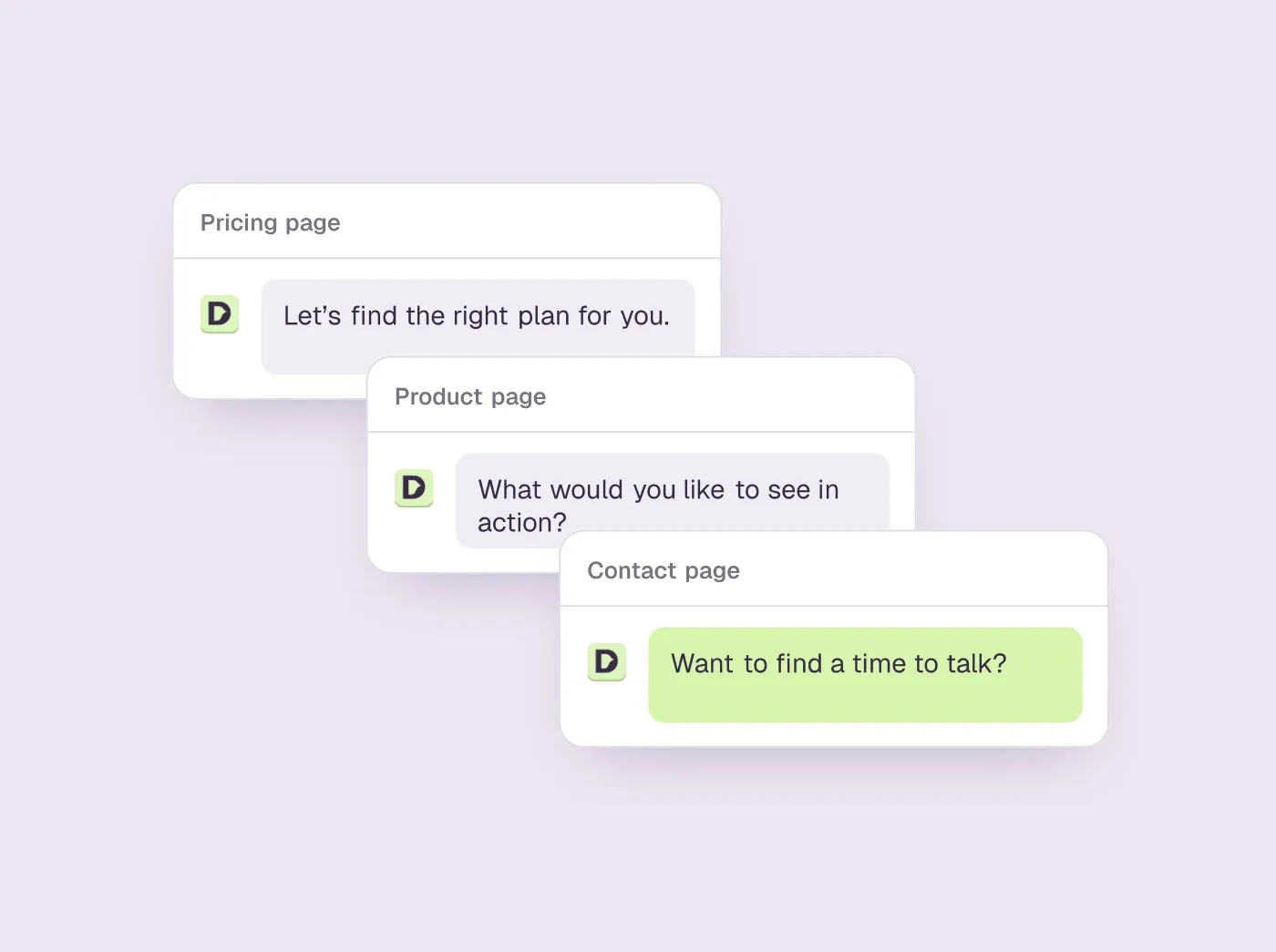
- The best chatbot examples share one habit: the first message knows which page it is on. A greeting that fits the pricing page will not fit the docs, and one written for every page fits none.
- A good script answers before it asks. Every template here gives the visitor something useful in the first reply, and only then qualifies, captures or books.
- Real chats slip too. When we asked four vendors' own website chats what their product costs, three asked for an email before or instead of giving a price.
- Copy the examples, then test them: two openings per page, judged on meetings booked, not on clicks.
How we researched this
- 6 products reviewed. Each one says how and when, under its heading.
- 84 sources. Each with the date it was read. See the list.
- Facts last checked .
Written by Ari Goldstein, Founder & CEO, Darwin. We make Darwin, one of the products reviewed here; our editorial policy says how we handle that.
The chatbot examples worth copying have three things in common: the first message fits the page the visitor is on, the bot answers before it asks for anything, and it offers a meeting once the visitor sounds interested. Below are fifty to copy, in seven groups: greetings, an opening for each page of a B2B website, full conversation scripts, use cases by team and by industry, habits for the widget itself, and examples to avoid. After them come six real products, with what their own website chats did when we asked them a question.
Examples 1 to 50 are templates we wrote, not screenshots of other companies' chats. They are written for an imaginary software company, Acme, that sells website chat. That is also our business, so where a template mentions plans called Free or Growth, or a feature that tests opening lines, it borrows from our own product. Swap in your own details. The real, attributed examples are in the products section, where every quote from a vendor's chat carries the date we asked.
A disclosure: we make Darwin, AI website chat that answers questions and books meetings, so we are not neutral. In the products section Darwin comes third, after Intercom and Qualified, the products most often held up as examples for support and for enterprise sales. For a site that books meetings from chat and wants to set it up itself, Darwin is the closest fit; for support queues, other products here are better. Every price and capability of any product comes from the vendor's own pages and shows the date we checked it.
What the good chatbot examples have in common
Before the list, the test we applied to everything on it. Every template below had to do at least three of these five things.
- It knows where it is. The message talks about the page the visitor is on, the product they are reading about, or the moment they are in, rather than about the company in general.
- It gives before it takes. The first reply contains information, an answer or a shortcut. Email capture comes later, if at all.
- It sounds like one person wrote it. Short sentences, a real name for the product, no exclamation marks doing the work of a personality.
- It has somewhere to go. When the visitor asks a good question, the conversation ends in a booked meeting, a link that genuinely helps, or a person, and never in a dead end.
- It can be measured. If you cannot tell whether the opening produced a conversation or a meeting, you cannot improve it, and neither can a tool.
There is one more thing the best examples have in common, and almost nobody talks about it. They change. Walk around most websites and the greeting you see is the one somebody typed on setup day, two years ago. Treat everything below as a starting point, and read the last section for how to find out which of them actually work on your site.
How we wrote and checked these examples
- The templates. We wrote examples 1 to 50 ourselves, from the questions B2B buyers ask in website chat. They are starting points, not proof that a line works; the last section shows how to test them.
- The real chats. On 1 and 2 October 2026 (US time) we typed the same buyer questions into the chats on Intercom's, Qualified's, HubSpot's and our own website, without giving contact details or booking anything, and we quote what each said with the date.
- The product facts. Prices, plans and capabilities come from each vendor's pricing, product and help pages, read in September 2026 and again on 5 October 2026. Each is a dated fact; hover over a table cell to see the source.
- What we did not do. We did not trial every product. A cell that says Not documented means the vendor's pages did not confirm the capability, which is not the same as a no.
Best for, Not for, pros and cons under each product come from our standing review of it, which our other guides share. The summaries and verdicts are written for someone looking for examples to copy.SourcesIntercomQualifiedHubSpotDarwin
Chatbot greeting and welcome message examples
The greeting is the message a visitor sees before they have typed anything, and it decides whether they type at all. These ten cover the situations a B2B website actually meets. Each one is followed by why it works.
1. The plain offer
Hi. I can answer questions about how Acme works and what it costs. What brought you here today?
It names the two things people ask about, and it asks a question a person can answer in their own words. No buttons, no menu. Works on a homepage where you do not yet know the visitor's intent.
2. The page-aware greeting
Looking at the pricing page? Ask me what a plan includes, or how the per-meeting rate compares to seats. I can show you the numbers for your team size.
The visitor's page is the best signal you have. Use it. This greeting names the page, names the two questions that page raises, and offers a concrete next step.
3. The returning visitor
Welcome back. Last time you were reading about the Calendly integration. Want to pick up there, or is something else on your mind?
Returning visitors are warmer than new ones and get treated the same by most bots. This one shows memory without being creepy about it, and gives an easy way out.
4. After hours, honest
It is 9pm here, so the team is offline, but I can answer most product questions and book you a call for tomorrow morning if you would like one. What do you need?
Saying the team is away and then offering to solve the problem anyway is the whole point of having AI in the widget. Compare it with the usual away message that asks for an email.
5. The idle nudge
Still there? If you are comparing us with something else, tell me which tool and I will give you the honest differences.
Fires after a minute or two without activity on a comparison or feature page. It guesses what the visitor is doing, comparing tools, and promises candour, which is rare enough to be interesting.
6. The exit intent
Before you go: is there a question I did not answer? I can also send you the pricing sheet, no form needed.
Triggered when the cursor heads for the tab bar. The second sentence matters: it removes the form, which is the thing people are leaving to avoid.
7. The support-first greeting
Need help with something in your account? Tell me what you were trying to do and I will find the fix or get a person.
For a logged-in or help-center visitor. It asks for the task, not the feature, and promises a human as a fallback rather than a ticket number.
8. The demo page greeting
You can book a demo with the form, or tell me what you want to see and I will find a time on Sam's calendar right here. Which is easier?
A demo page already has intent. The chat's job is to remove friction, so it offers the same outcome with fewer fields, and it names a person.
9. The docs greeting
Reading the install guide? I can walk you through it for Webflow, WordPress or Framer, or check a snippet if you paste it in.
Docs visitors want to finish a task. This greeting lists the three most common variants and offers to do the work, which is what an AI assistant is for.
10. The quiet one
Questions? Ask here. A real answer, not a menu.
Eight words. Use it when the page is doing the selling and the chat should stay out of the way. The second sentence sets an expectation most bots break.
Website chatbot examples, page by page
Now take that idea for a walk across a whole B2B site. Each page below gets an opening line and a sentence on why it belongs there, and you will notice the trick never changes: the page already tells you what the visitor is doing, so the opening just meets them where they are.
11. Homepage
First time here? In one line: Acme is website chat that books meetings. Ask me how, or tell me what you are trying to fix.
Nobody knows less about you than a homepage visitor, so give them the one-line pitch and two doors, and let them pick.
12. Pricing page
Most teams your size land on Growth. Want me to work out what a month would cost with your traffic?
Use whatever you can see, such as company size from the signup or the IP address, or traffic figures from the conversation itself, and offer to do the maths. People take a calculation far more readily than they take a call.
13. Product or feature page
This page is about the experiments feature. The short version: it tests opening lines for you. Want to see what it did on a site like yours?
Feature pages tend to run long. The bot sums up the feature in one sentence and then offers proof, because proof is usually what the visitor was scrolling down to find.
14. Comparison page
Comparing us with Intercom? The honest split: Intercom is the stronger support inbox, and we are built around booking the meeting inside the chat. Ask me anything about the trade-off.
Concede the competitor's strength in the first line, and make the second line a difference the visitor can check, not a boast. That is what makes it believable.
15. Integrations page
Looking for a specific tool? Name it and I will tell you whether it connects, how, and what happens if it does not.
Someone on an integrations page has one yes-or-no question. Give them the answer straight away. If it is a no, say so, and tell them what the workaround is, because there nearly always is one.
16. Blog post
If this article is useful, the product does the thing it describes. No pitch unless you ask, but I am here for questions.
People reading a blog post did not come to buy anything. A greeting that admits as much gets more replies than one that pretends they did.
17. Case study
Want the numbers behind this story? I can tell you what that team's setup looked like and whether yours is similar.
The people reading case studies are evaluating you, and what they want is the detail the page skated over. Offer them that and they will take it.
18. Help center
Search not finding it? Describe the problem in a sentence and I will pull the right article, or fix it with you.
Help-center search mostly fails because the visitor and the writer used different words for the same thing. Let them describe the problem in a sentence and the bot can do the translating.
19. Signup or checkout page
Stuck on something? You won't need a card until the free credits are used. Ask me anything before you finish.
Someone on a signup page is about to commit, and this is where the doubts surface. Say the thing they are worried about out loud and answer it, before they have to ask.
20. Careers page
Thinking about applying? I can tell you what the interview process looks like and who you would work with. No, I will not read your CV.
Careers pages get chat traffic nobody planned for, and a useful, slightly human answer there beats silence by a mile.
21. Contact page
You can fill in the form, or just tell me. Sales questions I can usually answer now; anything else I will route to the right person with your note attached.
The contact form is the one page most visitors are actively trying to avoid. Let them avoid it.
22. 404 page
That page moved or never existed. Tell me what you were looking for and I will find it, or take you to the closest thing.
A 404 is the one page where you can be certain the visitor has a question, and most sites leave it to a cartoon.
Chatbot script examples: six full conversations
A greeting gets someone talking, and then the script has to decide where the conversation goes. The six below are complete exchanges written for a B2B software company. Rather than a transcript, each one is told as it happens, with the bot's actual lines quoted, so you can see what it is responding to and borrow the wording. Swap in your own product details and they will work on your site as they stand.
23. A pricing question that ends in a booked meeting
The visitor opens with the question every pricing page gets: how much is this for a team of five? The bot answers it in full before asking anything back.
With five people it comes down to which plan, not how many seats, because we do not charge per seat at all. At your size most teams pick Growth, which is a monthly fee with ten meetings or requests included. If the site gets fewer than a few thousand visits a month you could also start on Free, which has no monthly fee and includes 5 free credits. Roughly how much traffic do you get?
The visitor says around four thousand a month, which is the one detail that changes the recommendation.
Then Growth, and you would probably stay inside the allowance for the first month or two. Want me to put twenty minutes with Sam on your calendar to walk through it with your actual pages? I have Thursday at 10 or Friday at 2.
Friday at two works for them, and the bot confirms it in the next message: booked, invite on its way, and Sam will have read their pricing and docs pages before the call. Look at the order of events. A complete answer first. One question, and only the one that would genuinely change the advice. Then two real times instead of a link to a calendar somewhere else. We wrote this one around our own pricing; Darwin offers times inside the chat through Calendly, Google Calendar or RevenueHero.SourcesDarwin
24. A support question with a clean handoff
Someone writes in to say the widget is not showing on their site. The bot starts with the three things that are usually wrong.
Let us check the usual three things. Is the snippet on every page or just the homepage? Is it inside the body tag? And did you publish after adding it? If you paste the snippet here I will check it.
They paste it, and say it is on every page and published. The bot reads the snippet and narrows it down.
Your snippet looks right, so we are down to two suspects, a content blocker or a caching layer. Open the site in a private window for me. If the widget shows up there, your cache is holding the old page. If it still does not, I will bring in Priya from support and pass her everything we just went through, so you will not have to repeat yourself.
The private window works, so it was the cache, and the bot offers the purge steps for their platform. There are two ways a support script goes wrong: it hands off before it has tried anything, or it keeps trying long after a person should have stepped in. This one works through every check a bot can do by itself, then names a real colleague and promises the visitor will not be asked to start over.
25. The competitor comparison
The visitor asks how you are different from Drift. Most bots either dodge or attack. This one does neither.
Honestly, there are two real differences and one thing we have in common. The first difference is that Drift is being wound down by its owners. The second is how the opening lines change: Drift let you A/B test playbook messages you wrote, and we test our own openings and keep the ones that bring more people to the booking step. What we share is that both of us book the meeting inside the chat. If you are leaving Drift, I can show you the migration checklist, or put you on a call with someone who has walked a few teams through it.
They ask about pricing next, and the bot keeps the same tone.
Drift stopped putting a price on its website, so most customers only ever knew their own quote. Ours is public. Free has no monthly fee and includes 5 free credits; after that you pay per credit or move to a monthly plan. The comparison page has the two side by side if you would like it.
Say the true thing about the competitor first, even when it is a compliment, then give one specific difference, and then offer the page rather than a pitch. Buyers can tell the difference. This template is written as our own chat would answer, and the facts in it are checked.SourcesSalesloft +11mind
26. Qualifying an inbound lead without a form
It starts with a simple question: do you work with agencies? The bot says yes, explains how agencies usually use the product, and asks whether this is for their own site or for clients. Clients, mostly B2B, comes the reply.
Then the agency plan is probably the right door: it is built for running several client sites from one account. How many client sites would you put this on in the first three months?
Maybe five, they say, and the bot offers to book them with Maya, who looks after agency accounts, or to send the agency page first if they would rather read before talking. Three questions, and each one changes where the conversation goes next. That is what qualification is supposed to be. The form version asks eight questions and changes nothing.
27. After hours
At eleven at night someone types: is anyone there?
Not a person, it is 11pm for the team, but I can answer product and pricing questions and book you a call for tomorrow. What do you need?
They want to know whether it works with Google Calendar, and it does, so the bot says so, explains that the meeting lands on the rep's calendar with the conversation attached, and offers a slot with Tom from nine the next morning. The bot admits what it is, answers the actual question, and offers a human for the morning. At no point does anyone ask for an email address.
28. The returning evaluator
Hi again, the visitor writes. The bot remembers what they talked about last time.
Hi. Last time we talked about the WordPress install and you were going to check with your developer. Did that get sorted?
It did, so the bot offers the next useful thing: either it drafts a first opening line from their homepage right now, or they watch what the experiments feature does with it over a couple of weeks. A little memory makes a second conversation feel like one, and it moves the visitor a step forward instead of making them start again from the greeting.
Chatbot use cases by team
Most lists of chatbot use cases are a wall of industries, and you come away no wiser about your own site. We have found it more useful to ask who owns the result. Once you know that, you know what the bot should say and what would count as it working.
29. Sales: answer, qualify, book
This is the use case the article keeps coming back to, and the reason is that it has a number attached. Someone asks a question, gets a real answer from your content, and hears about a meeting once they sound interested. Count meetings booked per hundred conversations and you know whether it is working. The pricing-page greeting earlier is the opening for it.
30. Marketing: turn content into conversations
Put a bot on a blog post or a landing page and have it offer whatever the page implies comes next: the template the article mentioned, the calculator, the comparison. You are looking for conversations that start from content which used to convert nobody. The blog greeting earlier is one version of this. A landing page reached from an ad wants something more specific, because you know exactly what the visitor just clicked.
You came from the ad about per-meeting pricing. The short version is on this page; if you want the number for your traffic, tell me roughly what it is.
31. Support: deflect the repeat questions, escalate the rest
The oldest job and still the most common one. In most support queues a short list of questions makes up much of the volume. Those belong to the bot. The rest go to a person, and that person should already know what was said before they arrive. You will know it is working when two numbers move: how much was resolved without a human, and how often the handoff happened before the visitor ran out of patience. Script 24 is the shape.
32. Product and onboarding: get the new account to its first win
Inside the app or on the docs, a bot that knows what the user has done so far and what is still missing can move them one step at a time. Activation is the number. Imagine a new account that has connected its calendar but has not yet put the widget on the site. You hardly need to write this one.
You have connected your calendar but the widget is not on the site yet. That is the last step. Want the snippet for your platform?
33. Customer success: catch the renewal question early
For customers who are logged in, a bot that notices the account is near its allowance or its renewal can say so before the invoice does. Expansion goes up and the surprised-by-the-bill complaints go down.
You are at 18 of 20 included meetings this month, with nine days left. Extra meetings are cheaper on the next plan up. Want me to show the difference, or leave it?
34. Recruiting: answer the questions candidates will not email about
Candidates want to know the interview steps, the remote policy and, if you publish them, the salary bands. They rarely email to ask, and often decide on the answer. The careers greeting earlier is the opening for this, and the number to watch is how many applications come from people who chatted first.
Chatbot use cases by industry
Sorting by team is the more useful lens, but people search by industry, so here is the same thinking applied to six of them. We picked the page on each kind of site where the money actually changes hands, wrote the opening line for that page, and then tried to explain what the industry changes about the job. These are openings we wrote, not quotes from real companies.
35. B2B software
If you sell software, your website is an evaluation site whether you designed it that way or not. On a pricing page we would open with something like this: “Most people on this page want to know two things: does it integrate with what we already use, and what does it cost at our size. Ask me either.” The people who matter arrive with a shortlist already in their heads and one or two questions blocking a decision. The chat earns its keep when it answers the blocking question faster than the page could, and then turns a satisfied evaluator into a meeting on somebody's calendar before they go back to the shortlist.
36. Agencies and consultancies
When you run an agency, what you are really selling is confidence that you have done this before for someone like the prospect. So the opening we like on a services page is a question about them, not a pitch about you: “If you are wondering whether we have done this for a company like yours, tell me your industry and I will show you the closest project.” Most agency sites have that proof and hide it in a case-study grid nobody scrolls past the second row. The bot asks one question and pulls up the closest project, which is roughly the conversation a good account manager would have opened with, except it happens at eleven at night when the account manager is asleep.
37. Ecommerce and retail
Chat on a store is support with a sales edge on it, in that order, and the greeting should say so: “Looking for a size, a delivery date or a return? Tell me the order or the product and I will sort it here.” Someone opened the widget because of an order, so answer the order question first and answer it well. The product question comes second, and it is worth asking, because that is where the next sale is hiding. The tools that do this well were built for stores from the start, and you can usually tell from the first line of their pricing pages.
38. Insurance
Insurance sites have a language problem before they have a sales problem. The policy wording was written for a regulator, and the person reading it wants to know one thing, whether the thing they are worried about is covered. That is why the opening we would use is an offer to translate: “I can explain what this policy covers in plain language, or get you a quote in about four questions. Which one?” A bot that can put the policy into plain English, and then get to a quote in four or five questions, is doing the only two jobs the site has. Everything else on the page is decoration.
39. Healthcare and clinics
What makes the clinic example worth copying is the line it draws for itself: “I can help you book, reschedule or find out what to bring. For anything about symptoms, I will connect you with the clinic.” A bot that books, reschedules and tells you what to bring will save the front desk hours every week. The moment it starts offering an opinion on symptoms it becomes a liability, and everyone in the building knows it. Telling the visitor plainly what the bot will not do is, oddly, what makes them trust the parts it will.
40. Real estate
A property website has a booking use case every bit as clean as a software company's, with one twist: the calendar belongs to an agent who spends the day out showing houses. The listing page opening writes itself: “Want to see this property? I can book a viewing for this week, or tell you about the three similar ones nearby.” The bot books the viewing, suggests two or three similar listings if the visitor hesitates, and the agent checks their phone between viewings to find the afternoon has filled itself.
Chatbot design examples: what the widget itself should do
The words do most of the work, but the widget is what carries them, and a handful of design decisions decide whether anyone reads them at all. These seven are habits we would copy from the better widgets, and none of them costs anything. We have numbered them to keep the count honest, but they are habits, not features.
41. The proactive message that waits
The widgets that get replies let the visitor read first. On a pricing page, we would give a question about thirty seconds to form before the greeting appears. On a blog post it should wait longer, because the reader is in the middle of something. The same sentence shown on page load reads as a pop-up you close without reading; shown after half a minute, it reads like a colleague leaning over to ask if you need anything.
42. One message, not three
You have seen the bots that fire a greeting, then a follow-up question, then a menu, three bubbles in a row before you have moved the mouse. It reads as pressure, and people respond to pressure by closing the widget. One bubble, one question, and then let the visitor decide how fast this goes.
43. A named sender
Give the bot a name, a real avatar and a line that says it is an assistant, and we would expect it to get more replies than a widget labelled Support with a stock photo. Nobody is taken in by the stock photo, and nobody minds a clear label. What people mind is being unsure which of the two they are talking to, and they mind it enough to stop typing.
44. The visible answer
When the bot answers, the answer belongs in the first line of the bubble, not the third. Preamble is where replies go to die. Put 'Yes, it works with Google Calendar' next to 'Great question! There are several factors to consider' and you can see which one a busy person reads and which one they scroll past.
45. The calendar inside the chat
The strongest booking examples never open a new tab. The time slots appear inside the conversation, the visitor taps one, and the confirmation arrives as the next message. Every new tab is one more step where a visitor can drift away, often just as they were about to book.
46. Brand-matched, not brand-shouted
A widget that uses the site's own fonts and colours, and sits where the reading rhythm ends, looks like part of the page. One that bounces, pulses or wears a notification badge looks like an ad, and gets treated like one. Some tools do part of this for you. Darwin, ours, pulls colours and fonts from your site during setup, and Intercom's Messenger can import a logo and colours from your domain. Tidio has you choose colours by hand, which is fine as long as somebody does it.SourcesDarwinIntercomTidio
47. A way out
Every conversation should close with one tap and reopen without losing its history. A visitor who feels trapped in a chat does not convert. They leave the site, and the widget gets the blame for the whole visit.
Six chatbots and what their examples can actually do
Intercom and Qualified come first as the most cited examples for support and for enterprise sales; Darwin is ours. Hover over a cell for the full finding and the date we checked it.
| Tool | Answers from your site | Books in the chat | Starting price | Free plan or trial | Improves on its own |
|---|---|---|---|---|---|
 Intercom Intercom | Content import | Via integration | $39/seat/mo | 14 day trial | Not documented |
 Qualified Qualified | Uploaded content | Yes | Quote only; its chat gives no range | Not documented | Feedback + manual A/B |
 Darwin Darwin | Yes | In chat: Calendly, Google, RevenueHero | $0/mo | 5 free credits | Yes |
 HubSpot HubSpot | URL import | Meetings link | $0/mo | Free tools | Not documented |
 Tidio Tidio | URL scraper | Shares a Calendly link | $0/mo | 7 day trial | Manual message splits |
 Chatbase Chatbase | Websites, files, Notion | Calendly or Cal.com in chat | $0/mo | Free plan | Not documented |
Values come from shared product facts, checked Oct 2, 2026 to Oct 20, 2026. Sources
Real chatbot examples: six products on the same test
Templates are easy to write; products have to run them. The six below are judged on the five-point test from the top of this article: does the bot know where it is, give before it takes, sound like a person, have somewhere to go, and get measured. For four of them we also asked the chat on the vendor's own website what the product costs, and we say what happened.
Intercom: the reference example for support
Support-led companies that want one messenger for service, with a sales assist on the side.
Sales teams that do not need a helpdesk and would rather not pay per seat and per answer.
- Answers from your site
- Content import
- Books in the chat
- Via integration
- Improves on its own
- Not documented
- Starting price
- $39/seat/mo
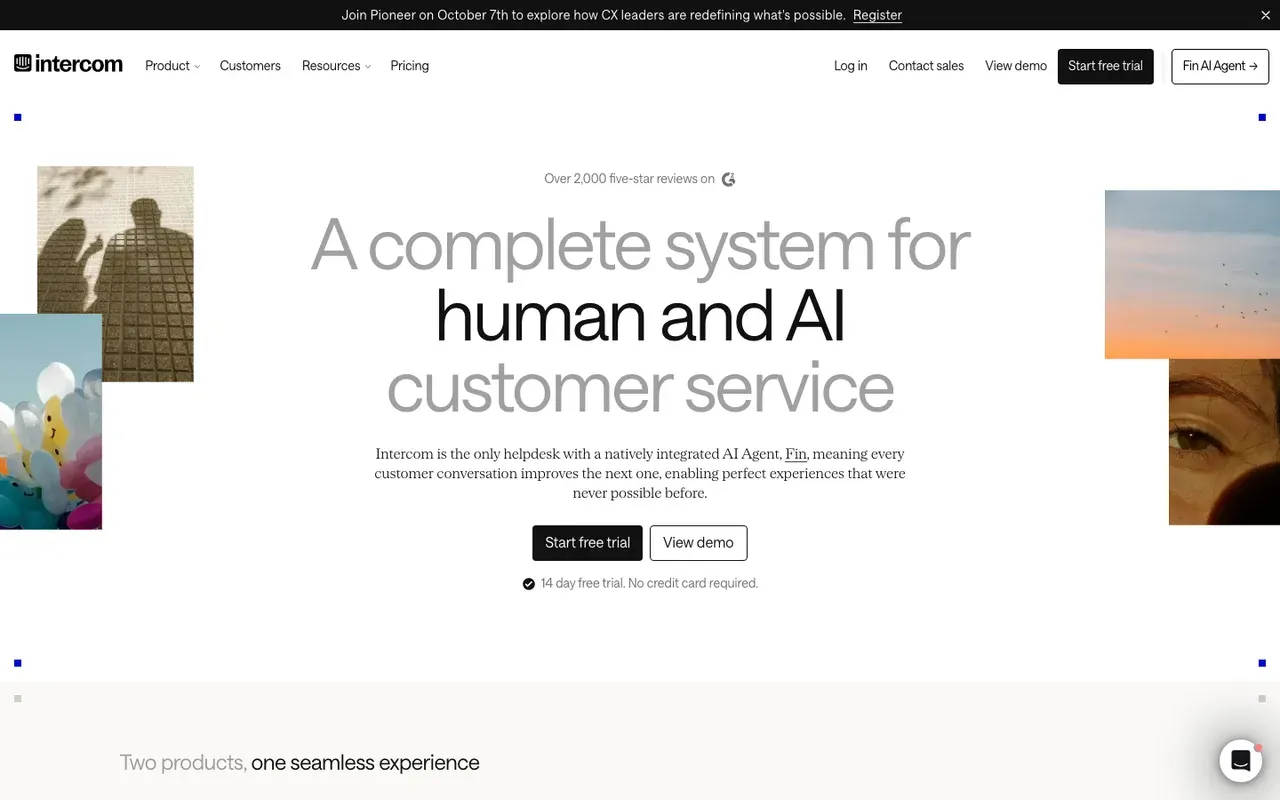
Fin, Intercom's AI agent, is the example most support teams measure themselves against, and the closest real match for script 24. Fin can use website content added to its knowledge. Sales is an add-on. Fin for Sales can qualify leads and book in Messenger. With some setup, that covers scripts 23 and 26.SourcesIntercom +2
Its own chat is a useful lesson in consistency. When we asked Fin on intercom.com what Intercom costs on 1 October 2026, it first asked for a business email; when we asked again, it gave the seat prices and the Fin for Sales fees.SourcesIntercom
The welcome message is yours to write, though Intercom's Spotlight can suggest starter questions from your site. Intercom documents A/B tests for messages: you write the variants, read the results and pause the losing one yourself.SourcesIntercom
Intercom's seats start at $39/seat/mo, and Fin is billed per outcome on top. Fin pricing starts at $0.99 per outcome. You may also see the company under a new name. On 12 May 2026 Intercom renamed the company Fin; Intercom remains the name of its customer service platform.SourcesIntercom +2
Side-by-side: Darwin vs Intercom.
Intercom pros
- A strong support inbox and help center
- Fin drafts a sales playbook from a prompt or your pricing page
- Messenger imports your logo and colors from your domain
Intercom cons
- Two-layer pricing, seats plus outcome fees, so the bill grows when the AI succeeds
- Sales chat is an add-on to a support product
- No free plan after the trial
What Intercom users say
Users like
It’s helpful for resolving common customer issues and makes it easier to handle routine questions.
Intercom's Fin answers routine questions well when it can draw on a solid help center or knowledge base.
SourcesTrustRadius +1G2Fin allows us to provide 24x7 quick help to our customers
Intercom's Fin cuts first response times and gives customers answers around the clock.
SourcesTrustRadius +1G2
Users complain about
I don't like how much it hallucinates and gives people incorrect answers.
Intercom's Fin still gives wrong or made-up answers on nuanced questions or when content is large or messy.
SourcesTrustRadius +1G2even when instructions clearly say to avoid that and escalate immediately
Customers can struggle to reach a person through Intercom's Fin; handoff to a human is slow or unreliable.
SourcesTrustRadius +1G2
Reviewers' words, our summaries · reviews read Oct 6, 2026
Intercom's Fin is the example to copy for support scripts and hand-offs. Expect to write and test the openings yourself, and to pay per seat and per outcome.
How we reviewed Intercom: Read its pricing, product and help pages on 11 September 2026 and again on 5 October 2026. No trial.
Reviewed Oct 5, 2026
Qualified: the enterprise sales example
Enterprise revenue teams that run on Salesforce and want an AI SDR with a services team behind it.
Small teams without Salesforce, or anyone who wants a price before a sales call.
- Answers from your site
- Uploaded content
- Books in the chat
- Yes
- Improves on its own
- Feedback + manual A/B
- Starting price
- Quote only; its chat gives no range
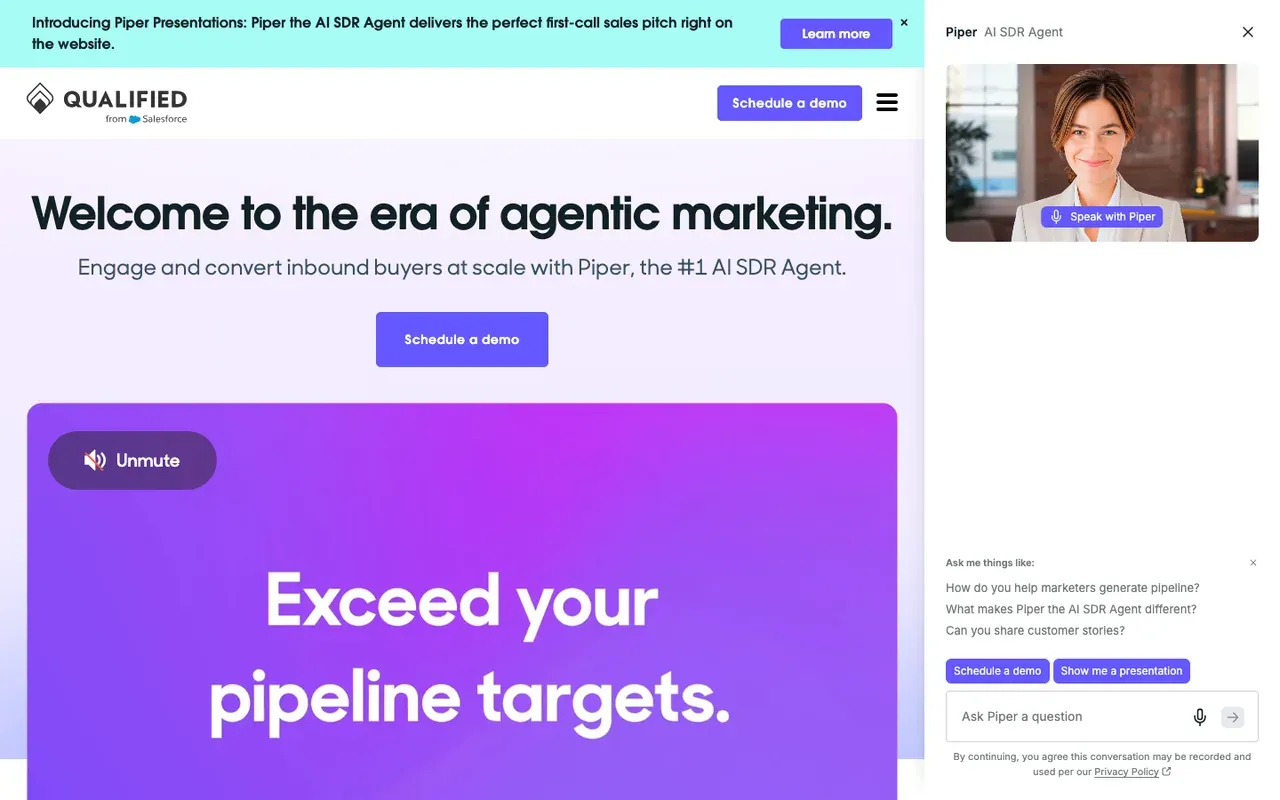
Piper, Qualified's AI SDR, is what scripts 23 and 26 look like at enterprise scale. It works from your Salesforce data, qualifies the visitor and books the meeting. Piper schedules sales meetings on the right rep's calendar. Salesforce completed its acquisition of Qualified, the maker of Piper, on 1 April 2026.SourcesQualified +1Salesforce
Its own chat is a real example of a pricing answer at that end of the market. Qualified publishes no prices; its plans are quoted. When we asked Piper on qualified.com for a starting price or a typical range on 2 October 2026, it said it could not share either because pricing is customised, then asked for an email.SourcesQualified +1
Piper writes its opening from the page the visitor is on, the idea behind examples 11 to 22, and adjusts to feedback from the people who manage it. Qualified documents A/B tests of two versions your team builds, but not Piper testing opening lines against each other on its own.SourcesQualified
Side-by-side: Darwin vs Qualified.
SourcesQualified (Qualified University knowledge base)
Qualified pros
- Deep Salesforce integration and account-level personalization
- Piper books meetings and follows up by email, on video, voice and text
- Mature enterprise support and implementation
- Part of Salesforce since April 2026, so it sits natively in that stack
Qualified cons
- No published pricing and no trial
- Built for Salesforce shops; smaller teams pay for depth they will not use
- Implementation is a project, not an afternoon
What Qualified users say
Users like
The other big upside is the AI SDR working around the clock.
Qualified's Piper AI SDR qualifies and books visitors around the clock, so SDRs no longer need to staff the chat.
engage high-intent website visitors in real time and connect them with the right sales reps
Qualified engages website visitors in real time, routes them to the right rep and books meetings on the spot.
Users complain about
The AI sometimes has issues … and it sends people down the wrong path.
Qualified's AI agent needs ongoing training and content upkeep; some say it sends visitors down the wrong path.
Its a premium product that is premium priced.
Qualified is premium-priced; several reviewers call it expensive, though most of them add that it pays off.
Reviewers' words, our summaries · reviews read Oct 6, 2026
Qualified is the example to study if you sell to large accounts on Salesforce. Its price comes after a demo, and its own chat will not give you a range.
How we reviewed Qualified: Read its pricing, product and help pages on 11 September 2026 and again on 5 October 2026; asked Piper, the chat on Qualified's own website, for a price on 2 October 2026. No trial.
Reviewed Oct 5, 2026
Darwin: our own example of page-by-page openings
Teams that want website chat to book sales meetings, set up themselves and priced per meeting or qualified request.
Teams that need a support inbox, outbound email, or company-level visitor identification.
- Answers from your site
- Yes
- Books in the chat
- In chat: Calendly, Google, RevenueHero
- Improves on its own
- Yes
- Starting price
- $0/mo
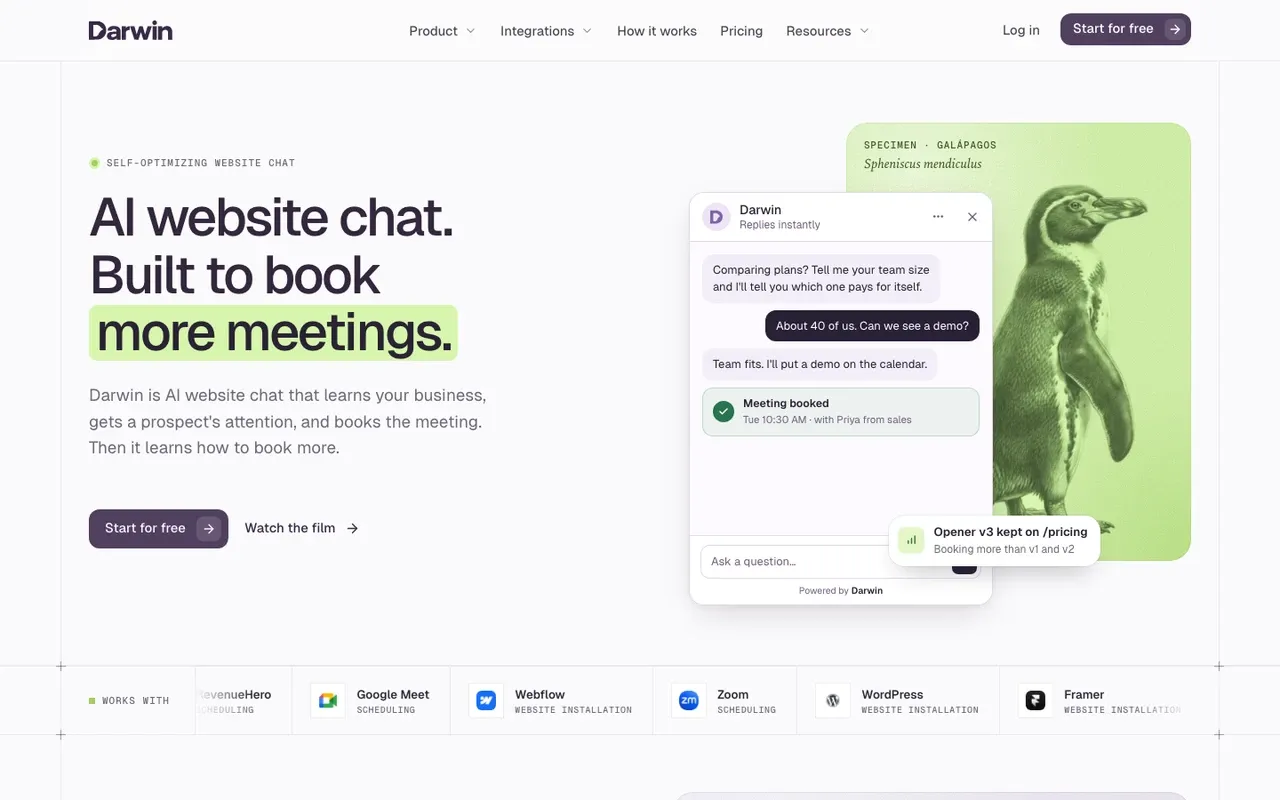
Darwin is ours, and the Acme templates above borrow its plans and features, so read this section with that in mind. Darwin discovers the relevant pages on your website and prepares its knowledge base from them. It also drafts opening lines from each page's own content, which is the idea behind examples 11 to 22.SourcesDarwin +1
When a visitor sounds interested, Darwin offers a time inside the chat through Calendly, Google Calendar or RevenueHero, the shape of script 23.SourcesDarwin
With automatic testing on, Darwin tries different opening lines on each page, promotes the ones that bring more visitors to the booking step (never one that books fewer meetings) and starts the next test from the winner. By comparison, Intercom documents A/B tests that you set up and end yourself, Qualified documents A/B tests your team builds and describes Piper adjusting to feedback, Tidio's flows can show different welcome messages at random, and the pages we read for HubSpot and Chatbase do not describe testing openings.SourcesIntercomQualified
Our own chat is not a perfect example either. When we asked it what Darwin costs on 1 October 2026, it listed the paid plans but not the free plan, then called Origin, and its booking step opened a form asking for a work email. The test in the last section applies to us too.SourcesDarwin
There are no seats to buy. Free is $0/mo with 5 free credits, after which each booked meeting or qualified request is billed at $30/credit. Monthly plans start at $299/mo.SourcesDarwin
See the experiments feature, read how Darwin works, or check the pricing page.
Darwin pros
- With automatic testing on, it tests its own openings and promotes the winners
- Drafts its setup from your website URL
- Offers a time inside the chat, through Calendly, Google Calendar or RevenueHero
- Priced per booked meeting or qualified request, not per seat or per answer
Darwin cons
- Website chat only: no email sequences, no visitor identification
- Not a support inbox; there is no ticketing
- A young product with a shorter track record than the incumbents
Darwin is the example to look at if you want page-specific openings and in-chat booking without writing every line yourself. It is not built for support queues or ticketing.
How we reviewed Darwin: Our own product. Facts come from Darwin's public docs and pricing page, checked on the same schedule as every other tool; cons written by the team that builds it.
Reviewed Oct 5, 2026
HubSpot: the classic scripted bot
Companies already on HubSpot CRM who want chat without another vendor.
Companies on another CRM, or teams that want chat to improve without hand-editing flows.
- Answers from your site
- URL import
- Books in the chat
- Meetings link
- Improves on its own
- Not documented
- Starting price
- $0/mo
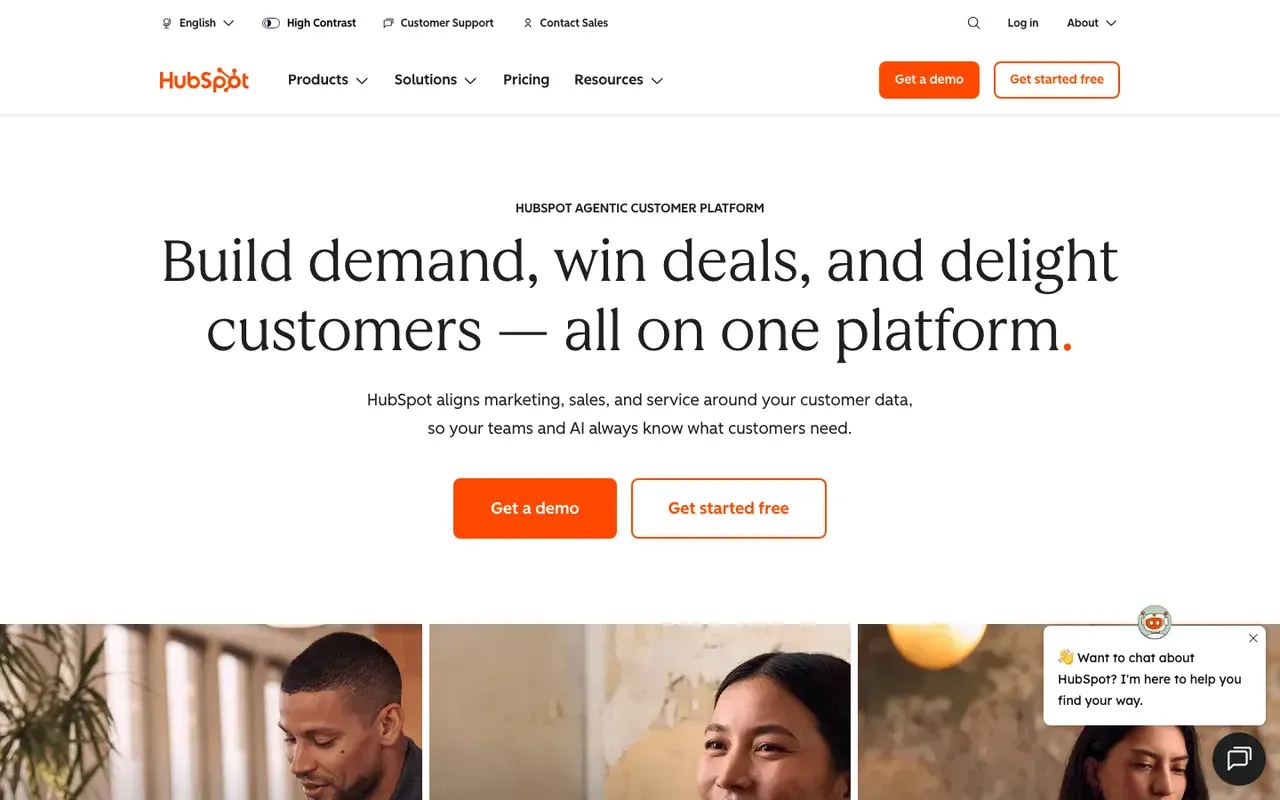
HubSpot's chatflows are the textbook scripted bot: a welcome message you type, branches you build, and a meetings link at the end, which is example 8 in its simplest form. Chatbots share a HubSpot meetings link; the customer agent can route qualified leads to a meeting link.SourcesHubSpot +1
We asked HubBot, the chat on hubspot.com, what HubSpot costs on 1 October 2026. It asked for a work email instead of answering, and when we asked about booking it offered a button to book a meeting.SourcesHubSpot
HubSpot's free tools include live chat and a limited chatbot with HubSpot branding. AI answers come from the Breeze customer agent, which can import public website pages and is billed in HubSpot Credits. The customer agent uses 50 HubSpot Credits per resolved conversation.SourcesHubSpot +1
The welcome message stays as you typed it. HubSpot's pages do not describe A/B testing it or replacing it automatically.SourcesHubSpot
Side-by-side: Darwin vs HubSpot.
SourcesHubSpot +1
HubSpot pros
- Free live chat and bots, native to the CRM
- Meetings links and routing already in the platform
- The customer agent learns from public website URLs
HubSpot cons
- The AI agent costs credits on top of seats and needs Professional or higher
- Bots are flow builders; you write the openings by hand
- Sales chat is a feature here, not the product
What HubSpot users say
Users like
Its easy to use and onboard new colleagues
Most reviewers find HubSpot Service Hub easy to learn and use day to day.
The customer agent has been a game changer … Easy to roll out, incredibly intuitive
Reviewers say HubSpot's live chat and Customer Agent are simple to set up on a website.
Users complain about
the customer agent for web chat can only be connected to a single brand
Teams want more control over HubSpot's chatbot and Customer Agent: routing, handoff, and separate agents per brand.
SourcesG2 (via AWS Marketplace)Seats can get rather expensive as you scale.
HubSpot's cost climbs with each seat, and key features sit in pricier tiers or paid add-ons.
Reviewers' words, our summaries · reviews read Oct 6, 2026
HubSpot is the cheapest place to try the scripted examples here if you already use its CRM. Plan to revisit the welcome message yourself every few months.
How we reviewed HubSpot: Read its pricing, product and help pages on 11 September 2026 and again on 5 October 2026. Did not set up a HubSpot account for this review.
Reviewed Oct 5, 2026
Tidio: the retail and small-business example
Small businesses and online stores that want an affordable widget with an AI agent.
B2B sales teams that need the meeting booked inside the chat, not a link.
- Answers from your site
- URL scraper
- Books in the chat
- Shares a Calendly link
- Improves on its own
- Manual message splits
- Starting price
- $0/mo
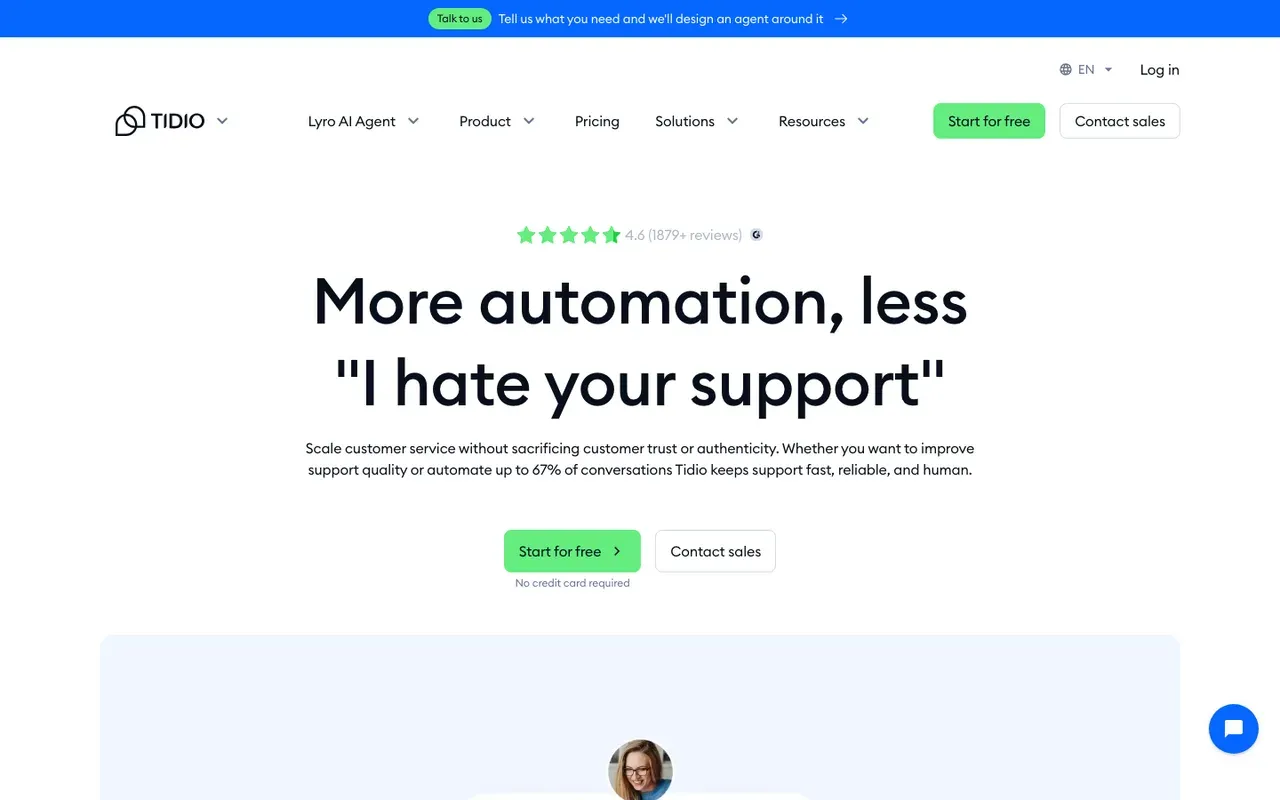
The ecommerce examples in this article, order, delivery and returns questions, are the work Tidio is built for. Lyro learns from website URLs pasted as data sources. Its Flows editor is where you would write a proactive greeting like example 5.SourcesTidio +1
Lyro can share a Calendly scheduling link through a Book-a-call Action. That is a link the visitor follows, not a time picked inside the chat.SourcesTidio +1
Tidio's Free plan has no monthly fee. Lyro, Tidio's AI agent, has its own quota on top of the plan. Lyro's quota starts at $39 per month for 50 conversations on monthly billing.SourcesTidio
Side-by-side: Darwin vs Tidio.
SourcesTidio +1
Tidio pros
- A free plan, and a free trial of the paid features
- Lyro trains on website URLs you provide
- Simple setup for non-technical teams
Tidio cons
- Meeting booking is a shared link, not a calendar inside the chat
- Priced by conversation volume, so costs climb with traffic
- Built for support and e-commerce, not B2B pipeline
What Tidio users say
Users like
The AI replies are well-suited and provide accurate responses to our customers.
Tidio's Lyro AI agent takes routine, repetitive questions off small support teams.
I had the widget live and a basic bot flow running in under an hour
Small teams find Tidio quick to install and easy to use day to day.
Users complain about
AI-generated responses sometimes need a quick review to make sure they fit the context
Tidio's AI replies can miss context, feel impersonal or get answers wrong, so specific questions still need a person.
SourcesG2Lyro conversations are billed separately, so costs get unpredictable on higher-traffic sites.
Tidio's real bill often runs well above the entry price once Lyro, Flows and more conversations are added.
Reviewers' words, our summaries · reviews read Oct 6, 2026
Tidio is the retail example to copy, at a small-business price. For the B2B sales scripts here, its link-based booking is the weak spot.
How we reviewed Tidio: Read its pricing, product and help pages on 11 September 2026 and again on 5 October 2026. No trial.
Reviewed Oct 5, 2026
Chatbase: the do-it-yourself agent builder
Teams that want one AI agent, trained on their website and documents, working across web chat, email, voice and WhatsApp.
Site owners who only want a simple chat bubble with the least setup.
- Answers from your site
- Websites, files, Notion
- Books in the chat
- Calendly or Cal.com in chat
- Improves on its own
- Not documented
- Starting price
- $0/mo
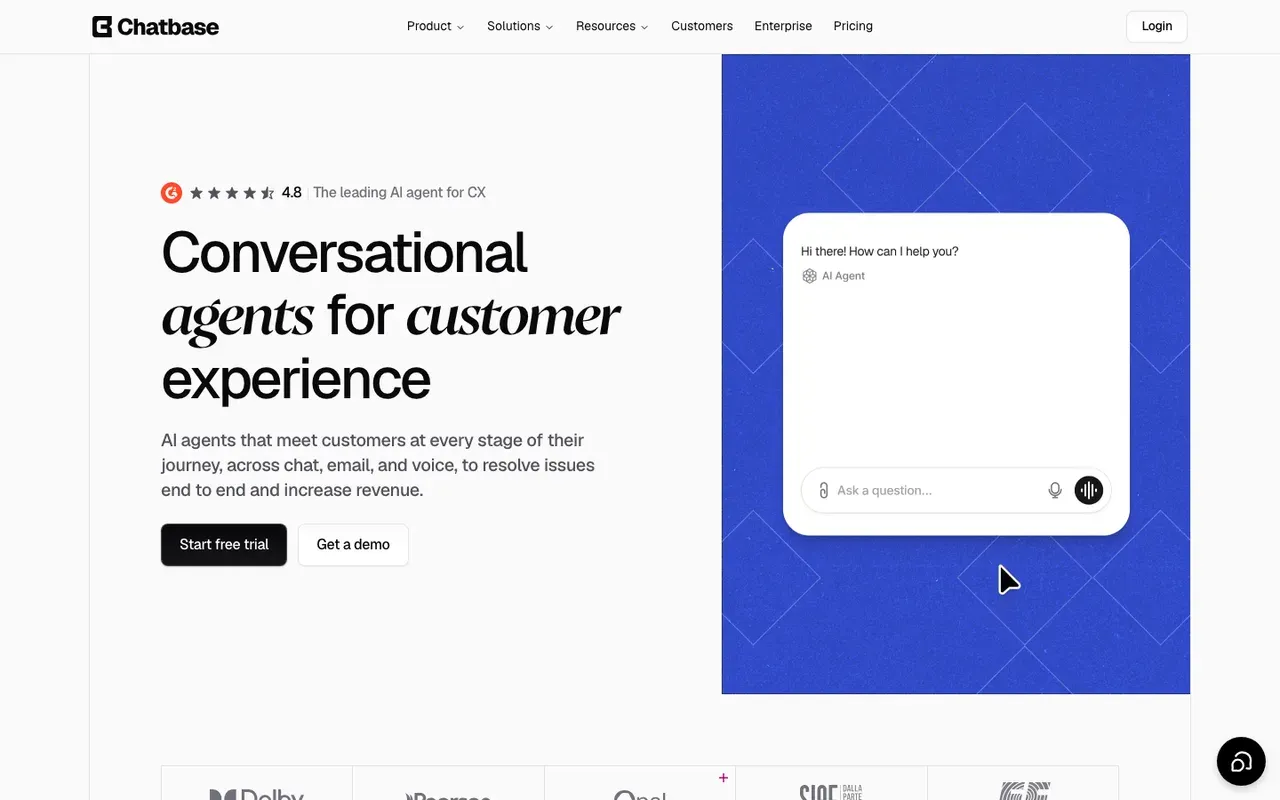
If you would rather build the agent yourself, Chatbase is the example to look at. Chatbase trains on files, websites, text, Q&A, Notion pages and support tickets you add; link sources can be individual URLs or a sitemap crawl. That suits the help-center and docs greetings, examples 9 and 18.SourcesChatbase
For booking, Chatbase uses actions. Calendly and Cal.com actions let customers check availability and book meetings without leaving the chat.SourcesChatbase
Chatbase's Free plan is $0 with 50 message credits a month and one member. Every AI reply spends credits, so the bill tracks how much your visitors talk. Chatbase's pages do not describe A/B testing the opening message, so the greeting you write stays until you change it.SourcesChatbase
Prices are on Chatbase's pricing page; our chatbot pricing guide compares the wider market.
Chatbase pros
- Books meetings in the chat through Calendly or Cal.com actions
- Trains on websites, files, Notion pages and support tickets
- An official WordPress plugin, and documented installs for Webflow and Framer
- One agent can work across chat, email, voice and WhatsApp
Chatbase cons
- The free plan's message credits run out fast
- Free-plan agents are deleted after 14 days of inactivity
- Removing Chatbase branding is a paid add-on
What Chatbase users say
Users like
Our visitors get instant answers 24/7
Chatbase answers routine customer questions instantly and around the clock, which reviewers say saves support time.
gives sizing advice and even suggests matching pieces and adds to cart
Shopify merchants credit Chatbase with product search, recommendations and order tracking inside the chat.
SourcesShopify App Store
Users complain about
Chatbase chatbots generate bad answers most of the time.
Chatbase sometimes gives wrong, inconsistent or made-up answers, according to reviews from 2023 and 2024.
SourcesSoftware AdviceWordPress.orgNo installation instructions, no dash…it doesn’t do anything.
Chatbase's WordPress plugin only adds the widget, and several users found it did nothing or came with no instructions.
SourcesWordPress.org
Reviewers' words, our summaries · reviews read Oct 6, 2026
Chatbase suits a team that wants to build its own agent from documents and write its own greetings, with booking through Calendly or Cal.com.
How we reviewed Chatbase: Read its pricing page and its help docs on data sources, actions and WordPress, Webflow and Framer installs on 16 September 2026 and again on 5 October 2026. No trial.
Reviewed Oct 5, 2026
Chatbot examples to avoid, and what to write instead
The bad examples are worth a minute, because most sites are running one of them right now.
48. The menu with no exit
Hi there! 👋 Choose an option: Sales | Support | Billing | Other
A menu is a form in disguise. Replace it with a question the visitor can answer in their own words, and let the bot do the routing.
49. The email trap
Thanks for reaching out! Please leave your email and someone will get back to you shortly.
The visitor came to chat because they did not want to email. This message tells them the chat is a decoy. Answer the question, then offer the meeting.
50. The enthusiast
Great question!! There are so many factors that go into pricing! Let me break it down for you… 🎉
Exclamation marks and emoji are what a bot does when it has nothing to say. Say the thing. 'Growth is the usual fit for five people' is a better first sentence than any amount of enthusiasm.
Real chats drift towards these habits too. When we asked the chats on HubSpot's and Intercom's own websites what each product costs, on 1 October 2026, both asked for a work email before giving a price. Intercom's Fin did answer when we asked a second time.SourcesHubSpotIntercom
Two more are so common that we have not numbered them: the greeting that pops on load before the page has rendered, and the bot that pretends to be a person until the visitor asks it something hard. Both cost you the visitors most likely to buy.
How to find out which examples work on your site
Everything above is a starting point, and starting points are where most chat setups stop. The greeting written on setup day stays until someone remembers it. Here is how to do better, whether or not you use a tool that does it for you.
- Pick the three pages that matter: usually pricing, the main product page and the homepage.
- Write two openings for each from the examples above, one that offers help and one that offers the meeting.
- Run each for two weeks, or until it has seen a few hundred visitors, and count conversations started and meetings booked. Not clicks. Meetings.
- Keep the winner, write a challenger, repeat. Once a month is enough; once a quarter is what most teams manage.
- Watch the transcripts, not the dashboard. The question visitors ask most is the next opening line.
Some tools take on part of this. With automatic testing on, Darwin, which we make, writes openings from each page, tests them and keeps the ones that bring more visitors to the booking step; Intercom lets you run A/B tests on messages and pick the winner yourself. The self-improving chat post explains how those tests run, and the experiments page shows the feature. Whichever way you do it, keep the step that matters most: count meetings, not clicks.SourcesDarwinIntercom
AI chat questions.
What are some good examples of chatbots?
Among real products, Intercom's Fin is the usual reference for support, Qualified's Piper for enterprise sales, and HubSpot's chatflows for a simple scripted bot. Among patterns, the useful ones are less famous: a pricing-page bot that works out a monthly cost and offers two meeting times, a docs bot that checks the snippet you paste in, and an after-hours bot that admits the team is asleep and books a call for the morning.
How do you write a chatbot script?
Start from the visitor's line, not the bot's. Write the question they actually ask on that page, then write the answer in full, then decide the one qualifying question that would change what you say next, then write the offer: a meeting, a link, or a person. Read it aloud. If the bot speaks for more than three sentences before the visitor gets to, cut it. Scripts 23 to 28 above follow that shape.
What should a chatbot greeting say?
Say where you are and what you can do, in a sentence or two, and finish with a question the visitor can answer in their own words. On a pricing page, that might be an offer to explain a plan or work out what it would cost at their size. In the docs, ask which platform they are installing on. On a blog post, keep it low-key: offer help, not a pitch. The mistake is a greeting that could sit on any page, because then it fits none of them.
What are the main chatbot use cases?
Sales, marketing, support, onboarding, customer success and recruiting, in roughly the order of how much money each one is worth to a B2B site. Support is the most common and the easiest to justify. Sales is the one with a number attached: meetings booked from conversations that would otherwise have ended in a form or a bounce. By industry, the same jobs show up in software, agencies, retail, insurance, healthcare and real estate with the vocabulary changed.
Which chatbot is best for a business website?
It depends on what the chat is for. A support team with agents is usually best served by Intercom or, on a smaller budget, Tidio or HubSpot's free tools. A large sales team on Salesforce looks at Qualified. A site that exists to book sales meetings needs a bot that answers from the site and books inside the chat; Darwin, which we make, is built for that. Our chatbot pricing guide has the costs side by side.
How many messages should a chatbot send before asking for contact details?
As few as possible, and ideally none. Every script in this article gives a full answer before it asks anything, and what it asks for is a meeting, not an email. If you need contact details, ask after the visitor has had one useful answer, and say why in the same message, for example to send the calendar invite.
Sources & references (84)
Supporting material for the product details in this article. Each source keeps its own access date.
- Our test chats with Intercom's Fin Intercom · Accessed
- Our test chat asking Qualified's Piper for a price Qualified · Accessed
- Our test chat with HubSpot's HubBot HubSpot · Accessed
- Our test chat with Darwin's website chat Darwin · Accessed
- Connect your scheduling page Darwin · Accessed
- Clari + Salesloft & 1mind Partner for AI Revenue Growth Salesloft · Accessed
- 1mind is the exclusive AI successor to Drift 1mind · Accessed
- Drift – Chat Playbook Guide Part 2 Salesloft · Accessed
- Set up with Darwin Darwin · Accessed
- Set up and customize the Messenger Intercom · Accessed
- Customize your chat widget Tidio · Accessed
- How to train Fin for Sales Intercom · Accessed
- Book meetings with Calendly using Fin for Sales Intercom · Accessed
- Book meetings with HubSpot using Fin for Sales Intercom · Accessed
- A/B test different message variations Intercom · Accessed
- Intercom standard pricing after Early Stage Intercom · Accessed
- Intercom pricing Intercom · Accessed
- Today Intercom becomes Fin Intercom · Accessed
- Fin (Intercom) Reviews from Real Users TrustRadius · Accessed
- Fin Review Insights TrustRadius · Accessed
- Fin (Intercom) reviews G2 · Accessed
- Piper the AI SDR Agent Qualified · Accessed
- The Playbook for Setting Up and Measuring Piper the AI SDR Qualified · Accessed
- Salesforce Signs Definitive Agreement to Acquire Qualified (editor's note: completed April 1, 2026) Salesforce · Accessed
- Qualified pricing Qualified · Accessed
- The Agentic Marketing Platform powering Piper the AI SDR Agent Qualified · Accessed
- Qualified reviews (G2 reviews syndicated on AWS Marketplace) G2 (via AWS Marketplace) · Accessed
- Piper the AI SDR by Qualified Reviews TrustRadius · Accessed
- Automatic experience criteria Qualified (Qualified University knowledge base) · Accessed
- How Darwin improves your openings Darwin · Accessed
- Darwin pricing: plans, credits and add-ons Darwin · Accessed
- Choose your rule-based chatbot actions HubSpot · Accessed
- Set up customer agent actions to qualify leads HubSpot · Accessed
- HubSpot Sales Hub pricing HubSpot · Accessed
- HubSpot Product and Services Catalog: HubSpot Credits Rate Sheet HubSpot · Accessed
- Create a rule-based chatbot HubSpot · Accessed
- Service Hub Enterprise reviews (G2 reviews syndicated on AWS Marketplace) G2 (via AWS Marketplace) · Accessed
- HubSpot Service Hub Reviews Software Advice · Accessed
- Set guidelines for the customer agent HubSpot · Accessed
- Manage the customer agent's content sources HubSpot · Accessed
- Lyro – a quick setup Tidio · Accessed
- Edit your initial message (first flow) Tidio · Accessed
- Lyro Action templates Tidio · Accessed
- Tidio pricing Tidio · Accessed
- Tidio: AI Chatbot & Live Chat reviews Shopify App Store · Accessed
- Tidio Reviews Software Advice · Accessed
- Tidio reviews G2 · Accessed
- Flow editor: Actions Tidio · Accessed
- My Flows section Tidio · Accessed
- Chatbase data sources Chatbase · Accessed
- Chatbase actions documentation Chatbase · Accessed
- Chatbase Pricing Chatbase · Accessed
- Chatbase - AI agent for support and sales reviews Shopify App Store · Accessed
- Chatbase Reviews Software Advice · Accessed
- Chatbase plugin reviews WordPress.org · Accessed
- Intercom pricing FAQs Intercom · Accessed
- Book meetings with Calendly using Fin for Sales Intercom · Accessed
- Book meetings with HubSpot using Fin for Sales Intercom · Accessed
- Intercom pricing Intercom · Accessed
- Intercom standard pricing after Early Stage Intercom · Accessed
- Intercom pricing FAQs Intercom · Accessed
- How to train Fin for Sales Intercom · Accessed
- Salesforce Completes Acquisition of Fin Salesforce · Accessed
- Salesforce Signs Definitive Agreement to Acquire Fin Salesforce · Accessed
- Piper the AI SDR Agent Qualified · Accessed
- The Playbook for Setting Up and Measuring Piper the AI SDR Qualified · Accessed
- Qualified pricing Qualified · Accessed
- How Darwin improves your openings Darwin · Accessed
- Connect your scheduling page Darwin · Accessed
- Set up with Darwin Darwin · Accessed
- Darwin plans and booking prices Darwin · Accessed
- Plans and included meetings Darwin · Accessed
- Choose your rule-based chatbot actions HubSpot · Accessed
- Set up customer agent actions to qualify leads HubSpot · Accessed
- HubSpot Sales Hub pricing HubSpot · Accessed
- Manage customer agent knowledge sources HubSpot · Accessed
- Create a rule-based chatbot HubSpot · Accessed
- Set guidelines for the customer agent HubSpot · Accessed
- Lyro Action templates Tidio · Accessed
- Lyro – a quick setup Tidio · Accessed
- Tidio pricing Tidio · Accessed
- Chatbase WordPress integration Chatbase · Accessed
- Chatbase Webflow integration Chatbase · Accessed
- Chatbase Pricing Chatbase · Accessed