
TL;DR
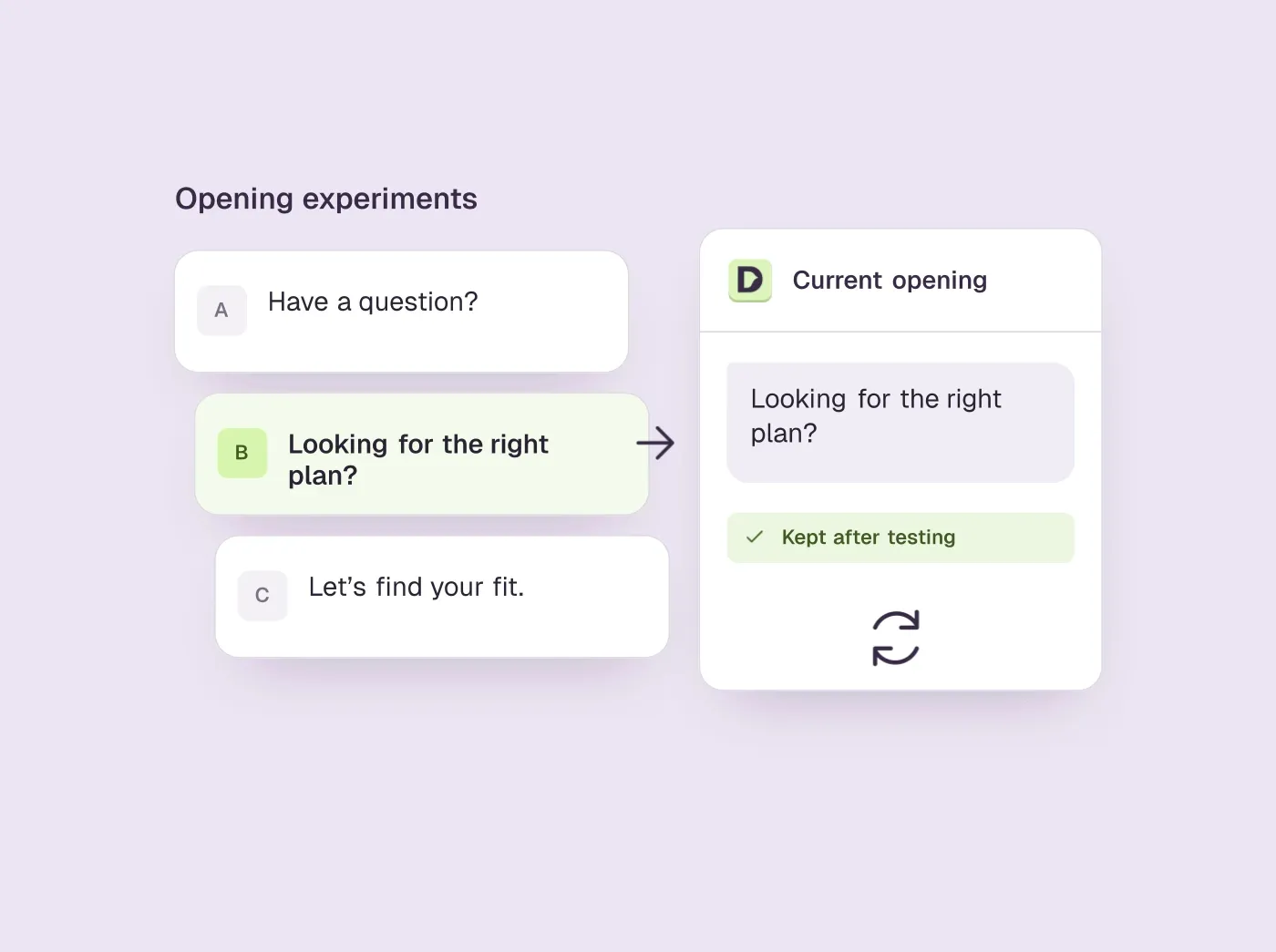
- With automatic testing on, Darwin tests new chat openings against the current one on each page and keeps a winner only when the evidence supports it.
- A winner is the opening that gets more visitors to the booking step, and Darwin never applies one that books fewer meetings.
- Only the opening changes. Answers still come from your knowledge base, so keep it current and read the conversations behind a result.
How we researched this
- 1 source. Each with the date it was read. See the list.
- Facts last checked .
Written by Ari Goldstein, Founder & CEO, Darwin. Darwin publishes this blog; our editorial policy covers how we write and review.
How old is your opening line?
Darwin improves its chat by testing the opening line, the short message next to the chat button that invites a visitor to talk. With automatic testing on, Darwin tries different opening lines on each page, promotes the ones that bring more visitors to the booking step (never one that books fewer meetings) and starts the next test from the winner. The rest of this guide covers why the opening matters, what Darwin changes and what it leaves alone, and how to read the results.SourcesDarwin
You have probably changed your website since launch. New pricing, a better product page, a few more integrations. Now look at the little message next to the chat button. When did that last change?
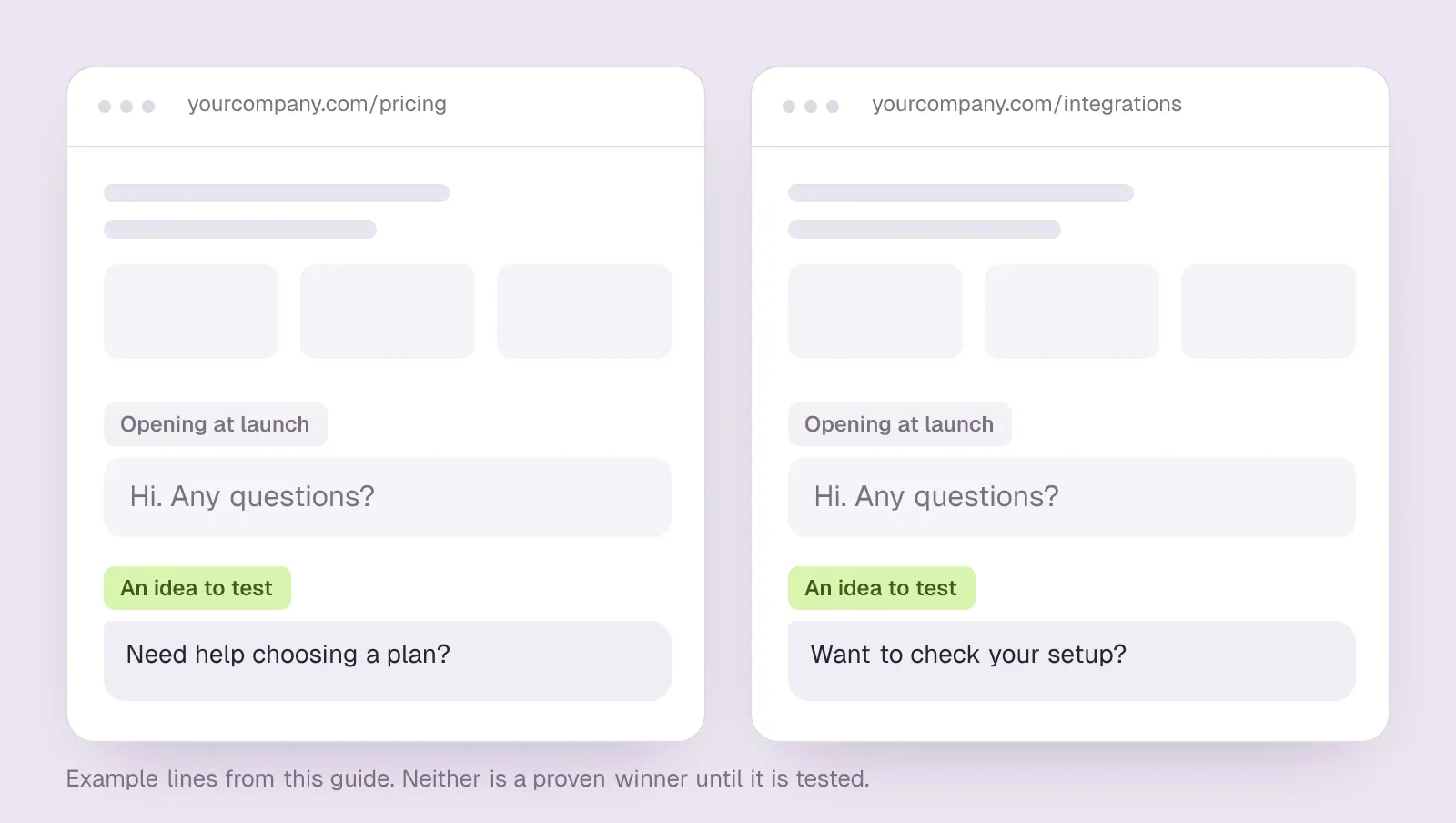
“Hi. Any questions?” is an easy line to write during setup and forget about afterward. It could sit on almost any website. It tells a visitor nothing about why this particular conversation might be worth starting.
Take a pricing page. Someone comparing plans may respond to “Need help choosing a plan?” On an integration page, “Want to check your setup?” gives them a different way in. Neither line is a proven winner. They are two ideas you could test.
What Darwin changes
Here is what actually happens. Darwin reads the page and writes new opening lines for it, then shows them to part of that page's visitors while the current line keeps showing to the rest. A new line wins when clearly more of the visitors who saw it reach the booking step: they saw times to book, asked for a meeting, or booked. If Apply winners for me is on, the winner goes live on its pages straight away; if it is off, the winner waits for you to apply it. Either way, the next test starts from the winner instead of from a blank box.SourcesDarwin
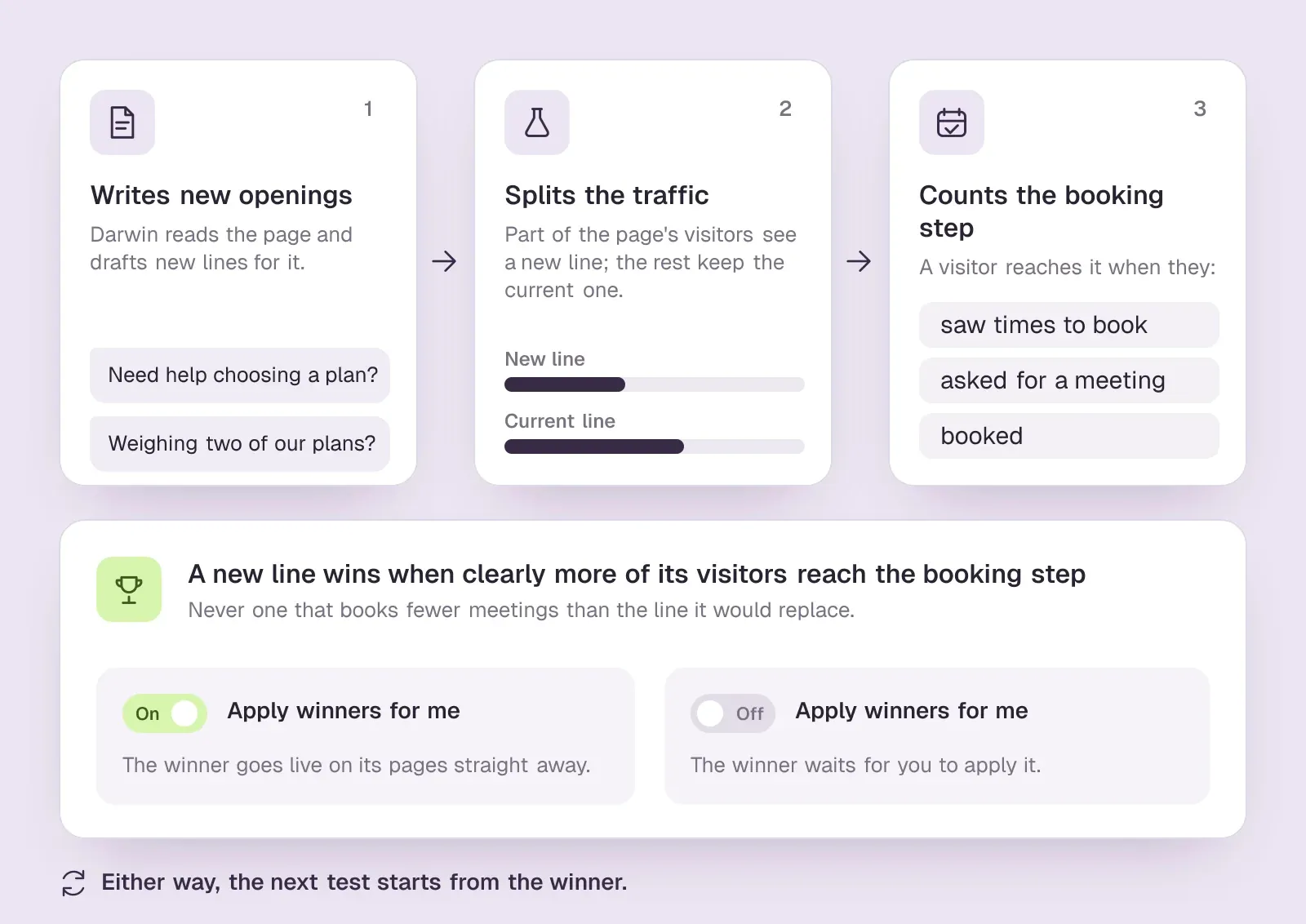
Why does that matter? Rewriting a greeting by hand swaps one guess for another. Running the same comparison again and again is how you learn which guesses were any good, and once automatic testing is on, nobody has to remember to come back and write candidate number four. The docs explain the loop in more detail.
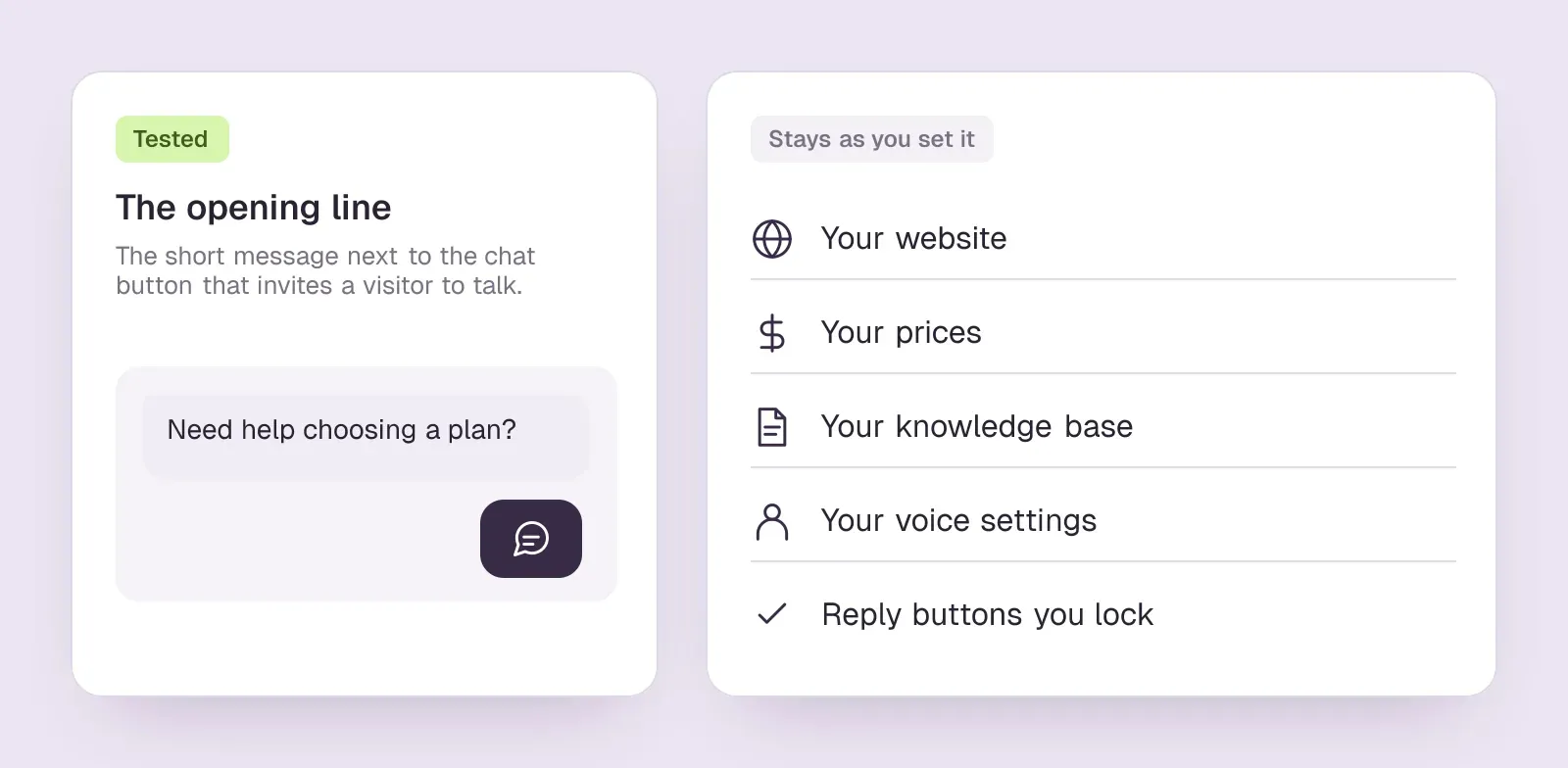
Only the invitation is being tested. Your website, your prices, your knowledge base, your voice settings and any reply buttons you lock stay as they are, so a livelier opening cannot turn a shaky product claim into a solid one. That is not its job.
How Darwin approaches improvement
Creates opening variants from page context.
For pages with automation enabled and sufficient traffic to run an experiment. Every plan includes unlimited optimized pages.
Tests opening variants and can promote a better performer.
Requires enough evidence; an experiment may have no winner.
The next opening experiment builds from the current winner.
Automation must be enabled and the page eligible. This does not guarantee improving results.
Read a few of the conversations
Suppose a new opening gets more people talking. Before celebrating, open the chats. A message can attract curiosity without bringing in people who might buy.
Look for the buying question: which plan fits, whether an integration works, how a rollout would happen. Then follow the exchange. Did the visitor get an answer? Did a meeting make sense? If they booked, did the scheduler confirm it?
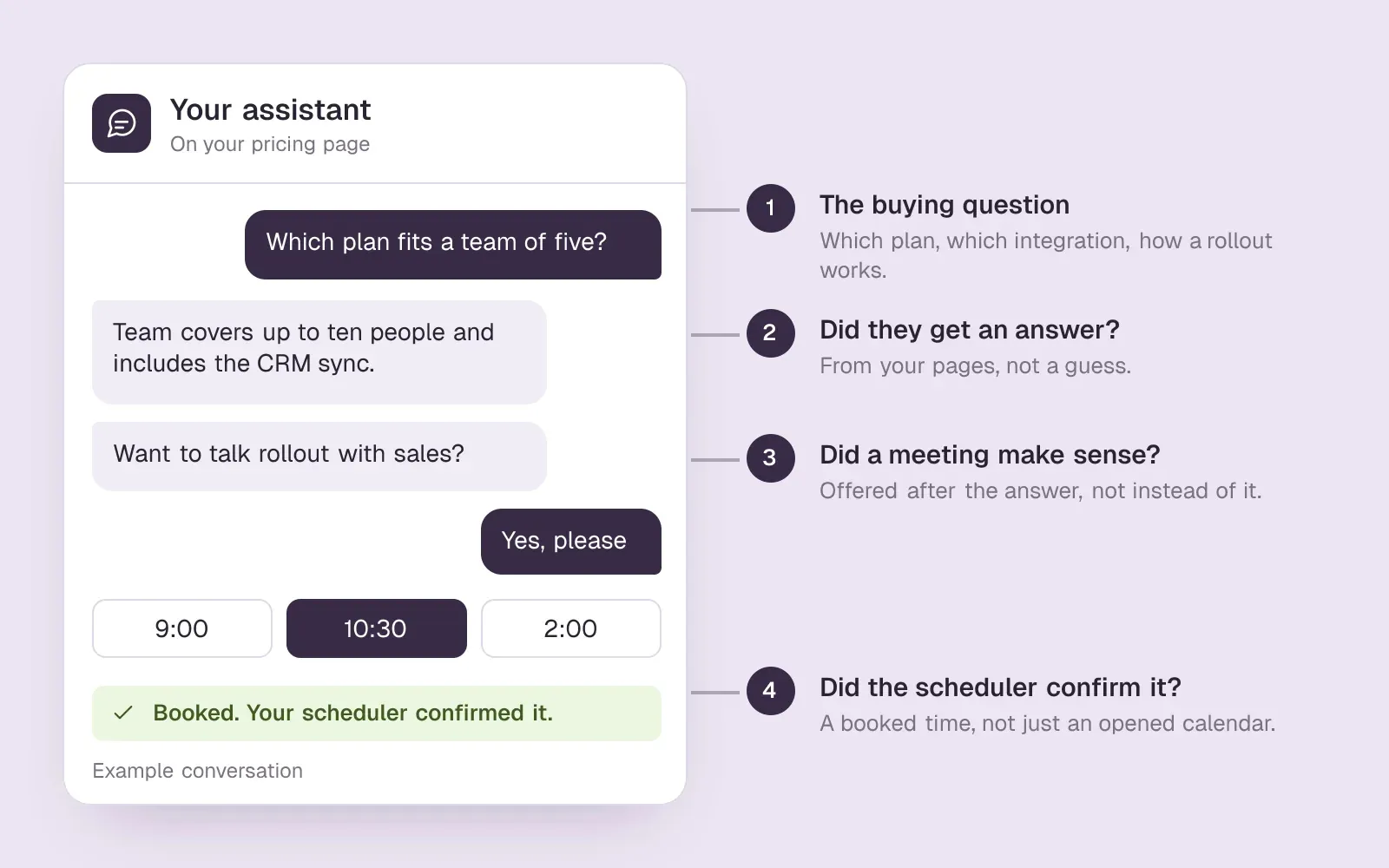
These conversations can tell you something about the page, too. If people keep asking whether a feature is included in a plan, that may be a pricing-page edit waiting to happen. The chat is where you noticed it.
Follow the whole path
| Signal | What it helps you understand |
|---|---|
| Page visits | How many people the page gives you a shot at in the first place. |
| Conversations started | Whether visitors bother to take up the opening. |
| Reached the booking step | What Darwin's tests count: visitors who saw times, asked for a meeting or booked. |
| Confirmed bookings | Whether the journey ends in an actual scheduled meeting. |
| Conversation detail | The questions, objections and gaps hiding underneath the totals. |
Sometimes the current opening stays
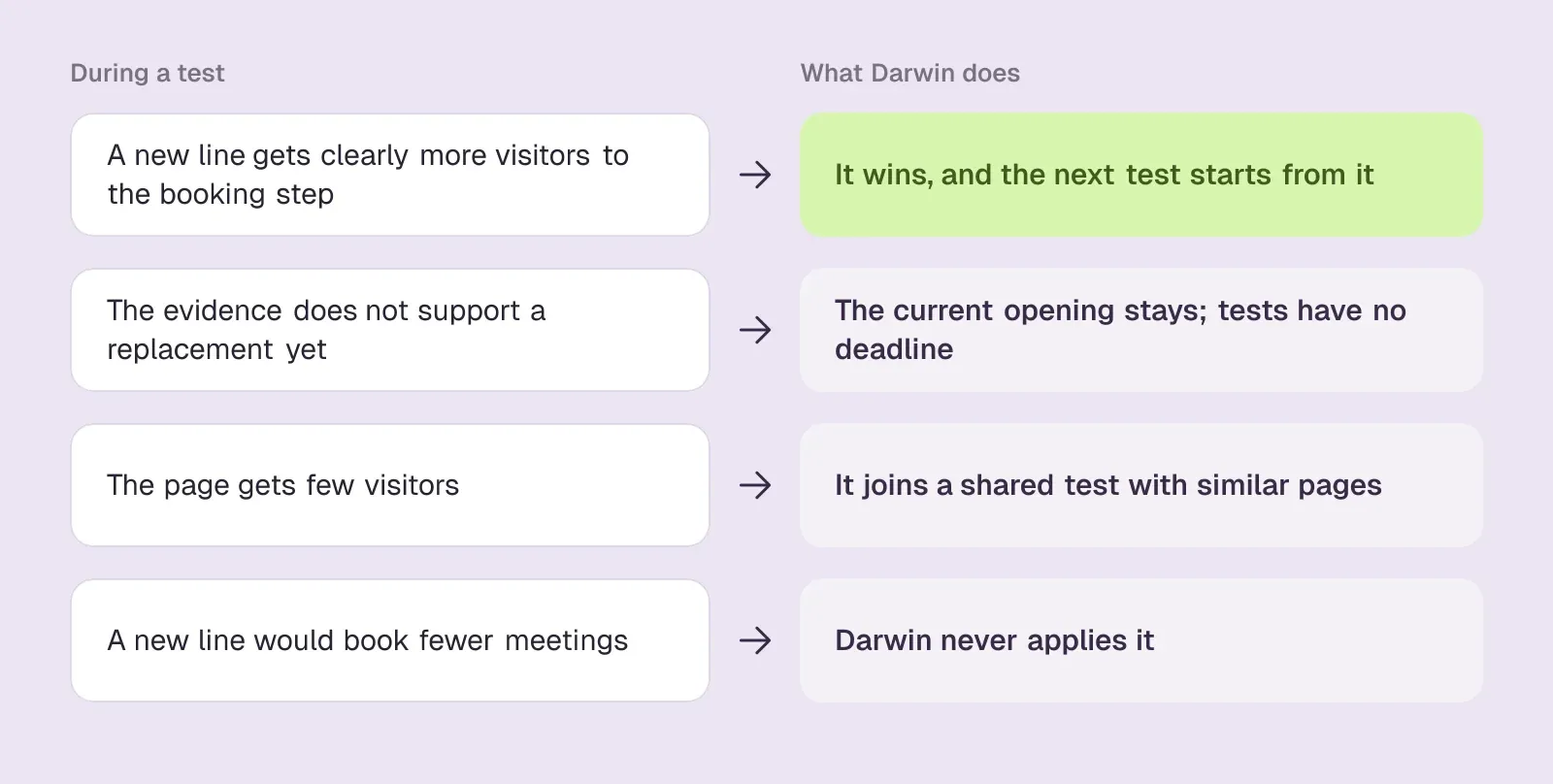
A new line does not deserve to win just because it is new. A quiet page takes longer to give an answer, so Darwin groups pages with few visitors into a shared test with similar pages, and tests have no deadline. The people visiting a page can also change during a test, and missing booking events leave you with an incomplete picture.
Darwin leaves the current opening in place when the evidence does not support a replacement, and it never applies an opening that books fewer meetings than the one it would replace. That is a sensible result. Forcing a winner would make the dashboard more exciting and the decision less useful. Reviewing a test shows where each one stands.SourcesDarwin
Keep your knowledge sources current and check the scheduling connection when you change providers or settings. Automating the experiment does not remove those dependencies.
Start where the question is clear
If your pricing page gets decent traffic, it's a good place to begin. Ask the assistant the kind of question someone weighing two plans would ask. Check the answer, accept the meeting offer, and follow the booking all the way through to a confirmed slot.
Once that path holds up, the opening line finally has a real job: get the right visitor into a conversation worth having. Darwin can keep chipping away at that invitation while your team spends its time in the meetings it produces.
Growth experiments questions.
What does Darwin's automatic testing change?
Only the opening line, the short message next to the chat button. Your website, prices, knowledge base, voice settings and locked reply buttons stay as they are, and the assistant keeps answering from your own content.
How does Darwin decide an opening has won?
It counts how many visitors who saw each opening reached the booking step: they saw times to book, asked for a meeting, or booked. A new opening wins only when Darwin is confident it beats the current one on that measure, and Darwin never applies an opening that books fewer meetings.
What happens on pages with little traffic?
A busy page gets a test of its own. A quieter page shares a test with similar pages, such as your other pricing or comparison pages, so their visitors count together. Tests have no deadline, so a quiet page simply takes longer to reach an answer.
Can I approve a winner before it goes live?
Yes. Turn off Apply winners for me in Experiments → Settings and each winning opening waits until you apply it from its page. With the setting on, a proven winner replaces the current opening straight away.
Which Darwin plans include automatic testing?
All of them, including Free, which has no monthly fee, and no plan limits how many pages Darwin tests. What a page still needs is enough visitors for its test to reach a result.
Sources & references (1)
Supporting material for the product details in this article. Each source keeps its own access date.
- How Darwin improves your openings Darwin · Accessed