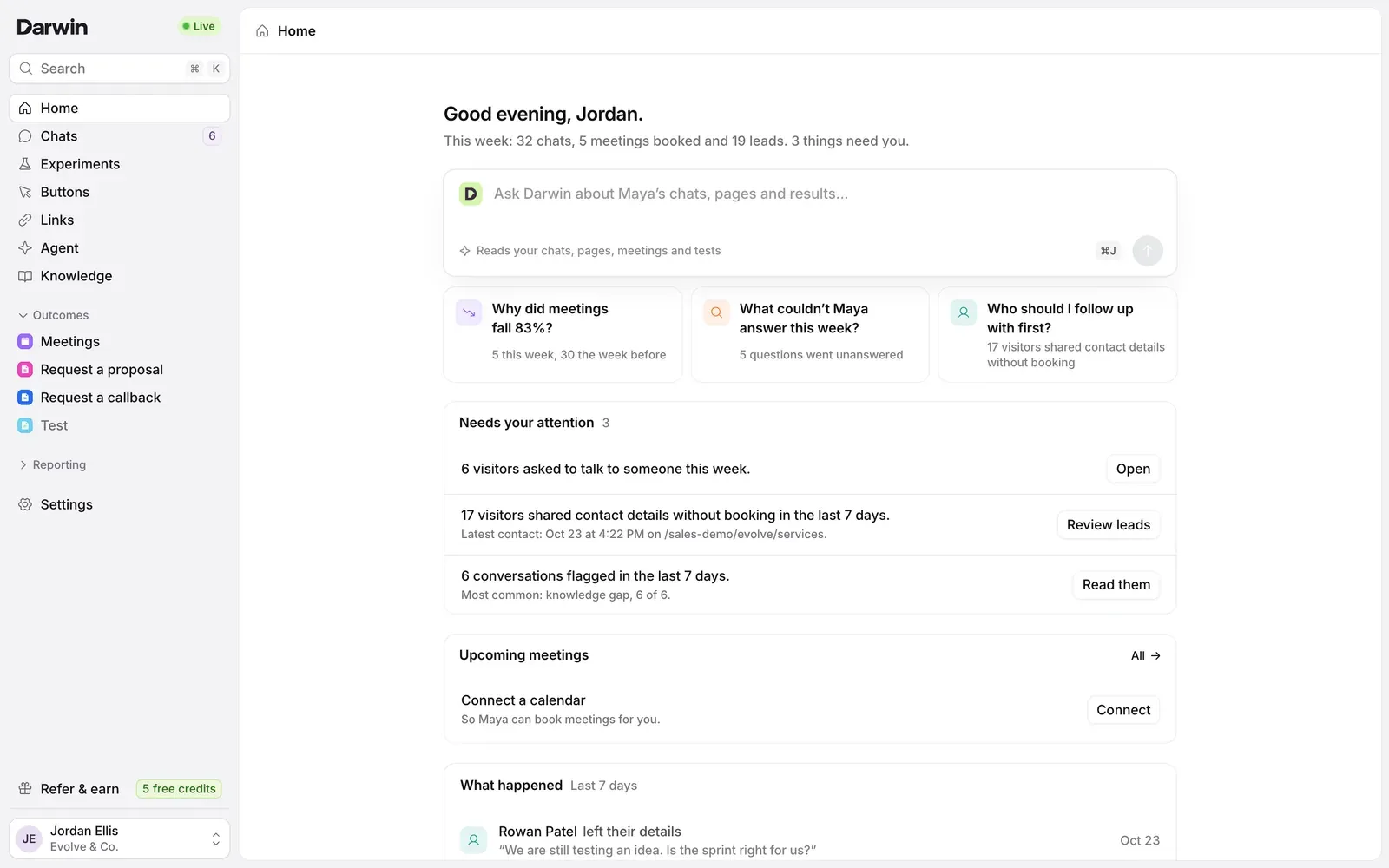
Darwin has a new look and a new layout. The sidebar follows your day: Home, Chats, Experiments, Buttons, Links, Agent and Knowledge, then your outcomes, then Reporting. Every record opens as its own page with a live preview beside it, and every table works the same way.
Home
Home opens on your week: chats, meetings booked and leads, then the few things that need you, such as visitors who asked to talk to someone or left their details without booking. Ask Darwin sits at the top and answers questions from your chats, pages, meetings and tests.
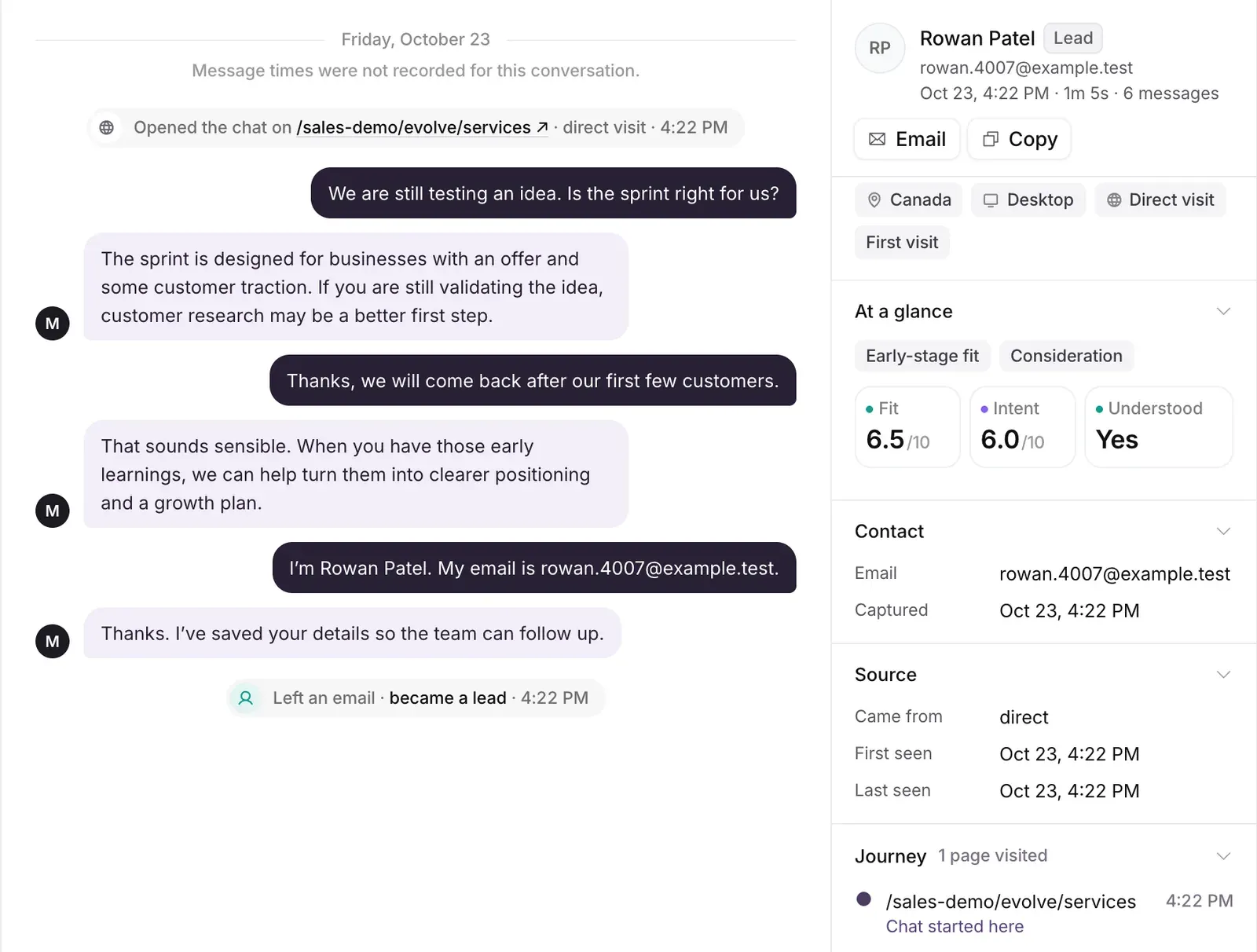
Chats is an inbox
Chats now reads like an inbox. Each teammate has their own unread marks, and Mark all read clears them. The visitor's details sit beside the conversation: what they shared, where they came from, the pages they saw and how well they fit.
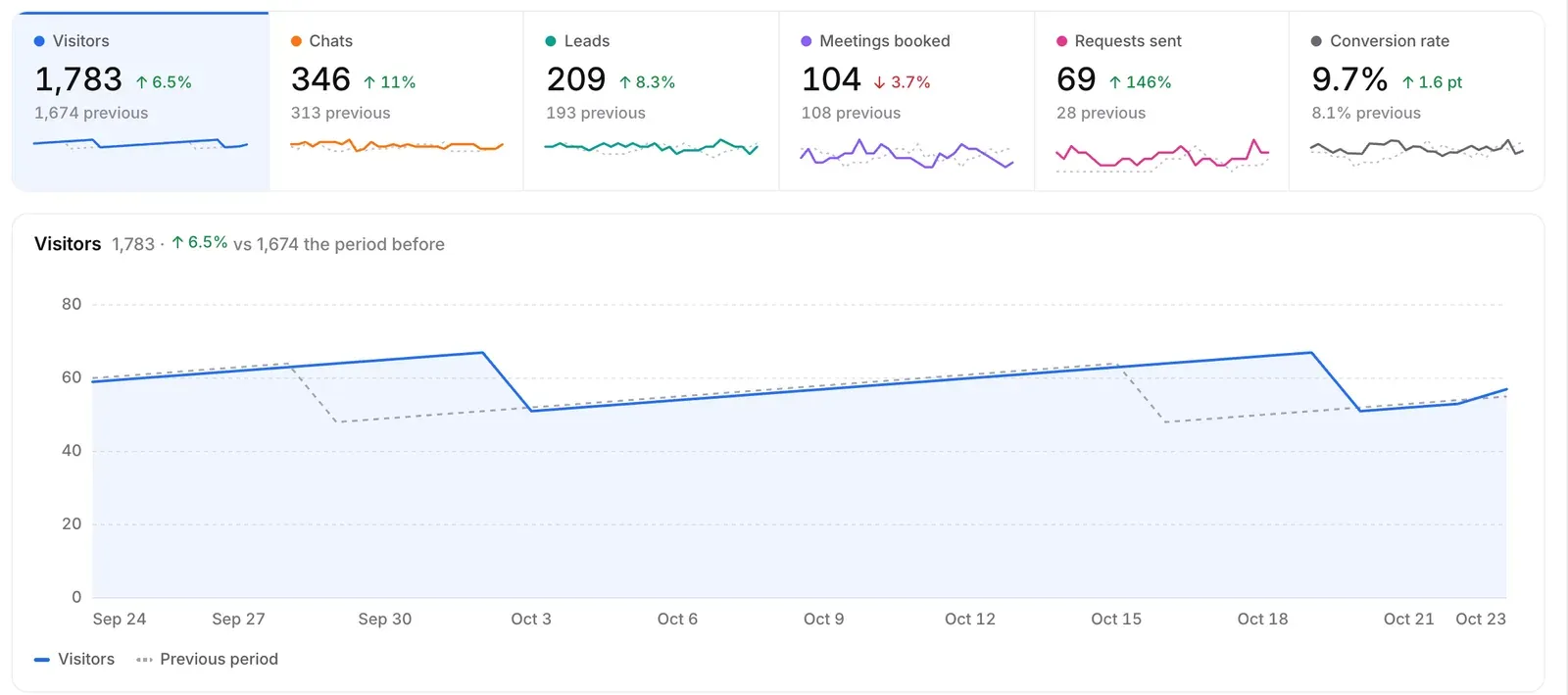
Reporting
Reporting replaces Analytics with seven reports: Overview, Traffic, Chats, Conversions, Campaigns, Experiments and Knowledge. Each compares with the period before, follows your workspace's time zone and exports to CSV. The Monday email now carries the same numbers.
Outcomes in the sidebar
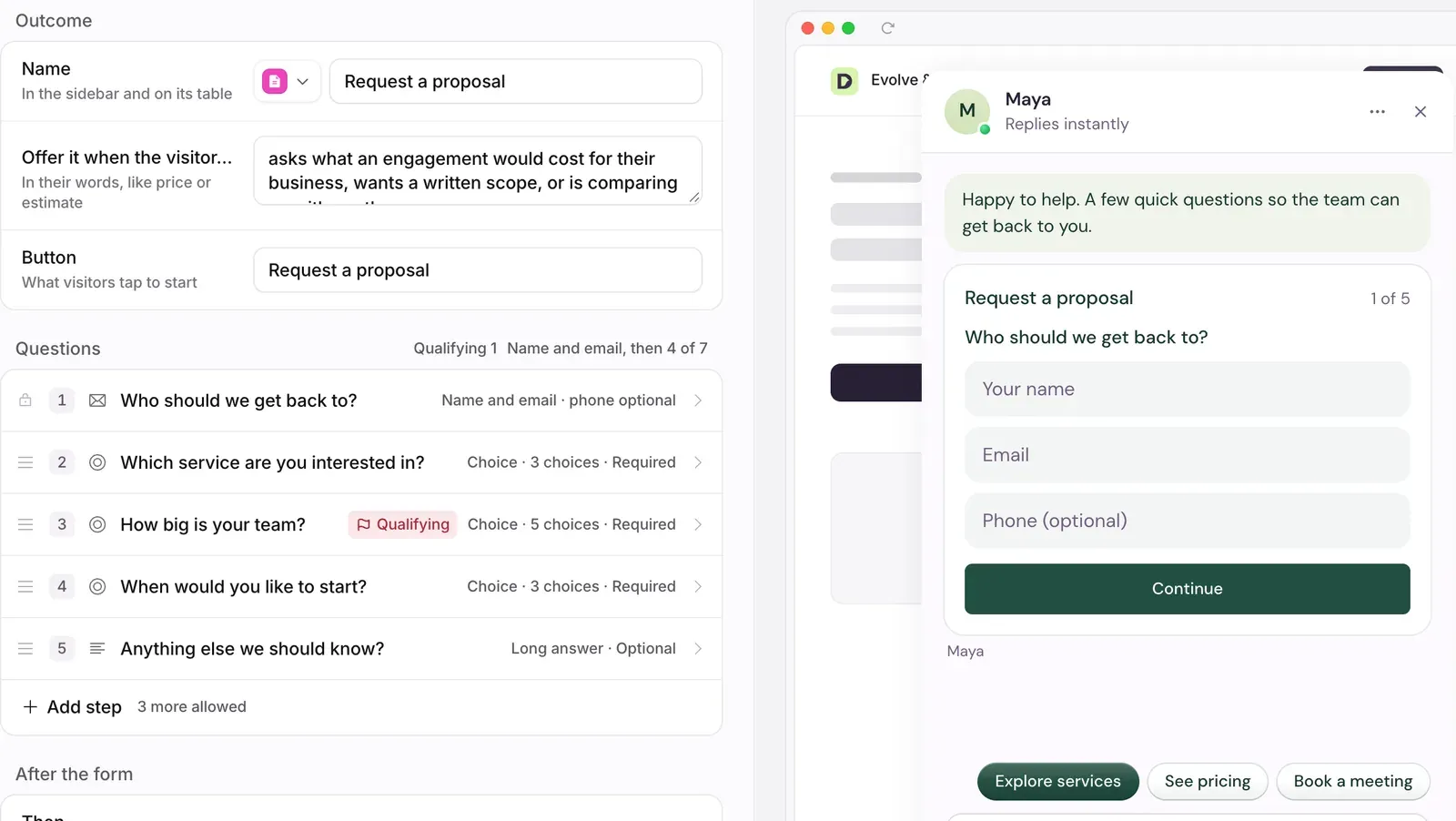
Meetings, quote requests, callbacks and your own custom requests each have a place in the sidebar, with their own icon, colour and table of requests. The builder shows your real chat beside the questions, so you see the form exactly as visitors will. Once visitors have answered a question, you can still reword it but not change its type, so their answers stay readable.
Forms that keep the lead
Every outcome form on your website now asks for a name and email first and saves them straight away. A visitor who stops halfway is still a lead you can follow up. Nothing reaches your team, and no credit is used, until they answer the last question.
Also in this release
- Experiments: one table of your pages and what each one is testing. Every experiment opens as its own page.
- Links: a link works without a greeting, and a greeting can steer the chat toward an outcome. Each link shows its clicks and outcomes.
- Tables: Buttons, Links, Knowledge, Experiments and every outcome have saved views, filters and CSV export.
- Knowledge: choose how often Darwin re-reads your website: every 3 months, every month, or every day on a paid plan.
- Your chat: the main reply buttons now use your brand colour.
- Personal links: always on now, with no switch to turn them off.